
1. Introduction
Thank you for choosing the GRIFEMA GB3001 Universal Mobile TV Stand. This product is designed to provide a versatile and stable solution for mounting flat or curved screen televisions ranging from 26 to 65 inches. Its robust construction and thoughtful features ensure ease of use and durability.
Key features include:
- Universal Compatibility: Supports most 26-65 inch TVs with VESA patterns up to 400x400mm and a maximum weight of 40 kg (88 lbs).
- Adjustable Viewing: Offers height adjustment from 1428 to 1548 mm and a 10-degree tilt for optimal viewing angles.
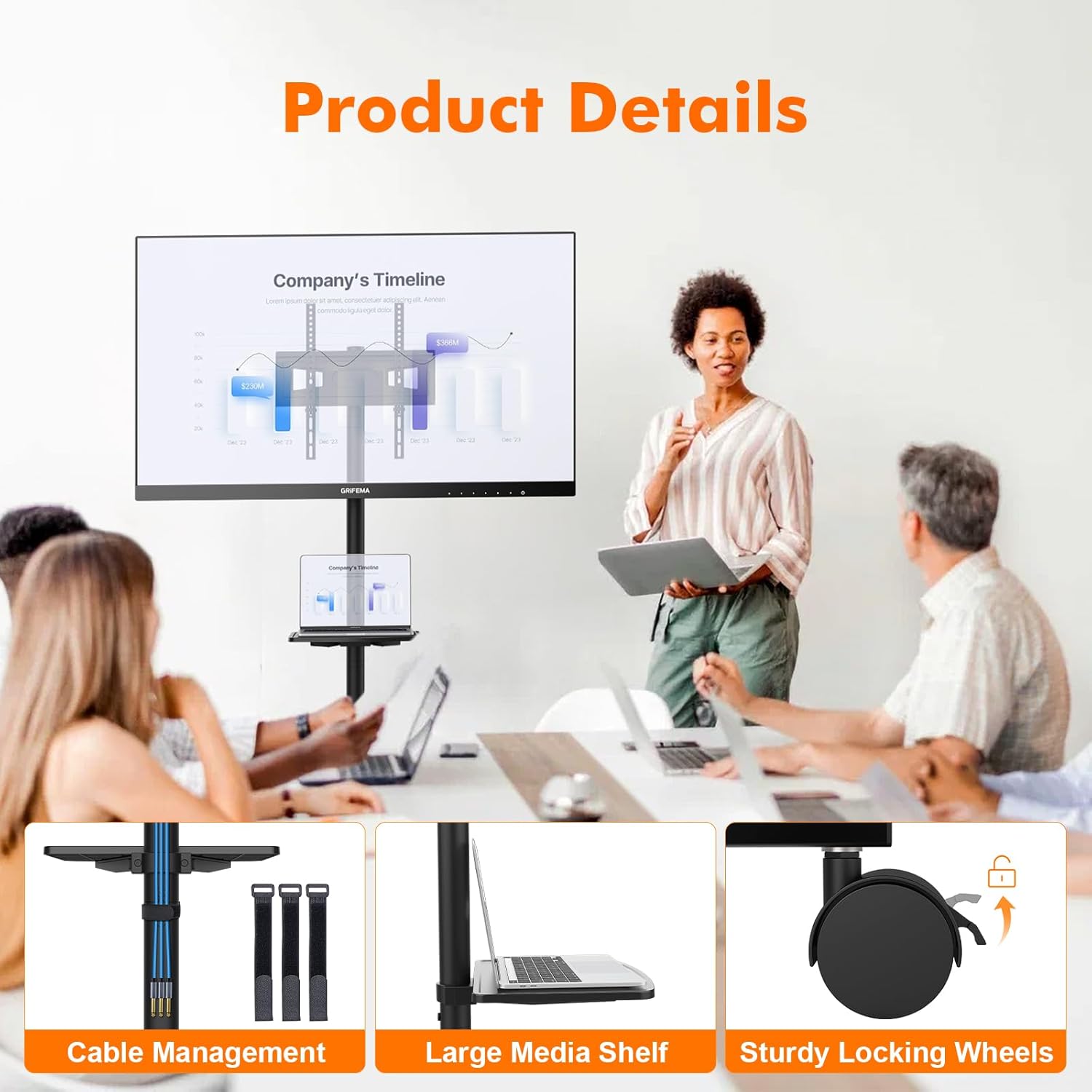
- Mobility: Equipped with four 360° rotating, lockable casters for easy movement and secure positioning.
- Integrated Shelf: Includes a sturdy shelf (349 x 280 mm) with a 10 kg (22 lbs) capacity for media devices like laptops or DVD players.
- Easy Assembly: Designed for quick installation with all necessary hardware and detailed graphical guides provided.

2. Safety Information
Please read all instructions carefully before assembly and use. Failure to follow these instructions may result in property damage, serious injury, or death.
- Weight Capacity: Do not exceed the maximum weight capacity of 40 kg (88 lbs) for the TV mount and 10 kg (22 lbs) for the media shelf. Overloading can cause instability and potential damage.
- TV Size & VESA: This stand is designed for TVs between 26 and 65 inches. Ensure your TV's VESA pattern (mounting hole distance) is compatible (75x75mm to 400x400mm) and its weight is within limits.
- Stability: Always ensure the stand is on a flat, stable surface. Lock the casters when the stand is in its desired position to prevent accidental movement.
- Assembly: Assemble the product according to the instructions. Do not use power tools for tightening screws unless specified, as overtightening can strip threads or damage components.
- Children: Keep children away from the assembly area. Small parts can be a choking hazard. Do not allow children to climb on or play with the TV stand.
- Maintenance: Regularly check all screws and connections to ensure they remain tight and secure.

3. Package Contents
Before assembly, please verify that all parts listed below are present and undamaged. If any parts are missing or damaged, please contact customer support.

Hardware List:
| Part No. | Description | Quantity |
|---|---|---|
| TV1 | M4*12mm Screw | x4 |
| TV1 | M4*30mm Screw | x4 |
| TV2 | M6*16mm Screw | x4 |
| TV3 | M6*35mm Screw | x4 |
| TV4 | M8*25mm Screw | x4 |
| TV5 | M8*50mm Screw | x4 |
| TV6 | Washer | x4 |
| TV7 | M8 Washer | x8 |
| TV8 | SP1 Spacer | x8 |
| TV9 | SP2 Spacer | x8 |
| TV10 | SP3 Spacer | x8 |
Note: The image above illustrates the various screws, washers, and spacers provided for mounting your television. Additional structural components such as the base, vertical pole, media shelf, and TV mounting brackets are also included in the package.
4. Setup & Assembly Instructions
Follow these steps carefully to assemble your GRIFEMA GB3001 TV Stand. It is recommended to have two people for certain steps, especially when mounting the TV.
4.1. Assemble the Base and Casters
- Attach the four casters to the base frame. Ensure they are securely tightened.
- Insert the vertical support pole into the base. Secure it using the provided screws and tools.
4.2. Attach the Media Shelf
- Slide the media shelf onto the vertical support pole.
- Adjust the shelf to your desired height and secure it using the locking mechanism or screws.
4.3. Prepare the TV Mounting Brackets
- Identify the VESA mounting holes on the back of your television.
- Select the appropriate screws (TV1-TV5) and spacers (SP1-SP3) from the hardware kit that fit your TV's VESA pattern.
- Attach the two vertical TV mounting brackets to the back of your TV using the selected screws and spacers. Ensure they are securely fastened but do not overtighten.
4.4. Mount the TV to the Stand
- Attach the horizontal TV mounting plate to the top of the vertical support pole.
- With assistance, carefully lift your TV (with the brackets attached) and hook the brackets onto the horizontal mounting plate on the stand.
- Secure the TV to the mounting plate using the safety screws or locking mechanisms provided.
- Adjust the TV's height on the mounting plate if necessary (refer to Section 5.1).

5. Operation
5.1. Adjusting TV Height and Tilt
The TV mounting plate can be adjusted to 3 different heights along the vertical pole, ranging from 1428 mm to 1548 mm. To adjust:
- Loosen the securing bolts on the TV mounting plate.
- Carefully slide the TV (with assistance if needed) to the desired height.
- Retighten the securing bolts firmly to lock the TV in place.
The TV can also be tilted up or down by 10 degrees to achieve an optimal viewing angle. Loosen the tilt adjustment knobs, set the desired angle, and retighten the knobs.
5.2. Moving the TV Stand
The stand is equipped with four 360° mobile casters for easy relocation.
- To move the stand, ensure all four casters are unlocked.
- Gently push the stand to its new location.
- Once in position, press down on the locking levers on all four casters to secure the stand and prevent accidental movement.

5.3. Using the Media Shelf
The integrated media shelf provides convenient storage for devices such as laptops, DVD players, or gaming consoles. It has a maximum load capacity of 10 kg (22 lbs).
- Place your device centrally on the shelf to ensure even weight distribution.
- Adjust the shelf height as needed by loosening its securing mechanism, sliding it to the desired position, and re-securing it.

6. Maintenance
Proper maintenance ensures the longevity and safe operation of your TV stand.
- Cleaning: Wipe the stand with a soft, dry cloth. For stubborn marks, a slightly damp cloth with mild soap can be used, followed by drying thoroughly. Avoid abrasive cleaners or solvents.
- Inspections: Periodically check all bolts, screws, and connections to ensure they are tight. Retighten any loose fasteners.
- Casters: Keep the casters free of dust and debris to ensure smooth movement.
- Weight Limits: Always adhere to the specified weight limits for the TV and the media shelf.
7. Troubleshooting
If you encounter any issues with your GRIFEMA GB3001 TV Stand, please refer to the following common problems and solutions:
- Stand is unstable:
- Ensure all assembly screws are securely tightened.
- Verify the stand is on a flat, level surface.
- Confirm the casters are locked when the stand is stationary.
- Check that the TV weight does not exceed 40 kg (88 lbs) and the shelf weight does not exceed 10 kg (22 lbs).
- Casters do not roll smoothly:
- Check for debris (hair, dust, etc.) caught in the wheels and clean them.
- Ensure the casters are not locked when attempting to move the stand.
- TV cannot be tilted or height adjusted:
- Loosen the respective adjustment knobs or bolts before attempting to adjust.
- Ensure no cables are obstructing the movement.
- Missing parts or damaged components:
- Review the "Package Contents" section. If parts are genuinely missing or damaged, contact GRIFEMA customer support immediately.
8. Specifications
| Feature | Detail |
|---|---|
| Brand | GRIFEMA |
| Model Number | GB3001 |
| Color | Black |
| Material | Metal |
| Mounting Type | Floor Mount |
| Movement Type | Tilt |
| Compatible Devices | Television (26-65 inches) |
| Maximum TV Weight Capacity | 40 kg (88 lbs) |
| VESA Compatibility | 75x75, 100x100, 100x200, 200x100, 200x200, 200x300, 300x300, 300x400, 400x200, 400x300, 400x400 mm |
| Adjustable Height Range | 1428 mm - 1548 mm |
| Maximum Tilt Angle | 10 degrees (up/down) |
| Media Shelf Dimensions | 349 x 280 mm |
| Media Shelf Weight Capacity | 10 kg (22 lbs) |
| Casters | 4 x 360° mobile, lockable |
9. Warranty & Customer Support
GRIFEMA products are manufactured with quality and durability in mind. This product comes with a standard manufacturer's warranty against defects in materials and workmanship. Please refer to the warranty card included in your package or visit the official GRIFEMA website for detailed warranty terms and conditions.
For technical assistance, missing parts, or any other inquiries, please contact GRIFEMA customer support:
- Website: Visit the GRIFEMA Store on Amazon
- Email: support@grifema.com (Example, actual email not provided)
- Phone: +1-XXX-XXX-XXXX (Example, actual phone not provided)
Please have your model number (GB3001) and purchase information ready when contacting support.