
llano NP-FW50
Contents
llano NP-FW50 Battery & 18W Fast Charger Set for Sony Cameras - Instruction Manual
Model: NP-FW50
Introduction
Thank you for choosing the llano NP-FW50 Battery & 18W Fast Charger Set. This product is designed to provide efficient and safe power solutions for your compatible Sony cameras. This manual will guide you through the setup, operation, and maintenance of your new charger and batteries.
Package Contents
- Camera Battery Charger
- 2 Pack of NP-FW50 Battery
Compatibility
This llano NP-FW50 Battery Charger Set is compatible with the following Sony camera models:
- Sony Alpha A6000, A6100, A6300, A6400, A6500, A5100
- Sony ZV-E10
- Sony A7, A7 II, A7R, A7R II, A7S, A7S II
- Sony NEX-3/5/7 Series
- Sony RX10

Image: llano NP-FW50 charger displaying compatibility with various Sony Alpha, ZV-E10, NEX, and RX10 series cameras.
Setup and First Use
- Insert Batteries: Open the magnetic snap cover of the charger. Insert the llano NP-FW50 batteries into the designated slots (CH1 and CH2). Ensure the battery contacts align correctly with the charger pins.
- Connect to Power: Connect the charger to a power source using a USB-C cable. The charger supports various power inputs including wall adapters, car chargers, laptops, and power banks. For optimal fast charging, use an 18W QC3.0 or PD3.0 compatible power adapter (not included).
- Initial Charge: It is recommended to fully charge the batteries before their first use. The digital display will show the charging status.
Video: Demonstrates inserting llano NP-FW50 batteries into the charger and closing the magnetic cover. This video is provided by the seller, Lk-US.

Image: The llano NP-FW50 charger shown connected to a wall charger, car charger, laptop, and power bank, illustrating versatile charging options.
Operating Instructions
Charging Process
Once connected to a power source with batteries inserted, the charger will automatically begin charging. The digital display provides real-time information:
- Battery Level Display: Shows the current charge percentage for each battery.
- Rapid Charging Mode: Indicated by a lightning bolt icon, signifying fast charging is active.
- No Battery: Displayed when a slot is empty.

Image: The llano NP-FW50 charger's digital display showing battery charge levels and charging indicators.
The 18W fast charging capability allows for a full charge of two NP-FW50 batteries in approximately 1.6 hours, which is significantly faster than standard chargers.

Image: A graphic illustrating the llano charger's 18W fast charging speed (1.6 hours) compared to other chargers (4.0 hours).
Battery Capacity and Usage
Each NP-FW50 battery has a capacity of 1080mAh, providing extended power for your camera. Based on CIPA standards, a single battery can support up to 780 photos or 3.2 hours of continuous shooting.
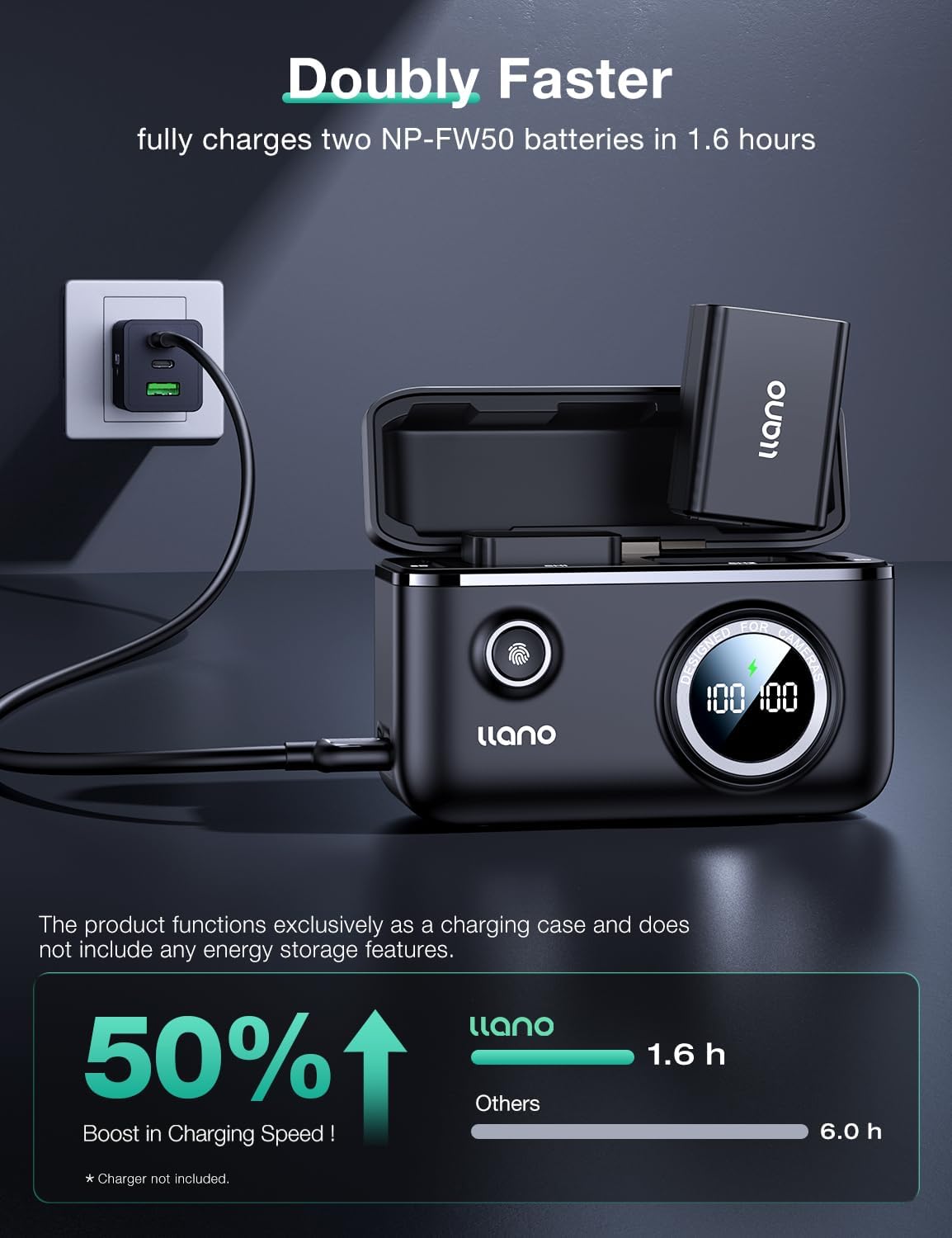
Image: A visual representation of the 1080mAh capacity of the llano NP-FW50 battery, indicating usage for photos and video.
SD Card Storage
The charger features an integrated SD card storage slot, allowing you to conveniently store a memory card alongside your batteries.

Image: A close-up view of the llano NP-FW50 charger highlighting the integrated SD card storage slot.
Safety Features
The llano charger incorporates a ten-layer defense system to ensure the safety and longevity of your batteries during charging. These protections include:
- Overheating Protection
- Overvoltage Protection
- Overcharge Protection
- Overcurrent Protection
- Short Circuit Protection

Image: Graphic illustrating the various safety protections integrated into the llano NP-FW50 charger.
Maintenance
- Keep the charger and batteries dry. Avoid exposure to moisture or extreme temperatures.
- Clean the charger and battery contacts periodically with a dry, soft cloth to ensure optimal connection.
- Store batteries in a cool, dry place when not in use.
- Do not attempt to disassemble the charger or batteries.
Troubleshooting
| Problem | Possible Cause | Solution |
|---|---|---|
| Charger not powering on/display off | No power connection or faulty cable. | Ensure the USB-C cable is securely connected to both the charger and a working power source. Try a different cable or power adapter. |
| Batteries not charging | Batteries not inserted correctly, dirty contacts, or faulty battery. | Re-insert batteries, ensuring proper alignment. Clean battery and charger contacts. Test with a different battery if available. |
| Slow charging speed | Power adapter not supporting 18W fast charging. | Use an 18W QC3.0 or PD3.0 compatible power adapter for optimal charging speed. |
Specifications
| Feature | Detail |
|---|---|
| Brand | llano |
| Model Number | NP-FW50 |
| Battery Capacity | 1080 mAh (per battery) |
| Charger Input | USB-C, 9 Volts |
| Charger Output | 9 Volts |
| Fast Charging | 18W (QC3.0 and PD3.0 compatible) |
| Number of Ports | 2 (for batteries) |
| Dimensions (D x W x H) | 2.32"D x 6.06"W x 5.79"H |
| Item Weight | 0.42 kg |
| Certifications | UL, FCC |
Warranty and Support
This llano product comes with a 1-year warranty from the date of purchase. For warranty claims, technical support, or any inquiries, please contact llano customer service through the retailer where you purchased the product or visit the official llano website.
Please retain your proof of purchase for warranty validation.
Ask a question about this manual
Ask about setup, troubleshooting, compatibility, parts, safety, or missing instructions. Manuals+ will review the question and use this page’s manual context to help answer it.