
Devoko Electric Height Adjustable Desk 160x70cm
Devoko Electric Height Adjustable Desk User Manual
Model: 160 x 70 cm Electric Standing Desk
Introduction
This manual provides detailed instructions for the assembly, operation, and maintenance of your Devoko Electric Height Adjustable Desk. Designed for versatility, this desk allows seamless transitions between sitting and standing positions, promoting better posture and productivity in various environments such as offices, studies, or creative workspaces.

Image: The Devoko Electric Height Adjustable Desk, showcasing its spacious desktop with dual monitors, a laptop stand, and various office accessories. The desk features a sturdy frame and an integrated control panel for height adjustments.
Safety Information
- Ensure all components are securely fastened before use.
- Keep children and pets away from the desk during operation to prevent injury.
- Do not overload the desk beyond its specified weight capacity (70 kg).
- Avoid placing liquids directly on the control panel or motor components.
- Disconnect power before cleaning or performing any maintenance.
- Use only the provided power adapter and components.
Package Contents
Please verify that all parts are present before beginning assembly. If any parts are missing or damaged, contact customer support.
- Desktop sections (x3)
- Desk legs with motor (x2)
- Foot pads (x2)
- Control panel
- Power adapter and cable
- Headphone hook
- Cup holder
- Assembly hardware (screws, tools)
- Instruction manual
Setup and Assembly
Follow these steps carefully to assemble your electric standing desk. It is recommended to have ample space and a second person for assistance during certain steps.
- Unpack Components: Carefully remove all parts from the packaging and lay them out on a clean, flat surface. Verify against the package contents list.
- Assemble Desktop: Connect the three desktop sections using the provided metal plates and screws. Ensure they are aligned properly for a smooth surface.
- Attach Legs: Securely attach the desk legs to the pre-drilled holes on the underside of the desktop using the provided screws. Ensure the motor and control panel cables are routed correctly.
- Install Foot Pads: Attach the foot pads to the bottom of the desk legs for stability and floor protection.
- Connect Control Panel: Plug the control panel cable into the designated port on the motor unit.
- Connect Power: Plug the power adapter into the motor unit and then into a wall outlet.
- Attach Accessories: Install the headphone hook and cup holder to the desired locations on the desk edge.

Image: An exploded diagram illustrating the main components of the Devoko Electric Height Adjustable Desk, including the desktop sections, legs, and control unit, demonstrating the ease of assembly.
Operating Instructions
Your Devoko Electric Height Adjustable Desk features an intuitive control panel for effortless height adjustments and memory settings.
Basic Height Adjustment
- To Raise: Press and hold the "Up" arrow button (▲) until the desk reaches your desired standing height.
- To Lower: Press and hold the "Down" arrow button (▼) until the desk reaches your desired sitting height.
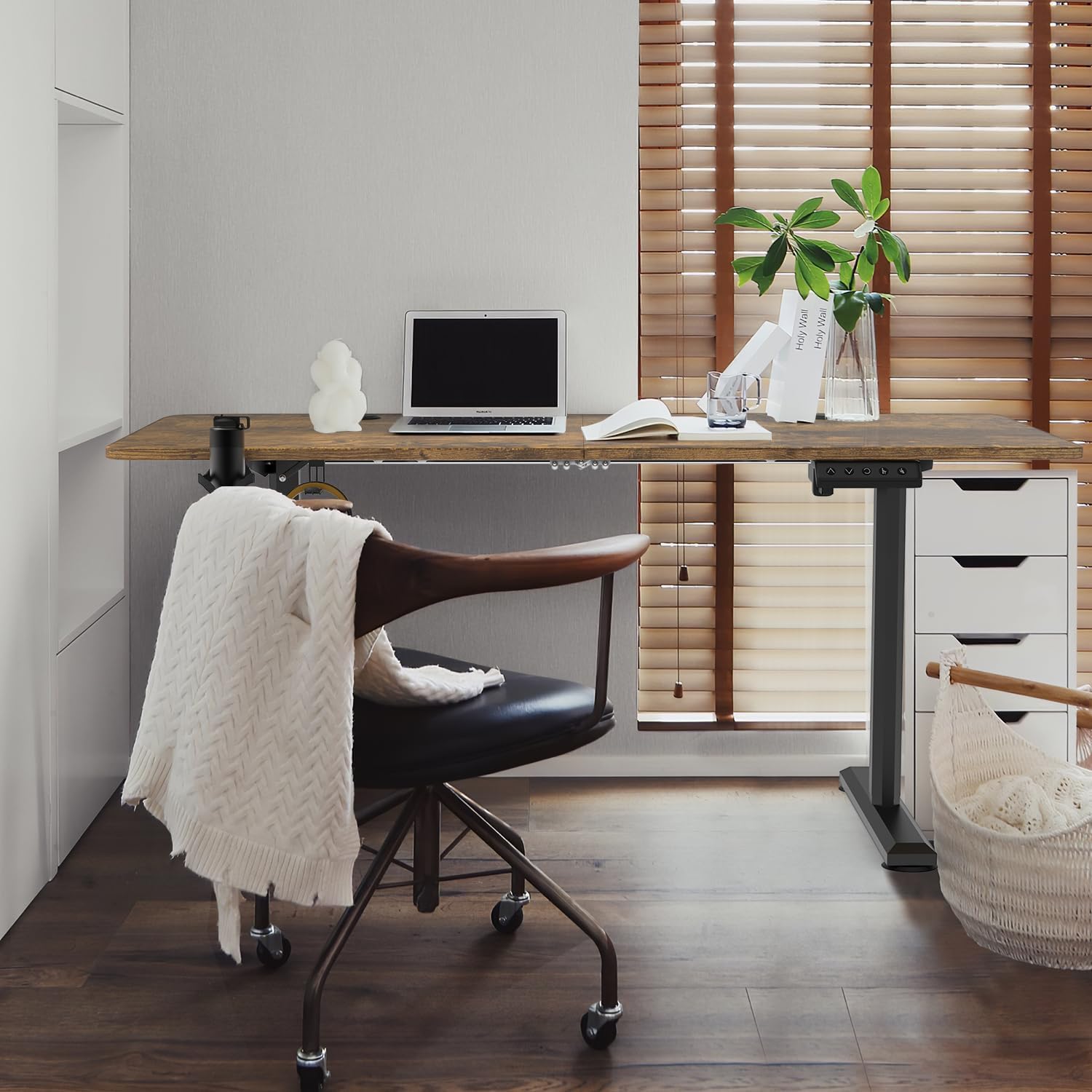
Image: The Devoko Electric Height Adjustable Desk demonstrating its adjustable height range, from a minimum of 72 cm to a maximum of 117 cm, highlighting its flexibility for various user preferences.
Memory Height Settings
The desk allows you to save two preferred height settings for quick recall.
- Set Memory Position: Adjust the desk to your desired height using the Up/Down buttons.
- Save Position: Press the "M" button, then immediately press either button "1" or "2". The display will show "S-1" or "S-2" to confirm the setting is saved.
- Recall Position: Simply press button "1" or "2" to automatically move the desk to the saved height.
Reset Function
If the desk encounters an error or needs to be recalibrated, use the reset function.
- To Reset: Press and hold the "Reset" button (often marked with a circle or 'R') until the desk moves to its lowest position and then slightly rises. Release the button once the reset is complete.

Image: A close-up of the Devoko Electric Height Adjustable Desk's control panel, emphasizing the quiet operation of the motor, which produces less than 50dB of noise during height adjustments.
Maintenance
Regular maintenance ensures the longevity and optimal performance of your desk.
- Cleaning: Wipe the desktop and frame with a soft, damp cloth. Avoid abrasive cleaners or harsh chemicals.
- Cable Management: Periodically check and organize cables to prevent tangling or damage during height adjustments.
- Motor Inspection: Ensure the motor area is free from dust and obstructions. Do not attempt to lubricate or open the motor housing.
- Fastener Check: Occasionally check all screws and fasteners to ensure they are tight. Retighten if necessary.
Troubleshooting
If you encounter issues with your desk, refer to the following common problems and solutions.
| Problem | Possible Cause | Solution |
|---|---|---|
| Desk does not move. | Power cable disconnected; motor overload; control panel issue. | Check power connection. Unplug for 10 minutes, then plug back in. Reduce weight on desk. Perform a reset. |
| Desk moves unevenly. | Uneven weight distribution; loose fasteners. | Distribute weight evenly. Check and tighten all assembly screws. Perform a reset. |
| Error code displayed. | Specific system malfunction. | Refer to the specific error code in the full manual (if available) or perform a reset. If persistent, contact customer support. |
| Noise during operation. | Normal motor sound; loose components. | A slight motor sound is normal (below 50dB). Check for any loose components and tighten them. |
Specifications
- Brand: Devoko
- Model: Electric Height Adjustable Desk 160 x 70 cm
- Overall Dimensions (D x W x H): 27.56" x 62.99" x 28.35" (70 cm x 160 cm x 72-117 cm)
- Height Adjustment Range: 73 cm (Minimum) to 118 cm (Maximum)
- Weight Capacity: 70 kg
- Top Material Type: Metal
- Base Material: Metal
- Lifting Mechanism: Electric
- Color: Brown-new
- Style: Modern
- Assembly Required: Yes
- Special Features: Adjustable Height, 2 Memory Heights

Image: The Devoko Electric Height Adjustable Desk supporting multiple kettlebells, visually confirming its robust 70 kg weight capacity.
Warranty and Support
Devoko provides comprehensive support for your product.
- Warranty: This product comes with a 5-year warranty.
- Customer Service: For any questions, issues, or warranty claims, please contact Devoko customer service. Professional customer service will reply within 24 hours.
- Contact Information: Please refer to the contact details provided on the product packaging or the official Devoko website.
Related documentsElectric Height Adjustable Desk 160x70cm


Ask a question about this manual
Ask about setup, troubleshooting, compatibility, parts, safety, or missing instructions. Manuals+ will review the question and use this page’s manual context to help answer it.