
1. Introduction
The meross Matter Smart Plug Mini (Model MSS115) is designed to transform traditional electrical outlets into smart, controllable power sources. This device allows you to manage connected appliances remotely via an app, voice commands, and set schedules, integrating seamlessly into various smart home ecosystems through Matter technology. It operates on a 2.4 GHz Wi-Fi network and offers enhanced privacy and local control.

Image: Two meross Matter Smart Plug Mini devices, showcasing their compact design and Matter logo.
2. Package Contents
- 2 x meross Matter Smart Plug Mini
- 1 x User Manual
3. Specifications
| Model Number | MSS115 |
| Product Dimensions | 2 x 2 x 2 inches (5.08 cm x 5.08 cm x 5.08 cm) |
| Weight | 4.66 ounces (132 grams) |
| Voltage | 120 Volts |
| Material | Polycarbonate (PC) |
| Connectivity | 2.4 GHz Wi-Fi Only |
| Compatibility | Apple Home (HomeKit), Alexa, Google Home, SmartThings, Home Assistant (Matter-certified) |
4. Safety Information
- For indoor use only.
- Do not exceed the maximum load rating of the device.
- Ensure the plug is fully inserted into the outlet.
- Do not disassemble or modify the device.
- Keep away from water and high humidity environments.
- Unplug the device from the outlet before cleaning.
5. Setup
5.1 System Requirements
- For Apple users: iOS 16.1 or higher, 2.4 GHz Wi-Fi network, and a Matter-compatible hub (e.g., Apple TV 4K 2nd/3rd generation, HomePod Mini). Note: Thread is not supported.
- For Android users: Android 8.1 or higher, 2.4 GHz Wi-Fi network, and a Matter-compatible hub (e.g., Samsung SmartThings Hub v3, Amazon Echo 4th generation, Google Nest Hub 2nd generation, Nest Hub Max).
- A smartphone with Bluetooth enabled for initial setup.

Image: A visual guide illustrating various Matter-compatible hubs required for HomeKit, Amazon Alexa, and Google Home ecosystems.
5.2 Installation and Pairing
- Plug the meross Matter Smart Plug Mini into a standard electrical outlet. Ensure your smartphone's Bluetooth is enabled and you are connected to a 2.4 GHz Wi-Fi network.
- Open your preferred smart home app (e.g., Apple Home, Google Home, Alexa app, or Meross app).
- Follow the app's instructions to add a new device. You will typically be prompted to scan the QR code located on the device, its packaging, or in the user manual.
- The app will guide you through connecting the smart plug to your 2.4 GHz Wi-Fi network.
- Once connected, you can name the device and assign it to a room for easier management.

Image: A meross smart plug installed in a wall outlet, with a smartphone screen displaying a QR code scanner for easy setup. This illustrates the simple pairing process.
5.3 Compact Design
The compact design of the meross Matter Smart Plug Mini ensures that it does not obstruct adjacent outlets, allowing you to utilize both sockets on a standard duplex outlet. It is designed for bottom placement to free up the top outlet.

Image: A visual comparison demonstrating how the meross smart plug's compact design allows it to be plugged into one socket without blocking the other, unlike larger plugs.
6. Operating Instructions
6.1 App Control
Once paired, you can control your smart plug from anywhere using the Meross app or your chosen smart home app. This includes turning devices on/off, checking their status, and managing settings.
6.2 Voice Control
The meross Matter Smart Plug Mini supports voice commands through Apple Home (Siri), Amazon Alexa, and Google Assistant. Simply use your voice to control connected devices.
- Siri: "Hey Siri, turn on my living room TV."
- Alexa: "Alexa, turn on my living room TV."
- Google Assistant: "Hey Google, turn on my living room TV."

Image: An illustration of a smart plug connected to a lamp, with speech bubbles showing examples of voice commands for Siri, Alexa, and Google Assistant.
6.3 Scheduling and Timer Functions
Set custom schedules and timers for your devices to automate their operation. This can help optimize energy consumption and enhance convenience. Schedules can function even if the internet connection is temporarily unavailable, thanks to local control capabilities.
- Schedule: Set specific times for devices to turn on or off daily or on selected days. For example, turn on a coffee maker at 7:00 AM.
- Timer: Set a countdown timer for a device to turn off after a specified duration.
- Sunrise/Sunset: Automate actions based on local sunrise and sunset times.

Image: A bedside lamp connected to a smart plug, with a smartphone displaying the Meross app interface showing 'Sunset Turn On' and 'Sunrise Turn Off' schedule options.

Image: A coffee maker and toaster plugged into smart plugs, with a smartphone showing the app interface for setting schedules like '07:00 / ON' and '08:00 / ON'.
6.4 Multi-Platform Compatibility
The meross Matter Smart Plug Mini offers broad compatibility with various smart home platforms, including Apple Home, Alexa, Google Home, and SmartThings, leveraging Matter technology for seamless integration.
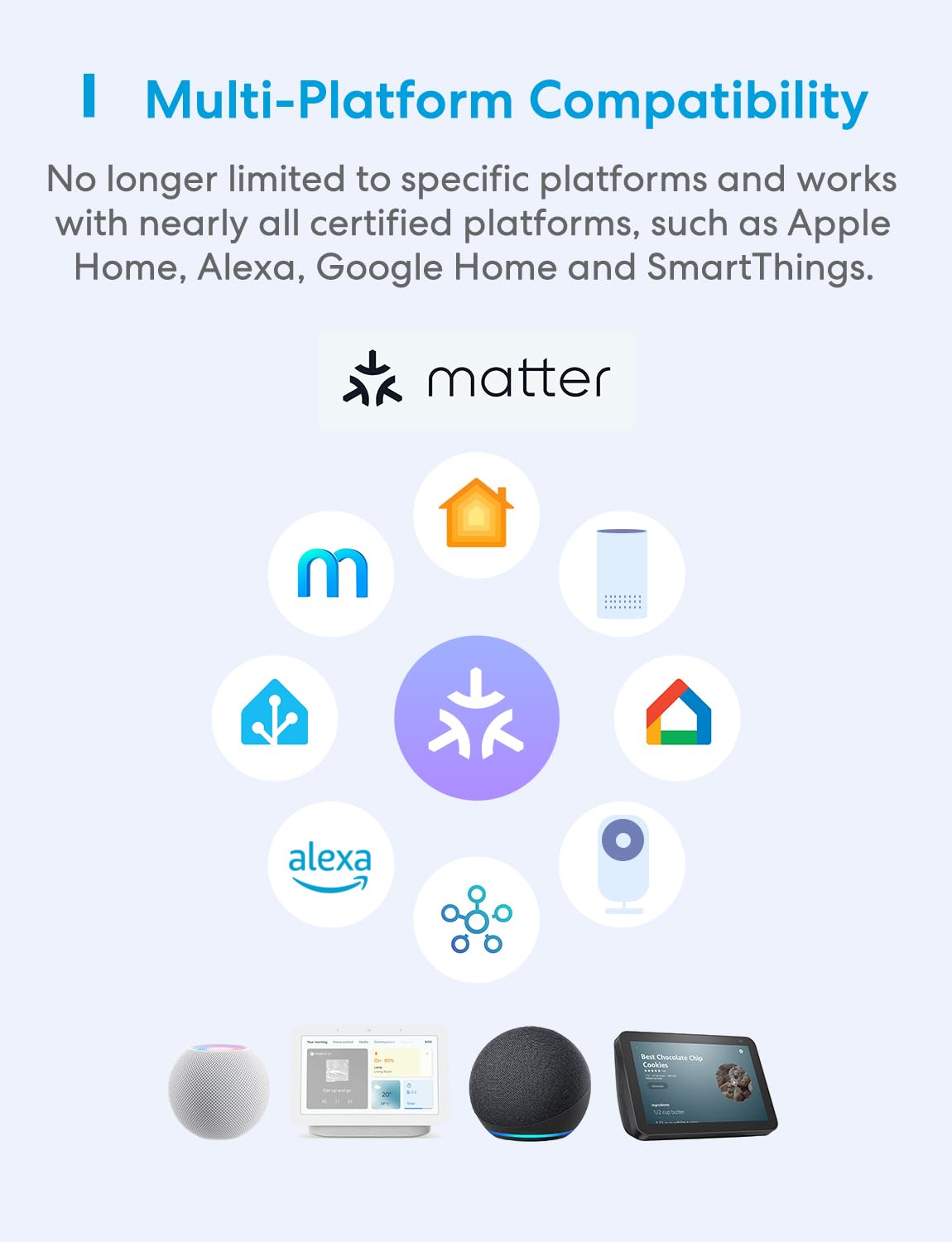
Image: A diagram illustrating the multi-platform compatibility of Matter devices, showing integration with Apple Home, Alexa, Google Home, and other smart home ecosystems.
7. Maintenance
- Clean the device with a soft, dry cloth.
- Do not use liquid or aerosol cleaners.
- Ensure the device is unplugged before cleaning.
8. Troubleshooting
8.1 General Connectivity Issues
- Check Wi-Fi: Ensure your Wi-Fi network is 2.4 GHz and stable. The smart plug does not support 5 GHz Wi-Fi.
- Router Distance: Move the smart plug closer to your Wi-Fi router if connectivity is weak.
- Restart: Unplug the smart plug from the outlet, wait 10 seconds, and plug it back in. Restart your Wi-Fi router if necessary.
- App Update: Ensure your Meross app and smart home hub firmware are up to date.
8.2 Pairing with HomeKit
If you encounter difficulties pairing with HomeKit, scan the QR code below for additional solutions and detailed setup instructions.

Image: A QR code provided for users experiencing issues with HomeKit pairing, linking to troubleshooting resources.
For detailed setup information and FAQs, please visit: meross Support FAQ
For specific HomeKit pairing issues, refer to: HomeKit Pairing Help
9. Warranty and Support
meross products typically come with a standard manufacturer's warranty. For specific warranty terms, duration, and to register your product, please refer to the warranty card included in your package or visit the official meross website.
If you require technical assistance or have questions not covered in this manual, please contact meross customer support through their official website or the Meross app.


