
1. Introduction
Thank you for purchasing the MUSE M-295 ANC Bluetooth Stereo Headphones. This manual provides detailed instructions for the proper use, setup, and maintenance of your headphones. Please read this manual carefully before use and retain it for future reference.
2. Safety Information
- Do not expose the headphones to extreme temperatures, humidity, or corrosive substances.
- Avoid dropping or subjecting the headphones to strong impacts.
- Do not disassemble or attempt to repair the headphones yourself. This will void the warranty.
- Clean the headphones with a soft, dry cloth. Do not use liquid cleaners.
- Listen at moderate volume levels to prevent hearing damage.
- Keep out of reach of children.
3. Package Contents
Please check that all items are present in your package:
- MUSE M-295 ANC Bluetooth Stereo Headphones
- Detachable Microphone
- USB-C Charging Cable
- 3.5mm Audio Cable (for wired use)
- Protective Carrying Case
- User Manual (this document)
4. Product Overview
Familiarize yourself with the various parts and controls of your MUSE M-295 ANC headphones.
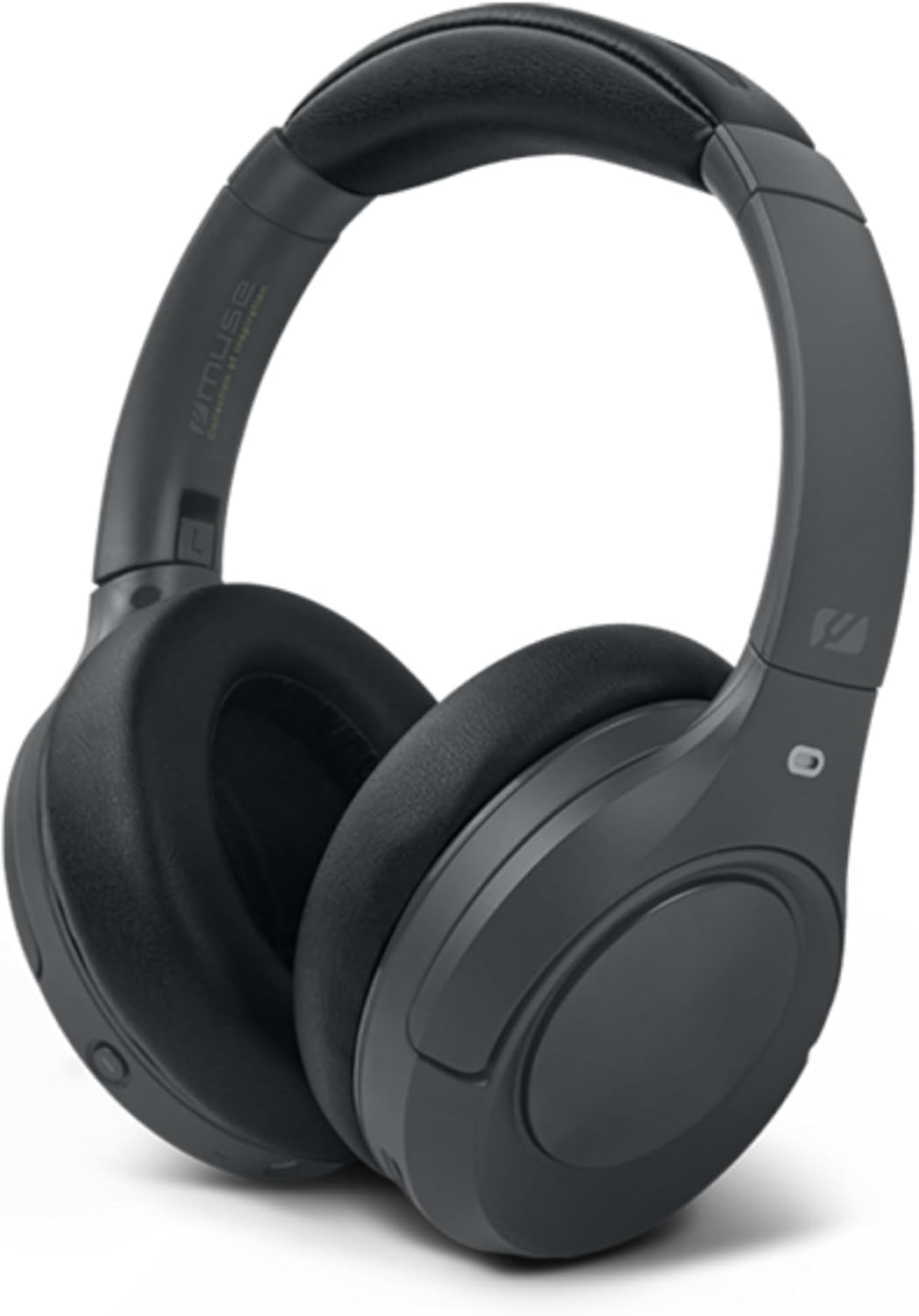
Figure 4.1: Front view of the MUSE M-295 ANC Bluetooth Stereo Headphones.

Figure 4.2: Overview of headphone features including ANC, hands-free calling, USB-C charging, detachable microphone, up to 60 hours music time, AUX input, and adjustable design.
4.1 Headphone Components
- Adjustable Headband: For a comfortable fit.
- Earcups: Soft, circum-aural earcups for comfort and passive noise isolation.
- Control Buttons: Power, Volume Up/Next Track, Volume Down/Previous Track, Multi-function Button (Play/Pause, Call Answer/End), ANC/Transparent Mode Button.
- USB-C Port: For charging the headphones.
- 3.5mm Audio Jack: For wired connection.
- Microphone Port: For attaching the detachable boom microphone.
- LED Indicator: Displays power, charging, and pairing status.
5. Setup
5.1 Charging the Headphones
- Connect the supplied USB-C charging cable to the USB-C port on the headphones.
- Connect the other end of the cable to a USB power adapter (not included) or a computer's USB port.
- The LED indicator will show charging status (e.g., red for charging, blue for fully charged).
- A full charge takes approximately 2 hours and provides up to 60 hours of playback.

Figure 5.1: Key features including Bluetooth 5.3, lightweight design (0.26 kg), up to 60 hours of battery life, and fast charging (2 hours).
5.2 Bluetooth Pairing
- Ensure the headphones are charged.
- Press and hold the Power button for 3-5 seconds until the LED indicator flashes blue and red, indicating pairing mode.
- On your device (smartphone, tablet, computer), enable Bluetooth and search for available devices.
- Select "MUSE M-295 ANC" from the list of devices.
- Once paired, the LED indicator will flash blue slowly or turn solid blue.
5.3 Wired Connection
To use the headphones without battery power or Bluetooth:
- Connect one end of the 3.5mm audio cable to the audio jack on the headphones.
- Connect the other end to the 3.5mm audio output of your device.
- In wired mode, Bluetooth and ANC functions may be unavailable or have limited functionality depending on the headphone's power status.
6. Operating Instructions
6.1 Power On/Off
- Power On: Press and hold the Power button for 3 seconds. The LED will flash blue.
- Power Off: Press and hold the Power button for 3 seconds. The LED will turn off.
6.2 Music Playback
- Play/Pause: Press the Multi-function Button once.
- Volume Up: Press the 'Volume Up' button.
- Volume Down: Press the 'Volume Down' button.
- Next Track: Press and hold the 'Volume Up' button.
- Previous Track: Press and hold the 'Volume Down' button.
6.3 Call Management
- Answer/End Call: Press the Multi-function Button once.
- Reject Call: Press and hold the Multi-function Button for 2 seconds.
- Voice Assistant: Double-press the Multi-function Button.
6.4 Active Noise Cancellation (ANC) and Transparent Mode
The MUSE M-295 ANC headphones feature 35 dB hybrid noise reduction.

Figure 6.1: The MUSE M-295 ANC headphones actively reducing ambient noise.

Figure 6.2: Features such as the detachable microphone, 60-hour battery life, and acoustic isolation with ANC.
- Activate ANC: Press the dedicated ANC button once. The LED indicator will turn green.
- Activate Transparent Mode: Press the ANC button a second time. This mode allows you to hear your surroundings while still enjoying your audio.
- Deactivate ANC/Transparent Mode: Press the ANC button a third time. The green LED will turn off.
6.5 Detachable Microphone
The headphones come with a detachable boom microphone for enhanced call clarity.
- Attach Microphone: Insert the detachable microphone into the dedicated microphone port on the earcup until it clicks into place.
- Detach Microphone: Gently pull the microphone out of the port.
- When the detachable microphone is connected, it will automatically be used for calls. The integrated dual microphones will be used when the detachable microphone is not connected.
7. Maintenance
- Cleaning: Use a soft, dry, lint-free cloth to clean the headphones. Do not use abrasive cleaners, alcohol, or chemical solvents.
- Storage: When not in use, store the headphones in the provided protective carrying case to prevent damage. Avoid storing in direct sunlight or extreme temperatures.
- Battery Care: To prolong battery life, avoid fully discharging the headphones frequently. Charge them regularly, even if not used for extended periods.
8. Troubleshooting
| Problem | Possible Cause | Solution |
|---|---|---|
| Headphones do not power on. | Low battery. | Charge the headphones using the USB-C cable. |
| Cannot pair via Bluetooth. | Headphones not in pairing mode; Bluetooth disabled on device; device too far. | Ensure headphones are in pairing mode (flashing blue/red LED). Enable Bluetooth on your device. Move device closer to headphones. |
| No sound. | Volume too low; headphones not connected; incorrect audio source. | Increase volume on headphones and device. Re-pair Bluetooth or check wired connection. Ensure correct audio output is selected on your device. |
| ANC not working effectively. | ANC not activated; improper fit. | Press the ANC button to activate (green LED). Adjust headphones for a snug fit over your ears. |
| Microphone not working. | Detachable microphone not properly connected; device microphone settings. | Ensure the detachable microphone is fully inserted. Check your device's audio input settings to confirm the headphone microphone is selected. |
9. Specifications
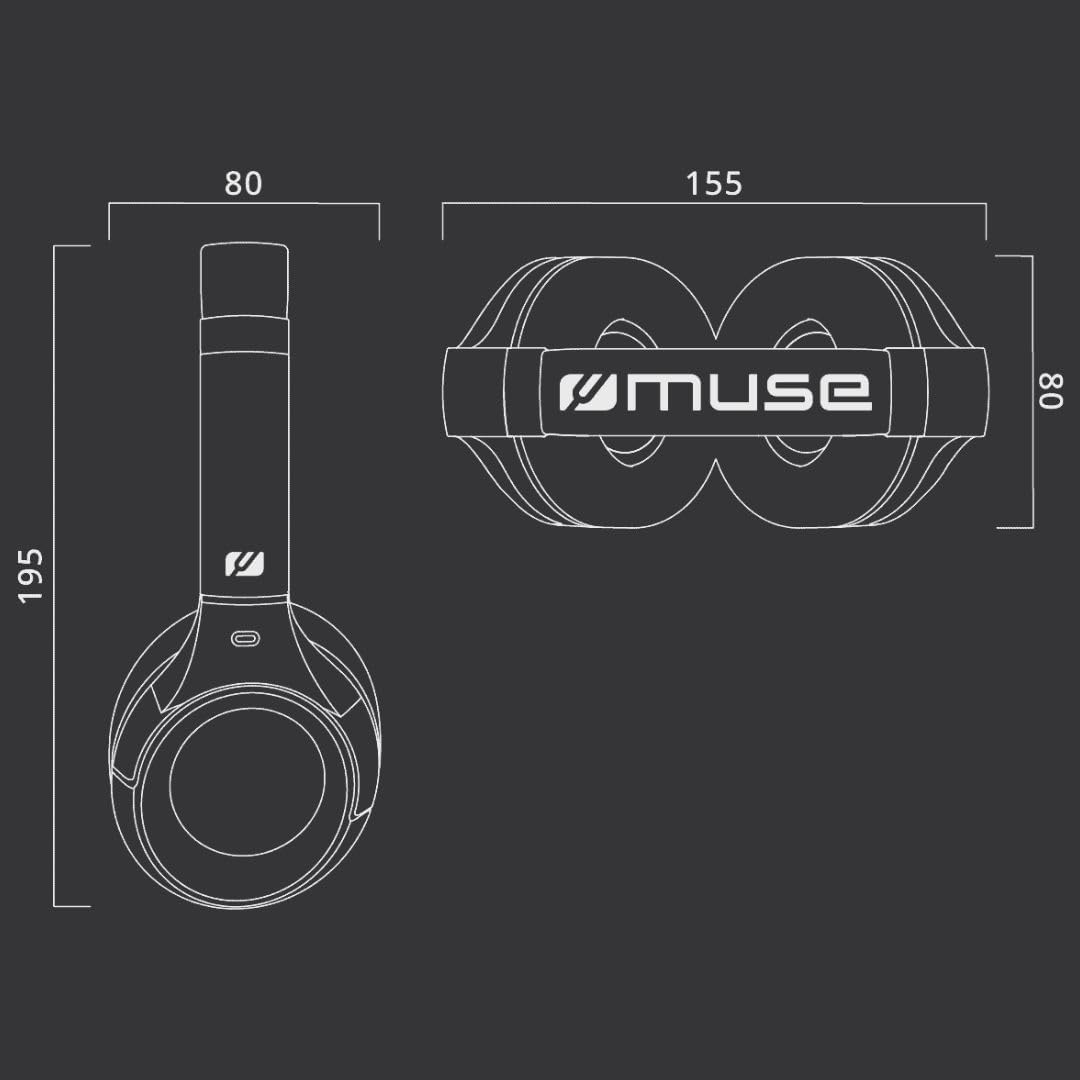
Figure 9.1: Dimensions of the MUSE M-295 ANC headphones (in mm).
- Brand: MUSE
- Model Name: M-295 ANC
- Connectivity Technology: Wireless (Bluetooth), Wired (3.5mm AUX)
- Wireless Communication Technology: Bluetooth 5.3
- Active Noise Cancellation (ANC): 35 dB Hybrid Noise Reduction
- Microphone: Dual integrated, Detachable boom microphone
- Battery Life: Up to 60 hours (music time)
- Charging Time: Approximately 2 hours
- Impedance: 32 ohms
- Weight: 260 Grams
- Form Factor: Over-Ear (Circum-Auricular)
- Special Features: Noise Cancellation, Rechargeable Battery, Transparent Mode
- Compatible Devices: Phones, Desktop Computers
- Included Components: User Manual, Protective Case, USB-C Charging Cable, 3.5mm Audio Cable, Detachable Microphone
10. Warranty and Support
MUSE products are designed and manufactured to the highest quality standards. For detailed warranty information, please refer to the warranty card included with your purchase or visit the official MUSE website. For technical support or customer service inquiries, please contact your retailer or the manufacturer directly.


