
Oraimo Watch 3 Pro OSW-34
Oraimo Watch 3 Pro OSW-34 Smartwatch User Manual
Model: OSW-34
1. Introduction
Thank you for choosing the Oraimo Watch 3 Pro OSW-34 Smartwatch. This manual provides essential information for setting up, operating, maintaining, and troubleshooting your device. Please read it carefully to ensure optimal performance and longevity of your smartwatch.
2. Product Overview
The Oraimo Watch 3 Pro OSW-34 is a versatile smartwatch designed for quick call replies and comprehensive health monitoring. It features a vibrant display and long-lasting battery life.
2.1 Components
- Oraimo Watch 3 Pro OSW-34 Smartwatch
- Charging Cable (USB)
- User Manual
2.2 Key Features
- Health monitoring capabilities
- Water-resistant design
- Up to 7 days of typical usage on a single charge
- 1.83-inch high-resolution touch screen (240x284 px) with 500 nits brightness for clear viewing even in bright sunlight.

Figure 2.1: Oraimo Watch 3 Pro OSW-34 Smartwatch. This image displays the front view of the smartwatch, highlighting its rectangular screen and black strap.
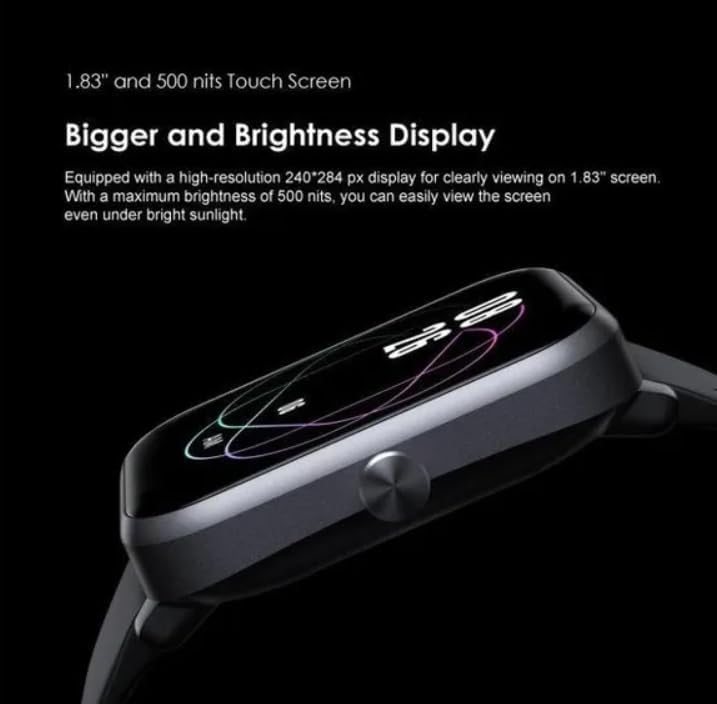
Figure 2.2: Smartwatch Display. This image illustrates the 1.83-inch touch screen with high brightness, ensuring visibility in various lighting conditions.
3. Setup
3.1 Initial Charging
Before first use, fully charge your smartwatch. Connect the provided USB charging cable to the charging port on the back of the watch and plug the other end into a compatible USB power source.
3.2 Powering On/Off
- To Power On: Press and hold the side button until the screen lights up.
- To Power Off: Press and hold the side button, then select 'Power Off' on the screen.
3.3 Pairing with Your Smartphone
- Download the official Oraimo Health App from your smartphone's app store (iOS or Android).
- Ensure Bluetooth is enabled on your smartphone.
- Open the Oraimo Health App and follow the on-screen instructions to add your device.
- Select 'Oraimo Watch 3 Pro OSW-34' from the list of available devices.
- Confirm the pairing request on both your smartphone and the smartwatch.
4. Operating Instructions
4.1 Navigating the Interface
- Swipe Up/Down: Scroll through menus and notifications.
- Swipe Left/Right: Access different widgets and quick settings.
- Tap: Select an item or open an application.
- Side Button: Press to return to the home screen or wake the device.
4.2 Call Management
Once paired, you can manage calls directly from your smartwatch:
- Answer Call: Tap the green icon on the screen.
- Decline Call: Tap the red icon on the screen.
- Quick Reply: Select from pre-set quick reply messages for incoming calls.
4.3 Notifications
Receive notifications from your smartphone directly on your smartwatch. Swipe down from the top of the screen to view recent notifications.
5. Health Monitoring Features
The Oraimo Watch 3 Pro OSW-34 is equipped with various sensors to help you monitor your health and fitness.
5.1 Activity Tracking
The smartwatch tracks your daily steps, distance, and calories burned. You can view your progress on the watch face or in the Oraimo Health App.
5.2 Heart Rate Monitoring
The device continuously monitors your heart rate. Access the heart rate widget on the watch or check detailed data in the app.
5.3 Sleep Monitoring
Wear the smartwatch to bed to track your sleep patterns, including deep sleep, light sleep, and awake times. Review your sleep analysis in the Oraimo Health App.
5.4 Health Reminders
Set up various health reminders through the Oraimo Health App to encourage healthy habits:
- Medication reminders
- Sedentary reminders (to encourage movement after prolonged sitting)
- Hydration reminders
- Hand washing reminders

Figure 5.1: Health Management Features. This image displays various health reminder icons, including medication, energy consumption, sedentary alerts, step count, and hand washing reminders, illustrating the comprehensive health management capabilities of the smartwatch.
6. Battery and Charging
The Oraimo Watch 3 Pro OSW-34 offers extended battery life, providing up to 7 days of usage on a single charge.
6.1 Charging Your Device
To charge, connect the magnetic charging cable to the charging pins on the back of the watch. A 30-minute fast charge can provide significant battery life for daily use.

Figure 6.1: Smartwatch Charging. This image shows the smartwatch connected to its magnetic charging cable, illustrating the charging process and highlighting its long battery life of up to 7 days with a 30-minute charge.
6.2 Battery Optimization Tips
- Reduce screen brightness.
- Disable unnecessary notifications.
- Limit continuous heart rate monitoring if not required.
7. Maintenance
7.1 Cleaning
Regularly clean your smartwatch and strap with a soft, dry cloth. If necessary, use a slightly damp cloth and then dry thoroughly. Avoid harsh chemicals or abrasive materials.
7.2 Water Resistance
The Oraimo Watch 3 Pro OSW-34 is water-resistant. It is suitable for daily use and can withstand splashes, rain, and hand washing. However, it is not recommended for swimming, showering with hot water, or diving. Avoid prolonged exposure to water.
7.3 Storage
Store the smartwatch in a cool, dry place away from direct sunlight and extreme temperatures when not in use for extended periods.
8. Troubleshooting
| Problem | Possible Cause | Solution |
|---|---|---|
| Watch does not power on | Low battery | Charge the watch for at least 30 minutes. |
| Cannot pair with smartphone | Bluetooth is off; App issue; Watch not discoverable | Ensure Bluetooth is on. Restart both watch and phone. Reinstall the Oraimo Health App. Ensure watch is in pairing mode. |
| Inaccurate health data | Improper fit; Sensor obstruction | Ensure the watch is worn snugly on the wrist. Clean the sensors on the back of the watch. |
| Short battery life | High brightness; Frequent notifications; Continuous monitoring | Adjust brightness. Manage notification settings. Optimize monitoring frequency. |
9. Specifications
| Feature | Detail |
|---|---|
| Model Name | Watch 3 Pro OSW-34 |
| Item Model Number | OSW 381K |
| Connectivity Technology | Bluetooth |
| Special Features | Health monitoring device, Water resistant |
| GPS | No GPS system |
| Item Shape | Rectangular |
| Color | Black |
| Target Audience | Men, Women, Children |
| Package Dimensions | 13.4 x 12.1 x 7.2 cm; 190 grams |
10. Warranty and Support
10.1 Warranty Information
The Oraimo Watch 3 Pro OSW-34 comes with a 12-month warranty from the date of purchase. This warranty covers manufacturing defects and malfunctions under normal use. Please retain your proof of purchase for warranty claims.
10.2 Customer Support
For technical assistance, troubleshooting, or warranty inquiries, please contact Oraimo customer support through their official website or the contact information provided in your product packaging. You may also refer to the Oraimo Health App for FAQs and support resources.