
1. Introduction
This manual provides essential information for the safe and efficient operation, maintenance, and care of your Toro 60V MAX 21-inch Stripe Push Lawn Mower, Model 21611T. Please read this manual thoroughly before operating the mower to ensure proper use and to prevent injury or damage. Keep this manual for future reference.

Image 1.1: The Toro 60V MAX 21-inch Stripe Push Lawn Mower.
2. Safety Information
Always prioritize safety when operating power equipment. Failure to follow safety instructions can result in serious injury or property damage.
General Safety Precautions:
- Read and understand all instructions in this manual before operating the mower.
- Wear appropriate personal protective equipment (PPE), including eye protection, hearing protection, and sturdy footwear.
- Keep children, pets, and bystanders away from the operating area.
- Inspect the area for objects that could be thrown by the blade before mowing. Remove any debris.
- Never operate the mower in wet grass or rain.
- Ensure the battery is removed before performing any maintenance, cleaning, or when the mower is unattended.
- Do not modify the mower or use it for purposes other than those intended.
3. Package Contents
Verify that all items are present upon unpacking. If any parts are missing or damaged, contact Toro customer service.
- Toro 60V MAX 21-inch Stripe Push Lawn Mower (Model 21611T)
- Operator's Manual
Note: Battery and charger are sold separately and are not included with this mower model.
4. Setup
4.1 Assembly
This mower is designed for minimal assembly. Typically, the handle will need to be unfolded and secured into the operating position. Refer to the quick start guide or specific diagrams for detailed handle assembly instructions.
4.2 Battery Installation
The Toro 60V MAX Stripe Mower operates with a Toro 60V MAX Flex-Force battery. Recommended battery capacities include 4.0Ah, 5.0Ah, 6.0Ah, and 7.5Ah. Ensure the battery is fully charged before first use.
- Open the battery compartment cover, usually located on top of the mower deck.
- Align the battery with the battery port and slide it in until it clicks securely into place.
- Close the battery compartment cover.

Image 4.2: Proper installation of the 60V MAX Flex-Force battery.
5. Operating Instructions
5.1 Starting the Mower
To start the mower, ensure a charged battery is installed. Press and hold the safety bail or button, then pull the operator presence control (OPC) lever towards the handle. The blade will begin to rotate.
5.2 Adjusting Cutting Height
The mower features a 2-point height of cut adjustment system, allowing for quick changes to the deck height. Locate the height adjustment levers on the mower deck and move them to the desired position. Ensure both sides are set to the same height for an even cut.

Image 5.2: The 21-inch cutting deck of the push lawn mower.
5.3 Speed Control
Customize your mowing speed using the adjustable speed control knob located on the handle. For increased power in dense grass, activate the max power mode with the push of a dedicated button.

Image 5.3: Speed control knob and max power button on the handle.
5.4 Mowing Techniques and Striping
For optimal striping results, mow in straight, overlapping lines. The mower's design facilitates a clean grass lay down, contributing to a striped appearance. Overlap each pass slightly to ensure complete coverage and a uniform finish.
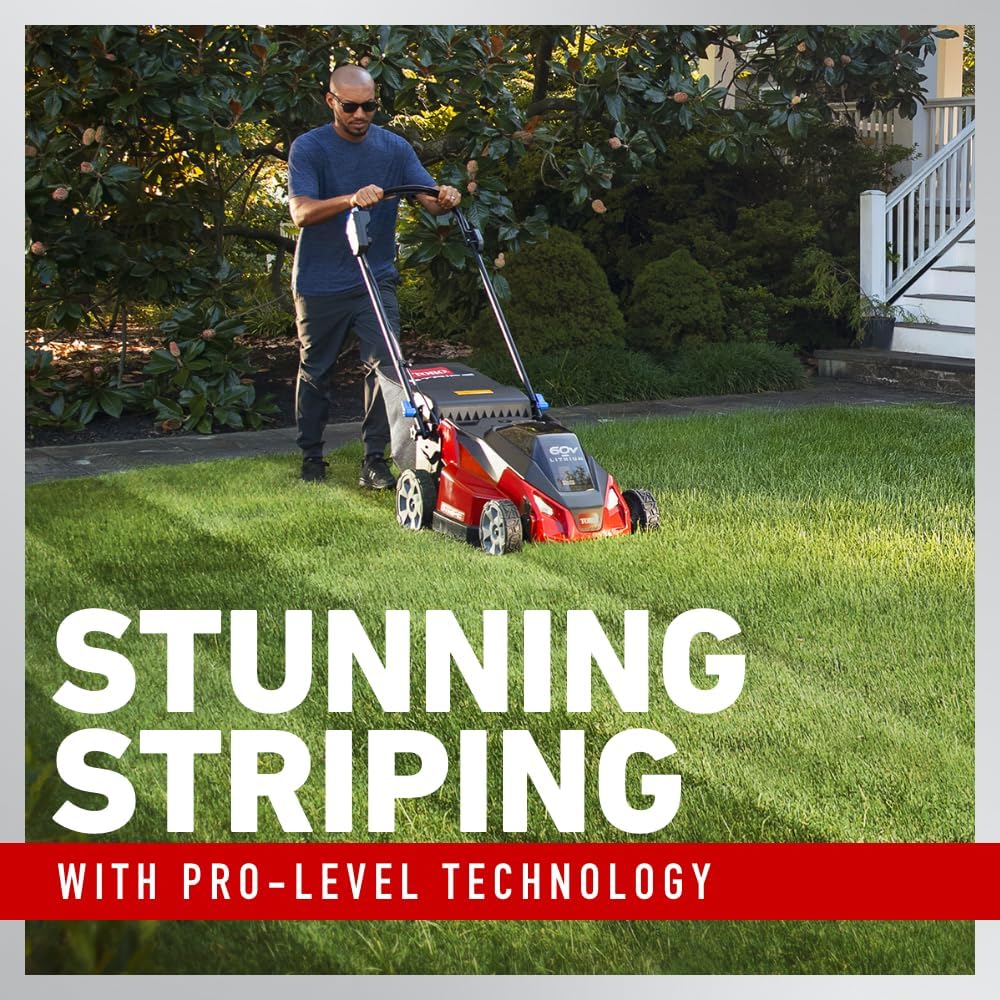
Image 5.4: Mower creating a striped pattern on a lawn.
5.5 Mulching and Side Discharge
The mower is capable of both mulching and side discharge. The Recycler cutting system processes clippings into fine particles, returning nutrients to the lawn. For side discharge, an accessory is available upon product registration.

Image 5.5: The mower's mulching capability, returning clippings to the lawn.
6. Maintenance
6.1 Cleaning
After each use, disconnect the battery and clean the mower deck and exterior. Remove any grass clippings, dirt, or debris. Do not use a pressure washer directly on electrical components.
6.2 Storage
The SmartStow feature allows for vertical storage, saving up to 70% of garage space. To engage SmartStow, fold the handle, lock it in place, and position the mower vertically. Ensure the battery is removed before storing.

Image 6.2: The mower in its vertical SmartStow storage position.
7. Troubleshooting
This section provides solutions to common issues. For problems not listed here, contact Toro customer service.
| Problem | Possible Cause | Solution |
|---|---|---|
| Mower does not start | Battery not charged or improperly installed; Safety bail/OPC not engaged. | Ensure battery is fully charged and correctly seated. Engage safety bail and OPC lever. |
| Reduced cutting performance | Dull blade; Excessive grass height; Clogged deck. | Sharpen or replace blade. Adjust cutting height. Clean underside of deck. |
| Mower stops during operation | Battery depleted; Overload protection activated. | Recharge battery. Reduce mowing speed or cutting width in dense areas. |
8. Specifications
| Feature | Specification |
|---|---|
| Brand | Toro |
| Model Number | 21611T |
| Power Source | Battery Powered (60V MAX Flex-Force) |
| Cutting Width | 21 Inches |
| Minimum Adjustable Cutting Height | 2.5 Centimeters (approx. 1 inch) |
| Maximum Adjustable Cutting Height | 10.2 Centimeters (approx. 4 inches) |
| Material | Polymer Composite |
| Color | Black/Red |
| Item Weight | 59 Pounds |
| Product Dimensions (D x W x H) | 24.5" x 24.5" x 17.25" |
| Assembly Required | No (Minimal handle setup) |
| UPC | 021038986531 |
9. Warranty and Support
9.1 Warranty Information
The Toro 60V MAX 21-inch Stripe Push Lawn Mower is backed by a 2-year tool limited warranty. For specific terms and conditions, please refer to the warranty documentation included with your product or visit the official Toro website.
9.2 Customer Support
For additional product resources, including manuals, how-to guides, and service reminders, download the MyToro App from your mobile device's app store. You can also visit the Toro website for support and contact information.


