
1. Introduction
Thank you for choosing the Zunate Wireless Video Doorbell. This device is designed to enhance your home security by providing real-time video monitoring, two-way audio communication, and instant mobile notifications. Featuring HD video, night vision, and easy installation, this doorbell ensures you are always aware of activity at your doorstep.
Please read this manual thoroughly before installation and operation to ensure proper use and to maximize the product's lifespan.
2. Safety Information
- Do not expose the device to extreme temperatures, humidity, or direct sunlight.
- Keep the device away from water and other liquids.
- Do not attempt to disassemble or repair the device yourself. Contact customer support for assistance.
- Use only the specified charging cable and power adapter.
- Ensure the installation location is secure and stable to prevent the doorbell from falling.
- Keep out of reach of children.
3. Package Contents
Verify that all items are present in the package:
- 1 x Video Doorbell
- 1 x Back Cover (Mounting Plate)
- 1 x Automatic Chime (Indoor Unit)
- 1 x Double-sided Sticker
- 3 x Screws
- 2 x Screw Caps
- 1 x Data Cable (USB)
- 1 x User Manual
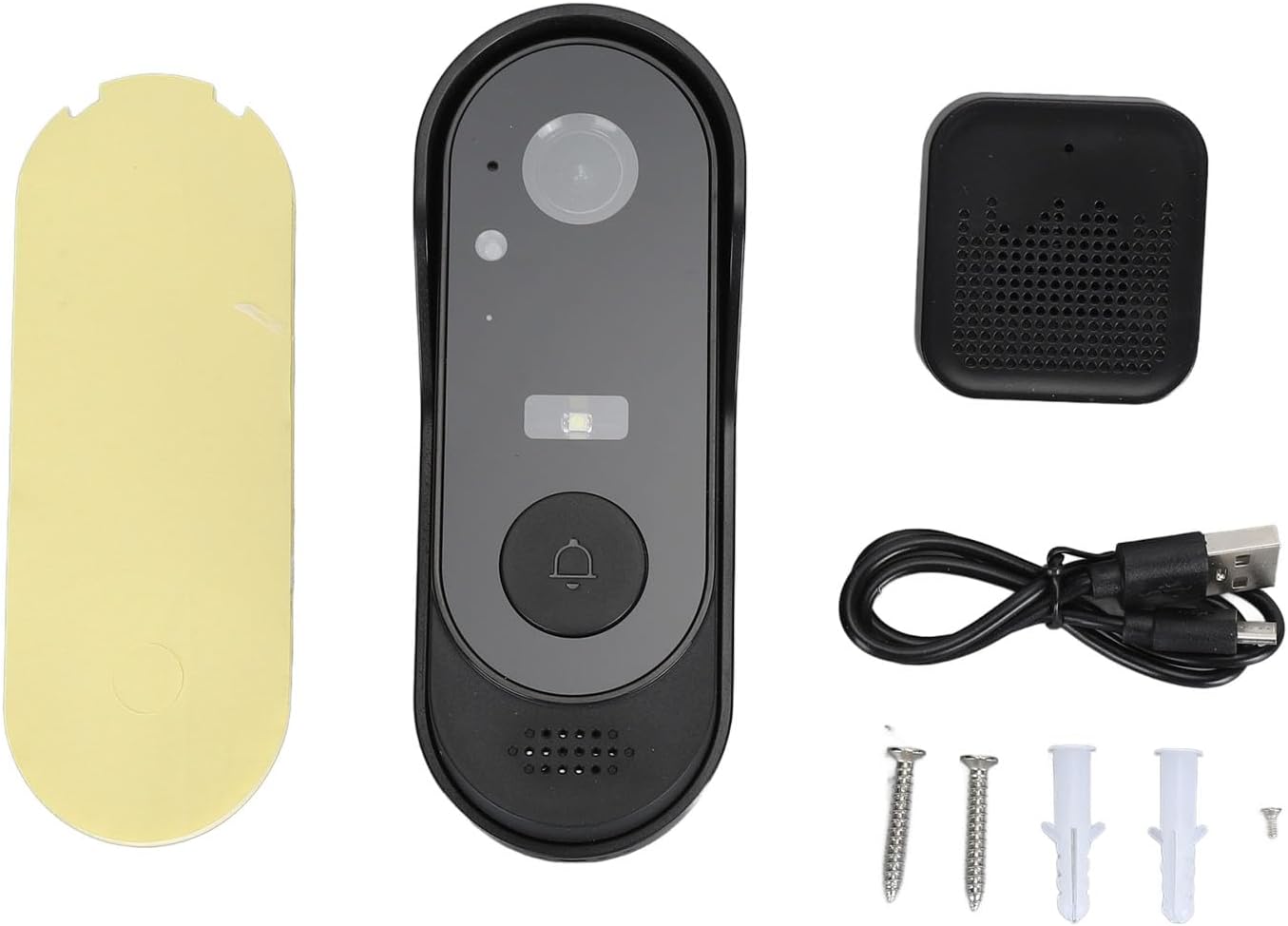
Image 3.1: All components included in the Zunate Wireless Video Doorbell package. This includes the doorbell unit, indoor chime, mounting bracket, adhesive, screws, screw caps, USB data cable, and the user manual.
4. Product Overview
The Zunate Wireless Video Doorbell system consists of an outdoor doorbell unit with an integrated camera and an indoor chime unit. The doorbell features a high-definition camera, motion sensor, and a call button. The indoor chime provides an audible alert when the doorbell is pressed.
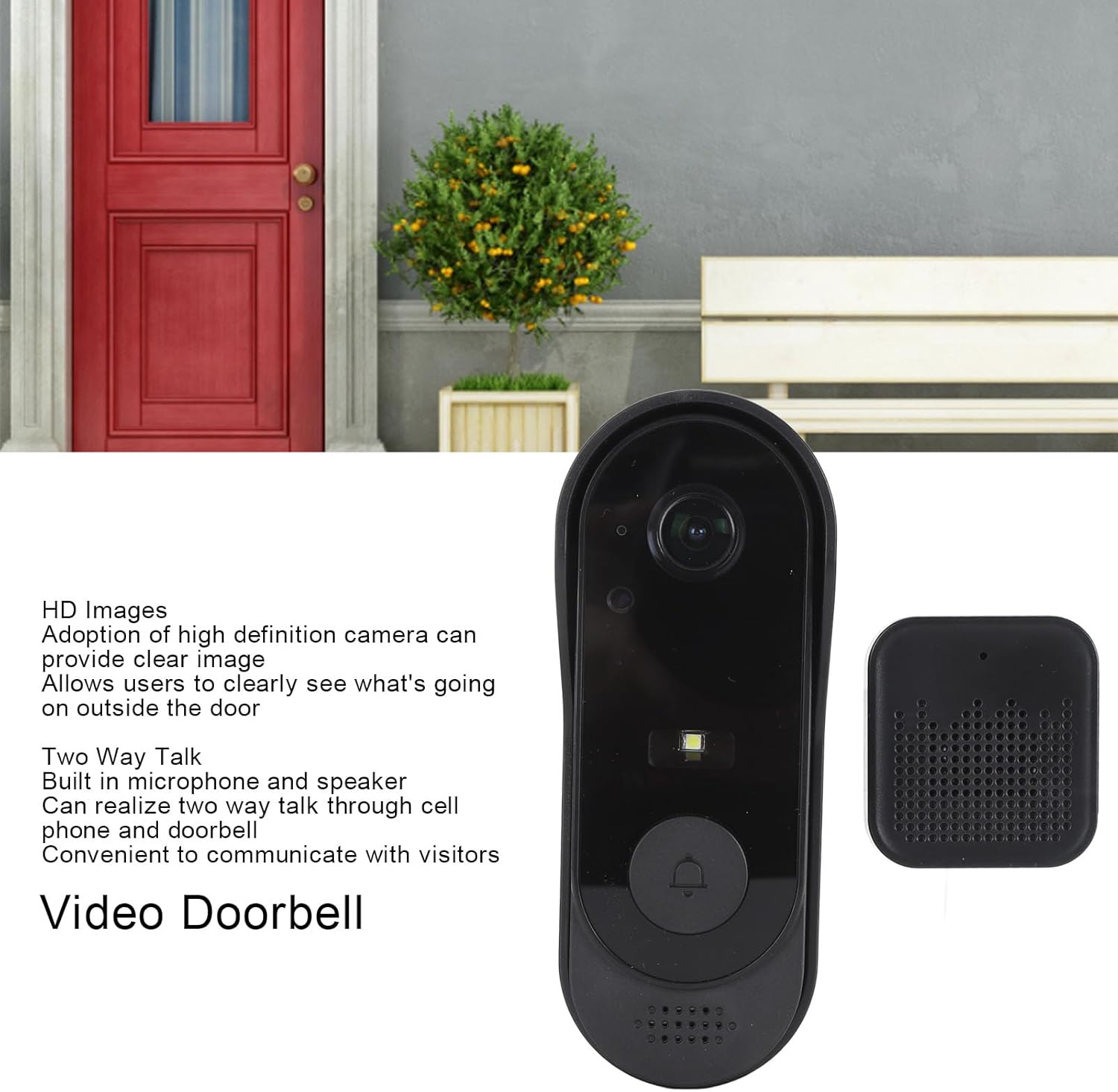
Image 4.1: Front view of the Zunate video doorbell and its indoor chime, illustrating the main components and their placement. The doorbell unit is shown with its camera lens, light sensor, and call button.

Image 4.2: Angled view of the Zunate video doorbell and indoor chime, highlighting features such as real-time video, mobile notifications, and high-definition night vision capabilities.

Image 4.3: Close-up front view of the Zunate video doorbell and its indoor chime, showing the camera lens, motion sensor, and doorbell button in detail.
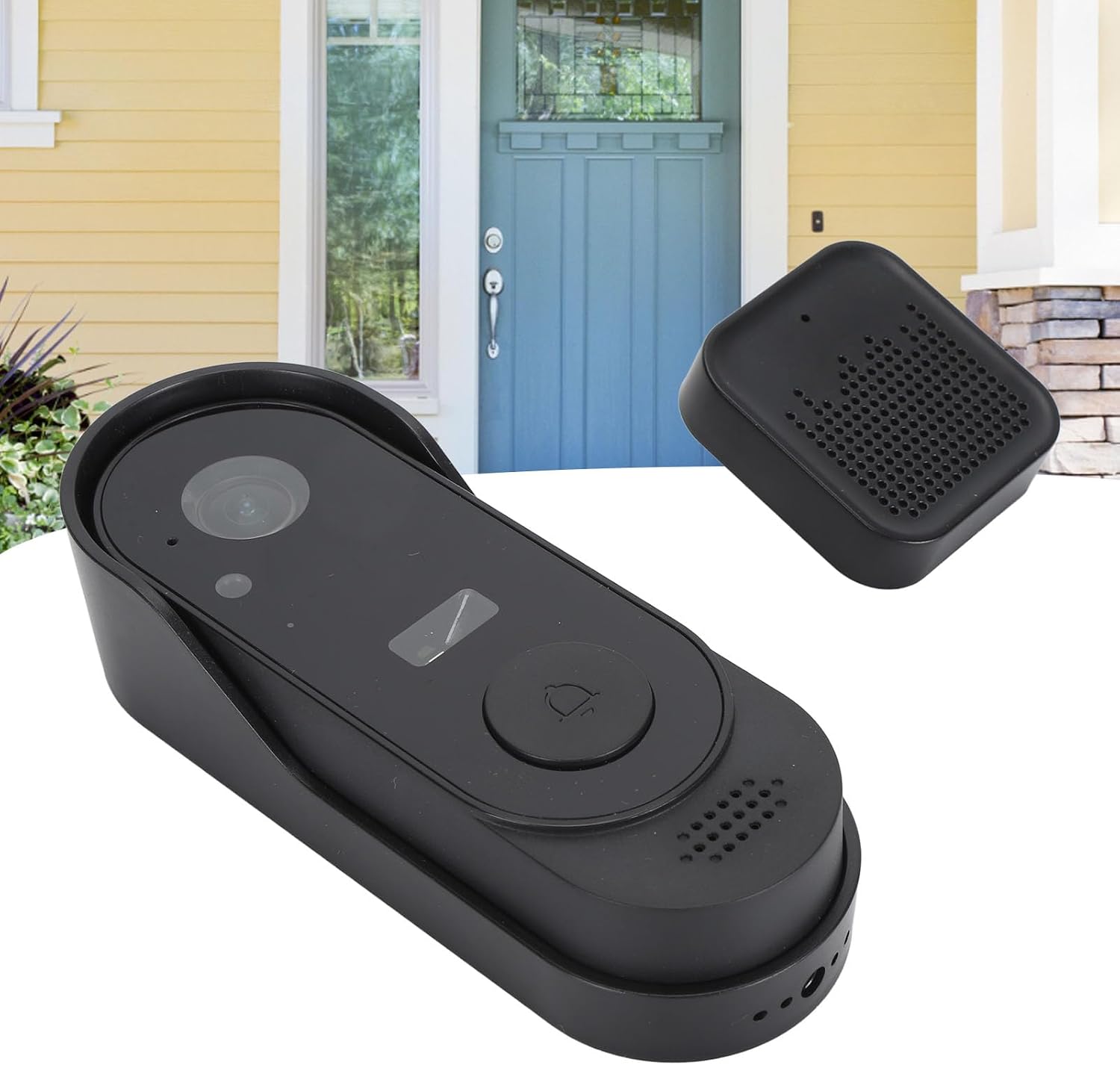
Image 4.4: Perspective view of the Zunate video doorbell and chime, demonstrating its sleek design and compact size suitable for various doorframe installations.
5. Setup
5.1 Charging the Doorbell
The video doorbell has a built-in 1000 mAh lithium battery. Before first use, fully charge the doorbell using the provided USB data cable. The charging port is located on the back of the doorbell unit.

Image 5.1: Close-up of the back of the Zunate video doorbell, showing the USB charging port and mounting screw holes.
5.2 Inserting a Memory Card (Optional)
The doorbell supports a memory card up to 32GB (not included) for local video storage. Locate the memory card slot, usually near the charging port or under a protective cover, and insert the card with the contacts facing the correct direction.
5.3 Pairing the Doorbell and Chime
To establish communication between the doorbell and the indoor chime:
- Ensure the indoor chime is powered on (plugged into a USB power source).
- Long press the first button on the chime for 3 seconds. The indicator light on the chime will flash, indicating it is in pairing mode.
- Press the main doorbell button on the outdoor unit.
- The chime will ring, indicating that the pairing process is successful.

Image 5.2: Close-up of the Zunate indoor chime, highlighting its USB plug for power and speaker grille. This unit provides audible alerts when the doorbell is pressed.
5.4 Installation
Choose a suitable location near your door, ensuring a clear view and good Wi-Fi signal strength. You can use the provided double-sided sticker or screws for mounting.
- Adhesive Installation: Clean the mounting surface thoroughly. Attach the double-sided sticker to the back cover of the doorbell, then firmly press the doorbell onto the desired location.
- Screw Installation: Use the back cover as a template to mark the screw holes on the wall. Drill pilot holes, insert the screw anchors (if necessary), and then secure the back cover with the provided screws. Attach the doorbell unit to the mounted back cover.

Image 5.3: Disassembled view showing the Zunate video doorbell, its mounting backplate, and the USB-powered indoor chime, illustrating the separate components used for installation.
6. Operating Instructions
6.1 Real-Time Video and Mobile Notifications
When someone presses the doorbell button or enters the monitoring range (if motion detection is enabled), the doorbell will send an instant notification to your mobile phone. You can then open the associated mobile application to view real-time video footage from the doorbell camera.
6.2 Two-Way Audio
The doorbell features a built-in microphone and speaker. Through the mobile application, you can engage in two-way conversations with visitors at your door, even when you are not home.
6.3 HD Night Vision
The doorbell is equipped with infrared night vision technology, providing clear black and white images in low-light conditions or complete darkness. This ensures you can identify visitors at night.
7. Maintenance
- Cleaning: Use a soft, dry cloth to clean the doorbell lens and body. Do not use abrasive cleaners or solvents.
- Battery Care: Recharge the doorbell battery when the low battery indicator appears. Avoid completely draining the battery frequently to prolong its lifespan.
- Firmware Updates: Check the mobile application periodically for any available firmware updates to ensure optimal performance and security.
8. Troubleshooting
- Doorbell not pairing with chime: Ensure both devices are powered on. Repeat the pairing steps (Section 5.3). Make sure they are within range.
- No video feed: Check your Wi-Fi connection. Ensure the doorbell battery is charged. Restart the doorbell and the mobile application.
- No mobile notifications: Verify that notifications are enabled in your phone's settings for the doorbell application. Check the application's internal settings for notification preferences.
- Poor video quality: Ensure the camera lens is clean. Check your Wi-Fi signal strength at the doorbell's location.
- Two-way audio issues: Check the volume settings on your phone and ensure the doorbell's microphone and speaker are not obstructed.
9. Specifications
| Feature | Specification |
|---|---|
| Type | Video Doorbell |
| Material | ABS |
| Battery Type | Built-in 1000 mAh Lithium Battery |
| Storage | Supports memory card up to 32GB (not included) |
| Key Features | HD Video, Two-Way Talk, Real-time Video, Mobile Notifications, HD Night Vision |
| Manufacturer | Zunate |
| Package Dimensions | 16 x 9 x 6 cm |
| Item Weight | 208 grams |
| Model Number | Zunateywahnvx2uz |
| ASIN | B0CW36TDBJ |
10. Warranty and Support
This Zunate product comes with a standard manufacturer's warranty. For specific warranty details, please refer to the product packaging or contact your retailer. If you encounter any issues or have questions regarding your Zunate Wireless Video Doorbell, please contact Zunate customer support for assistance.
Please retain your proof of purchase for warranty claims.