
1. Product Overview
The YEELIGHT Under Cabinet Light is a versatile, ultra-thin LED lighting solution designed for various indoor spaces such as kitchens, closets, stairs, and bookshelves. It features motion sensing capabilities, dimmable light, and a rechargeable battery for convenient, wireless operation.

Image: The YEELIGHT Under Cabinet Light shown with its packaging, highlighting its sleek design and the light output.
Key Features:
- Premium Ultra-Thin Design: Crafted from high-quality metal, 19.7" length, ideal for various indoor settings.
- Motion & Light Sensor: Features Auto-Mode with motion and light sensors for automatic illumination, and Always-On Mode for continuous lighting. Maximum sensing range of 9.8 inches and a 90° wide lighting angle.
- Dimmable Lighting: Stepless dimming with three fixed levels (10%/50%/100%) and an optimal 4000K lighting temperature.
- Rechargeable Battery: Equipped with a 1500mAh high-capacity battery, offering up to 33 hours in Always-On mode or 6 months standby in Auto mode.
- Easy Installation: Magnetic base for metal surfaces and adhesive metal plates for non-metal surfaces, allowing for swift snap-on setup.
2. What's in the Box
Upon opening the package, please ensure all components are present and in good condition:
- YEELIGHT Under Cabinet Light (1 unit)
- USB Charging Cable (Type-C)
- Adhesive Metal Plates (for non-metal surfaces)
- User Manual
Image: The light bar with included accessories like the charging cable and adhesive metal plates.
3. Setup
The YEELIGHT Under Cabinet Light offers a simple and quick installation process thanks to its magnetic design.
Installation Steps:
- Prepare the Surface: Ensure the desired installation surface is clean, dry, and smooth.
- For Metal Surfaces: The light has a built-in magnet. Simply attach the light directly to any suitable metal surface.
- For Non-Metal Surfaces (e.g., wood, plastic):
- Peel off the protective film from one side of the adhesive metal plate.
- Firmly press the adhesive side of the metal plate onto the desired installation spot.
- Allow the adhesive to set for a few minutes for optimal adhesion.
- Once the metal plate is securely attached, the light can be magnetically affixed to it.
- Positioning: For optimal motion sensing, position the light so the sensor faces the area where motion is expected.
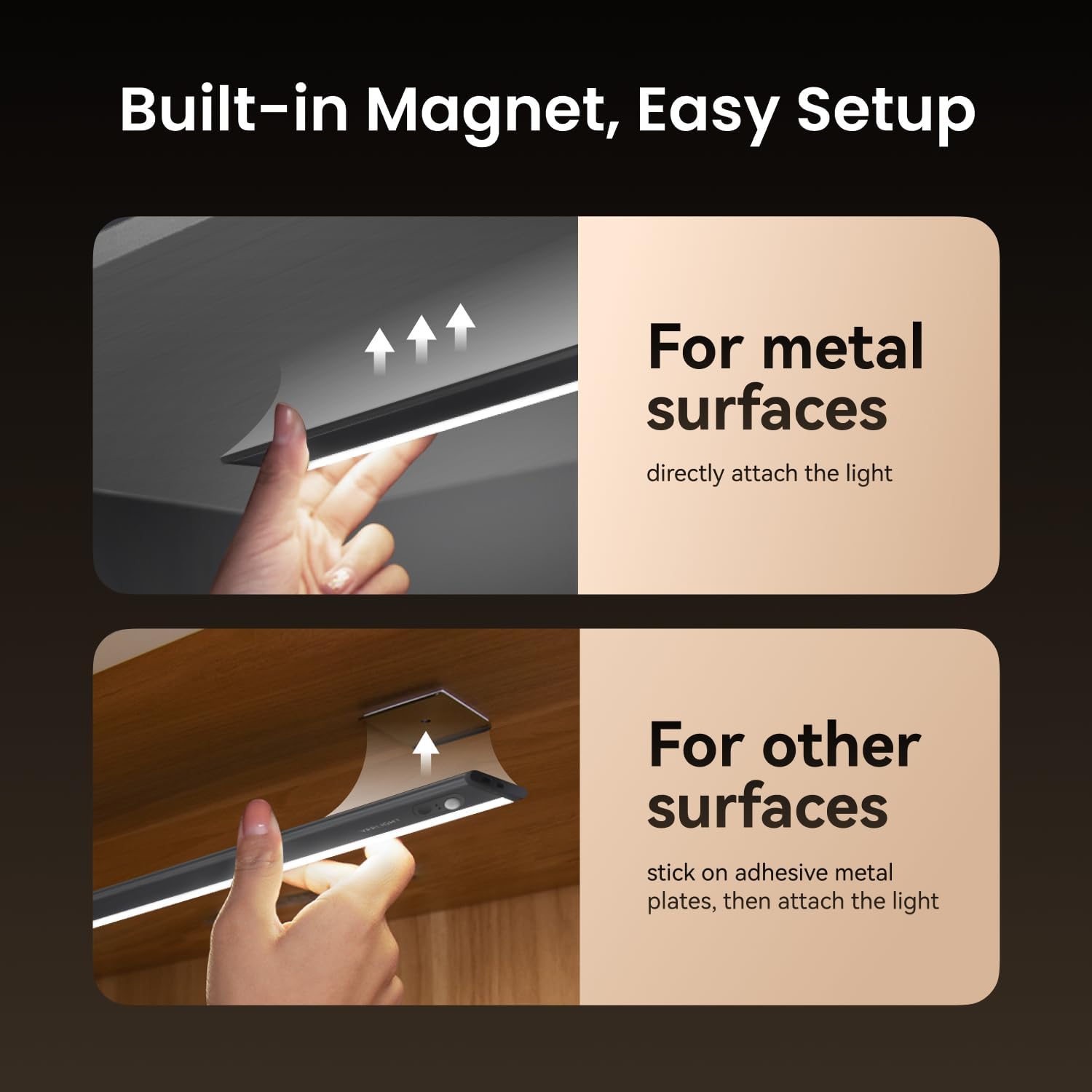
Image: Demonstration of attaching the light to both metal surfaces and using adhesive metal plates for non-metal surfaces.
4. Operating Instructions
The YEELIGHT Under Cabinet Light offers versatile lighting modes and adjustable brightness.
Switching Modes:
Locate the switch on the side of the light bar. It typically has three positions:
- ON: Activates the "Always-On Mode" for continuous illumination.
- OFF: Turns the light completely off.
- AUTO: Activates the "Auto-Mode" (Motion Sensor Mode). In this mode, the light will turn on automatically when motion is detected in low-light conditions and turn off after approximately 30 seconds of no motion.
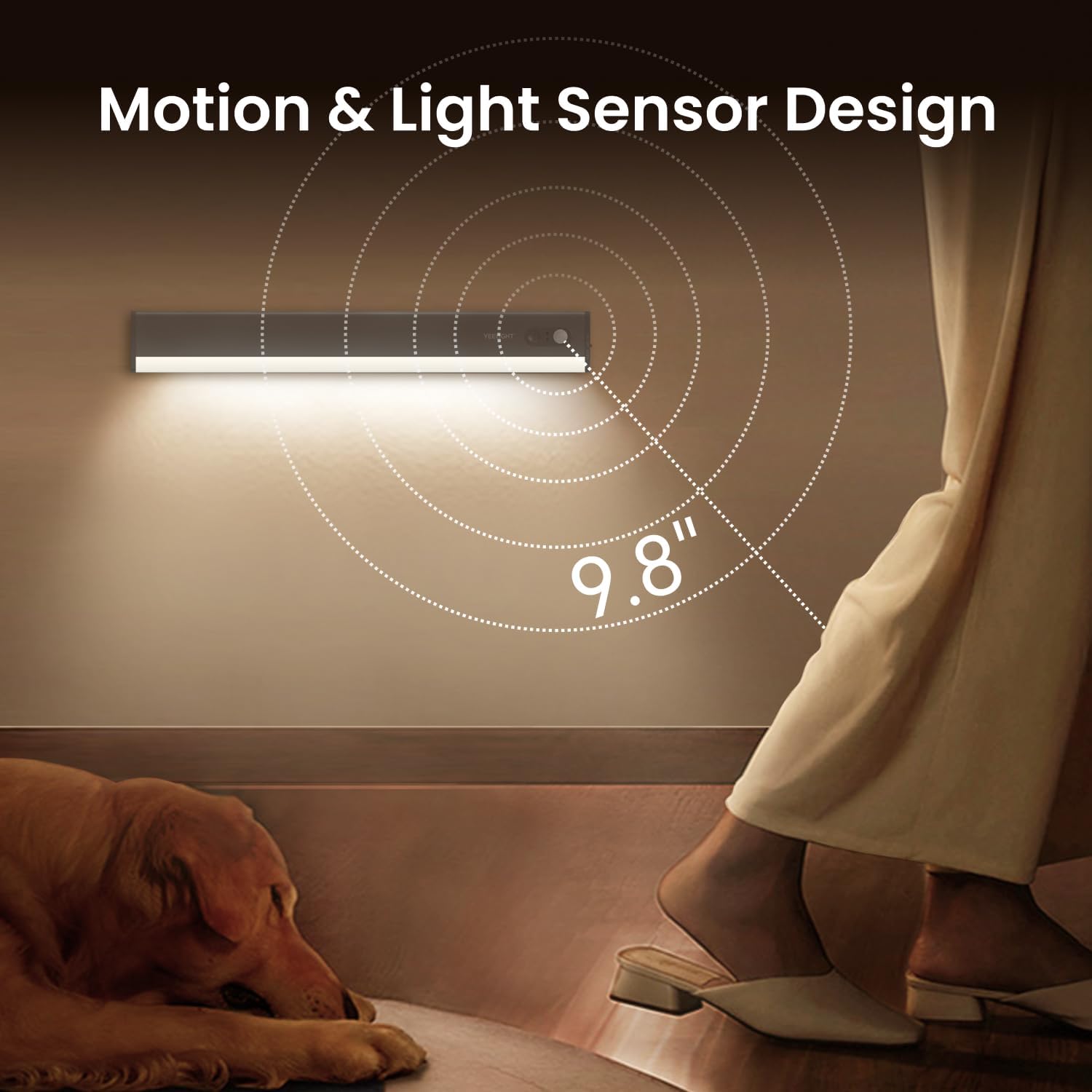
Image: Close-up of the light bar showing the motion sensor and the sensing range of 9.8 inches.
Adjusting Brightness (Dimming):
The light supports stepless dimming and preset brightness levels.
- Stepless Dimming: When the light is on (either ON or AUTO mode), press and hold the touch button (usually near the sensor) to smoothly adjust the brightness from 0% to 100%. Release the button when the desired brightness is reached.
- Fixed Dimming Levels: Briefly press the touch button to cycle through three preset brightness levels: 10%, 50%, and 100%.

Image: Visual representation of the stepless dimming capability, showing light intensity from 0% to 100%.
5. Maintenance
Charging the Battery:
The YEELIGHT Under Cabinet Light is equipped with a 1500mAh rechargeable battery. When the light dims significantly or stops responding, it's time to recharge.
- Gently detach the light bar from its magnetic mounting.
- Connect the provided USB charging cable to the charging port on the light bar.
- Connect the other end of the USB cable to a standard USB power adapter (not included) or a computer's USB port.
- An indicator light on the device will typically show charging status (e.g., red for charging, green/off for fully charged).
- Once fully charged, disconnect the cable and reattach the light to its mounting.
A full charge provides approximately 33 hours of continuous use in Always-On mode or up to 6 months of standby time in Auto mode (based on 3 activations per day at maximum brightness).
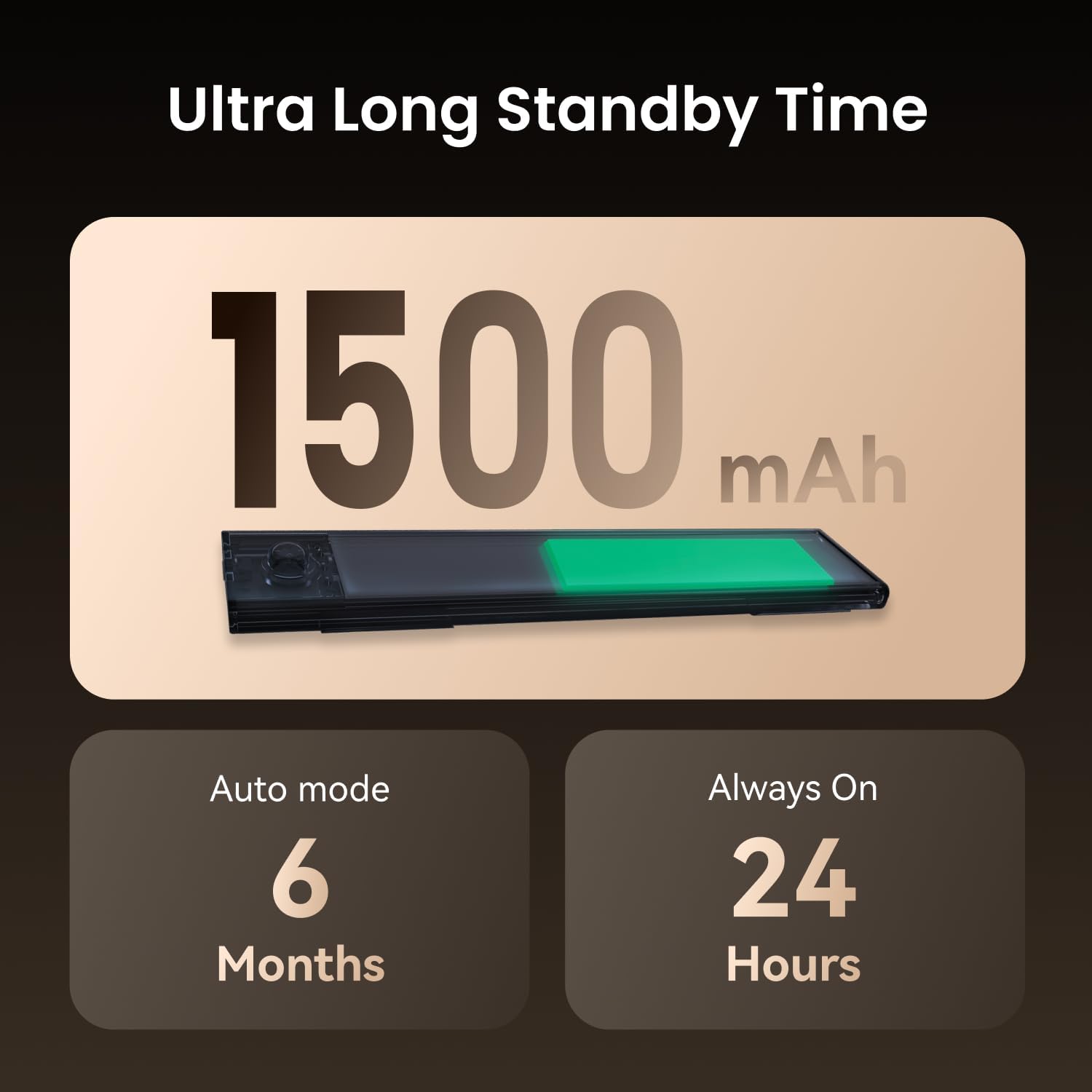
Image: Illustration showing the 1500mAh battery capacity and estimated standby times for Auto mode (6 months) and Always On mode (24 hours, note: feature bullet says 33 hours, I'll stick to the feature bullet for consistency).
Cleaning:
To clean the light, gently wipe it with a soft, dry cloth. Do not use abrasive cleaners or immerse the device in water.
6. Troubleshooting
| Problem | Possible Cause | Solution |
|---|---|---|
| Light does not turn on. | Battery is depleted. Light is in OFF mode. Insufficient ambient light (in AUTO mode). | Charge the light using the USB cable. Switch the mode to ON or AUTO. Ensure the environment is dark enough for AUTO mode to activate. |
| Motion sensor is not working or is too sensitive/insensitive. | Light is not in AUTO mode. Sensor is obstructed or dirty. Sensor is not positioned correctly. Ambient light is too bright. | Switch the mode to AUTO. Clean the sensor area. Adjust the light's position so the sensor faces the desired detection area. AUTO mode only activates in low-light conditions. |
| Light turns off too quickly (e.g., 10 seconds). | No continuous motion detected within the sensor range. | The light is designed to turn off after approximately 30 seconds of no motion. Ensure you are within the sensor's range (9.8 inches) for continuous illumination. If you need constant light, switch to ON mode. |
| Light is not dimming. | Incorrect operation. | Press and hold the touch button for stepless dimming, or briefly press to cycle through preset levels. |
7. Specifications
| Feature | Detail |
|---|---|
| Brand | YEELIGHT |
| Model Name | Under Cabinet Lighting |
| Product Dimensions | 19.7"L x 1.6"W x 0.3"H |
| Item Weight | 10.4 ounces |
| Material | Aluminum, Plastic |
| Light Source Type | LED |
| Color Temperature | 4000 Kelvin |
| Wattage | 6.5 watts |
| Power Source | Battery Powered (Rechargeable) |
| Battery Capacity | 1500mAh (non-detachable) |
| Control Method | Touch, Motion Sensor |
| Installation Type | Magnetic, Adhesive |
| Indoor/Outdoor Usage | Indoor |
| Special Feature | Rechargeable under cabinet lights |
8. Warranty & Support
This YEELIGHT product comes with a Limited Warranty. For detailed warranty terms and conditions, please refer to the official YEELIGHT website or contact customer support.
For further assistance, technical support, or inquiries, please visit the official YEELIGHT store or contact their customer service:
- Official Store: Visit the YEELIGHT Store on Amazon
- Manufacturer: YEELIGHT