
Introduction
This manual provides essential information for the safe and effective use of your GOOLOO 100W USB C Charger Block. Please read this manual thoroughly before operating the device and retain it for future reference. This charger is designed to provide high-speed charging for a wide range of electronic devices, including laptops, tablets, smartphones, and compatible GOOLOO jump starters.

Image: The Gooloo 100W USB C Charger Block, showcasing its compact design and four charging ports (two USB-C and two USB-A).
Product Overview
Key Features
- 4-in-1 Multiport Charger: Features two USB-C ports and two USB-A ports, allowing simultaneous charging of up to four devices.
- Ultra-Fast 100W Charging: Delivers a maximum of 100W charging speed when a single device is connected to a USB-C port, capable of charging most laptops to 55% in under 30 minutes.
- Wide Compatibility: Supports a broad range of devices including MacBook Pro/Air, Dell XPS, iPhone series, iPad Air/mini, and GOOLOO GT4000S/GT4000/GT3000 jump starters and GTX180/GTX280 power stations.
- Advanced Safety Features: Equipped with temperature protection, short circuit protection, overvoltage protection, overcurrent protection, and automatic recovery for safe and reliable charging.
- Foldable and Compact Design: Features a foldable plug for enhanced portability and a smaller footprint.

Image: The Gooloo 100W USB C Charger Block demonstrating its foldable plug and compact size compared to a standard charger.
What's in the Box
- 1 x GOOLOO 100W USB C Wall Charger
- 1 x USB-C to USB-C Charging Cord (7.2FT)
Setup
The GOOLOO 100W USB C Charger Block is designed for immediate use with minimal setup.
- Unfold the Plug: Gently unfold the AC prongs from the charger body.
- Connect to Power Outlet: Insert the charger into a standard wall power outlet (100-240V AC).
- Connect Devices: Use appropriate USB-C or USB-A cables to connect your devices to the charger's available ports.
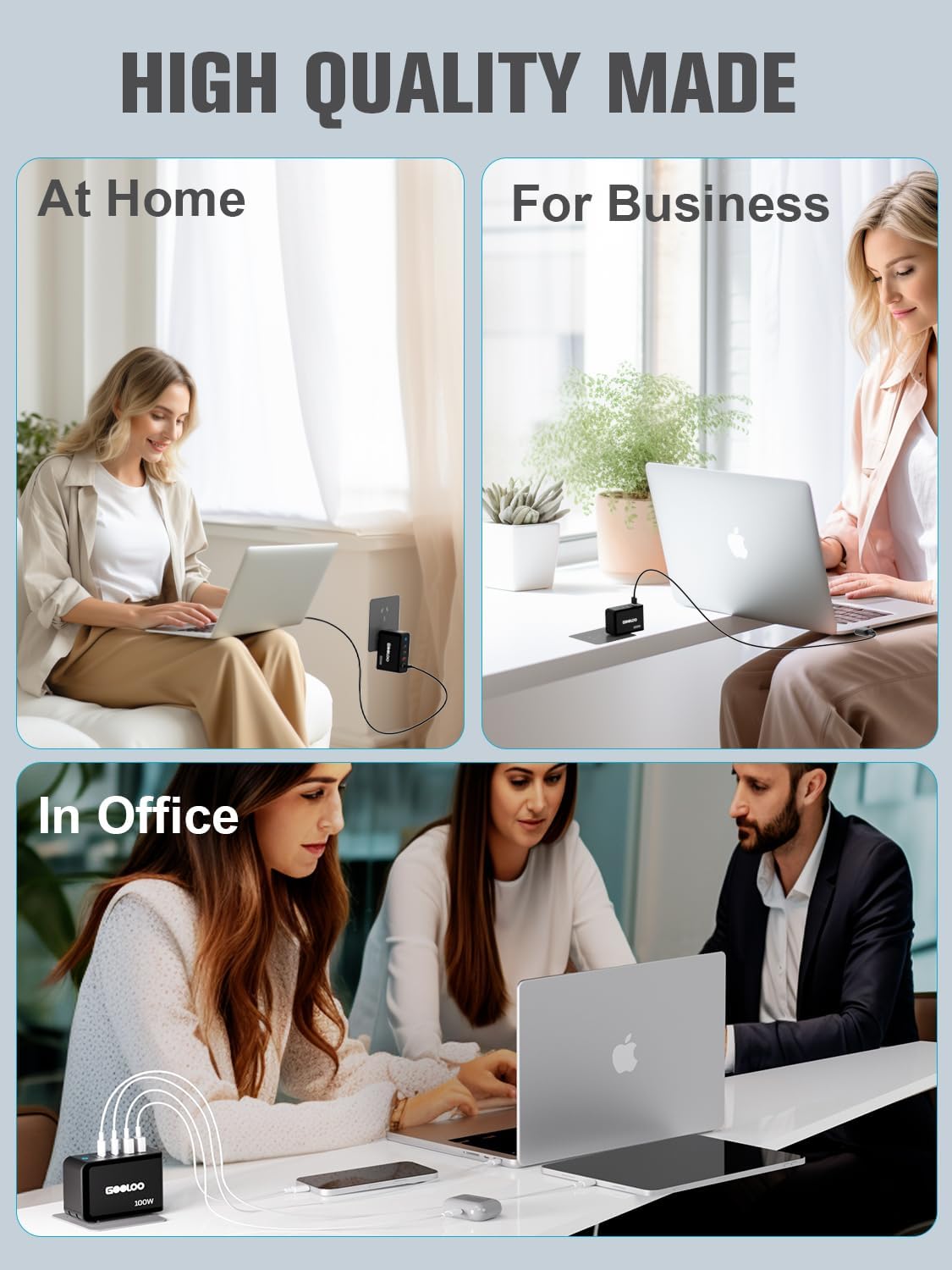
Image: The Gooloo 100W USB C Charger Block shown in different environments, illustrating its versatility for home, business, and office use.
Operating Instructions
Charging Your Devices
The charger intelligently distributes power based on the connected devices. For optimal charging, refer to the following guidelines:
- Single Device Charging: When only one device is connected to either USB-C port (Type-C1 or Type-C2), it can receive up to 100W of power.
- Multiple Device Charging: Power output will be dynamically allocated across all connected ports. For example, connecting a laptop to a USB-C port and a phone to a USB-A port will adjust the power delivery to each device accordingly.

Image: A visual guide illustrating the power distribution (Wattage Max) across the GA01 charger's ports for various device combinations.

Image: Further examples of power output configurations for the GA01 charger, detailing wattage distribution when multiple ports are in use.

Image: Comprehensive diagrams showing various power output scenarios for the GA01 charger, helping users understand optimal charging setups.
Compatibility
The GOOLOO 100W USB C Charger Block is compatible with a wide array of devices:
- Laptops: MacBook Pro (16", 14", 13"), MacBook Air, Dell XPS, Google Pixelbook, Microsoft Surface Book 2, ThinkPad, and more.
- Phones & Tablets: iPhone series (15/14/13/12/11/X/SE/XS/XR/8/7/6), iPad Pro (12.9"/11"), iPad mini, iPad Air 4, Samsung Galaxy S8/S9/Note9/S10, Oneplus, LG, Huawei Mate, Xiaomi, Google Pixel, and more.
- GOOLOO Jump Starters & Power Stations: GT3000, GT4000S, GT4000, GTX180, GTX280.
- Other Devices: Nintendo Switch, AirPods/AirPods Pro, MagSafe accessories, Apple Watch, Cameras, Drones, Game Consoles, Speakers, and more.

Image: A detailed compatibility chart illustrating the wide range of devices that can be charged by the Gooloo 100W USB C Charger Block, including specific Gooloo jump starter models, popular laptops, phones, tablets, and other gadgets.
Maintenance
To ensure the longevity and optimal performance of your GOOLOO 100W USB C Charger Block, follow these maintenance guidelines:
- Cleaning: Disconnect the charger from the power outlet and all devices before cleaning. Use a soft, dry cloth to wipe the surface. Do not use liquid cleaners or aerosols.
- Storage: Store the charger in a cool, dry place away from direct sunlight and extreme temperatures. When storing, ensure the foldable plug is retracted to prevent damage.
- Handling: Avoid dropping the charger or subjecting it to strong impacts. Do not attempt to disassemble or modify the charger, as this will void the warranty and may cause damage or injury.
- Cable Care: Always grasp the plug when disconnecting cables, rather than pulling on the cable itself, to prevent damage to the cable or port.
Troubleshooting
If you encounter issues with your GOOLOO 100W USB C Charger Block, refer to the following common problems and solutions:
| Problem | Possible Cause | Solution |
|---|---|---|
| Device not charging. | Loose connection, faulty cable, incompatible device, or power outlet issue. | Ensure all cables are securely connected. Try a different cable. Test the charger with another device. Try a different power outlet. |
| Slow charging. | Cable not supporting fast charging, multiple devices connected, or device's charging input limit. | Use a high-quality cable rated for fast charging. Disconnect other devices to allow maximum power to a single device. Ensure your device supports the charger's output. |
| Charger feels warm. | Normal operation during high-power charging. | A slight warmth is normal. If it becomes excessively hot or emits smoke/odor, immediately unplug it and contact customer support. |
| Charger indicator light is off. | No power from the outlet or internal issue. | Check the power outlet. Ensure the charger is fully plugged in. If the issue persists, contact customer support. |
If the problem persists after attempting these solutions, please contact GOOLOO customer support for assistance.
Specifications
| Feature | Specification |
|---|---|
| Model Number | MSA05902 |
| Package Dimensions | 4.17 x 3.98 x 1.65 inches |
| Item Weight | 12.6 ounces |
| Total USB Ports | 4 (2 x USB-C, 2 x USB-A) |
| Wattage | 100 watts (Max) |
| Output Voltage | 20 Volts (DC) |
| Power Source | Corded Electric |
| Connectivity Technology | USB |
| Mounting Type | Wall Mount |
| Manufacturer | Jiangxi Miju Technology Co.,Ltd |
| Date First Available | March 14, 2024 |
Warranty and Support
Warranty Information
The GOOLOO 100W USB C Charger Block comes with an 18-month warranty from the date of purchase. This warranty covers manufacturing defects and ensures reliable performance under normal use. Please retain your proof of purchase for warranty claims.
Customer Support
For any questions, technical assistance, or warranty claims, please contact GOOLOO customer service. Our team is available to provide friendly and helpful support.
- 24/7 Customer Support: Available for your convenience.
- 30-Day Unconditional Return Guarantee: For peace of mind.
- Lifetime Customer & Technical Support: Dedicated assistance throughout the product's lifespan.
For the most up-to-date contact information, please visit the official GOOLOO website or refer to the contact details provided with your product packaging.