
GODOX X3-L
Contents
Godox X3-L Touchscreen TTL Wireless Flash Trigger User Manual
Model: X3-L | Brand: GODOX
1. Introduction
The Godox X3-L is a compact and versatile touchscreen TTL wireless flash trigger designed for use with Leica cameras. It integrates seamlessly with the Godox Wireless X system, providing reliable control over your flash units. Featuring an intuitive OLED touchscreen and tactile buttons, the X3-L offers flexible operation for various shooting scenarios.
2. Important Safety Information
Please read and understand the following safety precautions before using the Godox X3-L Flash Trigger:
- Always keep this product dry.
- Keep out of reach of children.
- Keep away from ignition sources.

Figure 2.1: Safety warnings in multiple languages, emphasizing keeping the product dry, out of reach of children, and away from ignition sources.
3. Package Contents
Verify that all items are included in your package:
- Godox X3-L Flash Trigger
- USB-C Charging Cable
- Storage Bag

Figure 3.1: The Godox X3-L Flash Trigger, USB-C charging cable, and storage bag as included in the product package.
4. Product Overview
The Godox X3-L features a compact design with a prominent OLED touchscreen for easy control and monitoring. It includes a hotshoe for camera mounting and a USB-C port for charging and firmware updates.
5. Setup
5.1. Camera Compatibility
The Godox X3-L is designed for Leica cameras, specifically compatible with SL2, SL1, TYP-60, Q2, and M10 models. It is NOT compatible with the Leica M11 camera.

Figure 5.1: Verify the hot shoe configuration of the X3-L for compatibility with your specific Leica camera model.
5.2. Mounting the Trigger
Attach the X3-L to your camera's hotshoe. The robust design ensures a secure and stable connection, protecting your camera's hotshoe while providing hassle-free installation.
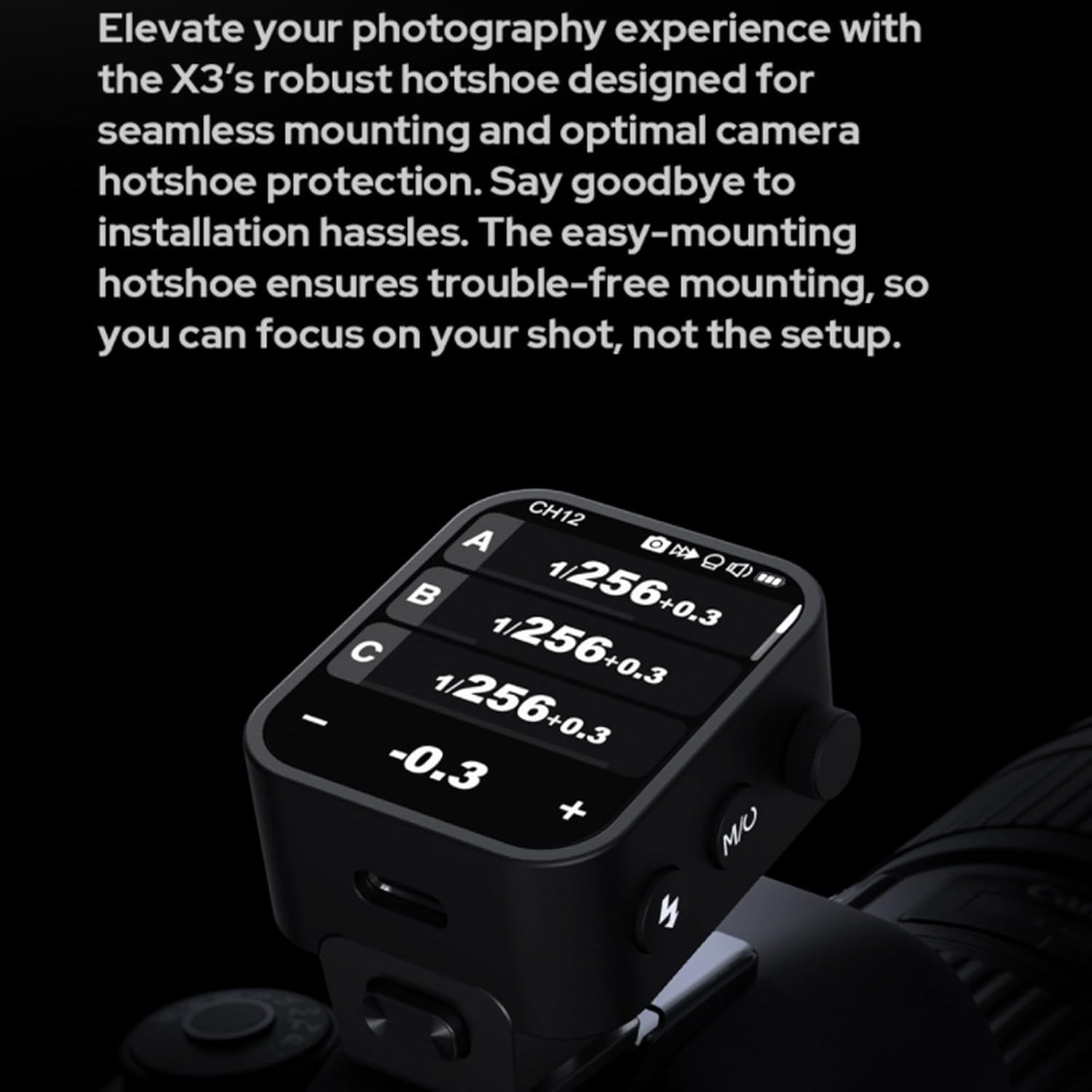
Figure 5.2: The X3-L features an easy-mounting hotshoe for quick and secure attachment to your camera.
5.3. Initial Charging
Before first use, fully charge the built-in lithium battery using the provided USB-C charging cable. A full charge from 0% to 100% typically takes approximately 2 hours. The device offers over 5 days of operating time, totaling approximately 6000 flashes per charge.

Figure 5.3: Charging the Godox X3-L via its USB-C port.
6. Operating Instructions
6.1. User Interface: Touchscreen and Buttons
The X3-L provides dual control options: an intuitive touchscreen and tactile physical buttons. The ultra-sleek UI allows for easy navigation and setting adjustments via touch. For situations requiring precise control or when wearing gloves, parameters can be adjusted using the buttons on the side of the unit.
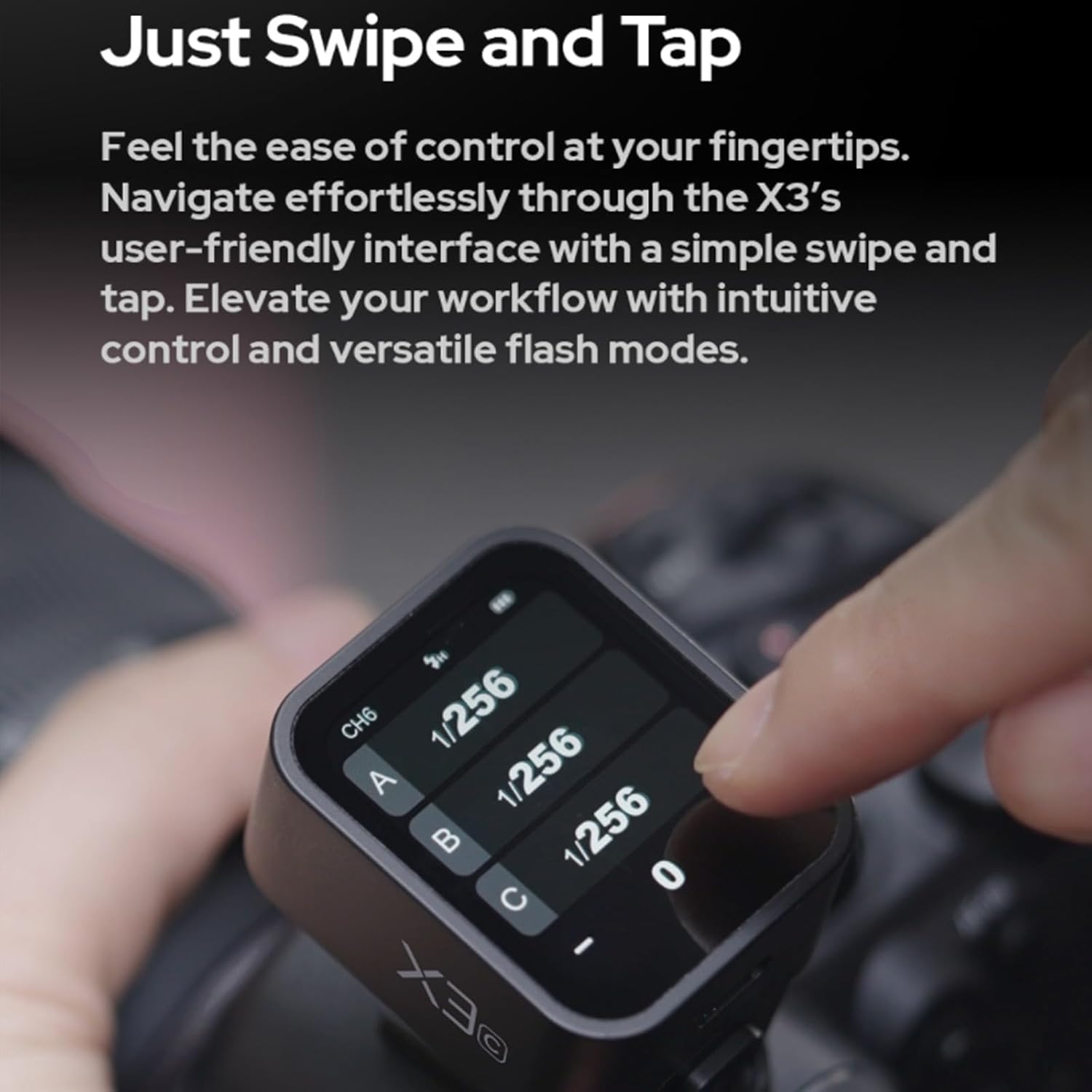
Figure 6.1: Navigating the X3-L interface using swipe and tap gestures on the touchscreen.

Figure 6.2: Adjusting parameters using the physical buttons on the side of the X3-L.
6.2. Wireless System (2.4GHz Godox Wireless X)
The X3-L utilizes the advanced 2.4GHz Godox Wireless X system for seamless and reliable control of your Godox lighting setup. The spare channel scanning function helps prevent interference by identifying clear channels. The Wireless Sync feature allows for quick connection to compatible flash units with a single tap.

Figure 6.3: Scanning for channels and initiating wireless sync on the X3-L.
6.3. TCM (TTL to Manual Conversion)
The two-way TCM function allows for instant conversion between TTL (Through-The-Lens) mode and Manual mode. This provides flexibility to adapt to different shooting scenarios with ease, ensuring precise control over your flash output.

Figure 6.4: Converting between TTL and Manual flash modes using the TCM function.
6.4. Screen Brightness Adjustment
The vivid OLED touchscreen offers a high-contrast display suitable for both indoor and outdoor shooting. Adjust the screen brightness by sliding your finger left or right on the screen to suit your surroundings, whether in bright sunlight or low-light conditions.

Figure 6.5: Adjusting the screen brightness of the OLED display on the X3-L.
7. Maintenance
7.1. Charging
To maintain optimal battery life, charge the X3-L regularly using the provided USB-C cable. Avoid fully depleting the battery frequently. Store the device in a cool, dry place when not in use for extended periods.
7.2. Firmware Updates
Seamless firmware updates can be performed through the USB-C connection. Visit the official Godox website for the latest firmware versions and instructions to ensure your device operates with the most current features and improvements.
8. Troubleshooting
If you encounter issues with your Godox X3-L Flash Trigger, consider the following common troubleshooting steps:
- Device Not Powering On: Ensure the battery is sufficiently charged. Connect the device to the USB-C charger and allow it to charge for at least 30 minutes before attempting to power it on again.
- Flash Not Firing: Verify that the X3-L is securely mounted on the camera's hotshoe. Check that the flash unit is powered on and properly connected to the receiver (if applicable). Ensure the wireless channel and ID settings on the X3-L match those of your flash unit.
- Interference Issues: Use the spare channel scanning function to find a clear channel. Move away from other 2.4GHz devices that might be causing interference.
- Touchscreen Unresponsive: Try restarting the device. Ensure the screen is clean and dry. If the issue persists, consider performing a firmware update.
- Inaccurate Flash Output: Confirm that the flash mode (TTL or Manual) is set correctly for your shooting needs. If in Manual mode, verify the power settings.
If these steps do not resolve the issue, please refer to the official Godox support resources or contact customer service for further assistance.
9. Specifications
| Feature | Specification |
|---|---|
| Model Number | X3-L |
| Product Dimensions | 5.12 x 1.97 x 3.94 inches |
| Item Weight | 8.1 ounces |
| Batteries | 1 Nonstandard Battery required (built-in) |
| Compatible Mountings | Hotshoe |
| Flash Sync Speed | 1/8000s |
| Connectivity Technology | Wireless (2.4GHz Godox Wireless X System) |
| Manufacturer | Godox |
| Date First Available | February 21, 2024 |
Ask a question about this manual
Ask about setup, troubleshooting, compatibility, parts, safety, or missing instructions. Manuals+ will review the question and use this page’s manual context to help answer it.