
1. Safety Instructions
Please read and understand all safety instructions before operating this device. Keep this manual for future reference.
- Power Source: Connect the amplifier only to the specified power supply (AC 110-240V or DC 12V/5A).
- Ventilation: Ensure adequate ventilation around the unit. Do not block ventilation openings.
- Moisture: Do not expose the unit to rain, moisture, or dripping/splashing liquids.
- Heat: Keep the unit away from heat sources such as radiators, heat registers, stoves, or other apparatus that produce heat.
- Cleaning: Unplug the unit from the power outlet before cleaning. Use a dry cloth only.
- Servicing: Do not attempt to service this product yourself. Refer all servicing to qualified service personnel.
- Speaker Connection: Ensure correct polarity when connecting speakers to prevent damage.
2. Product Overview
The WOOPKER AK55 is a versatile 2.0 channel stereo audio amplifier designed for home audio systems, karaoke, and home theater setups. It features multiple input options including Bluetooth 5.0, USB, RCA, AUX, Optical, and Coaxial, along with dual microphone inputs for karaoke functionality.
2.1 Key Features
- Powerful Output: RMS 70W x 2 rated power, with a maximum peak power of 450W + 450W.
- Tone Control: Independent Bass and Treble control knobs for sound customization.
- Bluetooth 5.0: Stable wireless audio streaming with a range of up to 30 feet (10 meters).
- Multiple Inputs: USB, SD card, RCA, AUX, Optical, Coaxial, and FM radio.
- Karaoke Functionality: Two microphone input jacks with adjustable microphone volume, echo, and delay.
- Compact Design: Suitable for small apartments, bedrooms, offices, and other spaces.
- Remote Control: Convenient operation from a distance.
2.2 Package Contents

Image: Contents of the WOOPKER AK55 amplifier package, showing the amplifier unit, power cable, remote control, and user manual.
- 1x WOOPKER AK55 Stereo Audio Amplifier
- 1x Power Adapter
- 1x Remote Control
- 1x User Manual
2.3 Front Panel Overview

Image: Detailed diagram of the AK55 amplifier's front panel, labeling all knobs, buttons, and ports.
- Power Switch: Turns the unit on or off.
- Bass Knob: Adjusts low-frequency audio output.
- Treble Knob: Adjusts high-frequency audio output.
- USB Port: For USB flash drive playback.
- SD Card Slot: For SD card playback.
- LED Display: Shows current input mode and other information.
- Function Buttons: Control playback (Play/Pause, Next/Previous Track), input mode selection.
- AUX Jack: 3.5mm auxiliary input.
- Master Volume: Controls the overall audio output level.
- Mic Volume: Adjusts the volume of connected microphones.
- Mic Input Jacks (MIC1, MIC2): Connect microphones for karaoke.
- Echo Knob: Adjusts the echo effect for microphone audio.
- Delay Knob: Adjusts the delay effect for microphone audio.
2.4 Back Panel Overview

Image: Detailed diagram of the AK55 amplifier's back panel, showing all input/output ports and power connections.
- OPT/COAX Input: Optical and Coaxial digital audio inputs.
- FM Antenna: Connection for the FM radio antenna.
- Audio Input/Output (RCA): Stereo RCA input and output jacks.
- Speaker Output: Terminals for connecting passive speakers (4Ω-16Ω).
- DC 12V/5A Power Input: For external DC power supply.
- AC 90-240V Power Input: For AC power connection.
3. Setup
3.1 Connecting Speakers
Image: Diagram illustrating how to connect passive speakers to the AK55 amplifier's speaker output terminals.
- Before connecting speakers, identify the positive (+) and negative (-) terminals on both the amplifier and your speakers. The positive terminal is typically red, and the negative terminal is black.
- Press the clasp on the back of the AK55 amplifier's speaker output terminals and insert the bare speaker wires. Ensure a secure connection and correct polarity.
- Connect the other end of the speaker wires to your passive speakers, matching positive to positive and negative to negative.
- Caution: Avoid plugging and unplugging USB drives, SD cards, RCA audio cables, or speaker cables while the amplifier is powered on.
3.2 Connecting Audio Sources
The AK55 amplifier supports various audio input methods:
- Bluetooth: For wireless connection from smartphones, tablets, or computers.
- USB/SD Card: For direct playback of audio files from USB flash drives or SD cards.
- RCA/AUX: For connecting traditional audio devices like CD/DVD players, TVs, or other analog sources.
- Optical/Coaxial: For connecting digital audio sources like modern TVs or game consoles.
- FM Radio: Built-in tuner for radio broadcasts.
3.3 Power Connection
- Connect the provided power adapter to the AC 90-240V power input on the back of the amplifier.
- Plug the power adapter into a suitable wall outlet.
- Alternatively, for DC power, connect a 12V/5A DC power source to the DC 12V/5A input.
4. Operating Instructions
4.1 Power On/Off
Press the Power Switch on the front panel to turn the amplifier on or off. The LED display will illuminate when the unit is powered on.
4.2 Input Selection
Press the Mode button on the front panel or remote control to cycle through available input sources: Bluetooth, USB, SD, AUX, Optical, Coaxial, FM.
4.3 Volume Control
Rotate the large Master Volume knob on the front panel clockwise to increase volume and counter-clockwise to decrease it. You can also use the volume buttons on the remote control.
4.4 Tone Adjustment

Image: Close-up of the AK55 amplifier's front panel, highlighting the Bass and Treble adjustment knobs.
- Rotate the Bass Knob to increase or decrease low-frequency sounds.
- Rotate the Treble Knob to increase or decrease high-frequency sounds.
4.5 Bluetooth Pairing

Image: A smartphone screen showing Bluetooth settings, with the AK55 amplifier listed as an available device for pairing.
- Select Bluetooth mode using the Mode button. The LED display will show "BLUE" and flash, indicating it's in pairing mode.
- On your device (smartphone, tablet, etc.), enable Bluetooth and search for available devices.
- Select "AK55" from the list of devices to pair.
- Once paired, the LED display will stop flashing, and you can stream audio wirelessly.
4.6 USB/SD Card Playback
- Insert a USB flash drive or SD card containing audio files into the respective port/slot.
- Select USB or SD mode using the Mode button. The amplifier will automatically begin playing audio files.
- Use the Function Buttons (Play/Pause, Next/Previous Track) on the front panel or remote control to manage playback.
4.7 Microphone and Karaoke Functions

Image: Two individuals singing into microphones connected to the AK55 amplifier, demonstrating its karaoke feature.
- Connect up to two microphones to the MIC1 and MIC2 input jacks.
- Adjust the microphone volume using the Mic Volume knob.
- Use the Echo Knob to add an echo effect to your voice.
- Use the Delay Knob to adjust the delay of the echo effect.
4.8 FM Radio Operation
- Connect the FM antenna to the FM ANT port on the back panel.
- Select FM mode using the Mode button.
- Use the Next/Previous Track buttons to scan for radio stations.
4.9 Remote Control
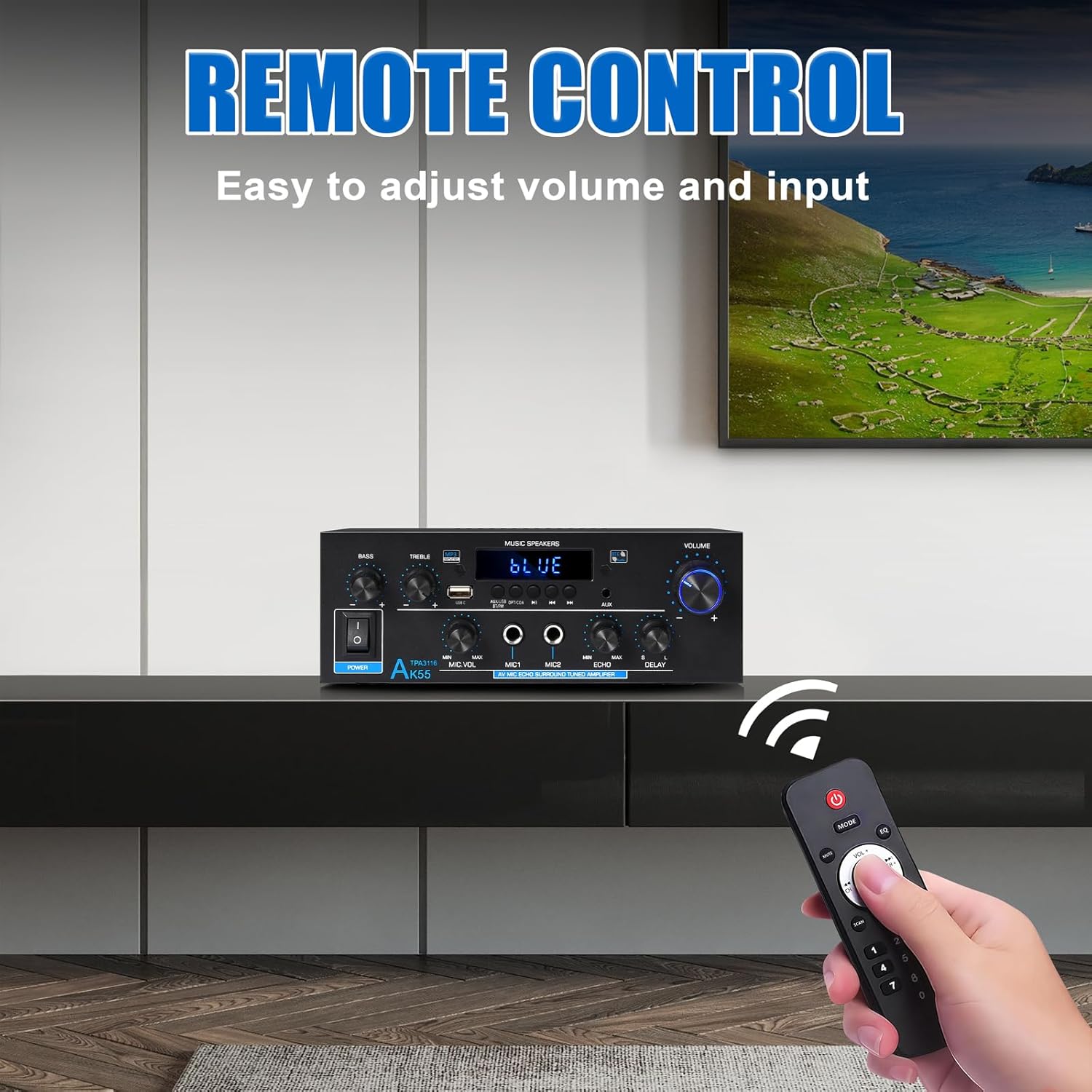
Image: The remote control for the AK55 amplifier, showing buttons for power, mode, volume, track control, and numeric input.
The included remote control allows for convenient operation of the amplifier from a distance. Functions include power on/off, input mode selection, volume adjustment, track control (for USB/SD/Bluetooth), and FM station tuning.
5. Maintenance
- Cleaning: Use a soft, dry cloth to clean the exterior of the amplifier. Do not use liquid cleaners or aerosols.
- Ventilation: Periodically check that the ventilation openings are free from dust and debris.
- Storage: If storing the unit for an extended period, disconnect it from the power supply and store it in a cool, dry place.
6. Troubleshooting
| Problem | Possible Cause | Solution |
|---|---|---|
| No power | Power cable not connected; Power switch off; Outlet malfunction | Check power cable connection; Ensure power switch is ON; Test outlet with another device. |
| No sound output | Incorrect input selected; Volume too low; Speaker wires loose/incorrectly connected; Audio source issue | Select correct input mode; Increase Master Volume; Check speaker wire connections and polarity; Verify audio source is playing. |
| Bluetooth not pairing | Amplifier not in pairing mode; Device Bluetooth off; Device too far | Ensure amplifier is in Bluetooth mode (LED flashes); Enable Bluetooth on your device; Move device closer to amplifier (within 10m). |
| USB/SD card not playing | Incorrect input selected; Incompatible file format; Corrupted media | Select USB/SD input; Ensure audio files are compatible (e.g., MP3); Try a different USB/SD card. |
| Microphone not working | Mic not connected; Mic Volume too low; Mic switch off | Ensure microphone is securely plugged in; Increase Mic Volume; Check if microphone has an on/off switch. |
7. Specifications
| Feature | Specification |
|---|---|
| Brand | WOOPKER |
| Model Number | AK55-US |
| Output Power (RMS) | 70W x 2 |
| Peak Power | 450W + 450W |
| Surround Sound Channel Configuration | 2.0 Channel |
| Connectivity Technology | Bluetooth 5.0, RCA, Auxiliary, USB, Optical, Coaxial |
| Compatible Devices | Smartphone, Computers, CD Player, Tablet, Passive Speakers |
| Speaker Impedance | 4-16 Ohms |
| Item Weight | 2.02 pounds (0.92 Kilograms) |
| Package Dimensions | 9.92 x 8.94 x 3.82 inches |
| Power Input | AC 90-240V or DC 12V/5A |
8. Warranty and Support
For warranty information and technical support, please refer to the contact details provided with your purchase or visit the official WOOPKER website. Keep your purchase receipt as proof of purchase for any warranty claims.

