1. Introduction
This manual provides essential instructions for the safe and effective use of your BAOFENG UV-21R BL-21UV Li-ion Battery. This high-capacity battery is designed to power BAOFENG UV-21, UV-21R, UV-21 Pro, UV-21 Pro V2, and UV-21 Pro V3 series two-way radios, ensuring extended communication during various activities.
2. Safety Information
Please read and understand all safety warnings before using the battery. Failure to follow these instructions may result in fire, electric shock, or injury.
- Do not disassemble the battery.
- Do not dispose of the battery in fire.
- Do not charge the battery in a hazardous location.
- Do not short-circuit the terminals.
- Recycle or dispose of the battery properly according to local regulations.
- Keep the battery away from water and extreme temperatures.

Image: Front view of the BAOFENG BL-21UV Li-ion Battery, showing the model number, charge limit voltage, and printed safety cautions including warnings against disassembly, disposal in fire, charging in hazardous locations, and short-circuiting terminals. It also shows recycling symbols.
3. Setup and Installation
The BL-21UV battery is designed for easy installation into compatible BAOFENG UV-21 series two-way radios.
- Ensure your radio is powered off before installing or removing the battery.
- Align the battery with the battery compartment on the back of your BAOFENG UV-21 series radio.
- Gently slide the battery into place until it clicks securely.
- To remove, press the battery release latch (if present on your radio model) and slide the battery out.
4. Charging Instructions
The BAOFENG BL-21UV battery features convenient USB-C charging. It can be charged using a USB direct connection or a compatible desktop charger.

Image: The BAOFENG UV-21R battery highlighting its USB-C charging port and an included USB-C charging cable, emphasizing its high capacity and long standby time.
4.1. USB-C Direct Charging
- Locate the USB-C port on the battery.
- Connect a standard USB-C charging cable to the battery's port.
- Connect the other end of the USB-C cable to a compatible USB power source (e.g., power bank, PC, wall adapter, laptop).
- The LED indicator on the battery will show the charging status.
4.2. Charging Indicator

Image: A close-up of the BAOFENG battery's LED indicator. It illustrates that a red light signifies the battery is currently charging, and a green light indicates the battery is fully charged.
- Red LED: Battery is charging.
- Green LED: Battery is fully charged.
Charging time may vary depending on the power source and the battery's current charge level. Avoid overcharging by disconnecting the battery once the green LED indicates a full charge.
5. Operation and Usage
Once installed and charged, the battery powers your compatible BAOFENG UV-21 series two-way radio. The high capacity ensures extended standby and talk time.
- Ensure the battery is fully charged before extended use, especially for outdoor activities.
- Monitor your radio's battery level indicator to know when recharging is necessary.
- For optimal battery life, avoid completely draining the battery frequently.
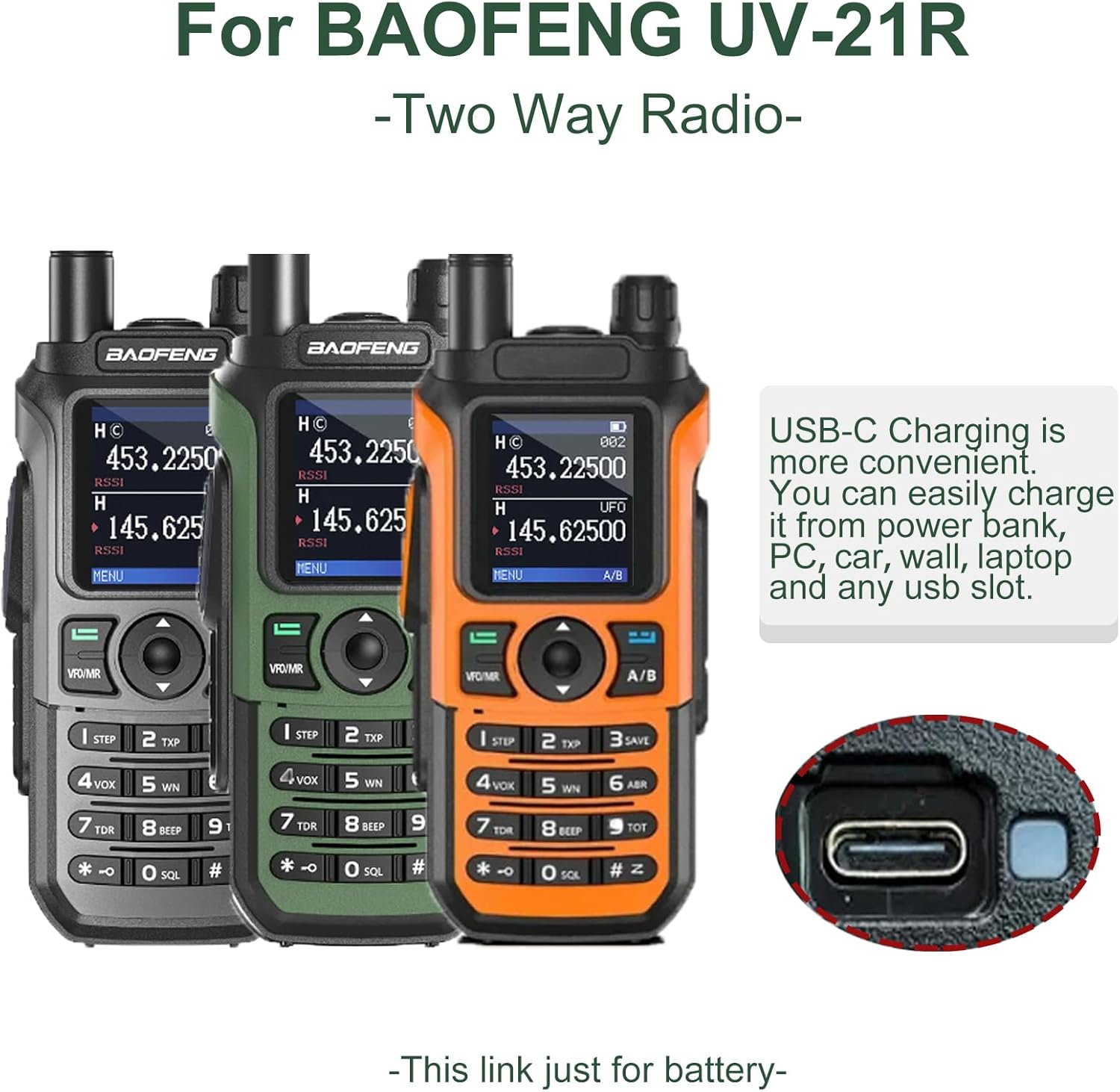
Image: Three BAOFENG UV-21R two-way radios in different colors (black, green, orange), illustrating their compatibility with the battery. A close-up inset shows the USB-C charging port, emphasizing the convenience of charging from various USB sources.
6. Maintenance and Storage
- Keep the battery clean and dry. Wipe with a soft, dry cloth if necessary.
- Store the battery in a cool, dry place away from direct sunlight and extreme temperatures.
- If storing for an extended period, charge the battery to approximately 50% capacity. Avoid storing a fully charged or completely depleted battery for long durations.
- Do not expose the battery to moisture or corrosive substances.
7. Troubleshooting
| Problem | Possible Cause | Solution |
|---|---|---|
| Battery not charging | Loose USB-C connection; faulty cable/charger; battery too hot/cold; battery defect. | Ensure cable is securely connected. Try a different USB-C cable or power source. Allow battery to reach room temperature. If problem persists, contact support. |
| Short operating time after full charge | Battery degradation; extreme operating temperatures. | Battery capacity naturally decreases over time. Ensure operation within recommended temperature ranges. Consider replacing the battery if performance is significantly reduced. |
| Radio not powering on with battery | Battery not installed correctly; battery depleted; battery defect; radio issue. | Re-install battery securely. Charge the battery fully. Test with another known good battery if available. If issue persists, consult your radio's manual or contact radio support. |
8. Specifications
| Feature | Detail |
|---|---|
| Model Number | BL-21UV |
| Battery Type | Li-ion Battery |
| Nominal Voltage | 8.4V (Charge Limit) |
| Battery Capacity | 1800 Milliamp Hours |
| Charging Interface | USB-C |
| Standby Time | 5-7 days (approximate) |
| Compatible Radios | UV-21/UV-21R/UV-21 Pro/UV-21 Pro V2/UV-21 Pro V3 Series |
| Item Weight | 3.84 ounces (108.87 grams) |
| Package Dimensions | 5.11 x 3.74 x 0.78 inches (12.98 x 9.5 x 1.98 cm) |

Image: A diagram showing the physical dimensions of the BAOFENG BL-21UV battery, with measurements in both inches and centimeters for length (4.22"/10.72cm), width (2.23"/5.43cm), and thickness (0.71"/1.81cm).
9. Warranty and Support
For warranty information or technical support regarding your BAOFENG BL-21UV battery, please refer to the documentation provided with your original purchase or contact BAOFENG customer service directly. Contact details can typically be found on the official BAOFENG website or through your retailer.
If you have any problems with compatible models, please feel free to reach out to the seller for assistance.


