1. Introduction
Welcome to the realme 11 5G (Model: RMX3780) user manual. This guide provides essential information to help you set up, operate, and maintain your new smartphone. Please read this manual thoroughly to ensure proper usage and to take full advantage of all features.
2. What's in the Box
Upon unboxing your realme 11 5G, please verify that all the following items are included:
- realme 11 5G Smartphone
- Power Adapter
- USB Cable
- SIM Tray Ejector
- Important Information Guide (this manual)
3. Product Overview
The realme 11 5G features a sleek design with a large display and a prominent camera module. Familiarize yourself with the device's physical components.

Figure 3.1: Front and back view of the realme 11 5G, showcasing the display and circular camera module.

Figure 3.2: Angled view of the realme 11 5G, highlighting its slim profile and camera bump.
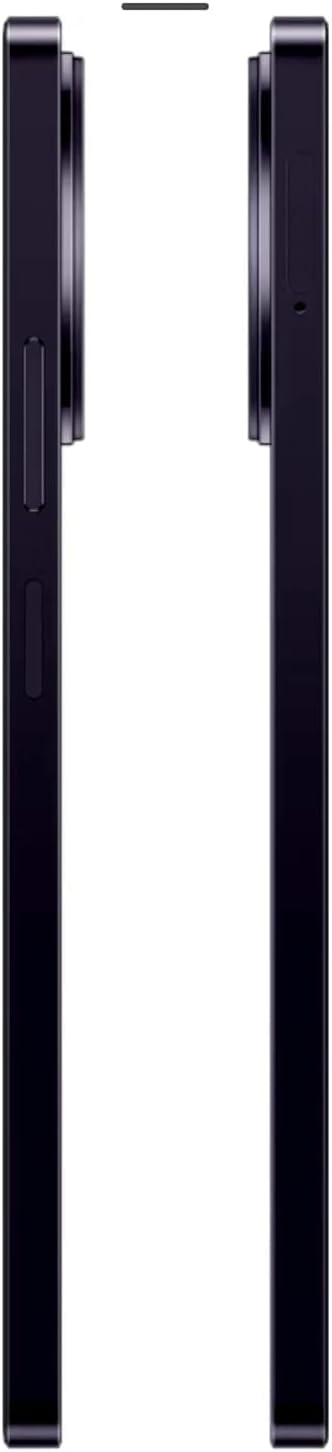
Figure 3.3: Side view of the realme 11 5G, showing the power button with integrated fingerprint sensor and volume rockers.

Figure 3.4: Top and bottom view of the realme 11 5G, illustrating the 3.5mm audio jack, USB-C port, and speaker grille.
4. Setup
4.1. Inserting SIM Cards
The realme 11 5G supports Dual SIM functionality. Use the provided SIM tray ejector tool to open the SIM card slot located on the side of the device. Carefully place your Nano-SIM cards into the designated slots, ensuring proper orientation. Reinsert the tray firmly until it clicks into place.
4.2. Powering On/Off
To power on your device, press and hold the Power button (located on the side) until the realme logo appears. To power off, press and hold the Power button, then select 'Power off' from the options that appear on the screen.
5. Operating Instructions
5.1. Display and Navigation
The realme 11 5G features a 6.72-inch IPS LCD display with a 120Hz refresh rate for smooth visuals. Navigate the interface using touch gestures: tap to select, swipe to scroll, pinch to zoom.
5.2. Camera Features
Capture high-quality photos and videos with the versatile camera system.
- Main Camera: 108 MP, f/1.8, 24mm (wide) with 3x Zoom capability.
- Depth Camera: 2 MP, f/2.4.
- Selfie Camera: 16 MP, f/2.5, 23mm (wide).

Figure 5.1: The 108MP main camera of the realme 11 5G.

Figure 5.2: Highlighting the 108MP camera with 3x zoom capabilities.
5.3. Storage and Memory
The device comes with 256GB of internal storage and 8GB of RAM. Storage can be expanded up to 2TB using a microSD card.

Figure 5.3: Illustration of the large 256GB internal storage, expandable up to 2TB.
5.4. Charging
The realme 11 5G supports 67W SUPERVOOC fast charging. Use the provided power adapter and USB cable for optimal charging speed. The 5000 mAh non-removable battery provides extended usage.

Figure 5.4: Visual representation of the 67W SUPERVOOC fast charging capability.
6. Maintenance
To ensure the longevity and optimal performance of your realme 11 5G, follow these maintenance guidelines:
- Keep the device clean using a soft, dry cloth. Avoid abrasive materials or harsh chemicals.
- Protect the screen with a screen protector and use a protective case to prevent physical damage.
- Avoid exposing the device to extreme temperatures, direct sunlight, or excessive moisture.
- Regularly update the operating system (Android 13, Realme UI 4.0) and applications to benefit from the latest security patches and feature enhancements.
- Optimize battery life by managing background apps and adjusting screen brightness.
7. Troubleshooting
If you encounter issues with your realme 11 5G, try these common troubleshooting steps:
- Device unresponsive: Press and hold the Power button for about 10-15 seconds to force a restart.
- Network issues: Check if your SIM card is properly inserted. Try toggling Airplane Mode on and off. Verify your mobile data or Wi-Fi connection settings.
- App crashing: Clear the app's cache and data in Settings > Apps. If the issue persists, uninstall and reinstall the app.
- Battery draining quickly: Reduce screen brightness, disable unnecessary background apps, and turn off features like GPS or Bluetooth when not in use.
- Performance slowdown: Close unused apps, clear cache, and ensure sufficient storage space. A factory reset can resolve persistent performance issues, but remember to back up your data first.
For more complex issues, please refer to the official realme support website or contact customer service.
8. Specifications
Detailed technical specifications for the realme 11 5G (Model: RMX3780):
| Feature | Specification |
|---|---|
| Model Number | RMX3780 |
| Display | 6.72" IPS LCD, 1080 x 2400 pixels, 120Hz |
| Processor | Mediatek Dimensity 6100+ (6 nm) |
| Operating System | Android 13, Realme UI 4.0 |
| Memory (RAM) | 8GB |
| Storage (ROM) | 256GB (expandable up to 2TB via microSD) |
| Rear Camera | 108 MP (wide), 2 MP (depth) |
| Front Camera | 16 MP (wide) |
| Battery | 5000 mAh, non-removable |
| Charging | 67W SUPERVOOC Fast Charging |
| Security | Fingerprint (side-mounted) |
| Connectivity | 5G Cellular, Wi-Fi, Bluetooth, USB |
| Audio Jack | 3.5 mm |
| Dimensions | 7.25 x 3.88 x 2.5 inches (Package) |
| Weight | 1.15 pounds |
9. Warranty and Support
Your realme 11 5G comes with a standard manufacturer's warranty. For detailed warranty terms and conditions, please refer to the warranty card included in the product packaging or visit the official realme website. For technical support, product registration, or service inquiries, please contact realme customer support through their official channels.


