
1. Introduction
This manual provides comprehensive instructions for the installation, operation, and maintenance of the RWRAPS 1KW 80AST-A1C04025 AC Servo Motor Kit. This kit is designed for precision applications in various industrial settings, including machining equipment, food processing equipment, material handling, textile machinery, industrial manipulators, semiconductor equipment, engraving/carving equipment, measuring equipment, and industrial robots.
The RWRAPS 1KW 80AST-A1C04025 AC Servo Motor Kit offers strong applicability with freely definable input/output ports, facilitating debugging and diagnosis. It supports position, speed, and torque control modes to meet diverse application requirements.
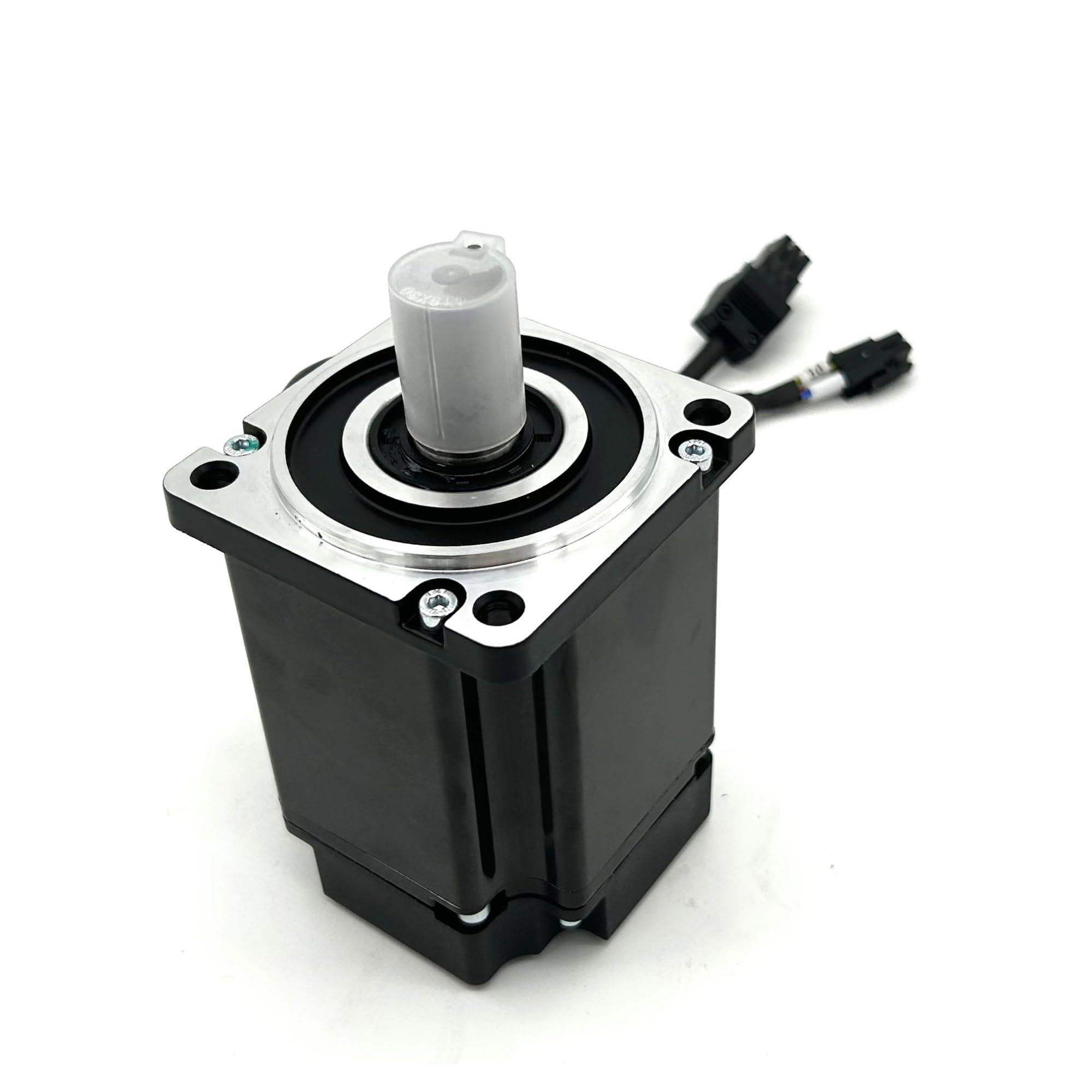
Figure 1: RWRAPS 1KW 80AST-A1C04025 AC Servo Motor Kit components.
2. Setup
2.1 Package Contents
Verify that all components are present in the package:
- 1x 1KW 80AST-A1C04025 Servo Motor (17-bit absolute encoder)
- 1x T3D-L20A AC Driver
- 1x 3 Meter Encoder Cable
- 1x 3 Meter Power Cable
- 1x Control Signal Cable (optional 5V or 24V)
- 1x RS485 Cable
2.2 Wiring Diagram
Refer to the following diagram for proper connection of the servo motor and driver. Ensure all connections are secure before applying power.

Figure 2: T3D-L15A/L20A AC Servo Driver Wiring Diagram.
- CN1 (Upper Computer Command Port): Connects to CNC, PLC, or other upper-level control devices.
- CN2 (Motor Encoder Port): Connects directly to the motor encoder.
- CN3/CN4 (RS485 Communication Port): Located on the top of the drive, used for RS485 communication.
- L1/L2 Terminal: Main power input terminal. Connect to a single-phase 220V AC power supply.
- NC Terminal: This terminal should not be connected.
- P/D/C Terminal: Braking resistor connection terminal. P and D are connected together. Use the internal braking resistor.
- N Terminal: Do not connect this terminal. Incorrect connection may cause damage to the drive.
- U/V/W/PE Terminal: These four wires (U, V, W, and PE) of the motor power line must be connected to their corresponding terminals on the driver. Ensure correct polarity and connection to prevent damage.
- CHARGE Indicator: Indicates the drive power status.
2.3 Power Supply
The servo motor kit requires a 220V AC power supply. Ensure the power source meets the specified voltage and current requirements for stable operation.
2.4 Control Signal Cable
The control signal cable is available with an optional 5V or 24V pulse signal selection. Select the appropriate voltage based on your control system's requirements.

Figure 3: Side view of the T3D-L20A AC Servo Driver.
3. Operating
3.1 Control Modes
The RWRAPS AC Servo Motor Kit supports the following control modes:
- Position Control: For precise positioning applications.
- Speed Control: For applications requiring constant or variable speed regulation.
- Torque Control: For applications where constant torque output is required.
These control modes can be configured and switched to meet the specific demands of your application.
3.2 Input/Output Port Configuration
All input and output ports on the T3D-L20A AC Driver are freely definable. This flexibility allows for customization to integrate with various control systems and sensors. Refer to the driver's detailed programming manual for specific configuration procedures.
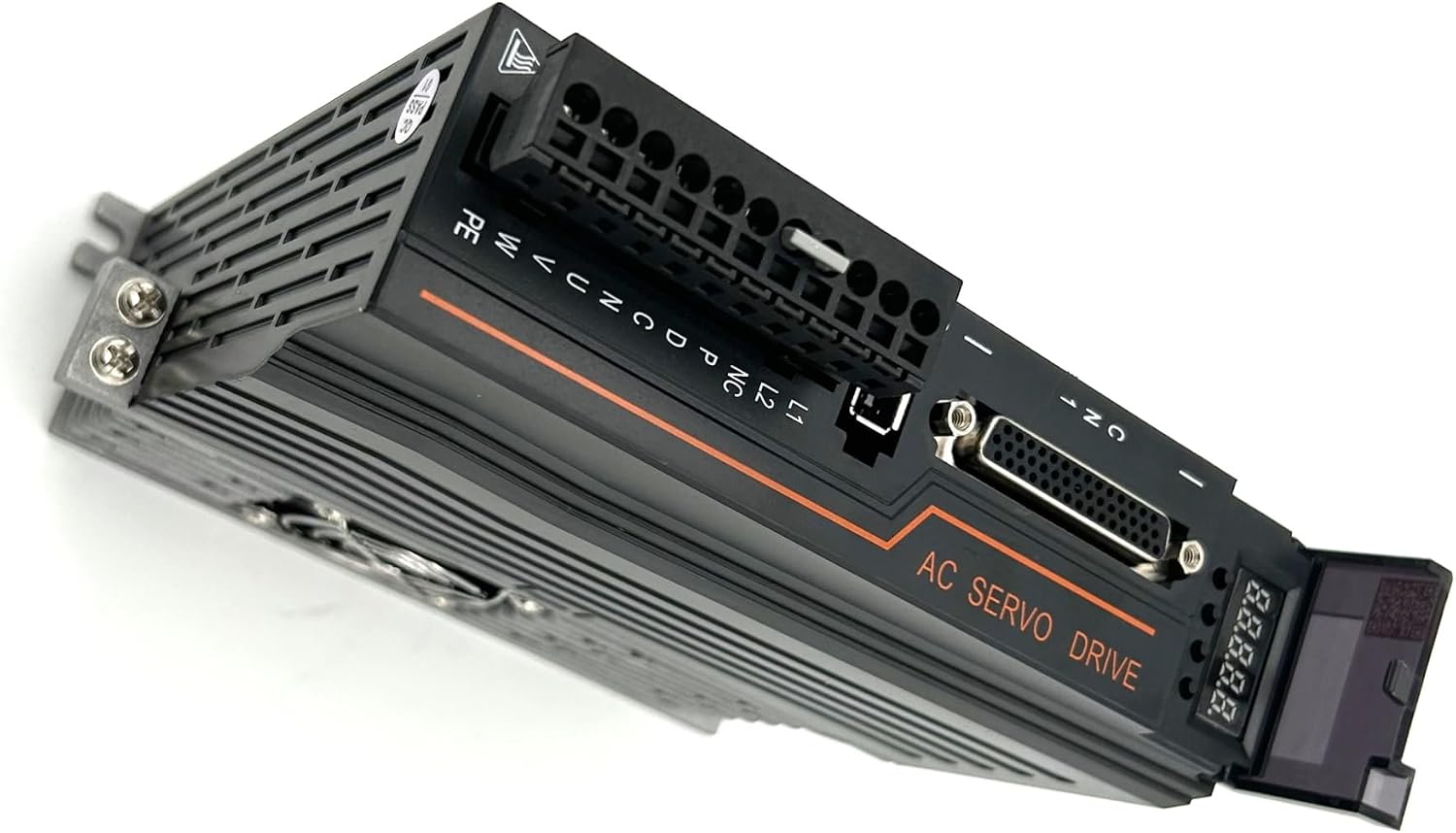
Figure 4: Angled top view of the T3D-L20A AC Servo Driver.
4. Maintenance
Regular maintenance ensures the longevity and optimal performance of your servo motor kit.
- Cleaning: Keep the servo motor and driver free from dust, debris, and moisture. Use a soft, dry cloth for cleaning. Avoid using solvents or abrasive materials.
- Connection Checks: Periodically inspect all cables and connections for signs of wear, damage, or looseness. Ensure all terminals are securely fastened.
- Environmental Conditions: Operate the kit within its specified environmental conditions (temperature, humidity) to prevent damage. The motor features a waterproof design for enhanced durability.
- Cooling: Ensure adequate ventilation around the driver, especially around the cooling fins and fan, to prevent overheating.

Figure 5: Bottom view of the T3D-L20A AC Servo Driver with cooling fan.
5. Troubleshooting
This section outlines common issues and potential solutions for the RWRAPS AC Servo Motor Kit.
| Issue | Possible Cause | Recommended Action |
|---|---|---|
| Under Voltage | Input power supply voltage is too low. | Check the 220V AC power supply. Ensure stable voltage. |
| Over Voltage | Input power supply voltage is too high or regenerative voltage. | Verify the 220V AC power supply. Check braking resistor connection if applicable. |
| Over Load | Motor load exceeds rated capacity. | Reduce the mechanical load or verify motor sizing for the application. |
| Over Current | Excessive current draw, possibly due to short circuit or motor damage. | Inspect motor wiring for shorts. Check motor for damage. |
| Encoder Exception | Encoder cable disconnected or damaged, or encoder malfunction. | Check the encoder cable connection (CN2). Replace cable or encoder if damaged. |
| Position Error | Deviation from target position, often due to tuning issues or external interference. | Review servo tuning parameters. Check for mechanical binding or external forces. |
If these troubleshooting steps do not resolve the issue, contact RWRAPS customer support for further assistance.
6. Specifications
Key technical specifications for the RWRAPS 1KW 80AST-A1C04025 AC Servo Motor Kit:
| Feature | Specification |
|---|---|
| Motor Model | 80AST-A1C04025 |
| Rated Power | 1 KW |
| Rated Voltage | 220V |
| Rated Speed | 2500 RPM |
| Rated Torque | 3.8 N.m |
| Encoder Type | Magnetic 17-bit Absolute Encoder |
| Driver Model | T3D-L20A AC Driver |
| Motor Flange | Nema32 80mm x 80mm |
| Motor Shaft Diameter | 19mm with 6mm Key |
| Pulse Signal Selection | 5V or 24V (optional) |
| Efficiency | IE 2 |
| Protection Feature | Waterproof |
| Item Weight | 17.64 pounds (approx. 8 kg) |
| Package Dimensions | 1.18 x 0.79 x 0.39 inches (approx. 3 x 2 x 1 cm) |
7. Warranty & Support
For warranty information and technical support, please contact RWRAPS customer service. Keep your purchase receipt and product model number (80AST-A1C04025) readily available when contacting support.
Contact Information: Refer to the RWRAPS official website or your purchase documentation for the most current contact details.