1. Introduction
This manual provides essential instructions for setting up, operating, and maintaining your PELADN HA-4 Mini PC. Please read this manual thoroughly before using the device to ensure proper function and longevity.
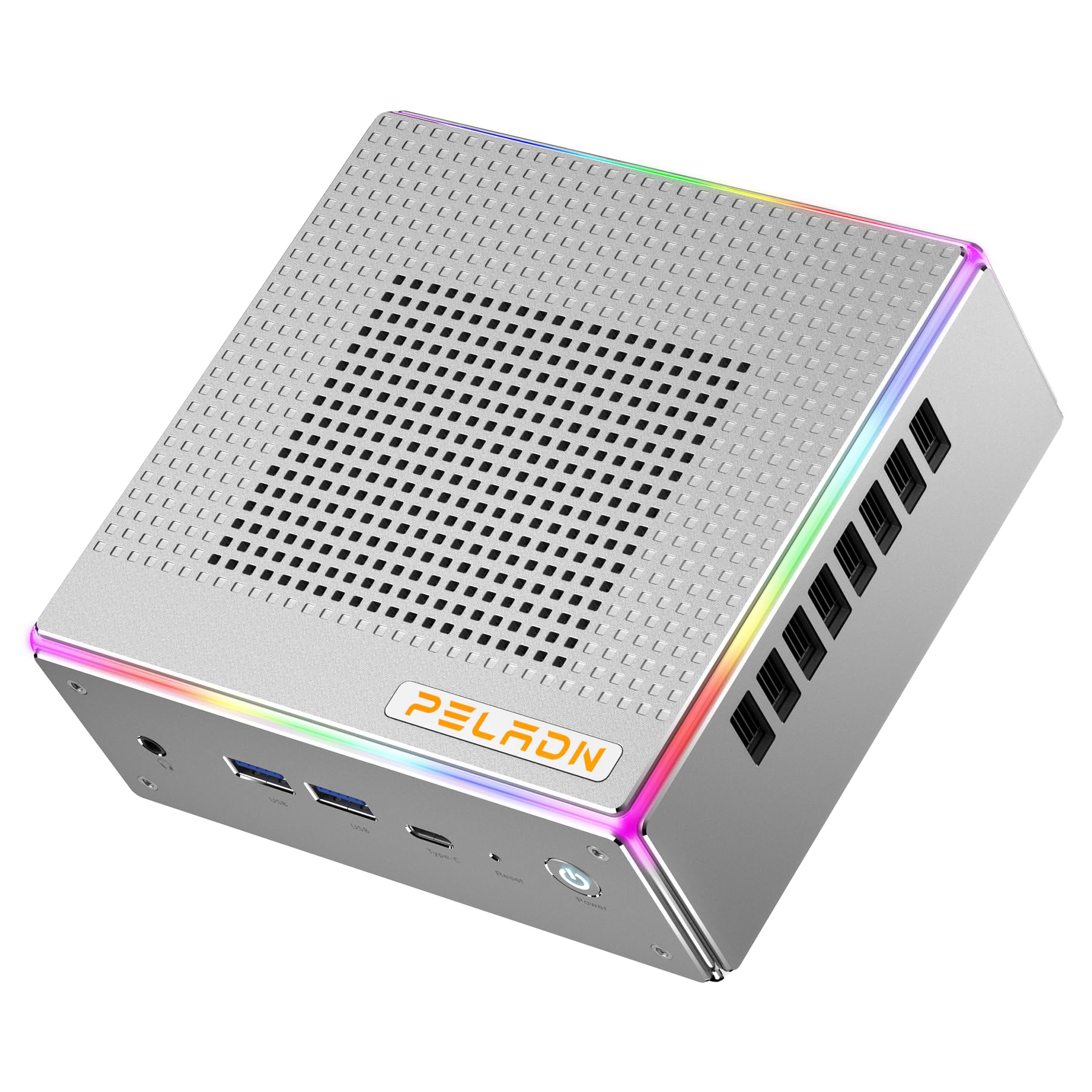
Image: Front view of the PELADN HA-4 Mini PC, showcasing its compact design.
2. Safety Information
- Ensure the device is placed on a stable, flat surface with adequate ventilation.
- Do not expose the Mini PC to water, moisture, or extreme temperatures.
- Use only the provided power adapter to prevent damage.
- Avoid opening the casing unless performing authorized upgrades (e.g., RAM/SSD installation) as per instructions.
- Keep out of reach of children.
3. Package Contents
Verify that all items are present in the package:
- PELADN HA-4 Mini PC
- Power Adapter
- HDMI Cable
- User Manual (this document)
- VESA Mount (optional, may vary by package)
4. Product Overview
4.1 Front Panel Ports

Image: Diagram illustrating the front and back ports of the PELADN HA-4 Mini PC.
- Audio Jack (HP&MIC): For headphones and microphone.
- USB 3.2 x 2: High-speed data transfer for peripherals.
- Type-C (data & video): Versatile port for data, display, and power delivery.
- Reset (Clear CMOS): Button to clear CMOS settings.
- Power Button: To turn the device on or off.
4.2 Rear Panel Ports
- DC Port: For connecting the power adapter.
- USB 2.0 Port: For connecting standard USB devices.
- USB 3.2 Port: High-speed data transfer.
- RJ45 LAN: 2.5G Ethernet port for wired network connection.
- HD Port x 2 (HDMI 2.0): For connecting displays.
- Lighting Control: Button to adjust RGB lighting.
5. Setup Instructions
- Connect Peripherals: Connect your monitor(s) using HDMI or Type-C cables. Plug in your keyboard, mouse, and any other USB devices into the available USB ports.
- Connect Power: Insert the power adapter into the DC port on the rear panel, then plug the adapter into a power outlet.
- Power On: Press the Power Button on the front panel. The system will boot up.
- Initial Setup: Follow the on-screen instructions to complete the operating system setup (e.g., Windows 11 Pro).

Image: The PELADN HA-4 Mini PC connected to a monitor and peripherals, ready for use.
6. Operating Instructions
6.1 Power On/Off
- To Power On: Press the Power Button once.
- To Power Off: Click the Start menu in the operating system and select "Shut down." Alternatively, press and hold the Power Button for 5 seconds for a forced shutdown (not recommended for regular use).
6.2 Network Connection
- Wired Connection: Connect an Ethernet cable to the RJ45 LAN port on the rear panel.
- Wireless Connection (Wi-Fi 6): Access network settings in your operating system, select your Wi-Fi network, and enter the password.
6.3 Triple Display Output
The PELADN HA-4 supports up to three 4K@60Hz displays simultaneously using its two HDMI 2.0 ports and one Type-C port (which supports video output).
- Connect your primary monitor to one of the HDMI ports.
- Connect your second monitor to the other HDMI port.
- Connect your third monitor to the Type-C port using a compatible Type-C to DisplayPort/HDMI adapter or cable.
- Adjust display settings within your operating system to extend or duplicate your desktop across the connected monitors.

Image: The PELADN HA-4 Mini PC connected to three monitors, demonstrating its triple display output capability.
7. Maintenance and Upgrades
7.1 Cleaning
- Regularly clean the exterior of the Mini PC with a soft, dry cloth.
- Use compressed air to clear dust from ventilation openings to maintain optimal airflow.
- Ensure the device is powered off and unplugged before cleaning.
7.2 RAM and SSD Upgrades
The PELADN HA-4 supports dual-channel DDR5-5600MHz RAM up to 64GB and a single M.2 2280 PCIe 4.0 SSD up to 2TB. Refer to the diagram below for component location.

Image: Internal view of the PELADN HA-4 Mini PC, highlighting the dual-channel RAM slots and the M.2 SSD slot for upgrades.
Important: Disconnect the power adapter before performing any internal upgrades. If you are unsure about the upgrade process, consult a qualified technician.
8. Troubleshooting
| Problem | Possible Cause | Solution |
|---|---|---|
| No power | Power adapter not connected; power outlet issue. | Ensure power adapter is securely connected to both the Mini PC and a working power outlet. |
| No display output | Monitor not connected; incorrect input source on monitor; faulty cable. | Check HDMI/Type-C cable connections. Ensure monitor is set to the correct input source. Try a different cable or monitor. |
| Wi-Fi not connecting | Incorrect password; router issue; driver problem. | Verify Wi-Fi password. Restart your router. Check device manager for Wi-Fi driver status. |
| System slow/unresponsive | Too many applications running; insufficient RAM/SSD space; overheating. | Close unnecessary applications. Check available storage. Ensure proper ventilation. Consider RAM/SSD upgrade if consistently slow. |
9. Specifications
| Feature | Detail |
|---|---|
| Model | PELADN HA-4 |
| Processor | AMD Ryzen 7 7840HS (8C/16T, up to 5.1 GHz) |
| Graphics | AMD Radeon 780M Graphics |
| RAM | 32GB DDR5-5600MHz (Dual Channel, upgradeable to 64GB) |
| Storage | 1TB PCIe 4.0 SSD (M.2 2280, upgradeable to 2TB) |
| Video Output | 2x HDMI 2.0, 1x Type-C (Triple 4K@60Hz output) |
| Networking | 2.5G LAN, Wi-Fi 6 (802.11ax), Bluetooth 5.2 |
| USB Ports | 2x USB 3.2 (Front), 1x USB 3.2 (Rear), 1x USB 2.0 (Rear), 1x Type-C (Front) |
| Audio | 1x Audio Jack (HP&MIC) |
| Operating System | Windows 11 Pro (Pre-installed) |
| Dimensions | Approx. 7.56 x 7.56 x 3.82 inches (Package) |
| Weight | Approx. 3.76 pounds |

Image: Overview of the PELADN HA-4 Mini PC's core features including CPU, GPU, RAM, SSD, connectivity, and cooling.
10. Warranty and Support
For warranty information and technical support, please refer to the warranty card included with your product or visit the official PELADN website. Contact customer service for assistance with any issues not covered in this manual.


