
Sudio A1PROPUR
Sudio A1 Pro Wireless Earbuds User Manual
Model: A1PROPUR
1. Introduction
Welcome to the Sudio A1 Pro Wireless Earbuds user manual. This guide provides comprehensive instructions for setting up, operating, and maintaining your new earbuds. Please read this manual carefully before use to ensure optimal performance and longevity of your device.
The Sudio A1 Pro earbuds are designed for seamless sound and effortless style, featuring Active Noise Cancellation (ANC) and Bluetooth 5.3 connectivity for a superior audio experience.
2. Package Contents
Please verify that all items are present in your Sudio A1 Pro package:
- Sudio A1 Pro Wireless Earbuds (Left and Right)
- Charging Case
- USB-C Charging Cable
- Multiple Sizes of Ear Tips (S, M, L)
- User Manual (this document)
3. Product Overview
Familiarize yourself with the components of your Sudio A1 Pro earbuds and charging case.

Image: Front view of the Sudio A1 Pro Wireless Earbuds (Purple), showing both the left and right earbuds with their sleek design and Sudio branding.
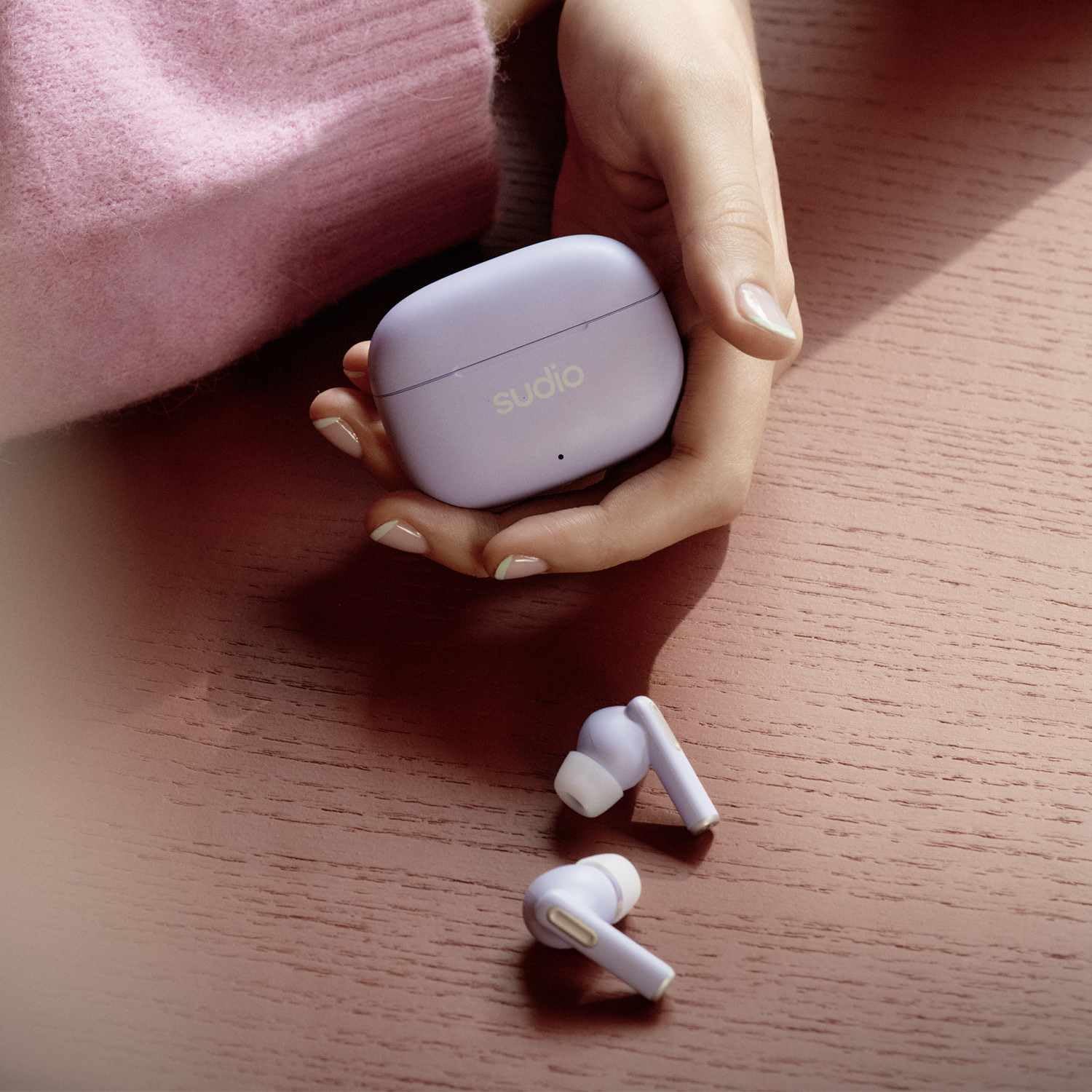
Image: The Sudio A1 Pro Wireless Earbuds (Purple) placed next to their matching charging case, highlighting the compact and portable design.

Image: A close-up view of the Sudio A1 Pro charging case (Purple), featuring the Sudio logo and an LED indicator light.
4. Setup
4.1 Charging the Earbuds and Case
Before first use, fully charge the Sudio A1 Pro earbuds and their charging case.
- Place both earbuds into the charging case. Ensure they are correctly seated.
- Connect the USB-C charging cable to the charging port on the case and the other end to a USB power source (e.g., computer, wall adapter).
- The LED indicator on the case will show charging status. A full charge typically takes approximately 1.5 hours for the earbuds and 2 hours for the case.
4.2 Pairing with a Device
The Sudio A1 Pro earbuds support Bluetooth 5.3 for stable and efficient wireless connection.
- Open the charging case. The earbuds will automatically enter pairing mode (LED indicators on earbuds will flash).
- On your device (smartphone, tablet, laptop), go to Bluetooth settings and ensure Bluetooth is enabled.
- Search for available devices and select "Sudio A1 Pro" from the list.
- Once connected, the LED indicators on the earbuds will stop flashing, and you will hear a confirmation tone.
- For multi-point connection, repeat the pairing process with a second device. The earbuds will remember up to two paired devices.
Note: If pairing fails, ensure the earbuds are charged and within range of your device. Try resetting the earbuds by placing them in the case, closing the lid for 10 seconds, then reopening.
5. Operating Instructions
5.1 Touch Controls
The Sudio A1 Pro earbuds feature intuitive touch controls on each earbud.
| Action | Left Earbud | Right Earbud |
|---|---|---|
| Play/Pause | Single tap | Single tap |
| Next Track | Double tap | Double tap |
| Previous Track | Triple tap | Triple tap |
| Answer/End Call | Single tap | Single tap |
| Reject Call | Press and hold for 2 seconds | Press and hold for 2 seconds |
| Activate Voice Assistant | Press and hold for 3 seconds | Press and hold for 3 seconds |
| ANC/Transparency Mode Toggle | Press and hold for 2 seconds (when not on call) | Press and hold for 2 seconds (when not on call) |
5.2 Active Noise Cancellation (ANC)
The Sudio A1 Pro features Active Noise Cancellation to reduce ambient noise, allowing for a more immersive listening experience. To toggle between ANC and Transparency modes, press and hold either earbud for 2 seconds (when not on a call). Transparency mode allows you to hear your surroundings while still enjoying your audio.
5.3 Power On/Off
- Power On: Open the charging case, and the earbuds will automatically power on and connect to the last paired device.
- Power Off: Place the earbuds back into the charging case and close the lid. They will automatically disconnect and power off.
6. Maintenance and Care
Proper maintenance ensures the longevity and performance of your Sudio A1 Pro earbuds.
- Cleaning: Use a soft, dry, lint-free cloth to clean the earbuds and charging case. Do not use abrasive cleaners or solvents.
- Ear Tips: Regularly remove and clean the ear tips with a damp cloth. Ensure they are completely dry before reattaching.
- Water Resistance: The earbuds are IPX4 splash-proof. Avoid submerging them in water or exposing them to heavy rain. Dry them thoroughly if they get wet.
- Storage: When not in use, store the earbuds in their charging case to protect them and keep them charged.
- Battery Care: To preserve battery life, avoid fully discharging the earbuds and case frequently. Charge them regularly, even if not in constant use.
7. Troubleshooting
If you encounter issues with your Sudio A1 Pro earbuds, refer to the following common solutions:
| Problem | Possible Cause | Solution |
|---|---|---|
| Earbuds not pairing | Low battery, out of range, pairing mode not active | Ensure earbuds are charged. Place them back in the case, close, then reopen to activate pairing mode. Move closer to your device. |
| No sound from one earbud | Earbud not connected, low battery, dirty contacts | Place both earbuds in the case, close the lid, then reopen. Clean charging contacts on earbuds and case. Re-pair if necessary. |
| Poor sound quality | Improper fit, interference, low quality audio source | Try different ear tip sizes for a better seal. Move away from sources of interference (e.g., Wi-Fi routers). Ensure audio source is high quality. |
| Earbuds not charging | Cable issue, dirty contacts, faulty power source | Check USB-C cable and power adapter. Clean charging contacts on earbuds and case. Try a different power source. |
If the problem persists, please contact Sudio customer support for further assistance.
8. Specifications
Key technical specifications for the Sudio A1 Pro Wireless Earbuds:
- Model Name: A1 Pro ANC
- Connectivity: Bluetooth 5.3
- Noise Control: Active Noise Cancellation (ANC)
- Playtime: Up to 30 hours (with charging case)
- Water Resistance: IPX4 (Splash Proof)
- Frequency Range: 20Hz-20kHz
- Material: Plastic
- Control Type: Touch Control, Voice Control
- Included Components: User Manual, USB-C Charging Cable
- Batteries: 3 Lithium Polymer batteries (included)
- Color: Purple
9. Warranty and Support
Sudio products are designed for quality and reliability. For warranty information and customer support, please refer to the official Sudio website or the warranty card included in your package.
For technical assistance, troubleshooting, or to inquire about repairs, please visit the Sudio Support Page or contact their customer service directly.
Manufacturer: Sudio
Model Number: A1PROPUR
Date First Available: July 11, 2024
Ask a question about this manual
Ask about setup, troubleshooting, compatibility, parts, safety, or missing instructions. Manuals+ will review the question and use this page’s manual context to help answer it.