
1. Introduction
Thank you for choosing the IMIKI FRAME ST1 Smartwatch. This device is designed to enhance your daily life with its advanced features, including a vibrant AMOLED display, Bluetooth calling, extensive health monitoring, and a wide range of sports modes. This manual will guide you through the setup, operation, and maintenance of your new smartwatch.

Figure 1.1: Front view of the IMIKI FRAME ST1 Smartwatch, displaying the time and date.
2. Setup
2.1 Charging the Smartwatch
Before first use, fully charge your IMIKI FRAME ST1. Connect the magnetic charging cable to the charging contacts on the back of the watch and plug the USB end into a standard USB power adapter (5V/1A recommended). A full charge takes approximately 2 hours.
2.2 Pairing with Your Smartphone
- Download the official IMIKI companion app from your smartphone's app store (available for Android and iOS).
- Ensure Bluetooth is enabled on your smartphone.
- Open the IMIKI app and follow the on-screen instructions to create an account or log in.
- In the app, select 'Add Device' or 'Pair New Device'. The app will search for nearby smartwatches.
- Select 'IMIKI FRAME ST1' from the list of found devices.
- Confirm the pairing request on both your smartphone and the smartwatch.
Once paired, the watch will synchronize time and data with your phone.

Figure 2.1: Front view of the IMIKI FRAME ST1 Smartwatch, displaying a digital watch face.
3. Operating Instructions
3.1 Basic Navigation
- Touch Screen: Swipe up, down, left, or right to navigate through menus and notifications. Tap to select items.
- Side Button/Crown: Press to return to the home screen or wake the display. Rotate (if applicable) to scroll through lists or adjust settings.
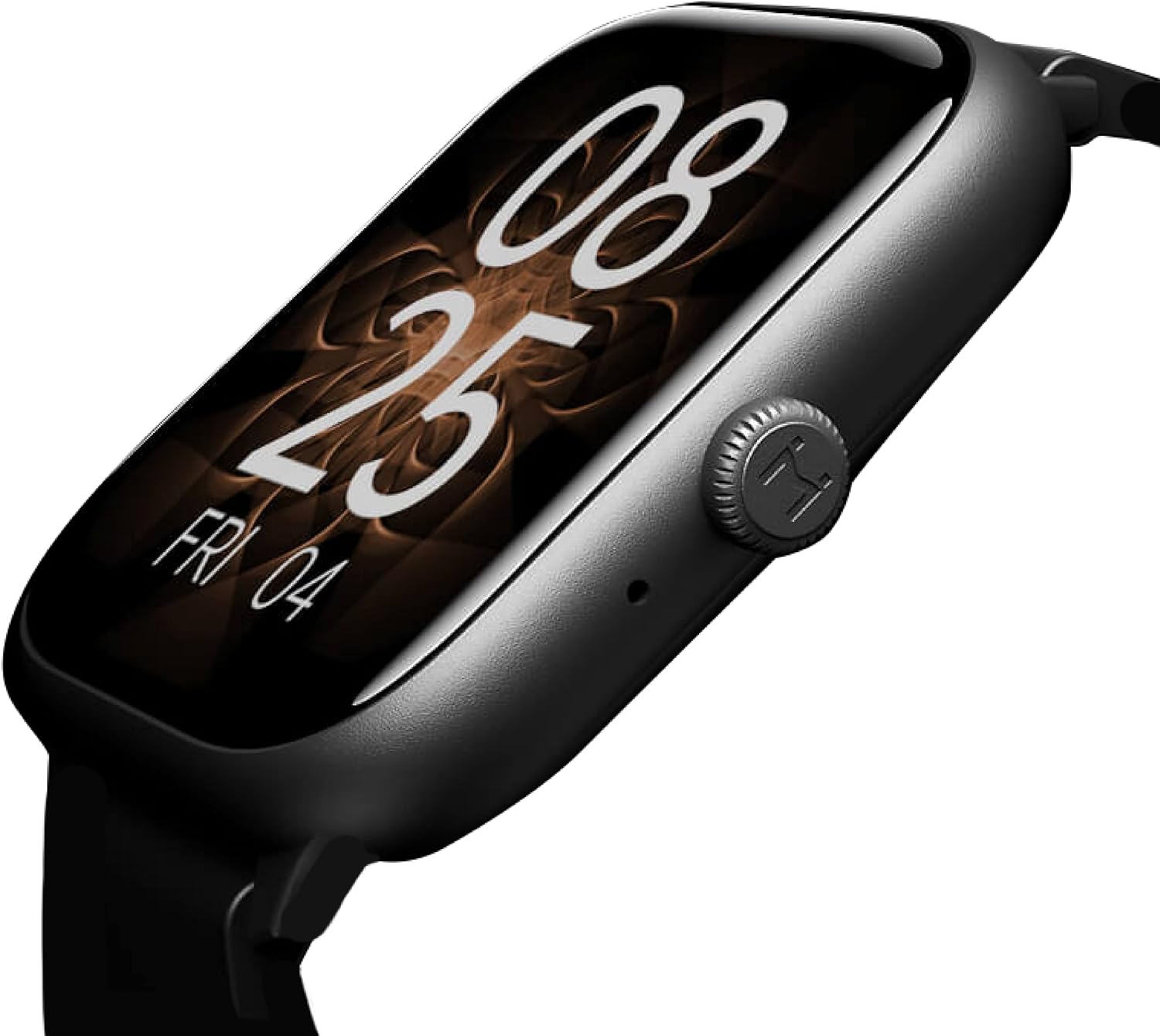
Figure 3.1: Side view of the IMIKI FRAME ST1 Smartwatch, highlighting the functional crown.
3.2 Bluetooth Calling
With Bluetooth 5.2, you can answer and make calls directly from your smartwatch. When an incoming call arrives, simply tap the green answer icon on the watch screen. The integrated microphone and speaker allow for hands-free communication.

Figure 3.2: The smartwatch display showing an incoming call notification.
3.3 Health Monitoring
The IMIKI FRAME ST1 provides comprehensive health tracking:
- Heart Rate Monitoring: Continuously tracks your heart rate with real-time alerts for unusual readings.
- Blood Oxygen (SpO2) Measurement: Measures your blood oxygen saturation levels.
- Sleep Tracking: Monitors your sleep patterns, including deep sleep, light sleep, and wake times.
3.4 Sports Modes
Choose from over 100 supported workout modes to accurately record your exercise statistics. The watch tracks metrics such as steps, distance, calories burned, and active minutes for various activities.

Figure 3.3: Icons representing various sports modes available on the smartwatch.
3.5 Additional Functions
The IMIKI FRAME ST1 offers several other useful features:
- Music Control: Control music playback on your smartphone directly from your watch.
- Camera Control: Use your watch as a remote shutter for your smartphone camera.
- Voice Assistant: Access your smartphone's voice assistant.
- Find My Phone: Locate your paired smartphone by making it ring.
- Notifications: Receive alerts for calls, messages, and app notifications.

Figure 3.4: The smartwatch display showing various application icons.
4. Maintenance
4.1 Cleaning Your Smartwatch
To maintain the appearance and functionality of your watch:
- Wipe the screen and body with a soft, lint-free cloth.
- For stubborn marks, slightly dampen the cloth with water. Avoid using harsh chemicals or abrasive materials.
- Clean the charging contacts regularly to ensure proper charging.
4.2 Water Resistance (IP68)
The IMIKI FRAME ST1 is IP68 water-resistant, meaning it can withstand dust and immersion in water up to 1.5 meters for 30 minutes. While it is suitable for daily use and light water activities, avoid prolonged immersion, hot water, or exposure to high-pressure water jets. Dry the watch thoroughly after exposure to water.
5. Troubleshooting
| Problem | Possible Cause | Solution |
|---|---|---|
| Watch does not turn on | Low battery | Charge the watch for at least 30 minutes. |
| Cannot pair with phone | Bluetooth off, app issue, or watch not discoverable | Ensure Bluetooth is on. Restart both phone and watch. Reinstall the app. |
| Inaccurate health data | Improper fit, sensor obstruction | Ensure the watch is snug on your wrist. Clean the sensor on the back of the watch. |
| Short battery life | Frequent use of power-intensive features | Reduce screen brightness, turn off unnecessary notifications, limit continuous heart rate monitoring. |
6. Specifications
| Feature | Specification |
|---|---|
| Model Name | IMIKI SMART WATCH FRAME ST1 GUNBLACK |
| Brand | IMIKI |
| Screen Size | 1.78 Inches |
| Display Type | AMOLED (368*448ppi resolution) |
| Connectivity Technology | Bluetooth 5.2 |
| Operating System | Wear OS (unspecified version) |
| Battery Capacity | 260 mAh |
| Battery Life (Typical Use) | Up to 15 days |
| Battery Life (Heavy Use) | Up to 7 days |
| Charging Time | Approx. 2 hours |
| Water Resistance | IP68 |
| Compatible Devices | Smartphone (Android and iOS) |
| Color | Black |
| Item Model Number | FRAME ST1 |
7. Warranty and Support
For warranty information and technical support, please refer to the warranty card included in your product packaging or visit the official IMIKI website. You may also contact IMIKI customer service through the contact details provided on their website.

