
Funsicle P53RX0600
Funsicle RX600 Cartridge Filter Pump User Manual
Model: P53RX0600
Introduction
The Funsicle RX600 Cartridge Filter Pump is designed to maintain clean and clear water in your above-ground swimming pool. This system efficiently filters out debris and particles, ensuring a refreshing swimming experience. It is compatible with all Funsicle QuickSet Pools and is engineered for ease of installation, use, and maintenance.

Image: Funsicle RX600 Cartridge Filter Pump packaging, highlighting key features and contents.
Important Safety Information
Please read and understand all instructions before installing and using this product. Failure to follow these instructions could result in serious injury or death.
- Always disconnect the pump from the power source before performing any maintenance or cleaning.
- Do not operate the pump if the power cord or plug is damaged.
- Ensure the pump is placed on a stable, level surface.
- Keep children away from the pump and electrical connections.
- This pump is designed for use with above-ground swimming pools only.
- Do not bury the electrical cord. Locate cord where it will not be damaged by lawn mowers, hedge trimmers, or other equipment.
- The pump is equipped with a GFCI (Ground Fault Circuit Interrupter) for added safety. Test the GFCI before each use as per the instructions on the device.
Package Contents
Verify that all components listed below are present in your package:
- 1 x RX600 Cartridge Filter Pump
- 3 x Universal Adapters
- 6 x Hose Adapters
- 4 x Hoses
- 1 x Type D Filter Cartridge

Image: The RX600 Cartridge Filter Pump alongside a Type D filter cartridge, which is included in the package.
Setup Instructions
Follow these steps to properly set up your Funsicle RX600 Cartridge Filter Pump:
- Positioning the Pump: Place the filter pump on a solid, level surface near your pool. Ensure it is at least 6 feet (1.8 meters) away from the pool edge and protected from direct sunlight and rain.
- Connecting Hoses:
- Attach one end of a hose to the "INLET" port of the pump (where dirty water enters).
- Attach the other end of this hose to the pool's "OUTLET" fitting (where water exits the pool to be filtered).
- Attach one end of a second hose to the "OUTLET" port of the pump (where clean water exits).
- Attach the other end of this second hose to the pool's "INLET" fitting (where filtered water returns to the pool).

Image: Illustration of water flow through the pump, showing dirty water entering and clean water returning to the pool, along with the included adapters.
- Installing the Filter Cartridge:
- Unscrew the filter housing lid by turning it counter-clockwise.
- Insert the Type D filter cartridge into the housing, ensuring it sits correctly.
- Replace the lid and tighten it clockwise until secure. Do not overtighten.
- Priming the Pump: Before plugging in the pump, ensure the pool is filled with water and all air is purged from the system. Open the air release valve on top of the filter housing until a steady stream of water emerges, then close it.
- Power Connection: Plug the pump into a grounded electrical outlet. Ensure the outlet is protected by a GFCI.
Operating Instructions
Once set up, operating the Funsicle RX600 pump is straightforward:
- Starting the Pump: After ensuring all connections are secure and the pump is primed, plug the pump into the GFCI-protected outlet. The pump will begin circulating water.
- Run Time: For optimal water clarity, operate the pump for several hours each day. The recommended run time depends on pool size and usage, but typically 4-6 hours daily is sufficient for pools up to 12 feet in diameter.
- Monitoring Water Flow: Observe the water returning to the pool to ensure a consistent flow. A strong return flow indicates proper operation.
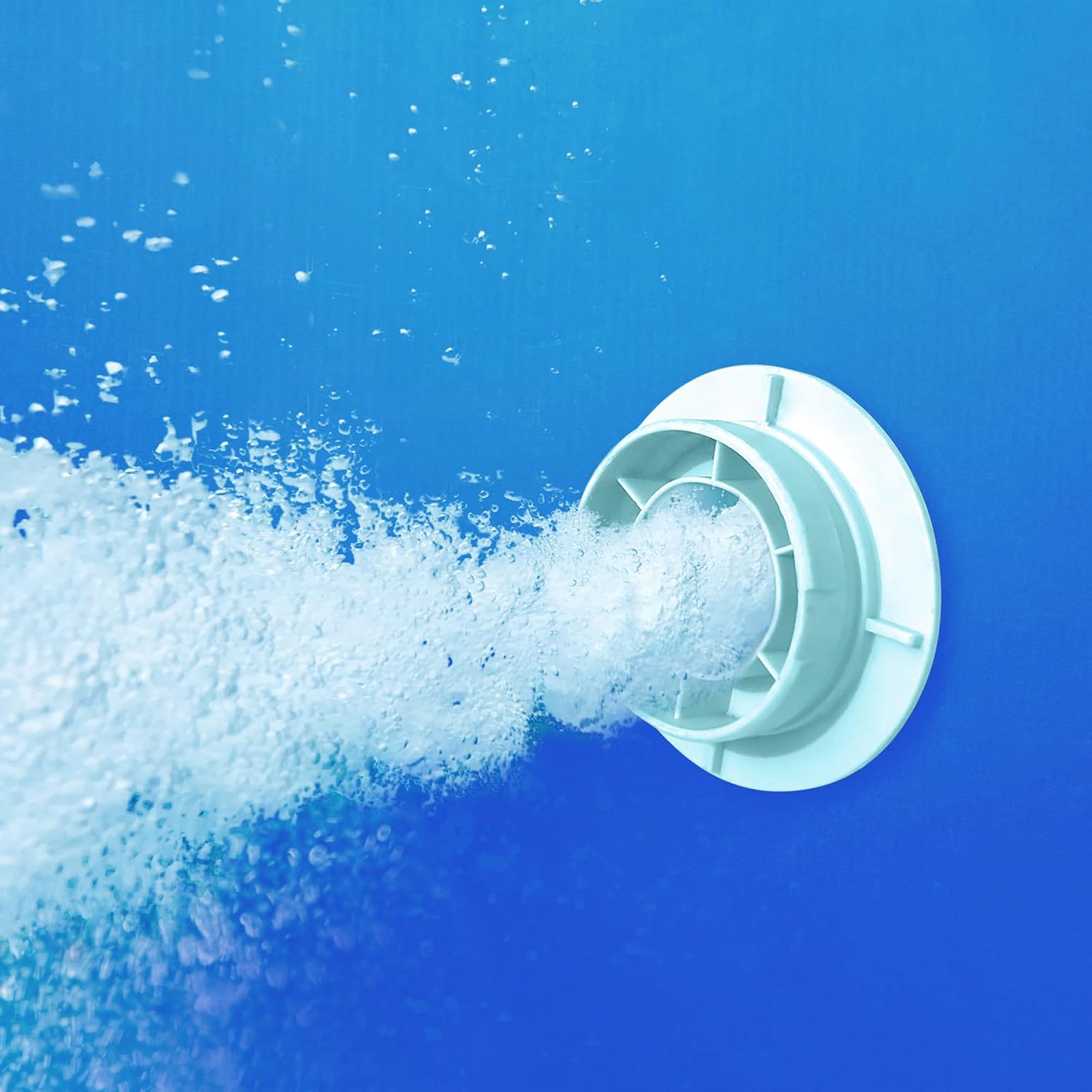
Image: Filtered water being returned to the swimming pool through the pump's outlet fitting.
- Stopping the Pump: To turn off the pump, simply unplug it from the electrical outlet.
Maintenance
Regular maintenance ensures the longevity and efficiency of your filter pump:
- Filter Cartridge Replacement: The Type D filter cartridge should be replaced every 2 weeks under normal usage conditions. More frequent replacement may be necessary with heavy pool usage or high debris levels.
- Disconnect the pump from the power source.
- Close the plunger valves on the pool's inlet and outlet fittings to prevent water loss.
- Unscrew the filter housing lid.
- Remove the old filter cartridge and dispose of it.
- Insert a new Type D filter cartridge.
- Replace and tighten the filter housing lid.
- Open the plunger valves and prime the pump as described in the Setup section.
- Reconnect the pump to power.
- Cleaning the Pump Exterior: Wipe down the exterior of the pump with a damp cloth as needed to remove dirt and dust. Do not use harsh chemicals.
- Winterization: Before freezing temperatures, disconnect the pump, drain all water from it, and store it in a dry, protected area.
Troubleshooting
| Problem | Possible Cause | Solution |
|---|---|---|
| Pump does not start. | No power; GFCI tripped; Motor malfunction. | Check power connection; Reset GFCI; Contact customer support if issue persists. |
| Low water flow. | Clogged filter cartridge; Air in system; Kinked hoses. | Replace filter cartridge; Re-prime pump; Straighten hoses. |
| Water leaking from connections. | Loose connections; Damaged O-rings/gaskets. | Tighten hose clamps/connections; Inspect and replace O-rings/gaskets if damaged. |
| Unusual noise from pump. | Air in system; Debris in impeller; Pump not level. | Re-prime pump; Disconnect power and check for debris (consult manual for impeller access); Ensure pump is on a level surface. |
Specifications
- Model: P53RX0600
- Brand: Funsicle
- Water Flow Rate: 600 GPH (Gallons Per Hour)
- Voltage: 110-120 V (AC)
- Power Source: Corded Electric
- Compatible Filter Cartridge: Type D
- Compatible Pool Size: Above ground pools up to 12 feet in diameter
- Item Weight: Approximately 10.43 pounds
- UPC: 195545003699
Warranty and Support
For warranty information, technical support, or to purchase replacement parts, please contact Funsicle customer service. Refer to your product packaging or the official Funsicle website for the most current contact details.
Online Resources: Visit the Funsicle Store on Amazon
Related documentsP53RX0600


Ask a question about this manual
Ask about setup, troubleshooting, compatibility, parts, safety, or missing instructions. Manuals+ will review the question and use this page’s manual context to help answer it.