
1. Introduction
This manual provides essential information for the safe and efficient installation, operation, and maintenance of your RWRAPS 130ST-M10015 1.5KW AC Servo Motor and AASD-30A Driver system. Please read this manual thoroughly before using the product to ensure proper functionality and to prevent damage or injury.
The RWRAPS servo system is designed for precision control in various industrial applications, offering robust performance and reliability.
2. Safety Information
WARNING: Improper installation or operation can lead to serious injury or equipment damage. Always follow safety guidelines.
- Ensure all power is disconnected before installation, wiring, or maintenance.
- Only qualified personnel should perform installation and wiring.
- Verify correct voltage (220V) before connecting the system.
- Do not operate the system in wet or explosive environments unless specifically rated for such conditions.
- Ground the equipment properly to prevent electrical shock.
3. Package Contents
Please verify that all items listed below are included in your package:
- 1 x 1.5KW 130ST-M10015 AC Servo Motor
- 1 x AASD-30A Driver
- 1 x 3 Meter Motor Cable
- 1 x 3 Meter Encoder Cable
- 1 x 25 Core Parallel Connection Cable
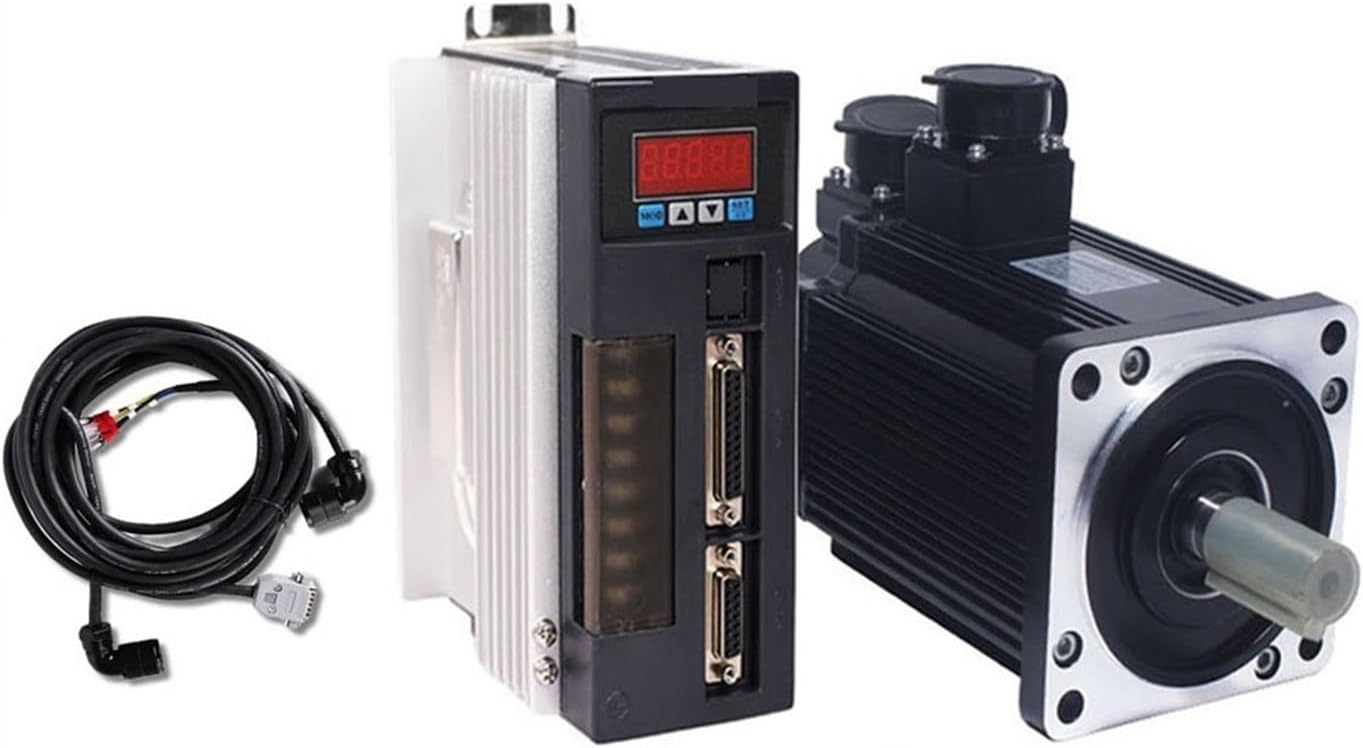
Figure 3.1: Complete RWRAPS 1.5KW AC Servo Motor and Driver Kit, including the motor, driver, and connecting cables.
4. Specifications
The RWRAPS 130ST-M10015 servo system features the following technical specifications:
| Component | Specification |
|---|---|
| Motor Type | 1.5KW 130ST-M10015 AC Servo Motor |
| Driver Type | AASD-30A Driver |
| Rated Power | 1.5KW |
| Rated Voltage | 220V |
| Rated Current | 6A |
| Rated Speed | 1500 RPM |
| Rated Torque | 10 N.m |
| Peak Torque | 25 N.m |
| Efficiency | IE 2 |
| Protection Feature | Waterproof |
| Item Weight | 22 pounds (approx. 10 kg) |
| Package Dimensions | 1.18 x 0.79 x 0.39 inches (approx. 3 x 2 x 1 cm) |
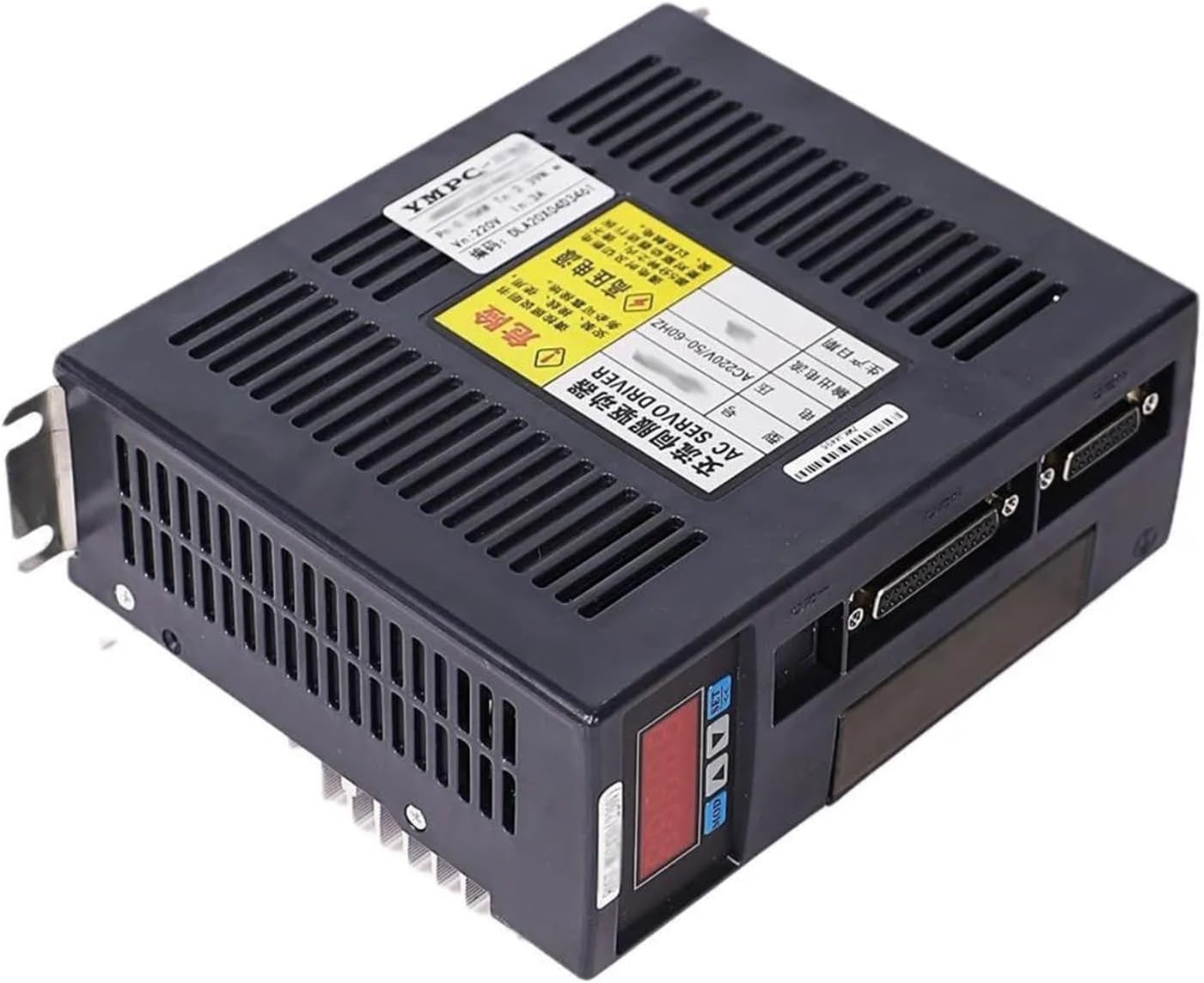
Figure 4.1: The AASD-30A Servo Driver unit, showing its control panel and connection ports.

Figure 4.2: Front view of the 130ST-M10015 AC Servo Motor, highlighting the shaft and mounting points.
5. Setup and Installation
5.1 Mounting the Motor and Driver
Mount the servo motor and driver securely to a stable surface. Ensure adequate ventilation for the driver to prevent overheating. Refer to the dimensions in the specifications for proper clearance.
5.2 Wiring Connections
Carefully connect the motor, encoder, and power cables as described below. All input/output ports are freely definable, offering strong applicability for various configurations. Consult the detailed wiring diagrams provided in the full technical manual for specific pin assignments.
- Motor Cable Connection: Connect the 3-meter motor cable from the servo motor to the corresponding motor output port on the AASD-30A driver. Ensure a firm and secure connection.
- Encoder Cable Connection: Connect the 3-meter encoder cable from the servo motor's encoder port to the encoder input port on the AASD-30A driver. This connection is crucial for precise position feedback.
- Parallel Connection Cable: Use the 25-core parallel connection cable for control signal input from your control system (e.g., PLC, CNC controller) to the AASD-30A driver.
- Power Supply: Connect the 220V AC power supply to the AASD-30A driver. Ensure proper grounding.

Figure 5.1: The motor and encoder cables, essential for connecting the servo motor to the driver.
6. Operating Instructions
The RWRAPS servo system supports various control modes to meet common application requirements:
- Position Control: For applications requiring precise positioning.
- Speed Control: For applications requiring constant or variable speed regulation.
- Torque Control: For applications requiring precise torque output.
The AASD-30A driver allows for flexible configuration of these control modes. Refer to the driver's programming manual for detailed instructions on setting parameters and selecting the desired control mode.
6.1 Initial Power-Up and Testing
- After completing all wiring, double-check all connections for security and correctness.
- Apply power to the AASD-30A driver. Observe the driver's display for any error codes.
- Perform a basic functional test in a controlled environment, ensuring the motor responds as expected to control signals. Start with low speeds and loads.
6.2 Applications
This servo system is widely used in automated equipment such as:
- Industrial manipulators
- Semiconductor equipment
- Engraving and carving equipment
- Measuring equipment
- Industrial robots
7. Maintenance
Regular maintenance ensures the longevity and optimal performance of your RWRAPS servo system.
- Cleaning: Keep the motor and driver free from dust and debris. Use a soft, dry cloth for cleaning. Do not use solvents.
- Inspection: Periodically inspect all cables and connections for wear, damage, or looseness. Tighten any loose connections.
- Ventilation: Ensure the driver's cooling fins are clear of obstructions to maintain proper heat dissipation.
- Environmental Conditions: While the motor has a waterproof feature, avoid exposing the driver to excessive moisture or corrosive environments.
8. Troubleshooting
This section provides guidance for common issues. For complex problems, contact technical support.
| Problem | Possible Cause | Solution |
|---|---|---|
| Driver displays 'Under Voltage' error | Input voltage is too low. | Check power supply voltage. Ensure it is stable at 220V. |
| Driver displays 'Over Voltage' error | Input voltage is too high or regenerative voltage. | Check power supply voltage. Consider adding a braking resistor if regenerative energy is the cause. |
| Driver displays 'Over Load' error | Motor is operating beyond its rated torque. | Reduce the load on the motor or check for mechanical binding. Verify motor sizing. |
| Driver displays 'Over Current' error | Excessive current draw, possibly due to short circuit or motor damage. | Inspect motor and cables for damage. Check for short circuits. |
| Driver displays 'Encoder Exception' error | Problem with encoder signal or connection. | Check encoder cable for damage and ensure it is securely connected. Verify encoder functionality. |
| Driver displays 'Position Error' | Motor not reaching commanded position or excessive deviation. | Check mechanical system for binding. Adjust PID gains in the driver parameters. Verify encoder feedback. |
| Motor does not move | No power, incorrect wiring, or control signal issue. | Verify power supply, motor and encoder connections, and control signals from the host controller. |
9. Warranty and Support
For warranty information, technical support, or service inquiries, please contact your RWRAPS product supplier or the manufacturer directly. Keep your purchase receipt and product serial numbers handy when contacting support.
The manufacturer offers support for issues related to under voltage, over voltage, over load, over current, encoder exceptions, and position errors, among others. Please refer to the official RWRAPS website or your purchase documentation for the most current warranty terms and contact information.