
1. Introduction
Thank you for choosing the LiTime 36V 25A LiFePO4 Battery Charger. This charger is designed for efficient and safe charging of 36V (38.4V) LiFePO4 lithium batteries. Its IP65 waterproof rating makes it suitable for various applications, including golf carts, RVs, marine vessels, and trolling motors. This manual provides essential information for the proper setup, operation, maintenance, and troubleshooting of your charger.

Image: The LiTime 36V 25A LiFePO4 Battery Charger is compatible with LiFePO4 batteries only, offering 43.8V 25A output with over 90% conversion efficiency. It features an easy plug-and-play connection to a 38.4V 100Ah LiFePO4 battery, with specifications of 43.8V DC output voltage, 25A output current, and 100V-240V AC input voltage.
2. Safety Information
Please read all safety instructions carefully before using the charger. Failure to follow these instructions may result in electric shock, fire, or serious injury.
- Indoor Use: While the charger is IP65 rated for water and dust resistance, it is primarily designed for outdoor environments where splashing or dust may occur. Avoid immersing the charger in water or exposing it to high-pressure water sprays.
- Ventilation: Ensure adequate ventilation around the charger during operation. Do not cover the charger.
- Battery Compatibility: This charger is designed exclusively for 36V (38.4V) LiFePO4 batteries. Do not attempt to charge other battery types (e.g., lead-acid, Ni-Cd, Ni-MH) as this may cause damage to the charger, battery, or personal injury.
- Connection: Always connect the charger to the battery terminals correctly (positive to positive, negative to negative). Reverse polarity can cause damage.
- Power Source: Connect the charger to a grounded AC power outlet. Ensure the input voltage matches the charger's specifications (100-240V AC).
- Damage: Do not operate the charger if it has been damaged in any way. Contact customer support for assistance.
- Disassembly: Do not attempt to disassemble or modify the charger. This will void the warranty and may lead to hazards.
- Children and Pets: Keep the charger and battery out of reach of children and pets.
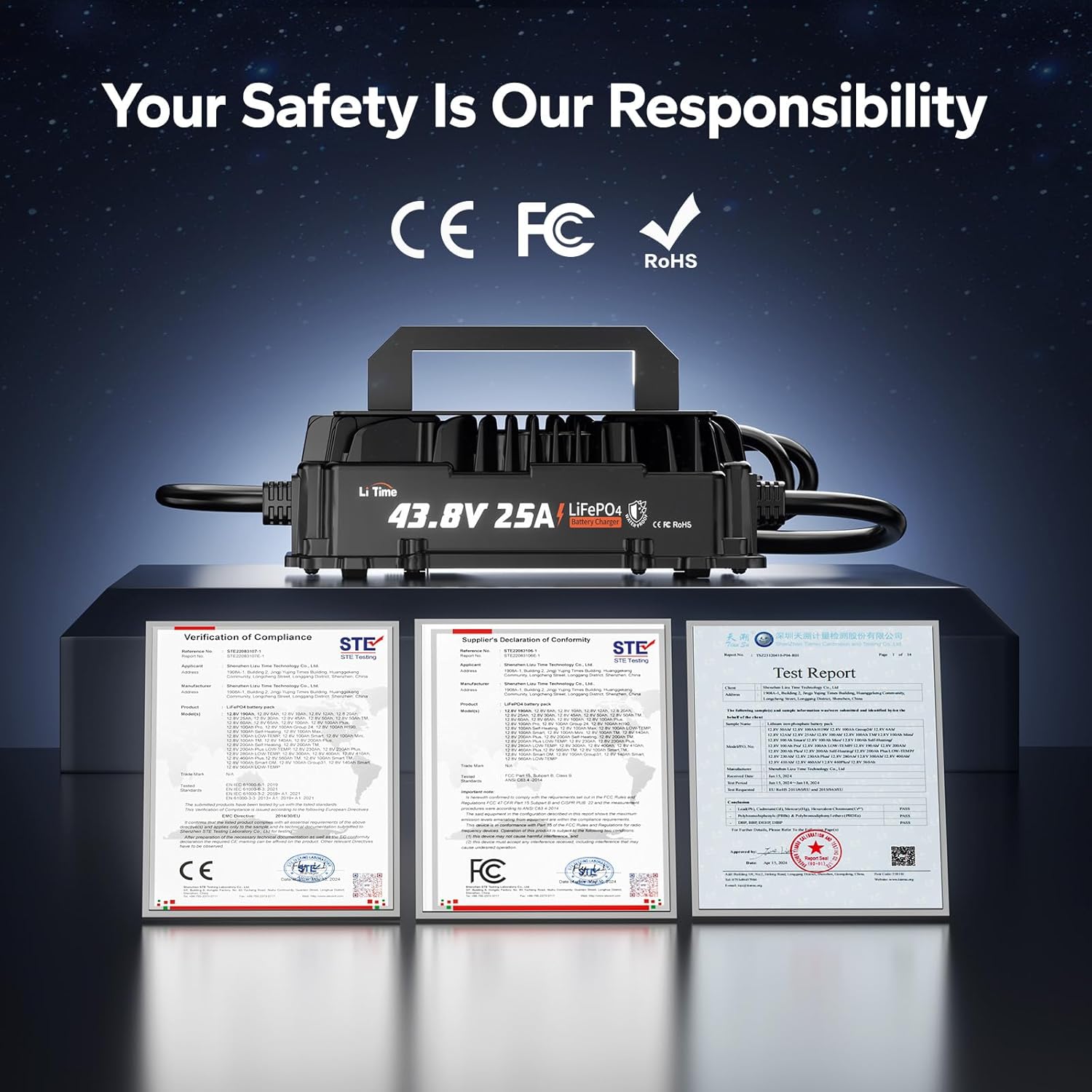
Image: The charger is certified to global safety and quality standards, including CE, FCC, and RoHS, ensuring safe and stable charging.

Image: Precautions for LiTime Battery Chargers. Ensure the charger voltage matches the battery voltage. Keep terminals tight to prevent overheating. Check polarity (Red = Positive, Black = Negative). Do not disassemble the charger. Place the charger in a stable, well-ventilated area.
3. Product Overview
Package Contents
The package includes the following items:
- LiTime 36V 25A LiFePO4 Battery Charger
- AC Input Cable
- DC Output Cable with M8 OT Terminals
- Waterproof Adapter Cable
- Installation Accessories
- Product Manual
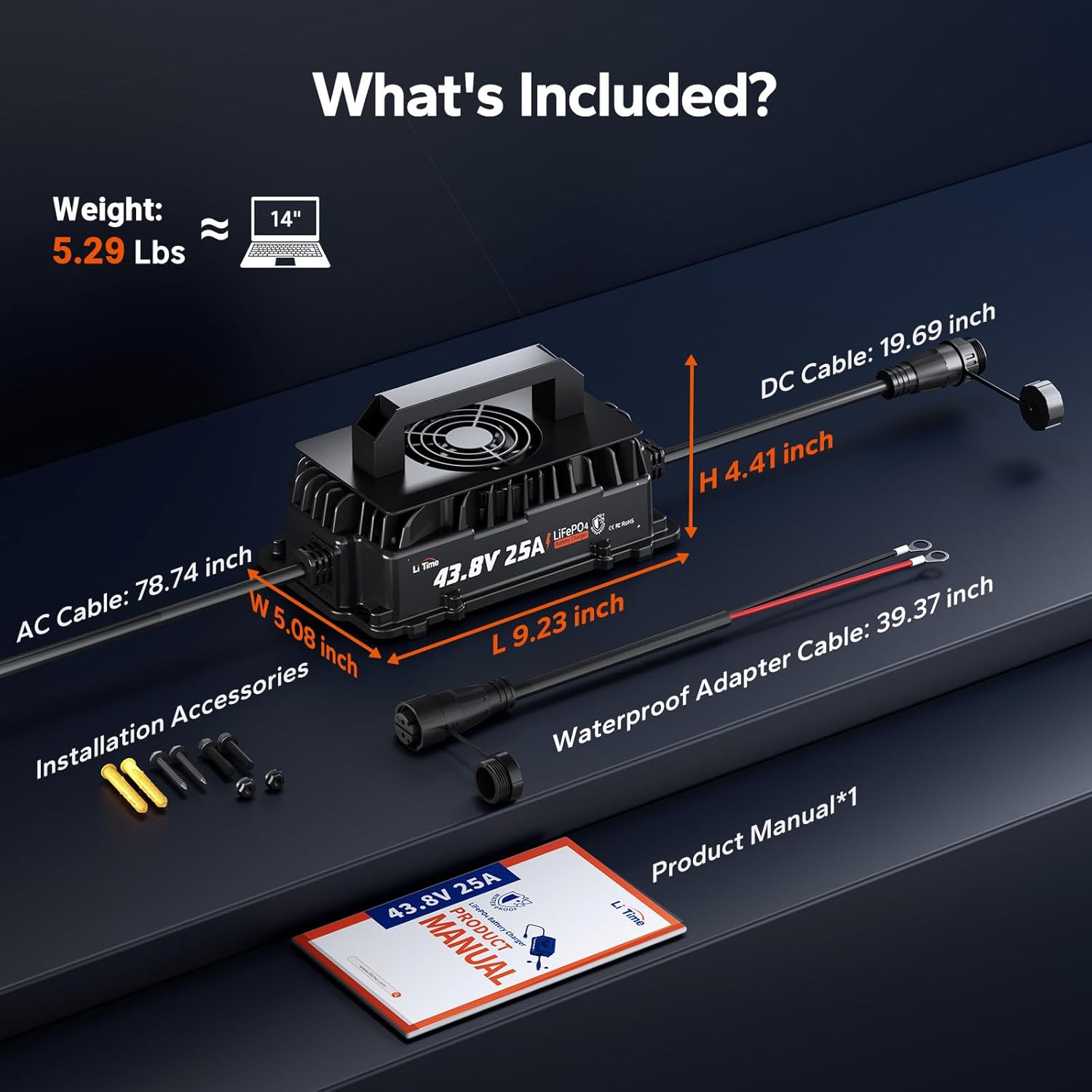
Image: What's Included. The image details the charger's dimensions (L 9.23 inch, W 5.08 inch, H 4.41 inch) and cable lengths (AC Cable: 78.74 inch, DC Cable: 19.69 inch, Waterproof Adapter Cable: 39.37 inch), along with installation accessories and the product manual.
Charger Features
- Fast & Stable Charging: Charges 36V (38.4V) LiFePO4 batteries efficiently.
- Marine-Grade IP65 Waterproof: Fully sealed aluminum alloy shell resists dust, moisture, and heavy splashing.
- Intelligent Safety Protection: Features 3-stage charging (Pre-Charge, CC, CV) and multiple protections including output reverse connection, over-voltage, under-voltage, short circuit, and over-temperature.
- 0V Activation: Capable of activating deeply discharged LiFePO4 batteries.
- LED Status Display: Real-time LED indicators for charging status.
- Flexible Installation: Wall-mount design for space-saving.

Image: Features of the charger, showing the AC side with handle, die-cast housing, cooling fans, and AC input cable, and the DC side with LED indicator, DC output cable, and mounting holes.
4. Setup
Follow these steps to set up your LiTime 36V 25A LiFePO4 Battery Charger:
- Connect the DC Cable to the Battery: Ensure the charger is unplugged from the AC power source. Connect the positive (+) terminal of the DC output cable (red wire) to the positive (+) terminal of your 36V LiFePO4 battery. Connect the negative (-) terminal of the DC output cable (black wire) to the negative (-) terminal of your battery. Ensure connections are secure and tight.
- Connect the Waterproof Connector: If using the waterproof adapter cable, connect it between the charger's DC output and the battery terminals. Ensure the connection is firm to maintain the IP65 rating.
- Plug the AC Plug to the Grid Power: Once the DC connections are secure, plug the AC input cable into a standard 100-240V AC power outlet. The charger will begin the charging process.

Image: Connect in 3 Easy Steps. Quick, safe, and hassle-free setup for effortless charging.
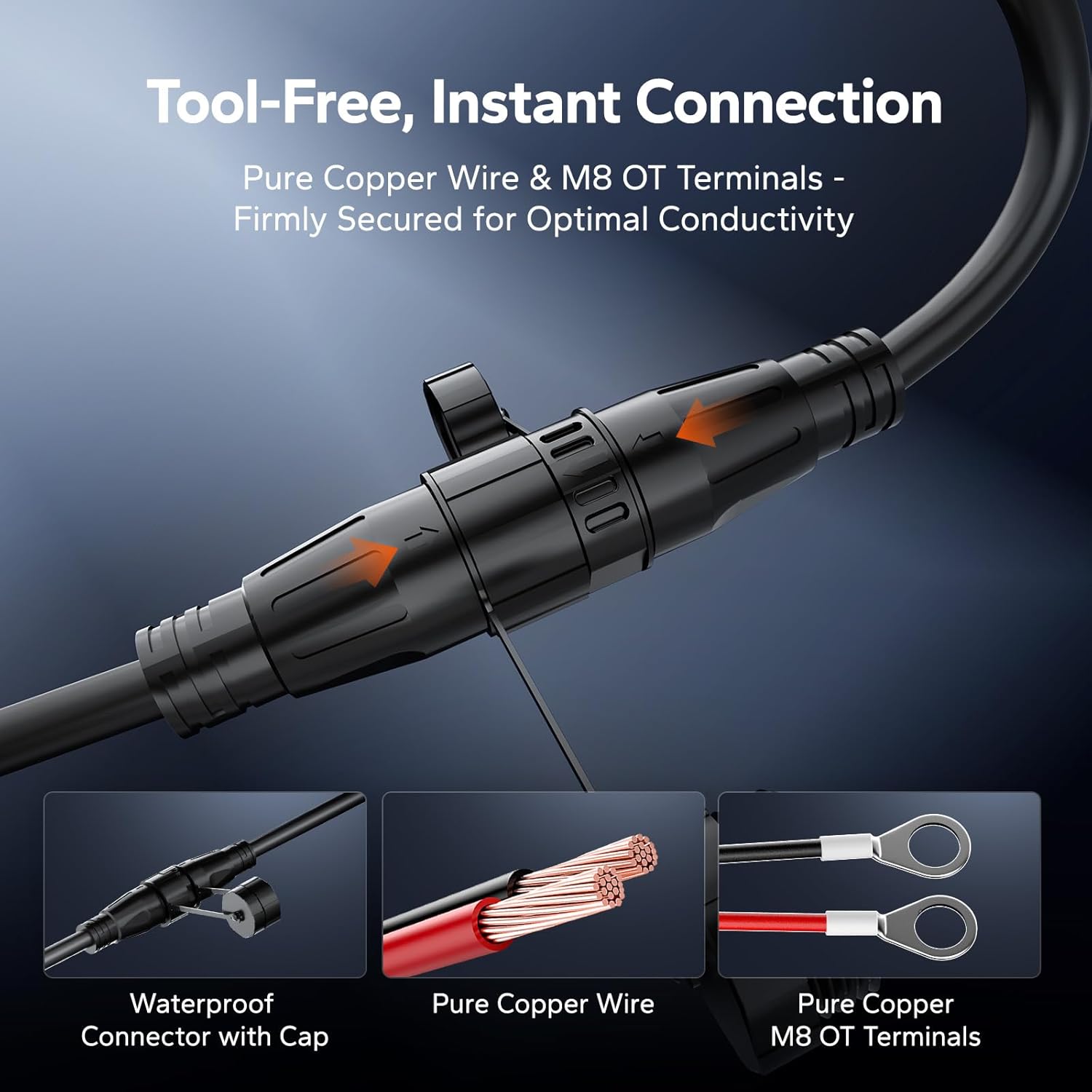
Image: Tool-Free, Instant Connection. Features pure copper wire and M8 OT terminals for firmly secured, optimal conductivity, along with a waterproof connector with cap.
5. Operating Instructions
Smart 3-Stage Charging Process
The LiTime 36V 25A LiFePO4 Battery Charger utilizes an intelligent 3-stage charging process to optimize battery life and charging efficiency:
- T1: Pre-Charge: This initial stage gently activates deeply discharged batteries, bringing them to a safe voltage level before full charging begins.
- T2: Constant Current Charging Stage (CC): The charger delivers a steady 25A current to the battery, rapidly increasing its charge level. This is the main charging phase.
- T3: Constant Voltage Charging Stage (CV): As the battery approaches full capacity, the charger maintains a constant voltage (43.8V) while gradually decreasing the charging current. This ensures the battery is fully charged without overcharging, protecting its lifespan.

Image: 3-Stage Smart Charging Modes. T1: Pre-charge (activates battery). T2: Constant Current (CC) charges with 25A. T3: Constant Voltage (CV) gradually decreases current until charging is complete.
Video: Inside a LiFePO4 Charger: What Happens from 0% to 100%. This video explains the internal processes and stages of charging a LiFePO4 battery with a LiTime charger, from initial connection to full charge.
LED Indicator Status
The charger features an LED indicator to provide real-time status updates:
- Red LED (or Red/Green alternating): Charging (Under Different States)
- Green LED: Fully Charged
- Red LED (Solid): Fault / Standby (Not Charging)
- Red LED (Flashing): Reverse Polarity

Image: Instant Status LEDs. See status at a glance: Red for Charging, Green for Fully Charged, Red for Faults/Standby, and Red for Reverse Polarity.
Charging Time
The charging time depends on the battery's capacity. Below is an approximate charging time table:
| Battery Capacity (Ah) | Charging Time (H) @ 25A |
|---|---|
| 45 Ah | 1.8 H |
| 50 Ah | 2.0 H |
| 60 Ah | 2.4 H |
| 100 Ah | 4.0 H |
Note: These are approximate times. Actual charging time may vary based on battery state of charge, temperature, and other factors.

Image: Faster Charging, Less Waiting. The table shows estimated charging times for 36V batteries of different capacities when charged with a 25A charger.
6. Maintenance
Proper maintenance ensures the longevity and optimal performance of your LiTime charger.
- Cleaning: Regularly wipe the charger's exterior with a soft, dry cloth. Do not use harsh chemicals or abrasive cleaners. Ensure the cooling fans are free from dust and debris.
- Storage: Store the charger in a cool, dry place when not in use. Avoid extreme temperatures and direct sunlight.
- Cable Inspection: Periodically inspect the AC and DC cables for any signs of damage, fraying, or loose connections. Replace damaged cables immediately.
- Environmental Conditions: The charger is IP65 rated, providing protection against dust and low-pressure water jets. However, it is not designed for immersion. Avoid prolonged exposure to heavy rain or extreme moisture.

Image: No Worries In Wet & Dust. The IP65 waterproof and dust protection ensures reliable performance in harsh outdoor environments.

Image: Wide Operating Temperature Range. The charger is designed for precise charging in hot and cold climates, avoiding charging over 113°F or under -4°F.
7. Troubleshooting
If you encounter issues with your LiTime charger, refer to the following common troubleshooting steps:
Battery Not Activating or Charging (0V Activation)
LiFePO4 batteries may enter a protection mode (BMS shutdown) if deeply discharged (voltage below 9V for 12V batteries, or proportionally lower for 36V batteries). The LiTime charger has a 0V activation function to revive such batteries.
- Disconnect Everything: Unplug the charger from the AC power and disconnect the battery from all devices.
- Rest Period: Leave the battery disconnected for at least 30 minutes. This may allow the battery's internal management system (BMS) to reset.
- Reconnect Charger: Connect the charger to the battery first, then plug the charger into the AC power outlet. The charger's 0V activation feature should attempt to wake up the battery.
- Check Voltage: After activation, the battery voltage should recover to a normal range (e.g., above 30V for a 36V battery). The charger should then proceed with normal charging.
Video: Battery Not Working What to do. This video provides a step-by-step guide on how to revive a LiFePO4 battery that has stopped working or won't charge, often due to BMS protection.

Image: 0V Activation & BMS Reset. This feature revives deeply discharged lithium batteries and bypasses sleep mode, bringing dead batteries back to life.
Charger Won't Start if Inverter is Plugged In
If your inverter is plugged into the battery, it may block the charger's initial 'wake-up' pulse, preventing the charger from starting.
- UNPLUG the inverter from the battery.
- Let the charger ACTIVATE the battery.
- RECONNECT the inverter after charging is complete.

Image: Charger Won't Start? If your inverter is plugged in, it may be blocking the charger's initial 'wake-up' pulse. Follow the steps to resolve.
8. Specifications
Detailed specifications for the LiTime 36V 25A LiFePO4 Battery Charger:
| Specification | Value |
|---|---|
| Input Voltage | 100-240 VAC, 47-63Hz |
| Max. Input Current | 12A |
| Output Voltage | 43.8 VDC |
| Output Current | 25A |
| Protection Class | IP65 |
| Operating Temperature Range | -20°C ~ 45°C / -4°F ~ 113°F |
| Storage Temperature Range | -40°C ~ 70°C / -40°F ~ 158°F |
| Dimensions (L x W x H) | 9.13"D x 5.37"W x 4.54"H |
| Net Weight | Approx. 2.28kg / 5.03 Lbs |

Image: Product Specifications. Designed for 36V Battery Systems, this table provides a comprehensive overview of the charger's technical details.
9. Warranty and Support
LiTime is committed to providing high-quality products and excellent customer service.
Warranty Information
This LiTime 36V 25A AC to DC charger comes with a 2-year warranty from the date of purchase. This warranty covers defects in materials and workmanship under normal use. Please retain your proof of purchase for warranty claims.
Customer Support
For any questions, technical assistance, or warranty claims, please contact LiTime customer support:
- Online Service: 24-hour online support is available.
- Technical Support: Professional technical support is provided to assist with any issues.
- Contact Information: Refer to the contact details provided on the official LiTime website or your product packaging.


Image: LiTime offers 24-hour prompt response, up to 5-year service, and local warehouses for comprehensive customer support.


