
TORRAS 5,000mAh Natural Titanium
TORRAS 5,000mAh Magnetic Portable Charger Power Bank
User Manual
Product Overview
The TORRAS 5,000mAh Magnetic Portable Charger Power Bank is a compact and versatile power solution designed for on-the-go charging. It features strong magnetic attachment for compatible devices, a built-in stand for hands-free viewing, and supports both wireless and wired charging. Its slim and lightweight design makes it an ideal companion for daily use and travel.

Image: The TORRAS 5,000mAh Magnetic Portable Charger attached to a smartphone, demonstrating its compact design and magnetic connection. Another view shows the power bank functioning as a kickstand for a phone, ideal for hands-free viewing.
What's in the Box
Upon opening the package, please ensure all items are present:
- 1 x TORRAS 5,000mAh Magnetic Portable Charger Power Bank
- 1 x TORRAS USB-C to C Charging Cable (PD3.0, 1.6ft)
- 1 x Quick Guide
- 1 x Safety Manual

Image: An illustration of the TORRAS power bank's package contents, showing the power bank, USB-C charging cable, and accompanying quick guide and safety manual.
Specifications
| Feature | Detail |
|---|---|
| Model | 5,000mAh Natural Titanium |
| Battery Capacity | 5000 Milliamp Hours |
| Product Dimensions | 4.01 x 2.7 x 0.45 inches |
| Item Weight | 5.1 ounces |
| Connector Type | USB Type C |
| Special Features | Auto Shut-Off, Slim, Pocket Size, Built-In Stand, Fast Charging, Wireless Charging |
| Compatibility | iPhone 15/15 Pro Max/14/13/12 series, Samsung Galaxy S24 Ultra (and other compatible devices) |
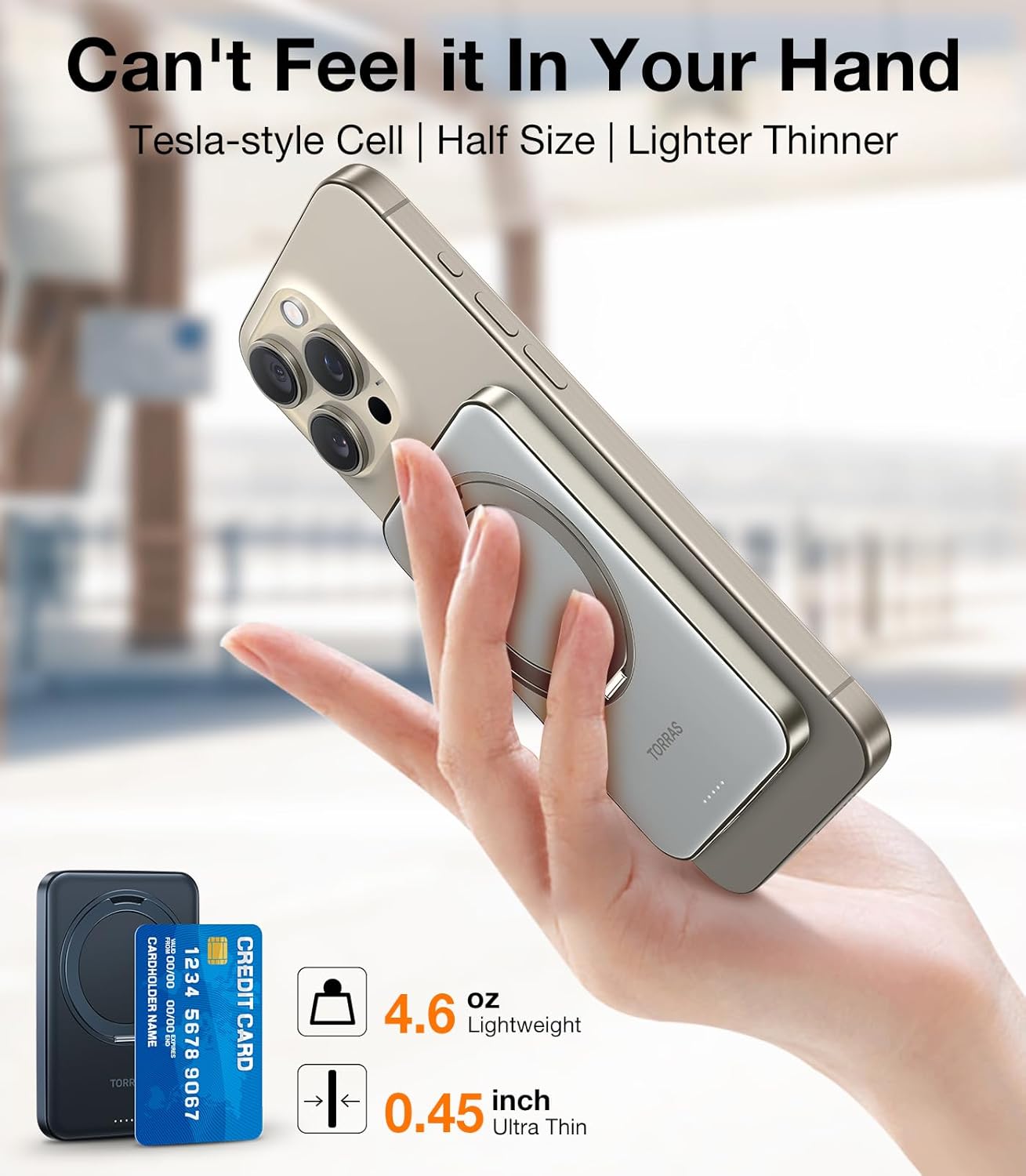
Image: The TORRAS power bank is shown alongside a credit card, highlighting its remarkably slim profile and lightweight design, making it easy to carry.
Setup and First Use
1. Charging the Power Bank
Before first use, fully charge your TORRAS power bank. Use the included USB-C to C charging cable and connect it to a compatible USB-C power adapter (not included). The LED indicators on the power bank will show the charging status. A full charge from 0% to 100% typically takes about 2 hours.
- Connect the small end of the USB-C cable to the power bank's USB-C port.
- Connect the other end of the cable to a USB-C wall charger.
- The indicator lights will illuminate to show charging progress.
2. Attaching to Your Device
The power bank features strong magnetic attraction for compatible devices (e.g., iPhone 12 series and later, or phones with MagSafe-compatible cases). Simply align the power bank with the back of your phone, and it will snap into place securely.

Image: The TORRAS power bank is shown magnetically attached to the back of a smartphone, demonstrating the secure and effortless connection for wireless charging.
Operating Instructions
Wireless Charging
Once magnetically attached to a compatible device, the power bank will automatically begin wireless charging. Ensure your device supports wireless charging for this feature to work.
Wired Charging
For devices that do not support wireless charging, or for faster charging, you can use the USB-C port on the power bank. Connect your device to the power bank using a compatible USB-C cable.

Image: A visual representation of the TORRAS power bank's dual charging capabilities, illustrating both wireless (7.5W) and wired (15W) charging options for various devices.
Using the Integrated Stand
The power bank features an integrated ring stand that can rotate 360 degrees and adjust up to 120 degrees, allowing for versatile viewing angles. This is ideal for watching videos, making video calls, or simply propping up your device.
- Gently pull out the ring from the back of the power bank.
- Rotate the ring to your desired angle for horizontal or vertical viewing.
- The ring can also serve as a secure grip for your phone.

Image: A collage demonstrating the versatility of the TORRAS power bank's integrated stand. It shows the stand rotating 360 degrees and being used for various activities such as gripping the phone, making FaceTime calls, and watching videos in different orientations.
Maintenance and Care
To ensure the longevity and optimal performance of your TORRAS power bank, follow these care guidelines:
- Cleaning: Wipe the surface with a soft, dry cloth. Avoid using harsh chemicals or abrasive materials.
- Storage: Store the power bank in a cool, dry place away from direct sunlight and extreme temperatures.
- Battery Health: For best battery life, avoid fully discharging the power bank frequently. Recharge it when the battery level is low.
- Heat Dissipation: Wireless charging products may emit heat during use. The TORRAS power bank is designed with a titanium alloy frame for efficient heat dissipation. This is normal and does not indicate a defect.

Image: An X-ray view of the TORRAS power bank's internal structure, highlighting its precision components and advanced heat dissipation technology, which contribute to guarding battery health and ensuring safe operation.
Troubleshooting
- Device not charging wirelessly:
- Ensure your device is wireless charging compatible (e.g., iPhone 12 series or newer).
- Check for proper alignment between the power bank and your device.
- Remove any thick cases that might interfere with wireless charging.
- Ensure the power bank itself is charged.
- Slow charging:
- For wireless charging, ensure your device supports fast wireless charging.
- For wired charging, use the included USB-C cable and a compatible fast-charging wall adapter.
- High temperatures can sometimes slow down charging; ensure the environment is not excessively hot.
- Power bank not charging:
- Verify the USB-C cable is securely connected to both the power bank and the power source.
- Try a different USB-C cable or power adapter.
- Ensure the power source is active.
- Power bank feels warm during use:
- It is normal for the power bank to become warm during charging, especially during fast charging or wireless charging, due to energy conversion.
- The product incorporates graphene technology for heat dissipation to manage this. If it becomes excessively hot or emits smoke, discontinue use immediately and contact customer support.
Safety Information
Please read and follow these safety precautions to prevent injury or damage:
- Do not expose the power bank to extreme temperatures (hot or cold), direct sunlight, or high humidity.
- Do not disassemble, modify, or attempt to repair the device.
- Keep away from water and other liquids.
- Avoid dropping or subjecting the power bank to strong impacts.
- Keep out of reach of children.
- Dispose of the power bank responsibly according to local regulations. Do not dispose of it in household waste.
- The power bank has built-in safety features including temperature control, overcharge protection, and short circuit protection.

Image: A display of various certifications and awards received by TORRAS power banks, including CE, TÜV Rheinland, FCC, UL, PSE, and DOE, affirming their adherence to national safety standards.
Warranty and Customer Support
TORRAS provides a worry-free 180-day warranty for this product. If you encounter any quality problems or issues, please do not hesitate to contact our customer service team.
- Contact: You can message us through the Amazon Message Center.
- Support: We are committed to resolving your problems and offer easy replacement or refund for any quality-related issues.
For more information and support, visit the official TORRAS store on Amazon: TORRAS Store
Related documents5,000mAh Natural Titanium


Ask a question about this manual
Ask about setup, troubleshooting, compatibility, parts, safety, or missing instructions. Manuals+ will review the question and use this page’s manual context to help answer it.