1. Introduction
Thank you for choosing the Aisizon Wireless Lavalier Microphone. This compact and versatile microphone system is designed to provide high-fidelity audio for various applications, including video recording, live streaming, and podcasting. Its advanced features, such as noise cancellation and broad compatibility, make it an ideal tool for content creators and professionals.
Please read this manual thoroughly to ensure proper setup, operation, and maintenance of your device.
2. Package Contents
Upon opening the package, please verify that all components are present and in good condition:
- 2 x Wireless Microphones
- 1 x Receiver (Lightning connector)
- 1 x USB Data Cable
- 1 x User Manual
- 2 x Metal Clips for clothing wear
- 1 x Magnetic Ring (for alternative attachment)
- USB-A to USB-C Adapter (OTG ZS2)
- USB-A to Lightning Adapter

Image: Overview of the Aisizon Wireless Lavalier Microphone system components, showing two microphones, the receiver, various adapters, and clips.
3. Setup Guide
3.1 Charging the Microphones
Before first use, ensure both wireless microphones are fully charged. Connect the provided USB data cable to the charging port on each microphone and a compatible USB power source. The indicator light will show charging status.
3.2 Connecting the Receiver
The receiver is designed for plug-and-play operation. Insert the receiver directly into the Lightning port of your iPhone, iPad, or other compatible device. Ensure it is securely connected.

Image: Visual guide demonstrating the three steps for setup: 1. Insert the receiver into your device. 2. Press the power button on the microphone. 3. Successful pairing is indicated.
3.3 Pairing the Microphones
- Insert the receiver into your recording device (e.g., iPhone, iPad).
- Press the power button on the wireless microphone. The indicator light will flash, indicating it is searching for the receiver.
- Once successfully paired, the indicator light on the microphone will turn solid. You are now ready to record.
4. Operating Instructions
4.1 Wearing the Microphone
The Aisizon Wireless Lavalier Microphone offers flexible attachment options:
- Magnetic Clip: Utilize the built-in N56 strong magnets to attach the microphone to any ferrous metal surface, such as a laptop screen or a metal part of your clothing.
- Clothing Clips: For non-magnetic clothing, use the two provided metal clips. Attach the microphone to the clip, then secure the clip to your lapel, collar, or pocket.

Image: The microphone demonstrating its strong magnetic attachment to a metal clip, and examples of use on a computer screen and household metal parts.
4.2 Recording Audio
Once paired, the microphone will automatically begin capturing audio when you start recording on your device's camera or audio recording application. The microphone features an upgraded high-fidelity recording element for crisp, clear sound.
4.3 Noise Cancellation
The microphone is equipped with smart noise reduction technology, optimized to filter out ambient sounds and focus on your voice. This ensures high-quality audio even in noisy environments.
4.4 Wireless Transmission Range and Battery Life
The microphone supports continuous clear recording within a 100ft (approximately 30 meters) range. Each microphone provides up to 8 hours of recording time on a full charge, with a standby time of 30 hours.
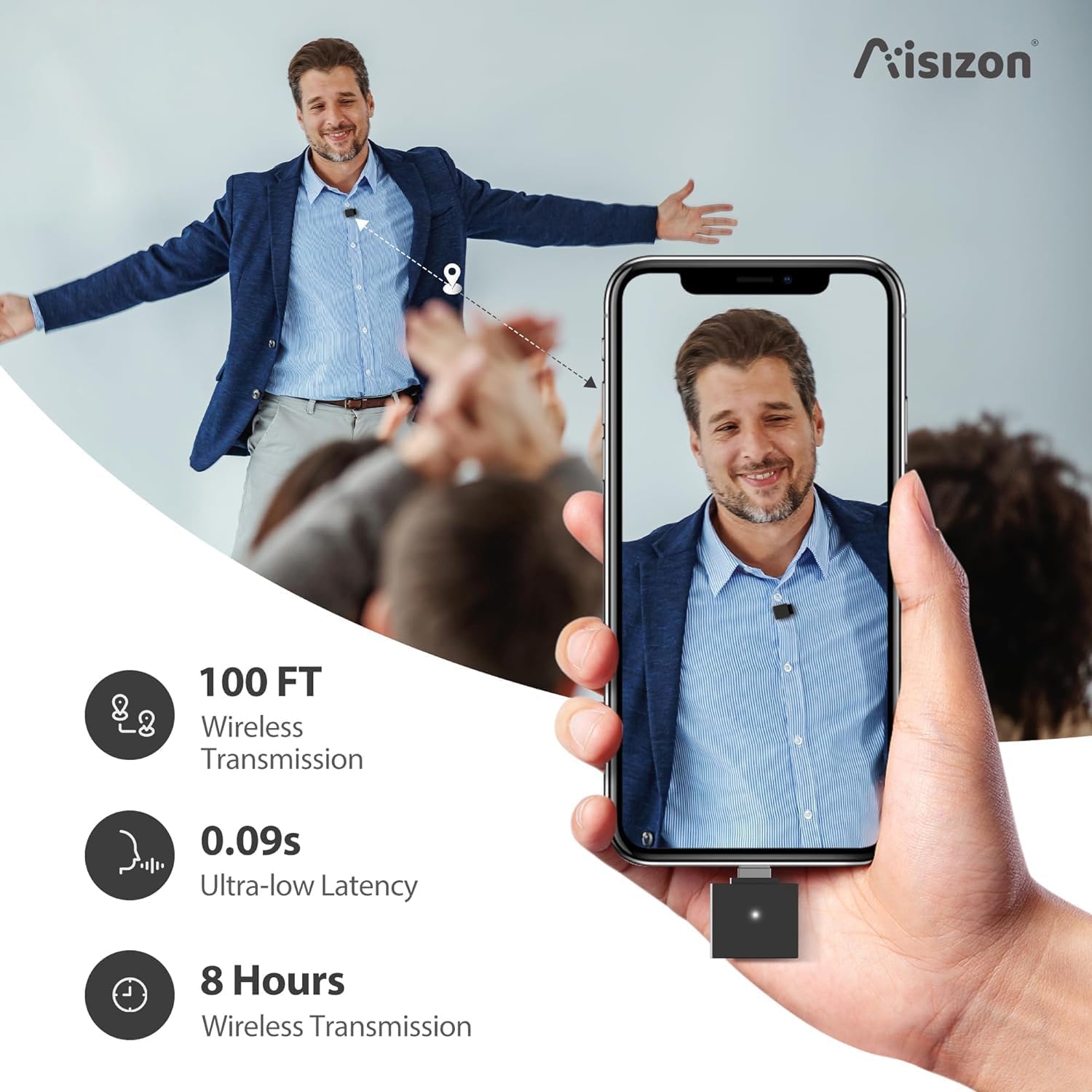
Image: Infographic highlighting key performance metrics: 100ft wireless transmission range, 0.09s ultra-low latency, and 8 hours of wireless transmission battery life.
4.5 Multi-Platform Compatibility
The Lightning receiver is specifically matched for iPhone 15/Pro/iPad models. With the included adapters, it also connects seamlessly with other Apple products and Android phones equipped with Type-C ports, expanding its usability across various devices.

Image: Visual representation of the microphone's broad compatibility with multiple devices, including iPhones, Android phones, iPads, Macs, and PCs, along with various connector types.
5. Maintenance and Care
- Cleaning: Use a soft, dry cloth to clean the microphone and receiver. Avoid using harsh chemicals or abrasive materials.
- Storage: Store the microphone system in a cool, dry place away from direct sunlight and extreme temperatures.
- Battery Care: To prolong battery life, avoid fully discharging the microphones frequently. Charge them regularly, even if not in use for extended periods.
- Handling: Handle the devices with care. Avoid dropping them or exposing them to water or excessive moisture.
6. Troubleshooting
| Problem | Possible Cause | Solution |
|---|---|---|
| No sound or low volume | Microphone not paired; Low battery; Receiver not fully inserted; Device volume too low. | Ensure microphone is paired (solid indicator light). Charge microphones. Re-insert receiver firmly. Increase device volume. |
| Intermittent connection or static | Out of range; Interference from other wireless devices; Obstructions. | Move closer to the receiver. Move away from other electronic devices. Ensure clear line of sight between microphone and receiver. |
| Microphone not turning on | Battery fully discharged. | Charge the microphone for at least 30 minutes before attempting to turn it on again. |
| Poor audio quality (muffled, distorted) | Microphone too far from source; Excessive background noise; Microphone covered. | Position microphone closer to the speaker. Ensure noise cancellation is active. Avoid covering the microphone grille. |
7. Specifications
| Feature | Detail |
|---|---|
| Model Number | A6 |
| Microphone Form Factor | Lavalier |
| Connectivity Technology | Bluetooth |
| Connector Type | Lightning |
| Polar Pattern | Omnidirectional |
| Frequency Range | 50-15KHz |
| Signal-to-Noise Ratio | 68 dB |
| Noise Level | 30 dB |
| Power Source | Battery Powered (1 Lithium Ion battery included) |
| Item Dimensions (L x W x H) | 0.78 x 0.78 x 0.78 inches |
| Item Weight | 3.52 ounces |
| Material | Plastic |
| Color | Black |
| Recommended Uses | Streaming, Video Conference |
8. Warranty and Support
Aisizon stands behind the quality of its products. We use high-quality acoustic components, electronic devices, and batteries, along with durable plastic and rubber for the product shell.
We offer a free replacement within one year of use if the product is found to be defective under normal usage conditions. For warranty claims or technical support, please contact Aisizon customer service through the retailer's platform or the official Aisizon website.
Please retain your proof of purchase for warranty validation.


