
1. Introduction
Thank you for purchasing the Aheaplus L Shaped Desk with Power Outlet, Reversible L Shaped Computer Desk with File Drawer & Monitor Stand, Gaming Desks with LED Strip, Home Office Desks with Storage Shelf. This manual provides detailed instructions for assembly, operation, and maintenance to ensure optimal performance and longevity of your desk.
This home office desk offers ample storage solutions, including 2 fabric file drawers, 2-tier under storage shelves, a printer cabinet, and a CPU stand. It features 3 AC outlets + 2 USB charging ports and a built-in RGB LED light strip with smart APP control. The reversible design allows for flexible setup as a left or right-corner desk.
2. Product Overview

Figure 2.1: Aheaplus L Shaped Desk with integrated LED lighting, power outlets, and various storage options, including file drawers and shelves. The desk is shown in a modern office setting with multiple monitors.
Key Features:
- Ample Storage Space: Includes 2 fabric file drawers, 2-tier under storage shelves, a printer cabinet, and a CPU stand.
- Integrated Power Outlet: Features 3 AC outlets + 2 USB charging ports for convenient device charging.
- Smart LED Light Strips: Built-in RGB LED light strip with remote control via smart APP, offering over 60,000 colors and multiple modes, including music sync.
- Reversible Design: Can be configured as a left or right-corner desk to suit your space.
- Long Monitor Stand: Designed to protect neck and spine health while providing extra storage.
3. Setup and Assembly
Assembly is required for this product. All necessary hardware and tools are included, and parts are clearly labeled for ease of assembly. It is recommended that two people assemble the desk for optimal safety and efficiency.

Figure 3.1: Detailed dimensions and reversible configuration options for the Aheaplus L Shaped Desk, illustrating how it can be set up as a left or right-corner unit.
Assembly Instructions:
- Unpack all components and verify against the parts list provided in the packaging.
- Follow the step-by-step instructions in the included assembly manual.
- Ensure all screws and fasteners are securely tightened for stability.
- For the reversible design, decide on your preferred orientation (left or right L-shape) before beginning assembly of the main sections.
- Carefully route all cables for the power outlet and LED strips to avoid tripping hazards.
Important Safety Information:
- Assemble the desk following the instructions, ensure stability, and do not exceed the weight limit.
- Keep small parts away from children during assembly.
- Do not overtighten screws to prevent damage to the material.
4. Operating Instructions
Power Outlet Usage:
The desk is equipped with a recessed power strip featuring 3 AC outlets and 2 USB ports. This allows for convenient charging of up to 5 devices simultaneously, such as laptops, phones, and gaming consoles.

Figure 4.1: The integrated power strip provides 3 AC outlets (120V/12A) and 2 USB ports (5V/2A) for easy access to power.
LED Light Strip Operation:
The built-in RGB LED light strip can be controlled via a smart application on your mobile device. This allows you to customize the lighting with over 60,000 colors and various modes, including a music sync function that changes light colors with sound rhythm.
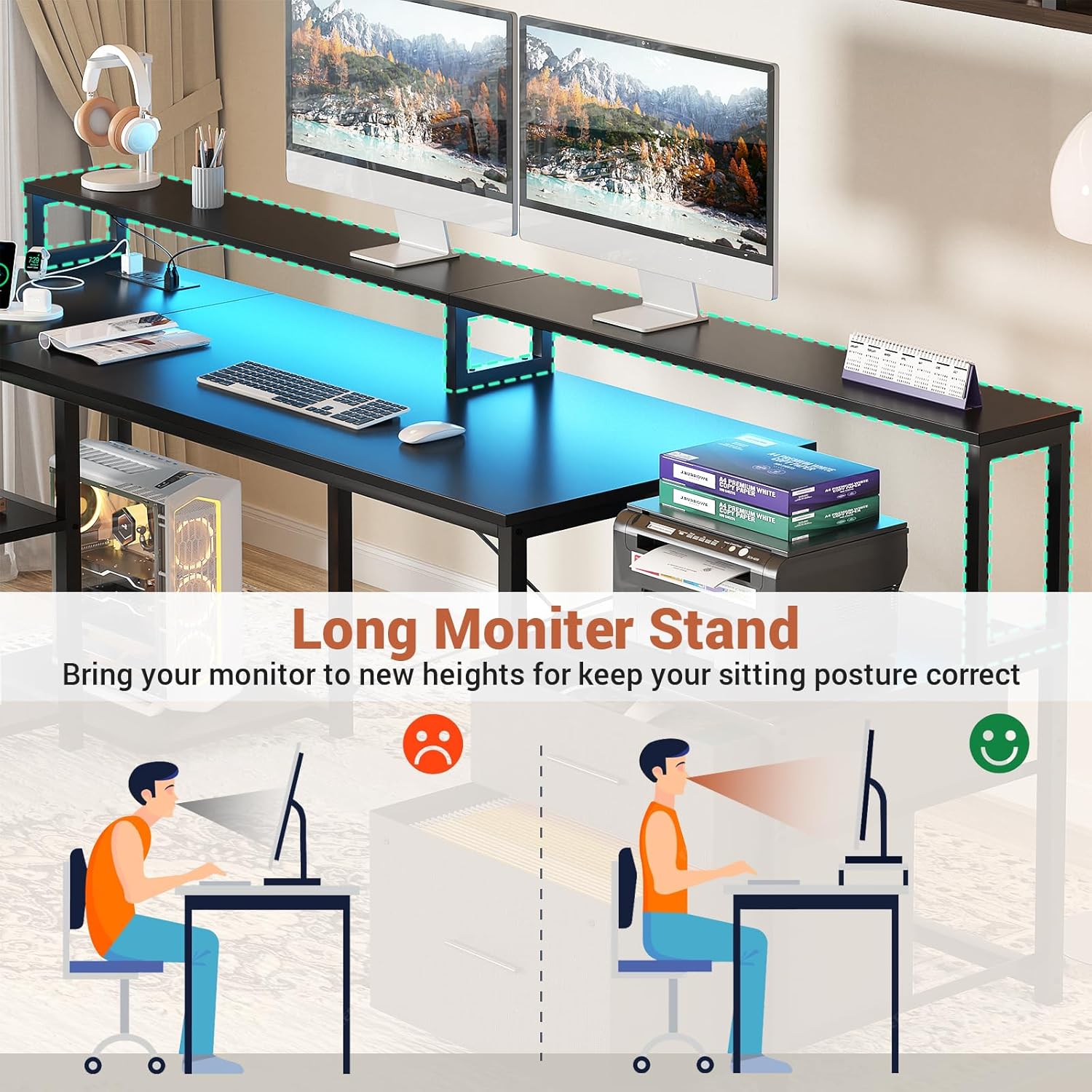
Figure 4.2: The L shaped desk illuminated by its RGB LED strips, showcasing the immersive ambiance it creates for gaming or work environments.
Monitor Stand and Storage:
Utilize the long monitor stand to elevate your screens, promoting better posture and reducing strain. The integrated file drawers and shelves provide organized storage for documents, office supplies, and other items.

Figure 4.3: The monitor stand helps maintain correct sitting posture, improving ergonomics and comfort during long work or gaming sessions.
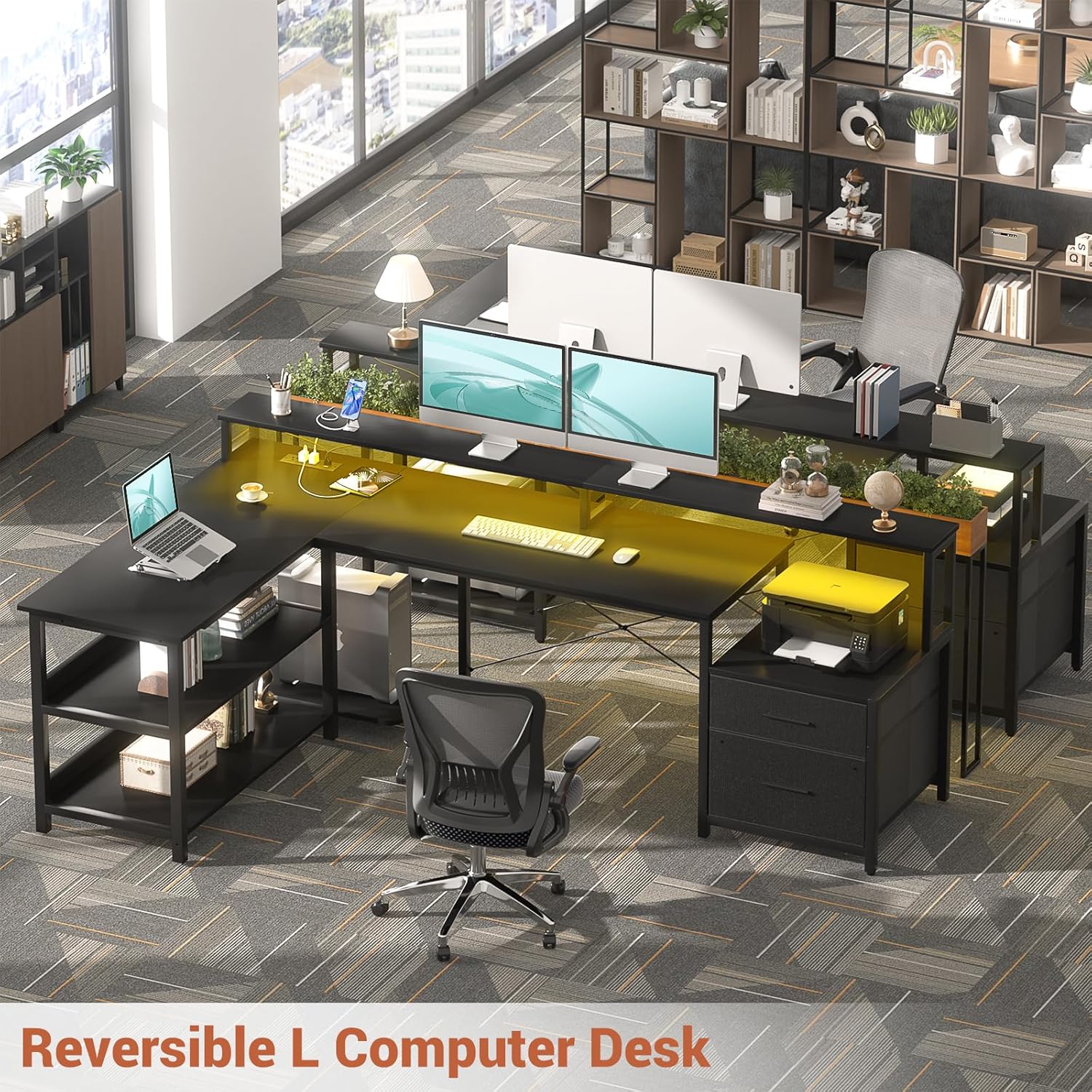
Figure 4.4: The desk features flexible storage options, including fabric drawers for files and an open shelf designed to accommodate a printer.
The reversible design allows you to configure the desk to best fit your room layout and workflow. Simply follow the assembly instructions for your desired orientation.

Figure 4.5: The reversible L-shaped design provides versatility, allowing the user to adapt the desk configuration to their specific office or gaming setup.
For optimal tidiness, utilize the 2-tier under-desk shelves to keep your workspace organized.
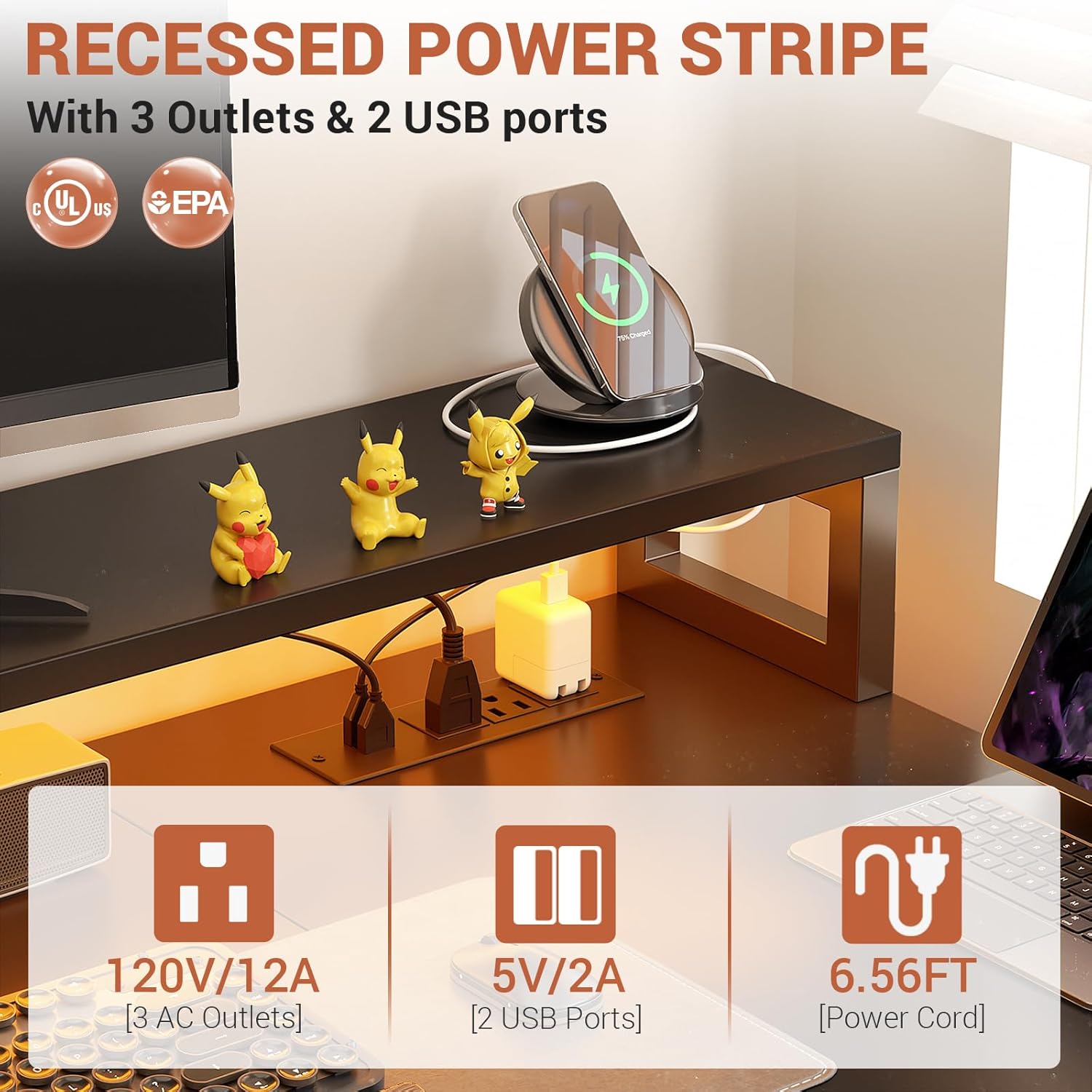
Figure 4.6: The 2-tier under-desk shelves offer convenient storage, helping to maintain a clutter-free and efficient workspace.
5. Maintenance
- Cleaning: Wipe surfaces with a soft, damp cloth. Avoid harsh chemicals or abrasive cleaners that may damage the finish.
- Hardware Check: Periodically check all screws and fasteners to ensure they remain tight. Retighten if necessary to maintain stability.
- LED Strips: Ensure the LED strips and their connections are free from dust and moisture. Do not attempt to repair damaged LED strips; contact customer support.
- Power Outlets: Keep the power outlets clean and dry. Do not overload the outlets.
6. Troubleshooting
- Desk Wobbles: Check all assembly points and ensure screws are fully tightened. Verify the desk is on a level surface.
- LED Lights Not Working: Ensure the power adapter is securely plugged into both the desk and a working wall outlet. Check the connection of the LED strip to the controller. Verify the smart app is correctly paired and functioning.
- Power Outlets Not Functioning: Confirm the desk's main power cord is plugged into a live wall outlet. Check if the wall outlet itself is working by plugging in another device.
- Drawers Sticking: Ensure the fabric drawers are correctly inserted and not overloaded. Check for any obstructions in the drawer slides.
If you encounter issues not listed here, please refer to the Warranty and Support section for contact information.
7. Specifications
| Feature | Detail |
|---|---|
| Brand | Aheaplus |
| Product Dimensions | 67"D x 39.4"W x 35"H |
| Color | Black |
| Style | Industrial |
| Base Material | Metal |
| Finish Type | Black |
| Special Feature | Built-In USB Outlet, LED Lights, Reversible, File Drawer |
| Room Type | Bedroom, Living Room, Office, Study Room |
| Recommended Uses For Product | Gaming, Working |
| Mounting Type | Freestanding |
| Included Components | File Drawer, Long Monitor Stand, Printer Cabinet, CPU Stand, Built-in RGB LED light strip |
| Required Assembly | Yes |
| Recommended Number of People for Assembly | 2 |
| Number of Drawers | 2 |
| Number Of Shelves | 2 |
| Tabletop Thickness | 0.75 Inches |
| Maximum Height | 34.8 Inches |
| Working Surface Diagonal Length | 67 Inches |
8. Warranty and Support
This product is manufactured by Aheaplus. For any issues, missing parts, or damage upon arrival, please contact Aheaplus customer service directly.
The seller, Aheaplus, can be reached via their store page on Amazon: Aheaplus Store.
Additional protection plans may be available for purchase separately:
- 2-Year Protection Plan
- 3-Year Protection Plan
- Complete Protect (monthly plan)
Please refer to the specific terms and conditions of any purchased protection plans for full coverage details.
