
Dreo DR-HAF005
Contents
Dreo DR-HAF005 Desk Air Circulator Fan User Manual
Model: DR-HAF005 | Brand: Dreo
1. Important Safety Instructions
Please read this user manual thoroughly before using the appliance and save it for future reference. Failure to follow these instructions may result in electric shock, fire, or serious injury.
General Safety
- Always place the fan on a stable, flat surface to prevent it from tipping over.
- Do not insert fingers or foreign objects into the grille while the fan is operating.
- Keep the fan away from water or other liquids. Do not use in wet or damp environments.
- This appliance is not intended for use by persons (including children) with reduced physical, sensory or mental capabilities, or lack of experience and knowledge, unless they have been given supervision or instruction concerning use of the appliance by a person responsible for their safety.
- Children should be supervised to ensure that they do not play with the appliance.
Electrical Safety
- Ensure the voltage indicated on the fan's rating label matches your local power supply before connecting.
- Do not operate any fan with a damaged cord or plug. Discard fan or return to an authorized service facility for examination and/or repair.
- Do not run cord under carpeting. Do not cover cord with throw rugs, runners, or similar coverings. Arrange cord away from traffic area and where it will not be tripped over.
- Unplug the fan from the outlet when not in use, when moving it from one location to another, and before cleaning.
2. Product Overview
The Dreo DR-HAF005 Desk Air Circulator Fan is designed to provide powerful and quiet airflow for whole-room circulation. Its compact size and advanced features make it ideal for various indoor settings.
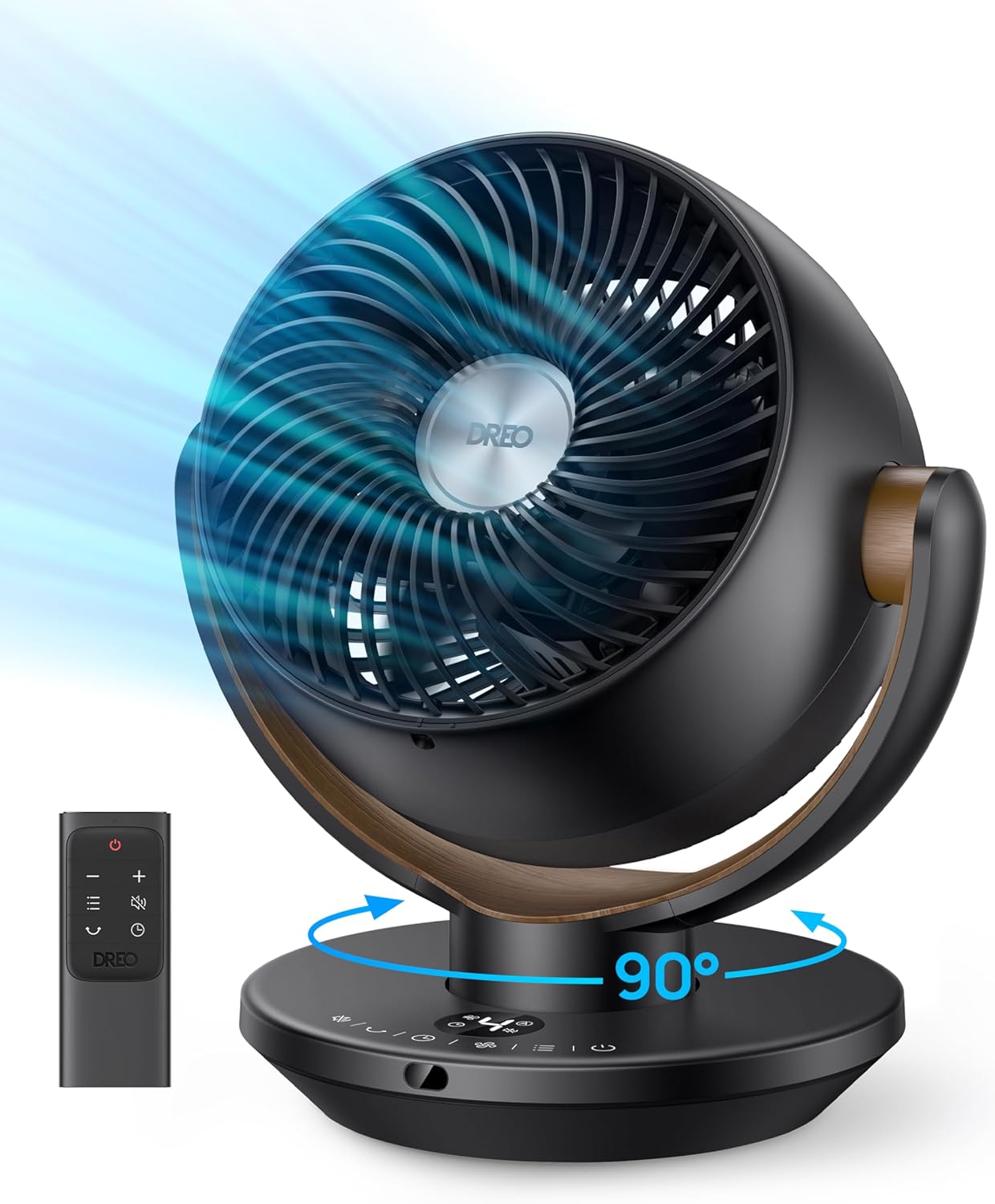
Figure 2.1: Dreo DR-HAF005 Fan with Remote Control
Key Features:
- Powerful Airflow: Powered by TurboSilent technology, delivering cool air up to 60ft away with 250 CFM airflow for whole-room circulation.
- Wide Coverage: Features 90° oscillation and 120° manual adjustable tilt for personalized cooling from any angle.
- Ultra-Quiet Operation: Unique blade design ensures a quiet cooling experience at only 28dB, perfect for bedrooms.
- Convenient Control: Easily adjust settings with the included remote control or the intuitive control panel. Offers 4 speeds, 2 wind modes, and an 8-hour timer.
- Auto Screen-Off: LED display automatically turns off after 60 seconds for uninterrupted sleep.
- Easy to Clean: Detachable front grille and blades simplify cleaning and maintenance.
- Compact Design: Standing just 11 inches tall, it fits seamlessly on desks, nightstands, or other small spaces.

Figure 2.2: Focused Airflow for Enhanced Circulation

Figure 2.3: Adjustable Tilt and Oscillation

Figure 2.4: Quiet Operation for Undisturbed Sleep
3. Setup
Unpacking and Placement
- Carefully remove the fan and all accessories from the packaging.
- Place the fan on a firm, level surface. Ensure there are no obstructions to the airflow.
- This fan does not require assembly.
- Plug the power cord into a standard 120V AC electrical outlet.
4. Operating Instructions
The Dreo DR-HAF005 fan can be operated using the control panel on the base or the included remote control.
Control Panel and Remote Control

Figure 4.1: Control Panel and Remote Control Layout
Functions:
- Power On/Off: Press the power button to turn the fan on or off.
- Speed Adjustment: Cycle through 4 fan speeds (1-4) to adjust airflow intensity.
- Wind Modes: Select between 2 wind modes (Normal, Sleep).
- Oscillation: Activate 90° horizontal oscillation to distribute air across a wider area.
- Manual Tilt: Manually adjust the fan head vertically up to 120° to direct airflow precisely.
- Timer: Set an auto-off timer for up to 8 hours.
- Display Auto-Off: The LED display will automatically turn off after 60 seconds of inactivity to prevent light disturbance, especially at night.
Official Product Video:
Video 4.1: Learn more about the TurboSilent Technology that powers your Dreo fan's efficient air circulation.
5. Maintenance
Regular cleaning helps maintain the fan's performance and extends its lifespan.
Cleaning the Fan
- Always unplug the fan before cleaning.
- The front grille and blades are detachable for easy cleaning. Locate the Phillips head screw on the bottom of the front face, unscrew it, and gently pull off the grille.
- Twist the piece securing the blades to remove them.
- Wipe the exterior surfaces with a soft, damp cloth. Do not use abrasive cleaners or solvents.
- Clean the blades and inside of the grille with a soft cloth or brush to remove dust and debris.
- Ensure all parts are completely dry before reassembling and plugging in the fan.

Figure 5.1: Detachable Design for Easy Cleaning
6. Troubleshooting
If you encounter issues with your fan, please refer to the following common problems and solutions:
| Problem | Possible Cause | Solution |
|---|---|---|
| Fan does not turn on | No power supply Power cord not securely plugged in | Check if the power outlet is working Ensure the power cord is firmly plugged into the outlet and the fan |
| Weak airflow | Fan speed is too low Air inlet/outlet blocked Dust accumulation on blades/grille | Increase the fan speed Remove any obstructions Clean the fan blades and grilles (refer to Maintenance section) |
| Fan makes unusual noise | Fan not on a stable surface Foreign object inside fan Loose parts | Place the fan on a flat, stable surface Unplug and check for foreign objects. Remove if found. Contact customer support if noise persists after checking. |
| Remote control not working | Battery depleted Obstruction between remote and fan Remote not pointed at receiver | Replace the battery (1 Lithium Metal battery required) Remove any objects blocking the signal path Point the remote directly at the fan's receiver |
If the problem persists after trying these solutions, please contact Dreo Customer Support.
7. Specifications
| Feature | Specification |
|---|---|
| Brand | Dreo |
| Model Name | DR-HAF005 (CF315) |
| Product Dimensions | 8.35"D x 10.71"W x 11.81"H |
| Item Weight | 4.18 pounds (1.9 Kilograms) |
| Power Source | Corded Electric |
| Voltage | 120 Volts |
| Wattage | 42 watts |
| Noise Level | 28 dB |
| Air Flow Capacity | 250 Cubic Feet Per Minute (CFM) |
| Blade Length | 6 Inches |
| Number of Blades | 3 |
| Number of Power Levels | 4 |
| Oscillation | 90° Horizontal |
| Adjustable Tilt | 120° Manual |
| Timer | Up to 8 Hours |
| Control Method | Remote, Touch |
| Included Components | Remote (1 Lithium Metal battery included) |
| Indoor/Outdoor Usage | Indoor |
| Material | Plastic |
| UPC | 810142853637 |
8. Warranty and Support
Dreo provides a 1-year warranty for this product from the date of purchase. This warranty covers manufacturing defects and issues arising from normal use.
For warranty claims, technical support, or any questions regarding your Dreo DR-HAF005 fan, please contact Dreo Customer Support through their official website or the contact information provided in your product packaging.
Please have your model number (DR-HAF005) and proof of purchase ready when contacting support.
Ask a question about this manual
Ask about setup, troubleshooting, compatibility, parts, safety, or missing instructions. Manuals+ will review the question and use this page’s manual context to help answer it.