Product Overview
The vretti TP2-Y Mini Portable Thermal Printer is a compact, inkless sticker maker machine designed for instant printing. It utilizes heat technology, eliminating the need for ink, toner, or ribbons, offering a cost-effective and convenient printing solution. This device is ideal for various applications, including study notes, to-do lists, creative projects, and more.
Key Features:
- Inkless Thermal Printing: Uses heat technology, requiring no ink or toner, which saves money and time.
- Portable and Compact: Lightweight (188g) and slim design allows for easy portability, fitting into a pocket or bag.
- Bluetooth Connectivity: Quickly connects to smartphones (Android 4.0+ and iOS 8.0+) via Bluetooth using the "xlife-pro" app.
- Multi-Application: Capable of printing photos, messages, lists, records, QR codes, banners, webpages, and documents.
- Creative Uses: Supports printing of cartoons, graphics, anatomical diagrams, and allows for DIY customization with colorful pens.

Image: The vretti TP2-Y printer showcasing its versatility by printing photos, labels, DIY stickers, notes, colorful graffiti, and shopping lists.
Package Contents
Upon unboxing, please ensure all the following items are included in your package:
- 1 x vretti TP2-Y Mini Thermal Pocket Printer
- 1 x USB Cable
- 1 x 57*30mm Paper Roll
- 1 x User Manual (this document)

Image: A visual representation of the package contents, including the printer, USB charging cable, a roll of thermal paper, and the instruction manual.
Setup Guide
Follow these steps to set up your vretti TP2-Y printer for the first time:
- Open the Cover: Gently open the printer cover to access the paper compartment.

Image: Visual steps for initial setup: opening the printer, correctly loading the paper roll, and connecting to the app via Bluetooth.
- Install the Paper Roll: Insert the 57*30mm thermal paper roll into the compartment. Ensure the paper feeds out smoothly from the top.
- Turn on the Printer: Press and hold the power button until the indicator light illuminates.
- Download the App: Scan the QR code in the included manual or search for "xlife-pro" in your device's app store (Google Play for Android, App Store for iOS).

Image: Instructions to download the "XLife Pro" app, showing its icon and availability on Google Play and the App Store, along with a preview of the app's main interface.
- Connect via Bluetooth:
- Enable Bluetooth on your smartphone.
- Open the "xlife-pro" app.
- Within the app, navigate to the connection settings and select "TP2-Y" from the list of available devices to pair. Do not attempt to pair directly from your phone's Bluetooth settings.

Image: A visual guide demonstrating the correct method for Bluetooth connection: turning on phone Bluetooth, opening the XLife Pro app, and selecting the TP2-Y device within the app, with a warning against direct phone settings pairing.
Operating Instructions
Once connected, you can begin printing using the "xlife-pro" app:
- Select Printing Mode: The app offers various printing modes such as Paper Editing, Template Printing, Picture Printing, Document Printing, Web Printing, Sketch Printing, and QR Code.
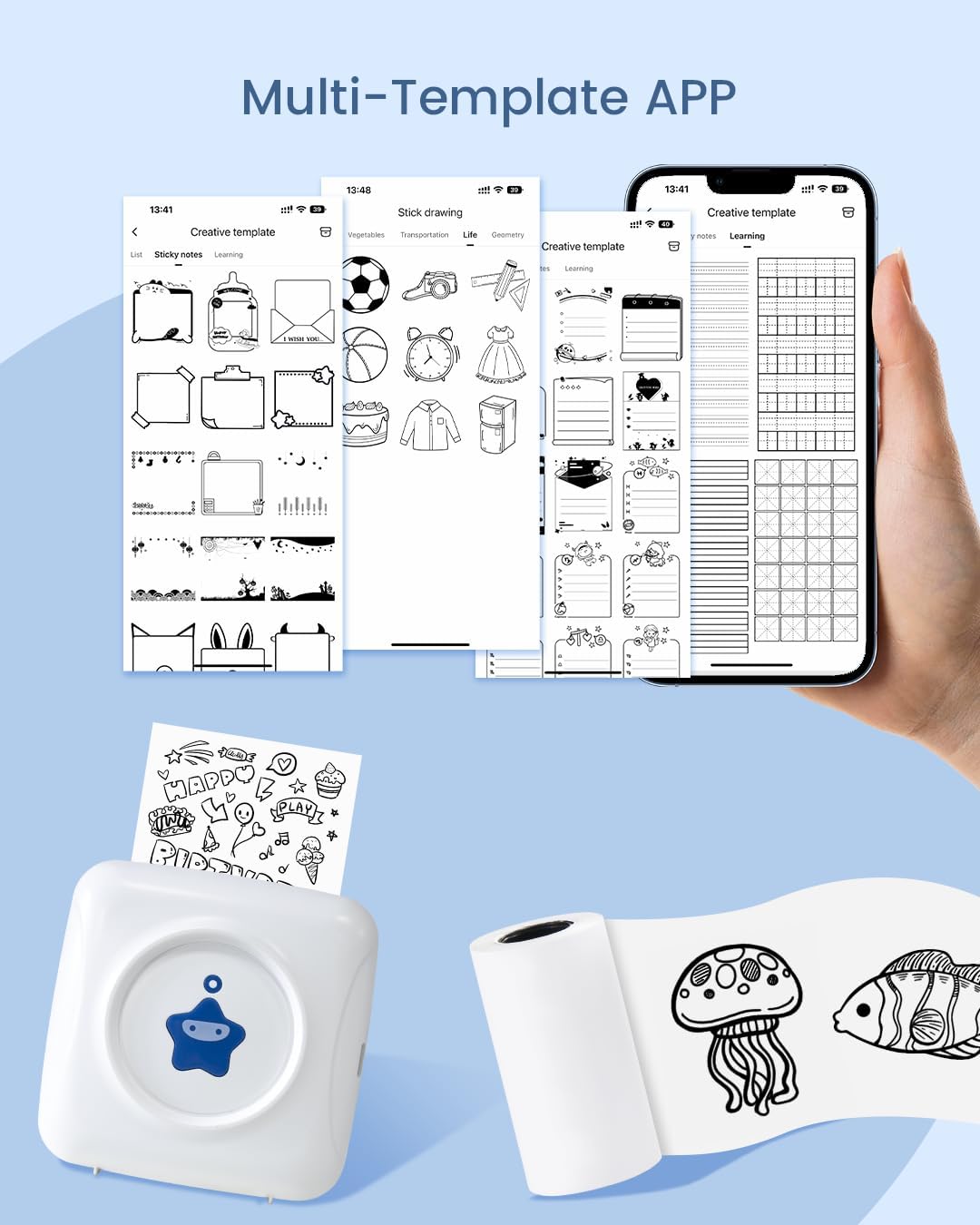
Image: The "Multi-Template APP" interface, displaying a wide range of creative templates for different printing needs, from sticky notes to learning exercises.
- Choose Content:
- For pictures, select "Picture Printing" and choose an image from your gallery.
- For sketches or cartoons, select "Sketch Printing" and browse the available patterns.
- For text or lists, use "Paper Editing" or "Template Printing" to create your desired layout.

Image: The XLife Pro app's sketch printing section, offering a selection of animal, plant, and character outlines for users to choose and print.
- Preview and Print: After selecting your content, preview it within the app. Adjust settings like darkness if available. Once satisfied, click the print icon.
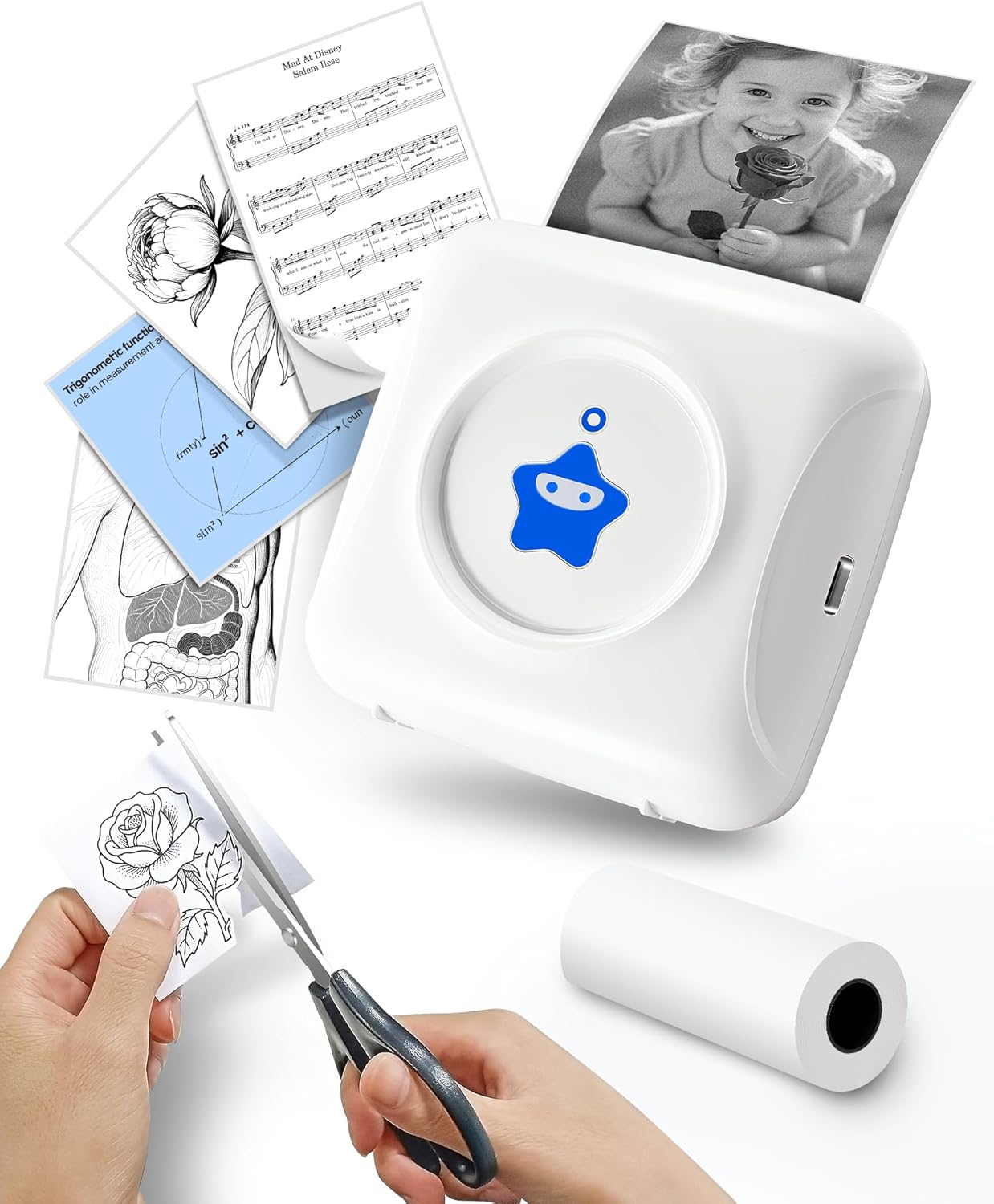
Image: The vretti TP2-Y printer actively printing a black and white image, demonstrating its instant print capability for various graphics and photos.
- Retrieve Printout: The printer will quickly produce your black and white printout. Tear off the paper along the serrated edge.
Official Product Video:
Video: An official demonstration of the vretti TP2-Y Mini Pocket Printer, showing its features, paper loading, app connection, and printing process. This video provides a comprehensive visual guide to using the printer.
Maintenance
To ensure the longevity and optimal performance of your vretti TP2-Y printer, follow these maintenance guidelines:
- Cleaning: Regularly wipe the exterior of the printer with a soft, dry cloth. If the print quality degrades, gently clean the thermal print head with an alcohol swab (ensure the printer is off and cooled down).
- Paper Storage: Store thermal paper in a cool, dry place away from direct sunlight and excessive heat, as these can affect print quality and paper longevity.
- Battery Care: For optimal battery life, avoid fully discharging the printer frequently. Charge it regularly, even if not in constant use.
- Avoid Obstructions: Ensure no foreign objects are inserted into the paper feed slot or charging port.
Troubleshooting
If you encounter issues with your vretti TP2-Y printer, try the following solutions:
| Problem | Possible Cause | Solution |
|---|---|---|
| Printer not turning on | Low battery; Power button not pressed correctly. | Charge the printer using the provided USB cable. Press and hold the power button firmly for a few seconds. |
| Cannot connect via Bluetooth | Bluetooth off; Incorrect pairing method; App issue. | Ensure phone Bluetooth is on. Connect through the "xlife-pro" app, not phone settings. Restart the app and printer. |
| Poor print quality / Blank printout | Paper loaded incorrectly; Low battery; Dirty print head; Incorrect app settings. | Ensure paper is loaded with the thermal side facing the print head. Charge the printer. Clean the print head. Adjust print density in the app. |
| Paper jam | Improper paper loading; Foreign object. | Turn off the printer. Open the cover and carefully remove any jammed paper or obstructions. Reload paper correctly. |
Specifications
| Feature | Detail |
|---|---|
| Product Dimensions | 3.3"D x 3.3"W x 1.6"H |
| Controller Type | Android, iOS |
| Maximum Media Size | 2.2 inch (57mm) |
| Print Media | Paper (plain thermal paper) |
| Max Input Sheet Capacity | 10 (referring to paper roll capacity) |
| Compatible Devices | Smartphones |
| Maximum Black and White Print Resolution | 203 dpi |
| Color Depth | 1 bpp (bit per pixel) |
| Dual-sided printing | No (Simplex) |
| Hardware Interface | USB |
| Ink Color | Black (thermal print) |
| Resolution | 203 x 203 DPI |
| Additional Printer functions | Print Only |
| Control Method | App |
| Item Weight | 6.6 ounces (188 Grams) |
| Item model number | TP2-Y |
| Batteries | 1 Lithium Polymer battery (included) |
| Connectivity Technology | Bluetooth |
| Printing Technology | Thermal |
| Special Feature | Portable |
| Color | White-Blue (for this specific variant) |
| Printer Output | Monochrome |
Warranty Information
The vretti TP2-Y Mini Portable Thermal Printer comes with a limited warranty. For specific details regarding the warranty period and coverage, please refer to the warranty card included in your product packaging or contact vretti customer support.
Support
For further assistance, technical support, or inquiries, please contact vretti customer service. You can typically find contact information on the official vretti website or through the retailer where you purchased the product.
For the latest information and updates, please visit the official vretti store on Amazon: vretti Store


