
1. Introduction
This manual provides comprehensive instructions for the safe and efficient use of your CG MOBILE Guess TWS ENC 4G Earbuds. Please read this manual thoroughly before using the product and retain it for future reference. Understanding these instructions will ensure optimal performance and longevity of your device.
2. Package Contents
Verify that all items listed below are present in your product packaging:
- CG MOBILE Guess True Wireless Earbuds (2 units)
- Charging Case
- USB-C Charging Cable
- User Manual
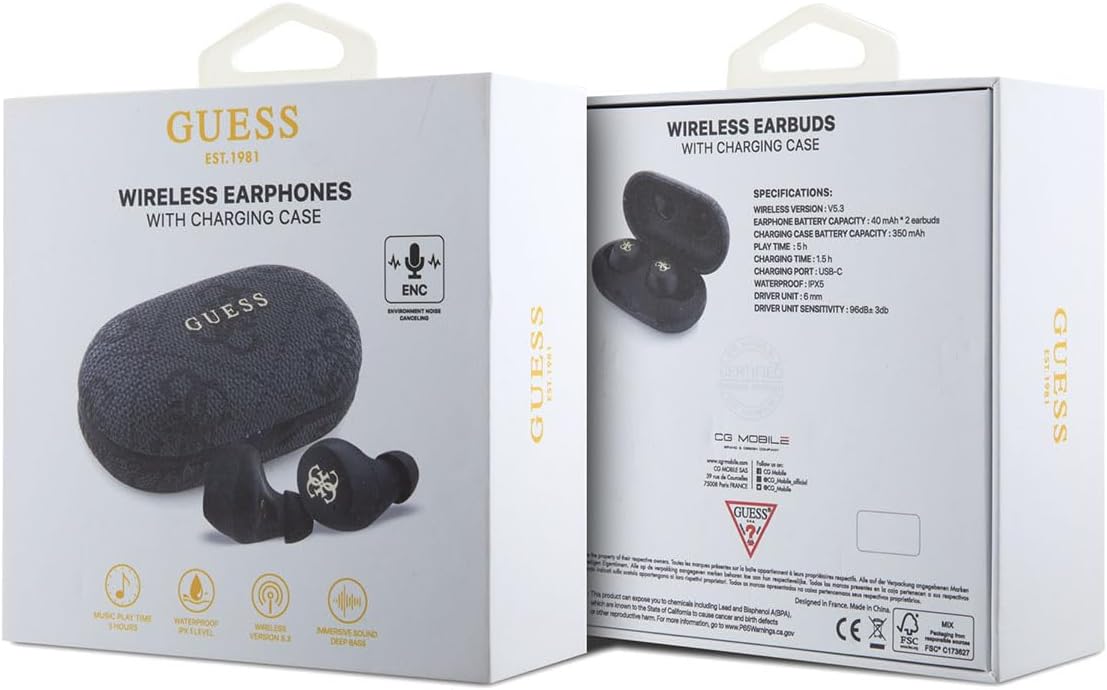
Image 2.1: The product packaging, showing the earbuds and charging case, along with specifications.
3. Product Overview
The CG MOBILE Guess TWS ENC 4G Earbuds are designed for wireless audio playback and hands-free communication. They feature Environmental Noise Cancellation (ENC) for clear calls and an IPX5 water resistance rating, making them suitable for various activities.
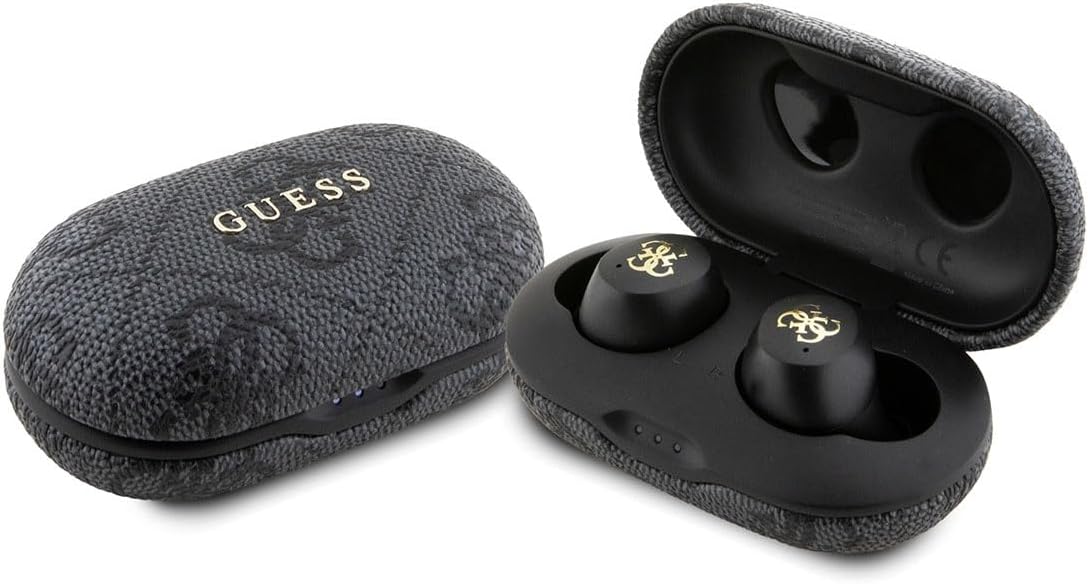
Image 3.1: The CG MOBILE Guess TWS ENC 4G Earbuds shown with their charging case, both closed and open.
3.1 Earbud Components
- Touch Control Area: For playback, call management, and voice assistant activation.
- Microphone: For calls and ENC functionality.
- Charging Contacts: Located on the stem of each earbud.
- Ear Tips: Provide a secure and comfortable fit.
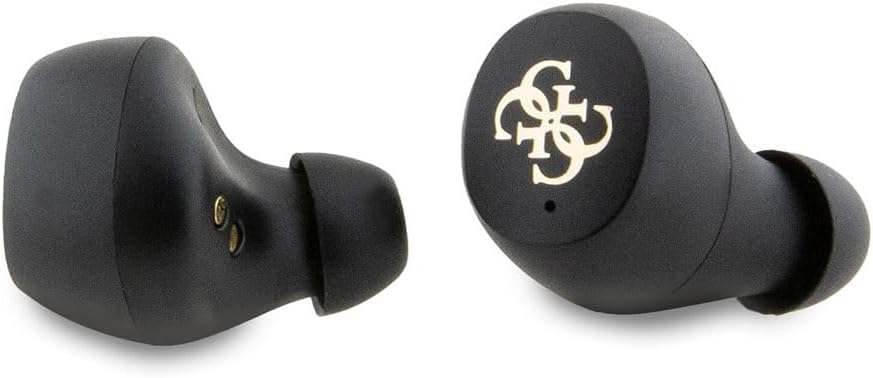
Image 3.2: A detailed view of the left and right earbuds, highlighting their design and ear tips.
3.2 Charging Case Components
- Earbud Slots: Securely hold and charge the earbuds.
- LED Indicators: Display charging status and battery level.
- USB-C Charging Port: For charging the case.

Image 3.3: The open charging case, revealing the earbud slots and internal components, including model information.

Image 3.4: The closed charging case, displaying the USB-C charging port at the bottom.
4. Setup
4.1 Initial Charging
Before first use, fully charge the earbuds and the charging case. Connect the provided USB-C cable to the charging port on the case and to a USB power source. The LED indicators on the case will show the charging status. A full charge typically takes approximately 2 hours.
4.2 Pairing with a Device
- Ensure the earbuds are charged.
- Open the charging case. The earbuds will automatically enter pairing mode, indicated by flashing LED lights on the earbuds.
- On your device (smartphone, tablet, laptop), enable Bluetooth.
- Search for available Bluetooth devices and select "GUESS TWS" (or similar name) from the list.
- Once connected, the earbud LEDs will stop flashing, indicating successful pairing.
Note: The earbuds will automatically reconnect to the last paired device when removed from the case, if Bluetooth is enabled on the device.
5. Operating Instructions
5.1 Power On/Off
- Power On: Open the charging case, or remove the earbuds from the case. They will power on automatically.
- Power Off: Place the earbuds back into the charging case and close the lid. They will power off automatically.
5.2 Music Playback
Use the touch control area on either earbud for the following functions:
- Play/Pause: Single tap.
- Next Track: Double tap the right earbud.
- Previous Track: Double tap the left earbud.
5.3 Call Management
Use the touch control area on either earbud for the following functions during a call:
- Answer/End Call: Single tap.
- Reject Call: Press and hold for 2 seconds.
5.4 Voice Assistant
Triple tap either earbud to activate your device's voice assistant (e.g., Siri, Google Assistant).
6. Charging
6.1 Charging the Earbuds
Place the earbuds into the charging case. Ensure they are correctly seated, and the charging contacts align. The earbuds will begin charging automatically. The case's LED indicators will show the charging status of the earbuds.
6.2 Charging the Case
Connect the USB-C charging cable to the port on the charging case and to a compatible USB power adapter (not included). The LED indicators on the case will illuminate to show the charging progress. Once fully charged, all LEDs will remain solid or turn off, depending on the model's specific indicator behavior.
A fully charged case provides multiple charges for the earbuds, extending the total listening time up to 30 hours.
7. Environmental Noise Cancellation (ENC)
The earbuds feature Environmental Noise Cancellation (ENC) technology. This function primarily focuses on reducing ambient noise during phone calls, ensuring clearer voice transmission for the person on the other end. It helps to isolate your voice from surrounding sounds in noisy environments.
8. Water Resistance (IPX5)
Your earbuds are rated IPX5 for water resistance. This means they are protected against low-pressure water jets from any direction. They are resistant to sweat and light rain, making them suitable for workouts and outdoor activities. However, they are not designed for submersion in water or exposure to high-pressure water jets. Do not use them while swimming or showering.
9. Maintenance
- Cleaning: Regularly clean the earbuds and charging case with a soft, dry, lint-free cloth. Do not use harsh chemicals or abrasive materials.
- Charging Contacts: Ensure the charging contacts on both the earbuds and the case are clean and free of debris to maintain proper charging.
- Storage: When not in use, store the earbuds in their charging case to protect them and keep them charged. Store in a cool, dry place away from extreme temperatures.
- Avoid Impact: Protect the earbuds and case from drops and impacts, which can cause internal damage.
10. Troubleshooting
| Problem | Possible Cause | Solution |
|---|---|---|
| Earbuds not pairing | Low battery; Bluetooth off; earbuds not in pairing mode; interference. | Charge earbuds and case. Ensure Bluetooth is enabled on your device. Place earbuds in case, close, then open to re-enter pairing mode. Move closer to your device. |
| No sound | Volume too low; not connected; media paused. | Increase volume on device and earbuds. Reconnect earbuds. Check if media is playing. |
| Charging issue | Dirty contacts; faulty cable/adapter; case battery empty. | Clean charging contacts. Try a different USB-C cable and power adapter. Charge the case. |
| Poor call quality | Weak signal; microphone obstructed; excessive background noise. | Move closer to your device. Ensure microphone is clear. ENC helps with background noise, but extreme noise may still affect quality. |
11. Specifications
| Feature | Detail |
|---|---|
| Model Number | GUTWSP4EGK |
| Wireless Technology | Bluetooth 5.3 |
| Earbud Battery Capacity | 40 mAh x 2 |
| Charging Case Battery Capacity | 300 mAh |
| Music Playback Time | Up to 30 hours (with charging case) |
| Charging Time | Approximately 2 hours |
| Water Resistance Rating | IPX5 |
| Frequency Response | 20Hz - 20kHz |
| Impedance | 16Ω ± 15% |
| Sensitivity | 96dB ± 3dB |
| Charging Port | USB-C |
| Special Features | Environmental Noise Cancellation (ENC) |
| Weight | 80 Grams |
12. Warranty and Support
For warranty information and customer support, please refer to the documentation provided with your purchase or visit the official CG MOBILE website. Keep your proof of purchase for warranty claims.
For technical assistance or inquiries not covered in this manual, please contact CG MOBILE customer service.


