
Introduction
This manual provides comprehensive instructions for the aigo Open Ear Earbuds, designed for comfort and high-quality audio. Please read this manual carefully before using the product to ensure proper operation and longevity.
What's in the Box
- Earbuds (Left and Right)
- Charging Case
- USB-C Charging Cable
- User Manual (this document)

Image: The aigo Open Ear Earbuds in their charging case.
Setup
1. Charging the Earbuds and Case
Before first use, fully charge the earbuds and the charging case. The charging case has a 500mAh capacity and supports wireless charging. A full charge takes approximately 1.5 hours.
- Place the earbuds into the charging case. Ensure they are correctly seated.
- Connect the charging case to a power source using a USB-C cable.
- The indicator light on the case will show charging status.

Image: The earbuds inside the charging case, indicating charging status.
2. Pairing with Your Device
The earbuds utilize Bluetooth 5.0 technology for a stable and fast connection. They feature one-step auto pairing.
- Open the charging case. The earbuds will automatically enter pairing mode.
- On your device (smartphone, tablet, computer), enable Bluetooth.
- Search for "aigo SA03" in the list of available Bluetooth devices and select it to connect.
- Once connected, you will hear an audio prompt, and the indicator light on the earbuds will change.

Image: A smartphone screen showing the "aigo SA03" earbuds connected via Bluetooth.
Video: Demonstration of the aigo earbuds' wireless Bluetooth connection and new design.
3. Wearing the Earbuds
The earbuds are ergonomically designed as open-ear clip-on headphones for comfortable fit and stability, especially during physical activity.
- Gently clip each earbud onto your ear, ensuring the speaker is positioned towards your ear canal.
- Adjust the earbud's position for a secure yet comfortable fit. The flexible design allows for adaptation to various ear shapes.

Image: A person wearing the aigo open-ear earbuds, highlighting their ergonomic design and comfortable fit.
Video: A demonstration of how to wear the aigo open-ear earbuds, emphasizing their comfortable clip-on design.
Operating Instructions
Touch Controls
The aigo earbuds feature smart touch controls for easy management of calls and music playback.
| Action | Function |
|---|---|
| Once Tap | Answer/End Call, Play/Pause Music |
| Double Tap | Reject Call, Next Track, Previous Track |
| Three Tap | Activate Voice Assistance |

Image: Visual guide to the smart touch controls on the aigo earbuds.
Audio Features
Experience clear and immersive sound with the aigo earbuds.
- Hi-Fi Stereo Sound: Equipped with 11mm dynamic drivers for superior audio quality.
- Built-in Microphone: Provides clear sound quality for calls and voice assistant interactions.

Image: Diagram illustrating the 11mm dynamic driver inside the aigo earbud for superior sound.
Key Features
- Comfortable Wearing Method: Ergonomically designed open-ear clip-on style to prevent ear pain from prolonged use. Adjust for optimal fit.
- Fast Connection: Utilizes Bluetooth 5.0 technology for a stable and quick pairing experience.
- Built-in Microphone: Ensures clear sound quality for both phone calls and voice assistant commands.
- Designed for Sports: IPX4 water-resistant and lightweight (0.16 ounces per earbud) design ensures stability during intense workouts and prevents falling off.
- Wireless Charging and Long Battery Life: Comes with a 500mAh charging case providing up to 15 charges, totaling up to 60 hours of headset use. Earbuds offer 6 hours of listening time on a single charge.
- Compatible with Multiple Devices: Seamlessly connects with iPhone, Android devices, and computers.
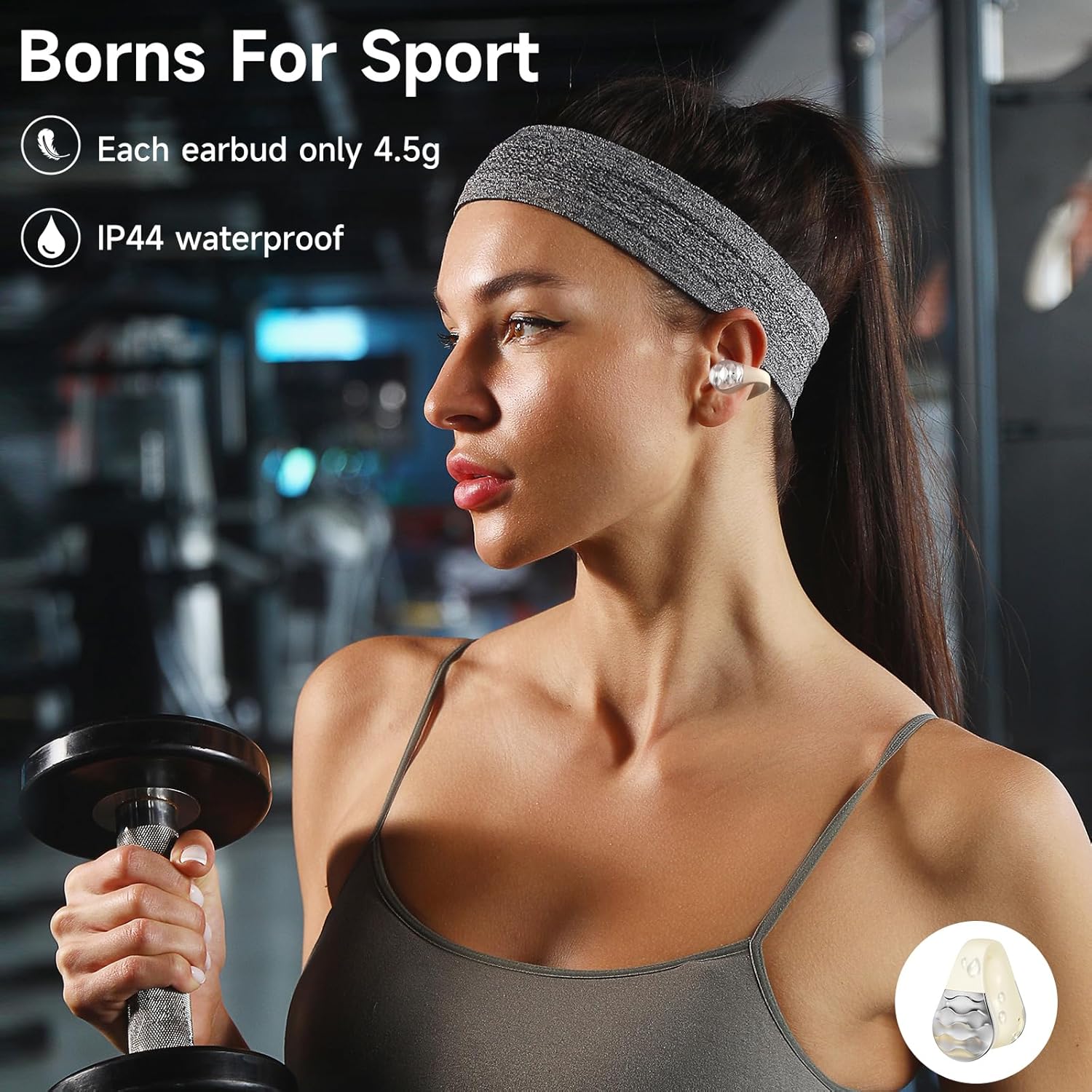
Image: A person exercising while wearing the aigo earbuds, highlighting their suitability for sports and IPX4 water resistance.
Video: Overview of aigo wireless headphones, highlighting open-ear clip design and suitability for various activities.
Maintenance
Proper maintenance ensures the longevity and optimal performance of your earbuds.
- Cleaning: Use a soft, dry cloth to clean the earbuds and charging case regularly. Avoid using abrasive materials or harsh chemicals.
- Water Resistance: The earbuds are IPX4 water resistant, meaning they are protected from splashing water from any direction. Do not submerge them in water or expose them to heavy rain. Dry thoroughly if they get wet.
- Storage: Store the earbuds in their charging case when not in use to protect them from dust and damage. Keep them in a cool, dry place away from extreme temperatures.
Troubleshooting
If you encounter any issues, please refer to the following common solutions:
- Earbuds not pairing:
- Ensure both earbuds are fully charged.
- Turn off and on your device's Bluetooth.
- Forget "aigo SA03" from your device's Bluetooth list and try pairing again.
- Place earbuds back in the case, close the lid, wait a few seconds, then open to re-initiate pairing mode.
- No sound or low volume:
- Check the volume level on both your device and the earbuds.
- Ensure earbuds are properly seated on your ears.
- Reconnect the earbuds to your device.
- Charging issues:
- Ensure the charging cable is securely connected to both the case and the power source.
- Try a different USB-C cable or power adapter.
- Clean the charging contacts on the earbuds and inside the case with a dry cotton swab.
Specifications
| Feature | Detail |
|---|---|
| Brand | aigo |
| Model Name | SA03 Off White |
| Connectivity Technology | Wireless (Bluetooth 5.0) |
| Ear Placement | Open Ear |
| Form Factor | On Ear |
| Control Type | Media Control, Music, Volume Control, Call Control, Voice Control, Touch Control |
| Battery Life (Earbuds) | 6 Hours |
| Carrying Case Battery Life | 60 Hours (with 500mAh capacity) |
| Charging Time | 1.5 Hours |
| Water Resistance Level | IPX4 Water Resistant |
| Item Weight | 0.16 Ounces (per earbud) |
| Audio Driver Size | 11 Millimeters |
| Material | Acrylonitrile Butadiene Styrene (ABS) |
Warranty and Support
For warranty information or technical support, please refer to the product packaging or contact aigo customer service directly. Keep your purchase receipt for warranty claims.