Introduction
The DELTACO GAMING DK460 is a compact and high-performance mechanical gaming keyboard designed for an optimal gaming experience. Featuring a 65% layout, transparent casing, and customizable RGB lighting, it combines aesthetic appeal with robust functionality. This manual provides detailed instructions for setting up, operating, maintaining, and troubleshooting your DK460 keyboard.
Key features include N-Key Rollover for precise input, hot-swappable Content KTT switches for personalization, a convenient rotary knob for volume control, and comprehensive software for advanced customization of lighting and macros.
Package Contents
- DELTACO GAMING DK460 Mechanical Gaming Keyboard
- USB-C to USB-A Cable (1.8m, braided)
- Keycap and Switch Puller Tool
- User Manual (this document)
Setup Guide
- Unpack the Keyboard: Carefully remove the keyboard and all accessories from the packaging.
- Connect the Cable: Insert the USB-C end of the included braided cable into the USB-C port on the keyboard. Connect the USB-A end of the cable to an available USB port on your computer.

Figure 1: Connecting the USB-C cable to the keyboard.
- Automatic Driver Installation: Your operating system (Windows, macOS, Linux) should automatically detect and install the necessary drivers. This is typically a plug-and-play process.
- Install Software (Optional but Recommended): For full customization of RGB lighting, macros, and profiles, download and install the DELTACO GAMING software from the official DELTACO GAMING website. Refer to the website for the latest software version and installation instructions.
Operating Instructions
Basic Keyboard Functions
The DK460 features a 65% layout, providing essential keys while maintaining a compact form factor. Standard alphanumeric keys, special arrow keys, and function keys are available.
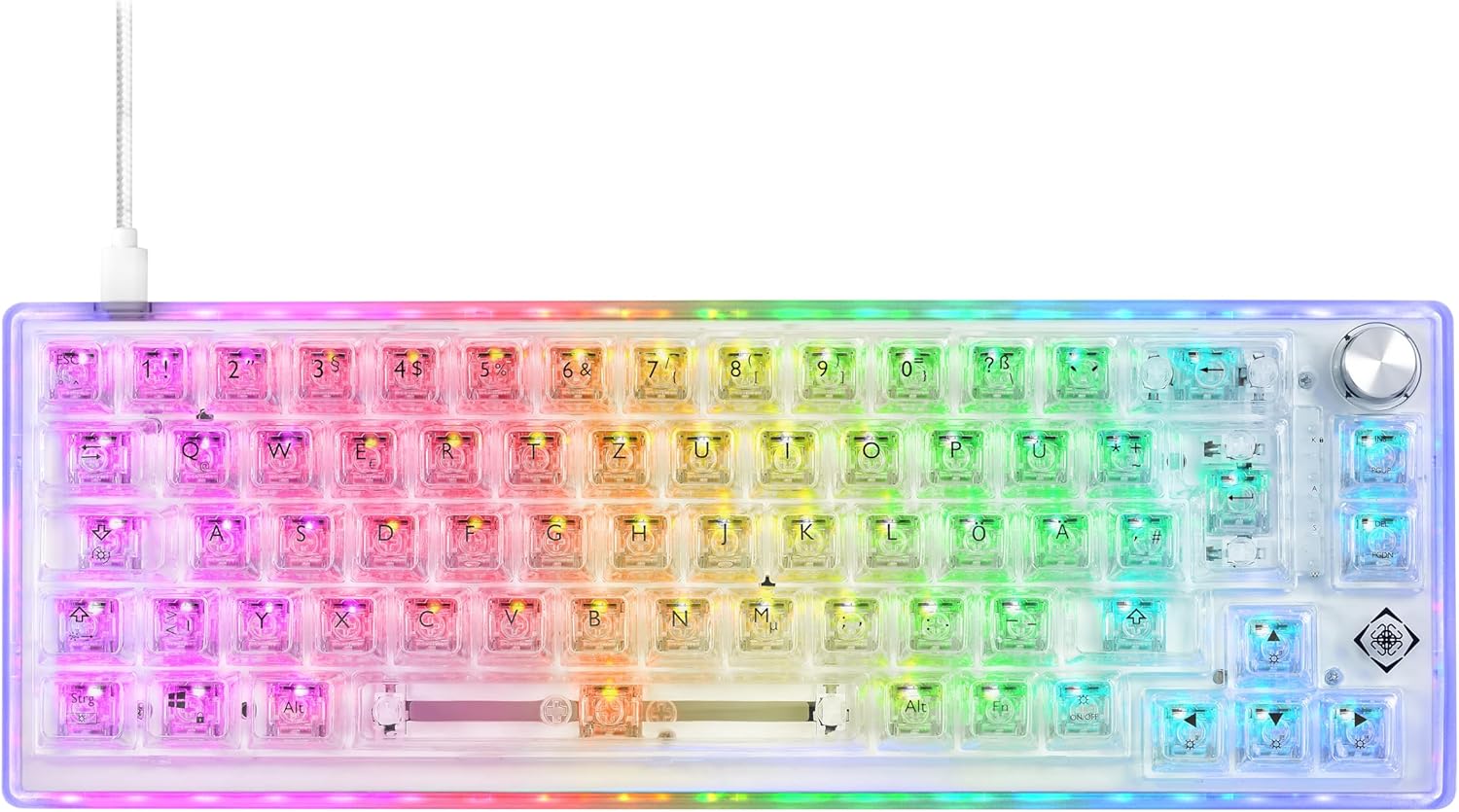
Figure 2: Top view of the DK460 keyboard with RGB lighting.
RGB Lighting Control
The keyboard features extensive RGB lighting with independent control for keys and side lighting. You can cycle through various preset lighting effects directly on the keyboard using key combinations, or customize them extensively via the software.
- On-board Controls: Specific key combinations (often involving the Fn key) allow you to change lighting modes, brightness, and speed. Refer to the quick guide or software manual for exact key combinations.
- Software Customization: The DELTACO GAMING software provides granular control over RGB lighting. You can:
- Select from a wide range of effects (e.g., static, wave, reactive).
- Adjust colors, brightness, and animation speed.
- Set individual key lighting.
- Synchronize lighting with other DELTACO GAMING peripherals.

Figure 3: DK460 keyboard with full RGB illumination.
N-Key Rollover (NKRO)
The DK460 supports N-Key Rollover, meaning every key press is registered independently, regardless of how many keys are pressed simultaneously. This prevents "ghosting" or missed key presses, which is crucial for fast-paced gaming.
Rotary Knob Functionality
The integrated rotary knob provides quick and convenient control over media functions. By default, it controls volume.
- Rotate: Turn the knob clockwise to increase volume, counter-clockwise to decrease volume.
- Press: Press the knob to mute/unmute audio.
Hot-Swappable Switches
The DK460 features hot-swappable sockets, allowing you to easily change the Content KTT switches without soldering. This enables personalization of your typing and gaming experience.
- Removing a Switch: Use the included switch puller tool. Align the prongs of the puller with the two clips on the top and bottom of the switch. Squeeze the puller gently and pull the switch straight up.
- Installing a Switch: Align the two metal pins on the bottom of the new switch with the holes on the keyboard's PCB. Gently push the switch straight down until it clicks into place. Ensure the pins are not bent.

Figure 4: Using the switch puller tool to remove a switch.
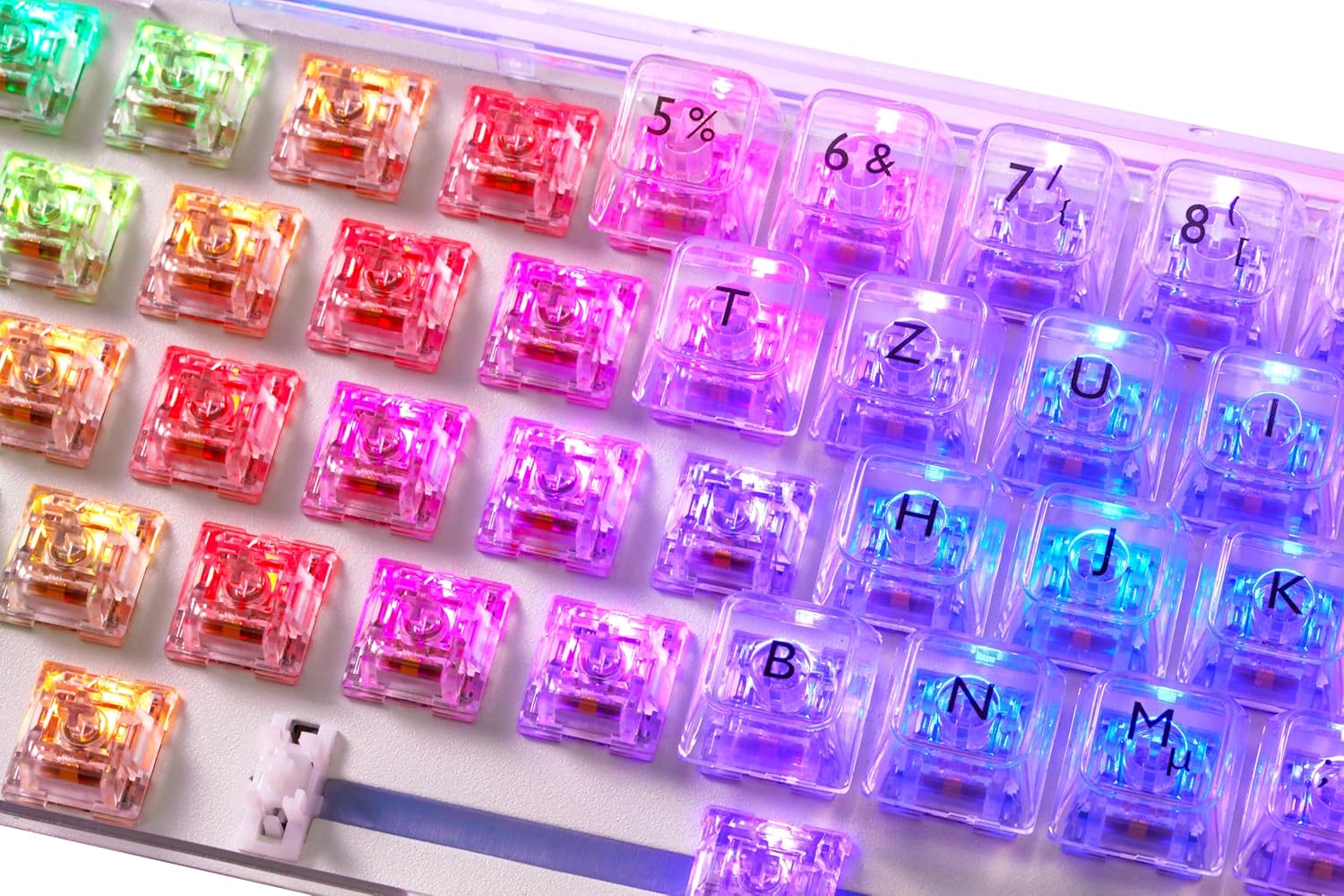
Figure 5: Exposed hot-swappable switches with RGB lighting.
Software Customization (Macros & Profiles)
The DELTACO GAMING software allows you to create and manage macros, reassign keys, and save multiple profiles.
- Macro Creation: Record complex sequences of key presses and mouse clicks, then assign them to any key.
- Key Reassignment: Change the function of any key to suit your preferences.
- Profile Management: Create and save different profiles for various games or applications, allowing you to quickly switch between custom settings.
Maintenance
Cleaning the Keyboard
To ensure longevity and optimal performance, regular cleaning is recommended.
- General Cleaning: Use a soft, lint-free cloth slightly dampened with water or a mild cleaning solution to wipe down the keycaps and casing. Avoid excessive moisture.
- Dust Removal: Use compressed air to blow away dust and debris from between the keycaps.
- Deep Cleaning (Keycaps): For thorough cleaning, you can remove the keycaps using the included keycap puller tool. Wash the keycaps with mild soap and water, rinse thoroughly, and ensure they are completely dry before reattaching.

Figure 6: Keyboard with keycaps removed for cleaning or switch replacement.
Troubleshooting
| Problem | Possible Cause | Solution |
|---|---|---|
| Keyboard not responding | Loose cable connection, incorrect USB port, driver issue. | Ensure USB-C cable is securely connected to both keyboard and computer. Try a different USB port. Restart your computer. Check Device Manager for driver issues. |
| RGB lighting not working or incorrect | Lighting mode off, software conflict, power issue. | Try cycling through on-board lighting modes. Ensure DELTACO GAMING software is running and configured correctly. Reinstall software if necessary. |
| Specific keys not working | Dust/debris under keycap, faulty switch, software remapping. | Remove keycap and clean around the switch. If hot-swappable, try replacing the switch with a known working one. Check software for any unintended key reassignments. |
| Rotary knob not functioning | Software conflict, physical obstruction. | Ensure no software is overriding the knob's function. Check for any physical debris around the knob. |
Specifications
| Feature | Detail |
|---|---|
| Model Name | DK460 |
| Model Number | GAM-160-T-DE |
| Layout | 65% (67 keys + rotary knob), QWERTZ (German) |
| Switches | Content KTT (Hot-Swappable) |
| Connectivity | Wired USB-C (Detachable 1.8m braided cable) |
| Polling Rate | 1000 Hz |
| Key Rollover | N-Key Rollover (NKRO) |
| Lighting | Full RGB (per-key and side lighting, software adjustable) |
| Dimensions (L x W x H) | 330 x 118 x 42 mm (13 x 4.65 x 1.65 inches) |
| Weight | Approx. 800 g (1.76 lbs) |
| Key Lifetime | 50 million presses |
| Compatibility | PC, Laptop |
Warranty and Support
For warranty information, technical support, or further assistance, please visit the official DELTACO GAMING website or contact their customer support directly. Keep your proof of purchase for warranty claims.
Official Website: www.deltacogaming.com (Please check the product packaging or official brand channels for the most accurate support contact information.)


