
Introduction
The LG OLED B4 Series Smart TV offers a premium viewing experience with cutting-edge technology. This manual will guide you through the setup, operation, and maintenance of your new television, ensuring you can fully utilize its advanced features for entertainment, gaming, and smart home integration.

Figure 1: Front view of the LG 65-Inch Class OLED B4 Series Smart TV.
Setup
1.1 Unboxing and Package Contents
Carefully remove all components from the packaging. Ensure all items listed below are present:
- LG 65-Inch Class OLED B4 Series Smart TV
- Magic Remote MR24
- 2 x AA Batteries for Remote Control
- Power Cable (attached)
- Quick Start Guide
- E-Manual (accessible via TV)
- Stand components

Figure 2: Product dimensions and included accessories.
1.2 Physical Installation
Your LG OLED B4 TV can be installed on its included stand or wall-mounted (mounting hardware sold separately). The TV features a sleek, slender design with minimal bezels.
- Stand Installation: Attach the two-part stand to the bottom of the TV following the instructions in the Quick Start Guide. Ensure the stand is securely fastened for stability.
- Wall Mounting: For wall mounting, consult a professional installer. The TV's thin profile allows for a flush mount against the wall.

Figure 3: The LG OLED TV mounted on a wall, showcasing its slim design.

Figure 4: The LG OLED TV with its included stand.
1.3 Initial Power On & Connectivity
Connect the power cable to the TV and a power outlet. Upon first power-on, the TV will guide you through the initial setup process, including network connection (Wi-Fi or Ethernet) and basic settings. The TV is equipped with multiple ports for various devices:
- HDMI 2.1 Inputs (x4): For connecting gaming consoles, Blu-ray players, and other high-definition devices.
- USB Inputs (x2): For connecting USB storage devices.
- Ethernet (LAN) Port: For wired network connection.
- Optical Digital Audio Out: For connecting external audio systems.
- Antenna/Cable Input: For connecting an antenna or cable TV.

Figure 5: Rear view of the LG OLED TV showing various input ports.

Figure 6: Detailed view of the HDMI, USB, and LAN ports on the rear of the TV.

Figure 7: Side view of the LG OLED TV showing additional input ports for easy access.
Operating the TV
2.1 Magic Remote Features
The included Magic Remote provides intuitive control over your TV. It features a motion-sensing pointer, a scroll wheel, and dedicated buttons for popular streaming services and voice commands (Alexa Built-in).

Figure 8: The LG Magic Remote with its various buttons and scroll wheel.
2.2 Picture Quality & Processing
The LG OLED B4 utilizes self-lit pixels to deliver exceptional picture quality. Each of the over 8 million pixels can turn on and off independently, resulting in perfect black levels, infinite contrast, and 100% Color Volume and Fidelity.

Figure 9: Comparison highlighting the advantages of OLED technology over QLED.
The α8 AI Processor 4K enhances picture and sound quality by identifying content type and automatically optimizing settings. It features AI Picture Pro for fine-tuning visuals and Multi View for splitting your screen into two unique views.

Figure 10: Diagram illustrating the α8 AI Processor 4K and its capabilities.
Experience cinematic quality with Dolby Vision for extraordinary color, contrast, and brightness. FILMMAKER MODE ensures content is displayed as the director intended, preserving original aspect ratios, colors, and frame rates.

Figure 11: Logos for Dolby Vision, Dolby Atmos, and FILMMAKER MODE, indicating supported features.
2.3 Audio Features
The TV supports Dolby Atmos for immersive, multi-dimensional sound. For an expanded soundstage, LG's WOW Orchestra feature allows the TV's speakers to work in conjunction with a compatible LG Soundbar.

Figure 12: Illustration of LG WOW Orchestra, combining TV and soundbar audio for enhanced sound.
2.4 Smart Features & Content
Powered by webOS 24, your LG TV provides easy access to all your favorite streaming apps. LG Channels offers over 300 free channels covering sports, fitness, cooking, and more.
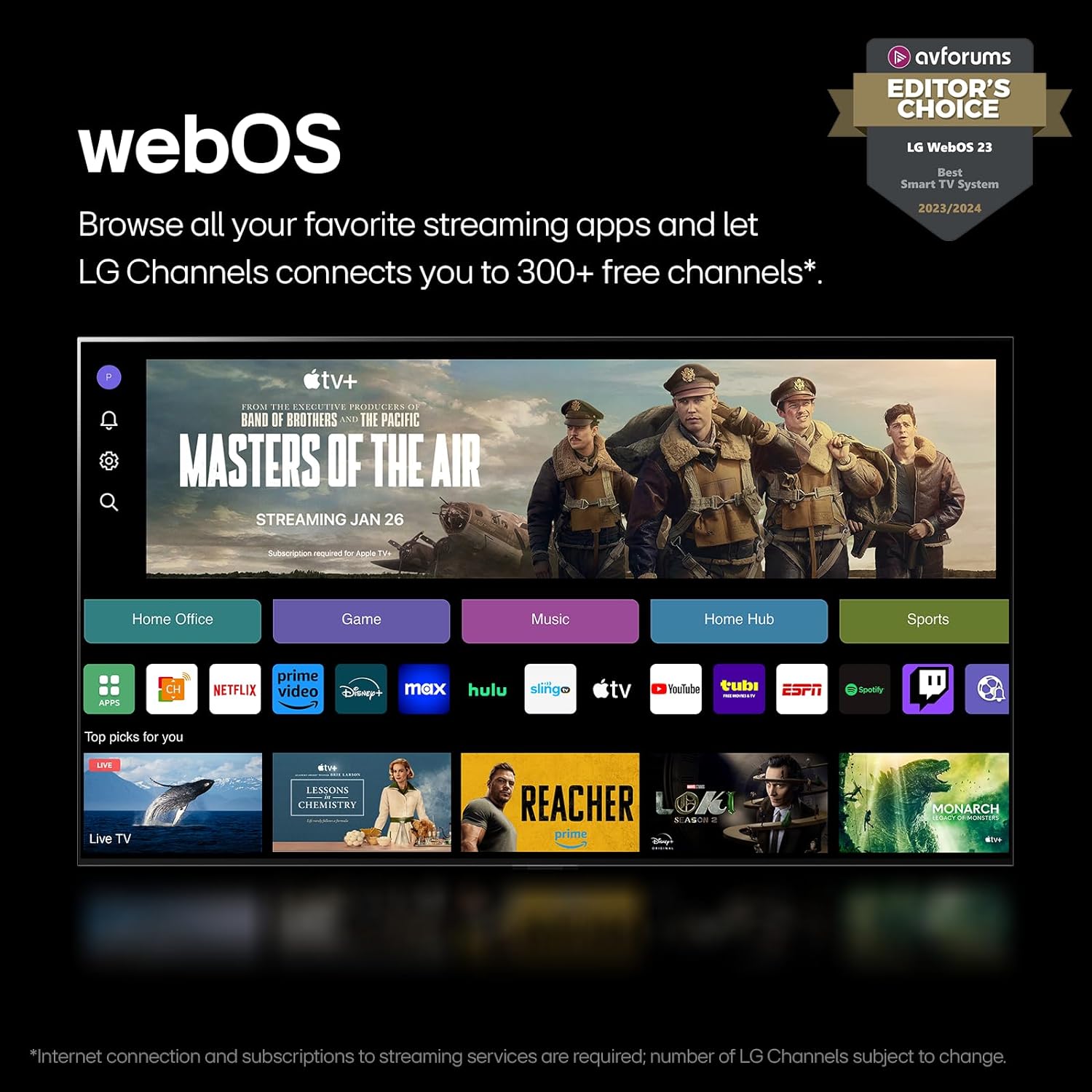
Figure 13: The LG webOS 24 home screen displaying various streaming applications.
2.5 Gaming Experience
The LG OLED B4 is designed for gamers, offering a crisp, smooth experience with a 0.1ms response time and a native 120Hz refresh rate. It supports NVIDIA G-Sync, AMD FreeSync Premium, and VRR (Variable Refresh Rate) to minimize tearing and stuttering. Four HDMI 2.1 inputs allow for connecting multiple gaming devices. The LG Game Dashboard and Game Optimizer provide centralized control over gaming settings.
Video 1: An official LG Electronics video explaining the benefits of LG OLED technology, including its advantages for gaming.
Maintenance
3.1 Pixel Care
LG OLED TVs feature a pixel cleaning process that runs automatically when the TV is turned off after a certain period of use. This helps maintain picture quality and prevent image retention. The webOS Re:New Program ensures your TV receives software updates and feature refreshes for up to 5 years, which can include optimizations for pixel management.

Figure 14: The webOS Re:New Program logo, indicating long-term software support.
3.2 General Cleaning
To clean the screen, gently wipe it with a soft, dry microfiber cloth. Avoid using harsh chemicals or abrasive materials that could scratch the screen. For the TV body, a damp cloth can be used, followed by a dry cloth. Be cautious of the screen's surface, as it can be susceptible to scratches from sharp objects.
Troubleshooting
4.1 Common Issues and Solutions
- Screen Glare/Reflections: OLED screens can be reflective. Position the TV away from direct light sources (windows, lamps) or use curtains/blinds to minimize glare.
- Remote/Interface Navigation: Some users may find the Magic Remote's D-pad and wheel navigation takes getting used to. Practice using both the motion pointer and traditional D-pad for optimal control. If the voice command button is accidentally pressed, simply press the back button to return to your content.
- WebOS Initial Setup: During initial setup, webOS may present various content options and subscription services. You can configure the TV to boot directly into a preferred input device if you wish to bypass the webOS home screen upon startup.
Specifications
| Feature | Specification |
|---|---|
| Brand | LG |
| Model Number | OLED65B4PUA |
| Screen Size | 65 Inches |
| Display Technology | OLED |
| Resolution | 4K |
| Refresh Rate | 120Hz (Native), up to 144Hz VRR |
| Processor | α8 AI Processor 4K |
| Smart TV Platform | webOS 24 |
| Voice Assistant | Alexa Built-in |
| Connectivity | Bluetooth, Wi-Fi, USB, Ethernet, HDMI (4x HDMI 2.1) |
| Speaker Type | 2.0 Channel |
| Item Weight | 38.14 Pounds |
| Product Dimensions (with stand) | 9.3"D x 57.05"W x 35.28"H |
| On-mode Power Consumption | 125.7 watts |
| Annual Energy Consumption | 232 Kilowatt Hours Per Year |
Warranty and Support
Your LG OLED B4 Series Smart TV comes with a manufacturer's warranty. For specific warranty details, please refer to the documentation included with your product or visit the official LG support website. Extended protection plans are available for purchase, offering additional coverage for 3 or 4 years, or a monthly Complete Protect plan.
For customer support, technical assistance, or service inquiries, please contact LG Customer Support. Information can typically be found on the LG website or through the 'User Guide' section on your TV's webOS interface.