
Introduction
This manual provides essential information for the safe and efficient operation of your Faber Instacook20_S 20L Standalone Microwave Oven. Please read these instructions thoroughly before using the appliance and retain them for future reference.
Important Safety Instructions
To reduce the risk of fire, electric shock, injury to persons, or exposure to excessive microwave energy when using your appliance, follow basic precautions, including the following:
- Read all instructions before using the appliance.
- Do not attempt to operate this oven with the door open as this can result in harmful exposure to microwave energy.
- Do not place any object between the oven front face and the door or allow soil or cleaner residue to accumulate on sealing surfaces.
- Do not operate the oven if it is damaged. It is particularly important that the oven door closes properly and that there is no damage to the: (1) door (bent), (2) hinges and latches (broken or loosened), (3) door seals and sealing surfaces.
- The oven should not be adjusted or repaired by anyone except properly qualified service personnel.
- Always ensure the glass turntable and roller ring are correctly positioned before operation.
- Do not heat liquids or other foods in sealed containers as they are liable to explode.
- This appliance is not intended for use by persons (including children) with reduced physical, sensory or mental capabilities, or lack of experience and knowledge, unless they have been given supervision or instruction concerning use of the appliance by a person responsible for their safety.
- Children should be supervised to ensure that they do not play with the appliance.
Product Overview
The Faber Instacook20_S is a 20-liter standalone microwave oven designed for reheating, defrosting, and cooking various food items. It features a user-friendly knob control system for power and timer settings.

Figure 1: Front view of the Faber Instacook20_S 20L Standalone Microwave Oven, showing the door, control panel with two rotary knobs, and a sleek black and silver finish.
Components
- Oven Cavity: Interior space for food.
- Glass Turntable: Rotates food for even cooking.
- Roller Ring: Supports the glass turntable.
- Control Panel: Features power level and timer/defrost knobs.
- Oven Door: With a cool-touch handle.

Figure 2: The Faber Instacook20_S microwave oven with its compact dimensions highlighted: 440mm width, 358mm height, and 258mm depth, illustrating its 20L capacity.
Setup and Installation
- Unpacking: Carefully remove the microwave oven and all packing materials. Check for any damage. Do not operate if damaged.
- Placement: Place the oven on a flat, stable surface strong enough to hold its weight. Ensure adequate ventilation by leaving at least 10 cm (4 inches) of space at the back, 20 cm (8 inches) at the top, and 5 cm (2 inches) on the sides.
- Power Connection: Plug the oven into a properly grounded electrical outlet. Ensure the voltage matches the rating label on the oven.
- Turntable Assembly:
- Place the roller ring in the center of the oven cavity floor.
- Place the glass turntable on top of the roller ring, ensuring it sits securely in the center support.
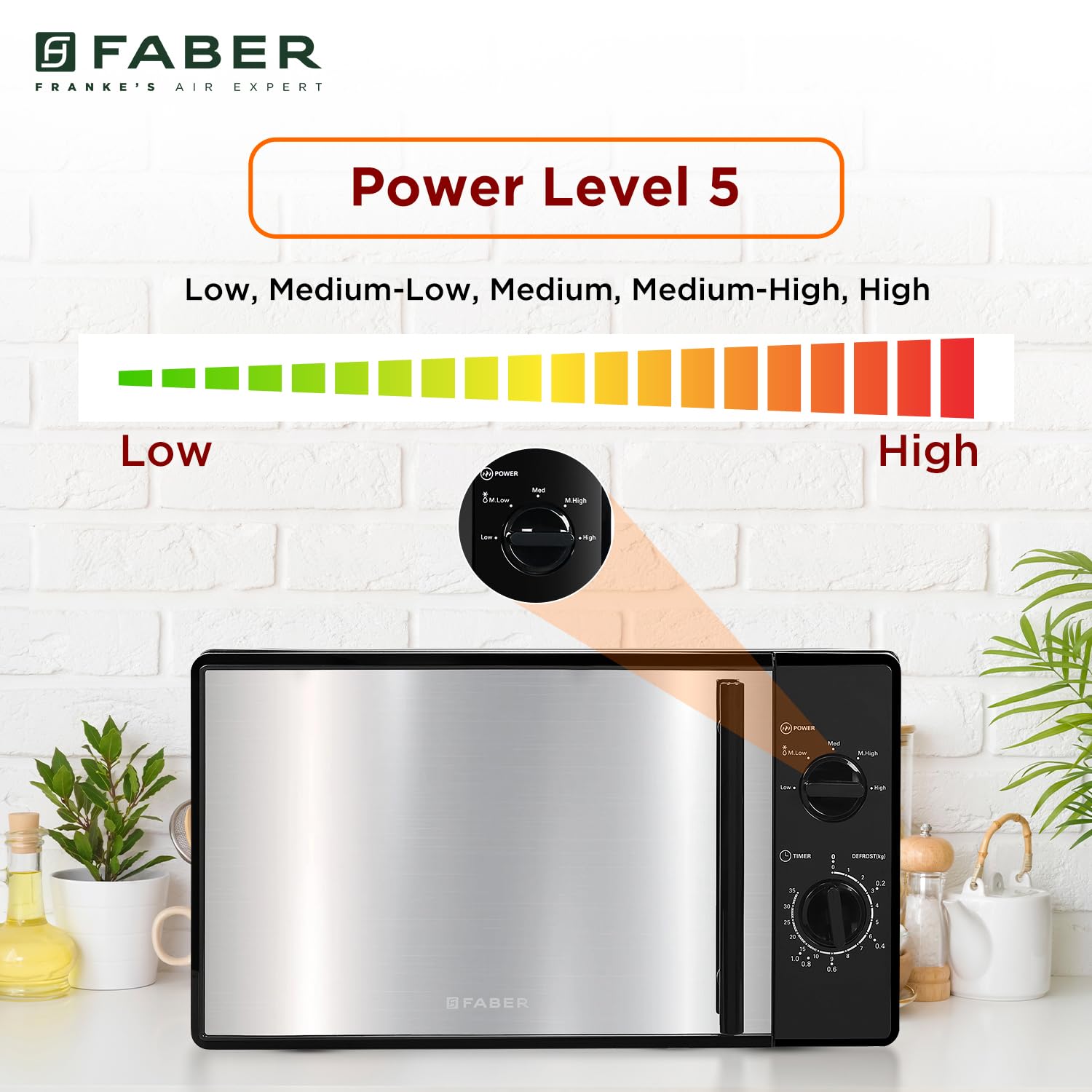
Figure 3: The Faber Instacook20_S microwave oven, highlighting its 700W power capability for efficient cooking.
Operating Instructions
Control Panel Overview

Figure 4: A close-up of the microwave's control panel, featuring two rotary knobs for power level selection and timer/defrost settings, designed for easy and intuitive operation.
- Power Level Knob: Used to select the desired cooking power (Low, Medium-Low, Medium, Medium-High, High).
- Timer/Defrost Knob: Used to set cooking time or defrost weight/time.
Basic Microwave Cooking
- Place food in a microwave-safe container on the glass turntable.
- Close the oven door securely.
- Turn the Power Level Knob to select the desired power setting (e.g., High for fast cooking). The oven offers 5 power levels: Low, Medium-Low, Medium, Medium-High, High.
- Turn the Timer/Defrost Knob to set the desired cooking time. The oven will start automatically once the timer is set.
- When the cooking time expires, the oven will emit an audible signal and turn off.

Figure 5: An illustration demonstrating the five available power levels (Low, Medium-Low, Medium, Medium-High, High) on the Faber Instacook20_S microwave oven, controlled by the power knob.
Defrosting
The oven offers two defrosting methods: Defrost by Weight and Defrost by Time.
Defrost by Weight
- Place the frozen food on the glass turntable.
- Turn the Power Level Knob to the "Defrost" setting.
- Turn the Timer/Defrost Knob to select the desired weight (e.g., 0.1 kg to 1.4 kg). The oven will automatically calculate the defrosting time.
- The oven will start defrosting. Turn the food over periodically for even defrosting.
Defrost by Time
- Place the frozen food on the glass turntable.
- Turn the Power Level Knob to the "Defrost" setting.
- Turn the Timer/Defrost Knob to select the desired defrosting time (e.g., 10 to 95 minutes).
- The oven will start defrosting. Turn the food over periodically for even defrosting.

Figure 6: The Faber Instacook20_S microwave oven illustrating its defrosting capabilities, supporting weights from 100g to 1400g and defrosting times from 10 to 95 minutes.
Auto Cook Menu
The Faber Instacook20_S features 6 auto cook menus for common food items. While the specific settings are typically indicated on the control panel or in a quick guide, the general procedure is:
- Place the food in the oven.
- Select the appropriate auto cook function using the timer knob, which often has markings for specific food types (e.g., Popcorn, Reheat).
- The oven will automatically set the power level and cooking time.

Figure 7: The Faber Instacook20_S microwave oven demonstrating its versatility for heating various dishes such as pasta, baked potatoes, popcorn, veggies, fish, and general reheating, indicating its auto-cook capabilities.
Child Safety Lock
This model includes a child safety lock feature. Consult the markings on the control panel or a quick reference guide for specific instructions on activating and deactivating this feature, as it typically involves a combination of knob turns or a specific position on the timer knob.
Care and Maintenance
- Cleaning the Oven Interior: Wipe the interior with a damp cloth after each use. For stubborn stains, use a mild detergent. Do not use abrasive cleaners or scouring pads.
- Cleaning the Oven Exterior: Wipe the exterior with a soft, damp cloth. Avoid getting water into the ventilation openings.
- Cleaning the Turntable and Roller Ring: These can be washed in warm soapy water or in a dishwasher. Ensure they are completely dry before placing them back in the oven.
- Odor Removal: To remove odors, combine a cup of water with the juice of one lemon in a microwave-safe bowl. Microwave on high for 5-7 minutes, then let it sit in the oven for a few minutes before wiping clean.
- Always unplug the oven before cleaning.
Troubleshooting
| Problem | Possible Cause | Solution |
|---|---|---|
| Oven does not start |
|
|
| Food not heating |
|
|
| Turntable not rotating |
|
|
| Sparking inside oven |
|
|
If the problem persists after trying these solutions, please contact customer support.
Specifications
| Brand | Faber |
| Model | 131.0685.004 (Instacook20_S) |
| Capacity | 20 Litres |
| Wattage | 700 Watts |
| Energy Consumption | 750 Watts |
| Installation Type | Freestanding |
| Special Features | Auto Cook, Timer, Turntable |
| Oven Cooking Mode | Microwave Radiation |
| Colour | Black |
| Defrost System | Defrost |
| Door Orientation | Left |
| Inner Material Type | Glass |
| Included Components | Roller Ring |
| Item Weight | 10 kg 700 g |
| Product Dimensions (LxWxH) | 35.8 x 44 x 25.8 Centimeters |
| Country of Origin | China |
Warranty and Support
Warranty Information
Your Faber Instacook20_S Microwave Oven comes with a 2-year warranty. Please refer to the warranty card included with your product for detailed terms and conditions. Keep your purchase receipt as proof of purchase for warranty claims.
Extended protection plans may be available. For example, a 2 Years Total Protection by Acko is offered.
Customer Support
For any queries, service requests, or technical assistance, please contact Faber customer support:
- Manufacturer: Franke Faber India Pvt. Ltd.
- Contact Number: 1800-209-3485
- Address: 1086/1/2, SANASWADI, TAL - SHIRUR, PUNE - 412208, MAHARASHTRA, INDIA
You can also visit the official Faber website for more information and support resources.