1. Introduction
This manual provides essential information for the setup, operation, maintenance, and troubleshooting of your LG 83-Inch Class OLED evo C4 Series Smart TV. This television features LG's signature OLED technology with self-lit pixels for incredible picture quality, enhanced brightness, and 100% Color Volume and Fidelity. It is powered by the α9 Gen7 AI Processor for optimized picture and sound, and includes advanced features like Dolby Vision, Dolby Atmos, and FILMMAKER MODE. For gamers, it offers a 0.1ms response time, up to 144Hz refresh rate, NVIDIA G-Sync, AMD FreeSync Premium, VRR, and four HDMI 2.1 inputs. The WebOS Re:New Program ensures software updates and feature refreshes for 5 years.
2. What's in the Box
Upon opening the packaging, verify that all components are present:
- LG 83-Inch Class OLED evo C4 Series Smart TV
- Magic Remote MR24
- Remote Control Batteries (AA x 2EA)
- Power Cable (attached)
- Quick Start Guide
- E-Manual (digital)

Image: Overview of TV dimensions and contents of the box, including the Magic Remote.
3. Setup
3.1 Unpacking
Carefully remove the television from its packaging. Due to the thin design of the OLED panel, handle the TV with extreme care to avoid bending or damage. It is recommended to have two people for safe handling, especially for larger models.
3.2 Assembly (Stand/Wall Mount)
The TV includes a stand for tabletop placement. If you intend to wall-mount the television, a compatible wall mount kit is not included and must be purchased separately. Refer to the Quick Start Guide for detailed instructions on attaching the stand.

Image: Side view of the LG OLED TV, illustrating its slim profile with the attached stand.
3.3 Connections
Connect your external devices to the TV using the available ports. The LG C4 Series features four HDMI 2.1 inputs, supporting high-bandwidth devices like gaming consoles and Blu-ray players. It also includes Ethernet for wired network connection, USB ports for media playback, and built-in Wi-Fi and Bluetooth for wireless connectivity.

Image: Detailed view of the TV's rear input panel, showing various connection options.
3.4 Initial Power On and Setup Wizard
After connecting the power cable, press the power button on the remote or TV. The TV will guide you through the initial setup wizard, including language selection, network connection (Wi-Fi or Ethernet), and agreeing to necessary terms and conditions for smart TV features. Ensure a stable internet connection for optimal performance of smart features and app downloads.
4. Operating Your TV
4.1 Magic Remote
The included Magic Remote offers intuitive control with its point-and-click functionality, scroll wheel, and voice command capabilities. Use the on-screen pointer for easy navigation through menus and apps, similar to a computer mouse. The voice control allows for quick searches and commands.

Image: The LG Magic Remote, designed for intuitive control of the smart TV.
4.2 WebOS Smart TV Platform
Your LG TV runs on the WebOS 24 smart platform, providing access to a wide range of streaming applications such as Netflix, Prime Video, Disney+, and more. LG Channels also offers over 300 free channels. The interface is designed for easy navigation and content discovery.
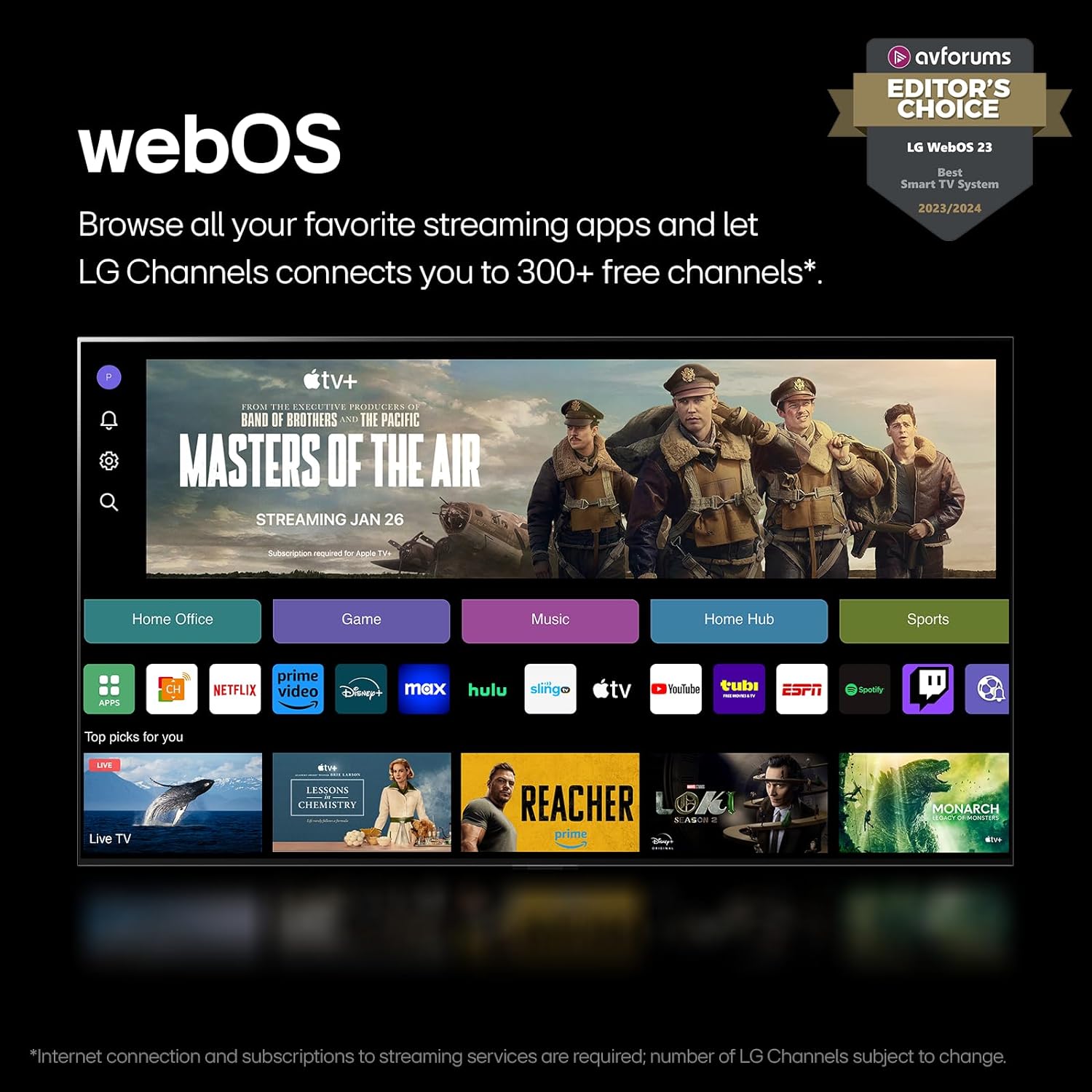
Image: The WebOS interface, showcasing available streaming services and content.
4.3 Picture and Sound Settings
The LG OLED evo C4 utilizes self-lit pixels and Brightness Boosting technology for superior picture quality. The α9 Gen7 AI Processor enhances visuals and audio through AI Super Upscaling and AI-assisted deep learning. The TV supports Dolby Vision for extraordinary color and contrast, Dolby Atmos for immersive sound, and FILMMAKER MODE to preserve the director's original cinematic intent.

Image: Visual representation of the a9 AI Processor Gen7's capabilities.

Image: Illustration of the immersive experience provided by Dolby Vision, Dolby Atmos, and FILMMAKER MODE.
For enhanced audio, the LG WOW Orchestra feature allows the TV's speakers to work in conjunction with a compatible LG Soundbar, creating an expanded and immersive soundstage.

Image: Explanation of LG's WOW Orchestra feature for integrated TV and soundbar audio.
4.4 Gaming Features
Designed for an optimal gaming experience, the LG C4 offers a 0.1ms response time and a native 120Hz refresh rate, with support for up to 144Hz for PC-connected content. It is compatible with NVIDIA G-Sync, AMD FreeSync Premium, and VRR (Variable Refresh Rate) technologies to minimize screen tearing and stuttering. Four HDMI 2.1 inputs ensure high-bandwidth connectivity for multiple gaming devices. The LG Game Dashboard and Game Optimizer provide centralized control over gaming settings.

Image: Visual representation of the TV's advanced gaming capabilities.
4.5 Voice Control (Alexa Built-in)
The TV features Alexa built-in, allowing you to control your TV and smart home devices using voice commands through the Magic Remote. Simply press the microphone button and speak your command.
5. Maintenance
To maintain the performance and appearance of your LG OLED TV, regularly clean the screen and exterior surfaces with a soft, dry cloth. Avoid using harsh chemicals or abrasive materials. Ensure the TV is unplugged before cleaning.
Software Updates (WebOS Re:New Program)
Your LG TV benefits from the WebOS Re:New Program, which provides new software updates and feature refreshes for 5 years. Ensure your TV is connected to the internet to receive these updates automatically. You may receive a pop-up notification to accept or deny software updates if auto-update is disabled.

Image: Information about the WebOS Re:New Program for long-term software support.
6. Troubleshooting
If you encounter issues with your TV, consider the following common troubleshooting steps:
- No Power: Ensure the power cable is securely connected to both the TV and a working electrical outlet. Try a different outlet.
- No Picture/Sound: Check all cable connections (HDMI, antenna, etc.) to ensure they are firmly seated. Verify the correct input source is selected on the TV.
- Slow Performance (WebOS): If the smart TV interface feels sluggish, try restarting the TV by unplugging it from the power outlet for a few minutes, then plugging it back in. Ensure your internet connection is stable.
- Remote Not Responding: Check the batteries in the Magic Remote and replace them if necessary. Ensure there are no obstructions between the remote and the TV.
- Network Connection Issues: Verify your Wi-Fi password is correct. Try restarting your router. If using a wired connection, ensure the Ethernet cable is properly connected.
For more detailed troubleshooting, refer to the E-Manual accessible through the TV's settings menu or visit the LG support website.
7. Specifications
Key technical specifications for the LG 83-Inch Class OLED evo C4 Series Smart TV:
| Feature | Specification |
|---|---|
| Model Number | E1LGOLED83C4PUARB |
| Screen Size | 83 Inches (83.5" Diagonal) |
| Display Technology | OLED |
| Resolution | 4K (3840 x 2160) |
| Refresh Rate | Native 120Hz (up to 144Hz for PC) |
| Processor | α9 Gen7 AI Processor 4K |
| Connectivity | 4 x HDMI 2.1, USB, Ethernet, Wi-Fi, Bluetooth |
| Dimensions (W x H x D) | 72.9 x 42.99 x 11 inches (with stand) |
| Item Weight | 91.71 Pounds |
| Power Consumption (On-mode) | 214.6 watts |
| Included Components | Magic Remote, Batteries, Power Cable, Quick Start Guide |
8. Warranty and Support
Your LG 83-Inch Class OLED evo C4 Series Smart TV is supported by LG's customer service. For specific warranty details, including coverage period and terms, please refer to the warranty card included with your product or visit the official LG support website. The WebOS Re:New Program ensures that your TV will receive software updates and feature refreshes for 5 years from its release, enhancing its longevity and performance.
For further assistance, technical support, or to register your product, please visit the LG Electronics support website or contact their customer service hotline. Keep your purchase receipt and product serial number readily available when seeking support.