
1. Overview
The simplehuman 9 oz. Touch-Free Automatic Rechargeable Sensor Pump is designed to provide a hygienic and efficient way to dispense soap or hand sanitizer. Its touch-free operation helps prevent the spread of germs and keeps your counter clean.
Key Features:
- Touch-Free Operation: Dispenses soap automatically without physical contact.
- Clog-Proof Pump: Ensures a precise and consistent flow, preventing messy drips with a silicone valve.
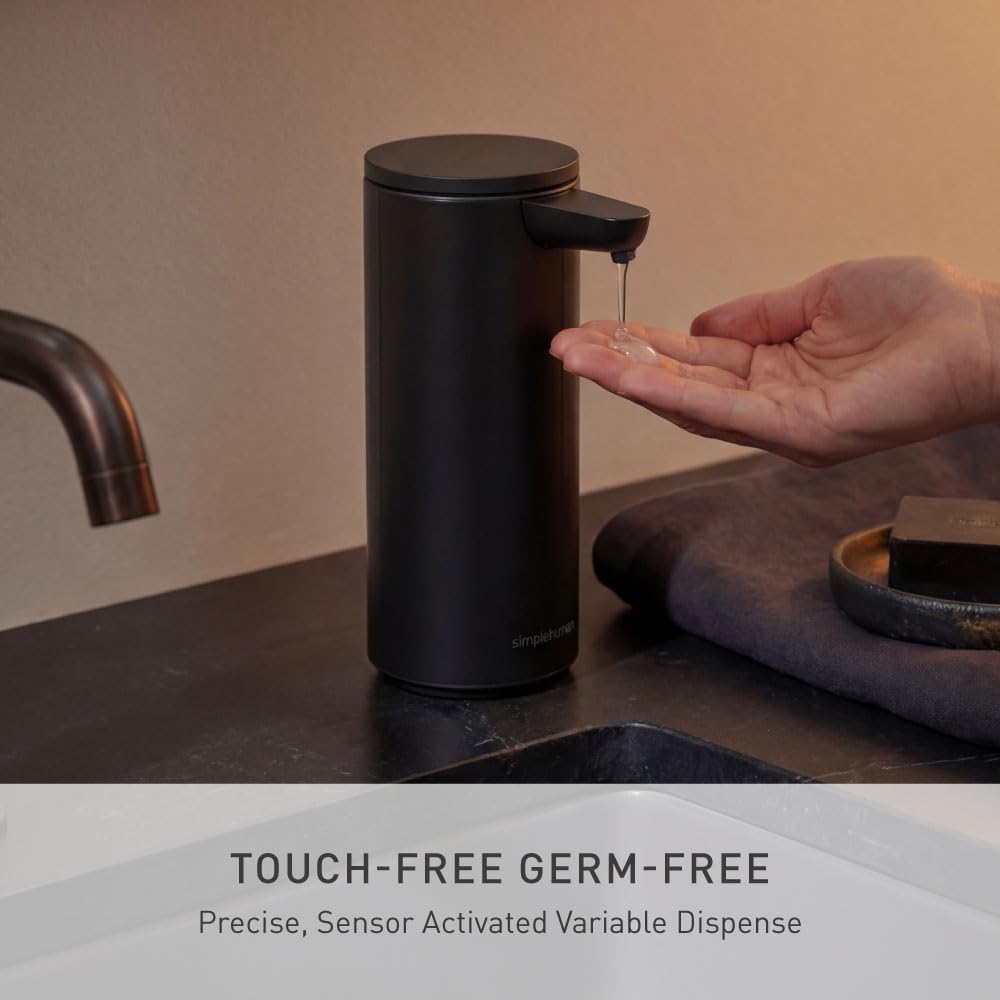
- Variable Dispense Volume: Control the amount of soap by positioning your hand closer for less or farther away for more.
- Waterproof Design (IP67): Allows for easy rinsing and cleaning.
- Rechargeable Battery: One charge lasts up to 3 months.
- Wide Refill Opening: Facilitates quick and easy refills.

2. Setup
2.1 Unpacking
Carefully remove all components from the packaging. Ensure you have the sensor pump unit, the magnetic charging puck, and the USB charging cable.
2.2 Charging the Device
Before first use, fully charge the sensor pump. The magnetic charging puck easily attaches to the charging port located on the back of the unit. Connect the USB cable to the puck and a power source. A full charge typically takes approximately 3 hours and can last up to 3 months depending on usage.

2.3 Filling the Soap Reservoir
- Remove the top lid of the dispenser.
- Pour your preferred liquid soap or hand sanitizer into the wide refill opening. Avoid overfilling.
- Replace the top lid securely.
Note: The wide opening and internal reservoir design help prevent spills during refilling. Use simplehuman soap for optimal pump performance, though it also works with hand sanitizer.

2.4 Powering On/Off
Locate the power switch on the back of the unit. Flip the switch to the 'on' position to activate the sensor pump. To turn off the dispenser for cleaning or transport, flip the switch to the 'off' position.
3. Operating Instructions
3.1 Dispensing Soap
To dispense soap, simply place your hand under the sensor nozzle. The pump will automatically dispense a precise amount of soap. To control the volume, position your hand closer to the sensor for a smaller amount, or farther away for a larger amount.
3.2 Recommended Soap
For optimal performance, use simplehuman soap. The pump is also compatible with most liquid soaps and hand sanitizers.
4. Maintenance
4.1 Cleaning
The simplehuman sensor pump has an IP67 waterproof rating, allowing it to be rinsed directly in the sink for easy cleaning. Ensure the power is turned off before cleaning to prevent accidental dispensing.

4.2 Refilling
Refill the soap reservoir as described in Section 2.3. Regular refilling ensures continuous operation.
4.3 Battery Care
Recharge the unit when the battery indicator light signals low power. A single charge provides power for approximately 3 months of typical use.
5. Troubleshooting
- No soap dispensed: Ensure the unit is powered on, the soap reservoir is not empty, and there are no obstructions to the sensor or nozzle.
- Inconsistent dispense volume: Adjust hand positioning relative to the sensor. Closer for less, farther for more.
- Leaking or dripping: Check that the top lid is securely in place. Ensure the soap consistency is suitable for automatic dispensers.
- Unit not charging: Verify that the magnetic charging puck is correctly attached and the USB cable is connected to a working power source.
6. Specifications
| Attribute | Detail |
|---|---|
| Model Number | ST1084 |
| Color | Matte Black |
| Material | High-grade matte black stainless steel |
| Product Dimensions (L x W x H) | 4.4"L x 2.8"W x 6.4"H |
| Item Weight | 0.88 Pounds |
| Liquid Volume | 9 oz (266 ml) |
| Waterproof Rating | IP67 |
7. Warranty & Support
7.1 Warranty Information
simplehuman products are designed for durability and performance. For specific warranty details and terms, please refer to the official simplehuman website or contact customer service. The brand is known for its reliable warranty support.
7.2 Customer Support
If you encounter any issues or have questions regarding your simplehuman sensor pump, please visit the official simplehuman support page or contact their customer service team for assistance.
Website: www.simplehuman.com/support
Email: support@simplehuman.com
Phone: (Available on website)


