
1. Introduction
Congratulations on your purchase of the Imetec RapidVapor Plus Steam Iron. This appliance is designed to make your ironing experience fast, efficient, and effortless. Featuring a 1.2 L removable water tank for uninterrupted ironing, a fluid ceramic soleplate for smooth gliding, and Calc Clean technology for extended longevity, the RapidVapor Plus is engineered for optimal performance on all fabric types. Please read this manual carefully before first use to ensure safe operation and to achieve the best results from your new steam iron.

Figure 1: Imetec RapidVapor Plus Steam Iron and its packaging. The image shows the iron unit with its water tank and the product box in the background, illustrating the complete product presentation.
2. Important Safety Information
Always follow basic safety precautions when using electrical appliances to reduce the risk of fire, electric shock, and personal injury.
- Read all instructions before using the iron.
- Do not leave the iron unattended while it is connected to the power supply or on an ironing board.
- Always unplug the iron from the electrical outlet when filling with water, emptying, or when not in use.
- Do not operate the iron with a damaged cord or if the iron has been dropped or damaged. Contact customer service for repair.
- Keep the iron and its cord out of reach of children.
- Use the iron only for its intended purpose.
- Do not immerse the iron or its base in water or other liquids.
- The iron must be used and rested on a stable surface.
- Never direct steam at people or pets.
3. Product Overview and Components
Familiarize yourself with the different parts of your Imetec RapidVapor Plus steam iron for optimal use.

Figure 2: Person ironing with the Imetec RapidVapor Plus steam iron, highlighting its quick, powerful, and lightweight design. This image shows the iron in action, demonstrating its ergonomic handle and steam output.
Key Components:
- Ceramic Soleplate: Designed for smooth gliding across all fabric types.
- Water Tank (1.2 L): Removable for easy refilling, allowing for uninterrupted ironing sessions.
- Temperature Control Dial: Adjusts heat settings for different fabrics.
- Steam Button/Trigger: Activates steam output.
- Calc Clean Indicator: Alerts when descaling is needed.
- Power Cord: Connects the iron to the electrical outlet.
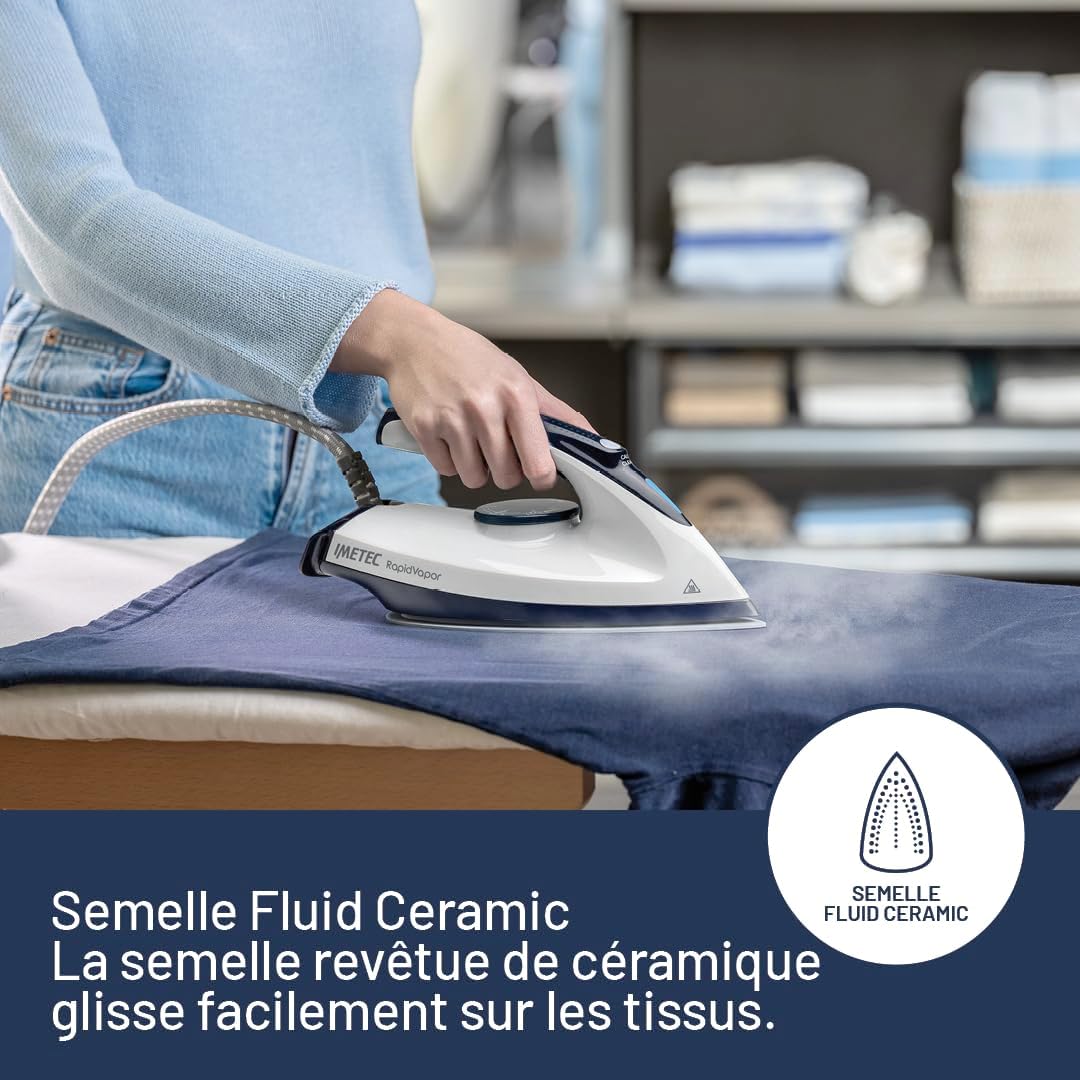
Figure 3: Close-up of the Imetec RapidVapor Plus ceramic soleplate gliding smoothly over fabric. The image emphasizes the ceramic coating and its ability to move effortlessly across garments.
4. Setup and First Use
Before using your Imetec RapidVapor Plus steam iron for the first time, follow these steps:
- Unpack: Remove all packaging materials and labels from the iron.
- Clean Soleplate: Wipe the soleplate with a soft, damp cloth to remove any manufacturing residues.
- Fill Water Tank:
- Ensure the iron is unplugged.
- Remove the 1.2 L water tank by pulling it gently from the base.
- Fill the tank with tap water up to the 'MAX' indicator. Distilled or demineralized water is recommended to prolong the life of the iron, especially in areas with hard water.
- Reinsert the water tank firmly until it clicks into place.
- Position: Place the iron on a stable, heat-resistant ironing board.
- Plug In: Connect the power cord to a grounded electrical outlet.
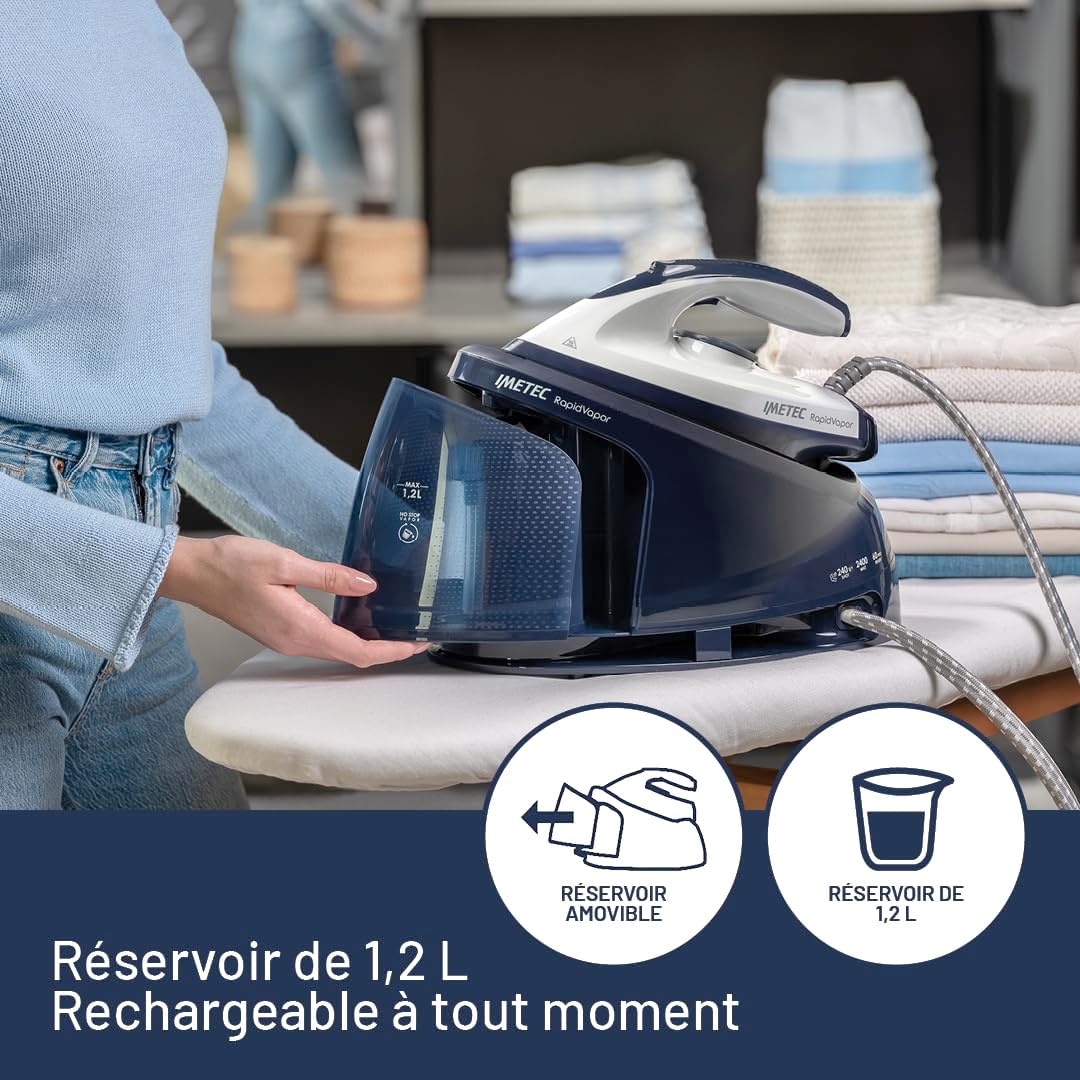
Figure 4: The removable 1.2 L water tank of the Imetec RapidVapor Plus, shown being detached from the main unit. This design allows for easy and continuous refilling during ironing sessions.
5. Operating Instructions
The Imetec RapidVapor Plus is ready for use in just 1 minute, providing ultra-fast and efficient ironing.
5.1. Temperature Settings
- Turn the temperature control dial to the desired setting based on the fabric type. Refer to the garment's care label.
- Allow the iron to heat up. The indicator light will turn off when the set temperature is reached.
5.2. Steam Ironing
For effective steam ironing, ensure the water tank is filled and the iron is heated to a suitable temperature (usually indicated by the steam symbol on the dial).
- Press the steam button/trigger to release a continuous flow of steam.
- For stubborn creases, use the powerful 300g steam shot by pressing the steam button firmly. The iron operates at 5.5 bar pressure for excellent steam penetration.
- The fluid ceramic soleplate ensures smooth gliding and even heat distribution, making ironing easier.

Figure 5: Imetec RapidVapor Plus demonstrating powerful steam performance with 5.5 bar pressure and 300g steam shot. The image shows steam being emitted from the iron while in use, with icons indicating pressure and steam output.
5.3. Dry Ironing
For dry ironing, ensure the water tank is empty or the steam function is turned off. Set the temperature according to the fabric type.
5.4. Continuous Refill
The 1.2 L removable water tank allows for continuous refilling during ironing, ensuring uninterrupted sessions. Simply remove the tank, refill, and reinsert it without needing to turn off or unplug the iron.
6. Maintenance and Care
Regular maintenance ensures the longevity and optimal performance of your Imetec RapidVapor Plus steam iron.
6.1. Calc Clean Technology
The iron features Calc Clean technology with two integrated filters and a self-cleaning ceramic plate to protect against limescale buildup. An audible reminder will sound when cleaning is necessary.
- When the Calc Clean indicator activates, ensure the iron is cool and unplugged.
- Follow the specific descaling instructions provided in the full manual (if available) or consult the Imetec website for detailed steps. Generally, this involves emptying the tank, filling with a descaling solution (or water for self-clean), heating the iron, and then flushing out the steam and water.
- Regular descaling helps maintain steam performance and extends the life of the appliance.

Figure 6: Detail of the Imetec RapidVapor Plus iron's Calc Clean technology, showing the 'CALC CLEAN' marking on the iron's body. This feature helps prevent limescale buildup for consistent performance.
6.2. Cleaning the Soleplate
- Ensure the iron is cool and unplugged.
- Wipe the ceramic soleplate with a soft, damp cloth. Do not use abrasive cleaners or metallic scouring pads, as these can damage the surface.
- For stubborn marks, a specialized soleplate cleaning stick can be used, following its instructions.
6.3. Storage
- Always empty the water tank after each use.
- Allow the iron to cool completely before storing.
- Store the iron in an upright position to prevent damage to the soleplate.
- Wrap the power cord neatly around the base or use the designated cord storage if available.

Figure 7: Imetec RapidVapor Plus iron on an ironing board next to neatly folded laundry, illustrating fast and efficient ironing results. This image also shows the compact storage of the iron unit.
7. Troubleshooting
If you encounter issues with your Imetec RapidVapor Plus, refer to the table below for common problems and solutions.
| Problem | Possible Cause | Solution |
|---|---|---|
| Iron does not heat up. | Not plugged in; power outlet fault; temperature dial set to minimum. | Check power connection; test outlet with another appliance; turn temperature dial to a higher setting. |
| No steam or insufficient steam. | Water tank empty; temperature too low for steam; Calc Clean needed; steam vents blocked. | Refill water tank; increase temperature setting; perform Calc Clean procedure; clean soleplate vents. |
| Water leaking from soleplate. | Temperature too low for steam; overfilled water tank; iron not hot enough before steam use. | Increase temperature; do not overfill tank; allow iron to fully heat up before using steam. |
| Calc Clean indicator is on. | Limescale buildup detected. | Perform the Calc Clean descaling procedure as per instructions. |
If the problem persists after trying these solutions, please contact Imetec customer support.
8. Technical Specifications
| Feature | Specification |
|---|---|
| Brand | Imetec |
| Model Number | 9044 |
| Color | Grey with Blue Details |
| Product Dimensions (L x W x H) | 36 x 18 x 0.1 cm |
| Item Weight | 2.5 Kilograms |
| Automatic Shut-off Function | No |
| Special Features | Unlimited autonomy, Fast heating, Temperature control, Uniform heat distribution, Removable water tank |
| Base Material | Ceramic |
| Frequency | 50 Hz |
| Model Year | 2024 |
| Water Tank Capacity | 1.2 Liters |
9. Warranty and Support
Your Imetec RapidVapor Plus Steam Iron is covered by a manufacturer's warranty. Please refer to the warranty card included with your purchase for specific terms and conditions.
- Spare Parts Availability: 2 Years.
- For technical assistance, repairs, or to inquire about spare parts, please visit the official Imetec website or contact their customer service department.
- Keep your proof of purchase for warranty claims.


