Introduction
This manual provides detailed instructions for the installation, operation, and maintenance of your Garmin GPSMAP 1643xsv 16-inch chartplotter. This advanced marine navigation system features a stunning IPS display, powerful processing, and Ultra High-Definition scanning sonar capabilities. It is designed to integrate seamlessly into your Garmin marine system, offering comprehensive navigation and fish-finding tools.
Garmin GPSMAP 1643xsv chartplotter displaying Ultra High-Definition scanning sonar data.
Key Features
- 16-inch IPS Display: Provides clear visibility in various lighting conditions.
- Ultra High-Definition Sonar: Built-in SideVü and ClearVü scanning sonars with vivid, high-contrast color palettes. Supports 1 kW traditional sonar.
- Advanced Network Connectivity: Facilitates easy integration with other Garmin marine network devices and compatible third-party systems.
- Preloaded Charts: Includes Garmin Navionics+ charts for US and Canada.
- Digital Switching and OneHelm Integration: For enhanced control of onboard systems.

Garmin GPSMAP 1643xsv chartplotter displaying multiple data screens, including sonar, chart, and engine gauges.
What's in the Box
Your Garmin GPSMAP 1643xsv package includes the following components:
- GPSMAP 1643xsv Chartplotter Unit
- Power Cable
- NMEA 2000 T-connector and drop cable
- Flush Mount Hardware Kit
- Trim Pieces (top and bottom)
- Documentation (Installation Instructions, Quick Start Guide)
- Protective Cover
- (Optional, sold separately) Garmin USB Card Reader for convenient data transfer.
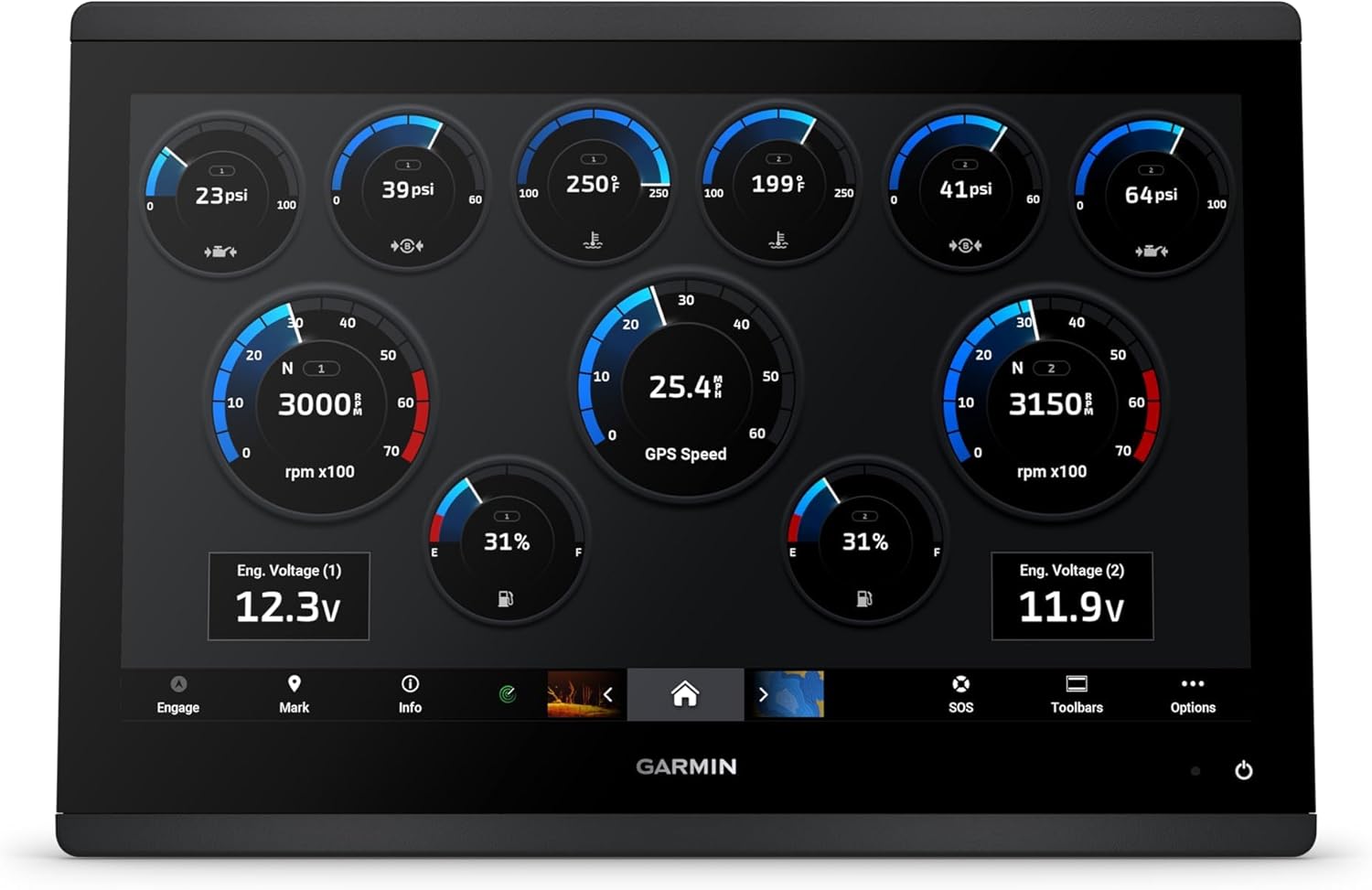
Garmin GPSMAP 1643xsv chartplotter displaying engine data gauges.
Installation
Mounting Considerations
The GPSMAP 1643xsv can be flush-mounted into a panel. Use the provided flush mount template for accurate cutting. Ensure adequate ventilation around the unit.
Power Connection
Connect the power cable to a 10-32 Vdc power source. Ensure proper polarity.
Sonar Transducer Connection
The unit supports 12-pin sonar transducers. Connect your compatible transducer to the SONAR port. If using an older transducer, an adapter block may be required (sold separately).
Network Connections
Utilize the dual network ports for connecting to other Garmin marine network devices (e.g., radar, additional chartplotters, IP cameras).
NMEA 2000 Connection
Connect the unit to your NMEA 2000 network using the provided T-connector and drop cable to share data with compatible devices (e.g., engine data, sensors).
Other Connections
The unit features a micro USB port for data transfer (e.g., software updates, ActiveCaptain app data). An external USB card reader (sold separately) can be used for easier access if the unit is flush-mounted.

Garmin GPSMAP 1643xsv chartplotter displaying a split screen with sonar, chart, and down-scan views.
Operating Instructions
Powering On/Off
Press and hold the power button located on the unit to turn it on or off.
Navigating the Interface
The 16-inch IPS display is touch-sensitive. Use touch gestures to navigate menus, zoom, and pan. Buttons are also available for primary functions.
Chartplotter Functions
Access preloaded Garmin Navionics+ charts. Create waypoints, routes, and tracks. Utilize features like Auto Guidance for suggested paths.
Sonar Functions
Select the Sonar page to view Ultra High-Definition SideVü, ClearVü, and traditional sonar. Adjust gain, range, and frequency settings for optimal performance.
System Integration
Monitor engine data, control compatible accessories via digital switching, and manage your marine experience through the ActiveCaptain app.

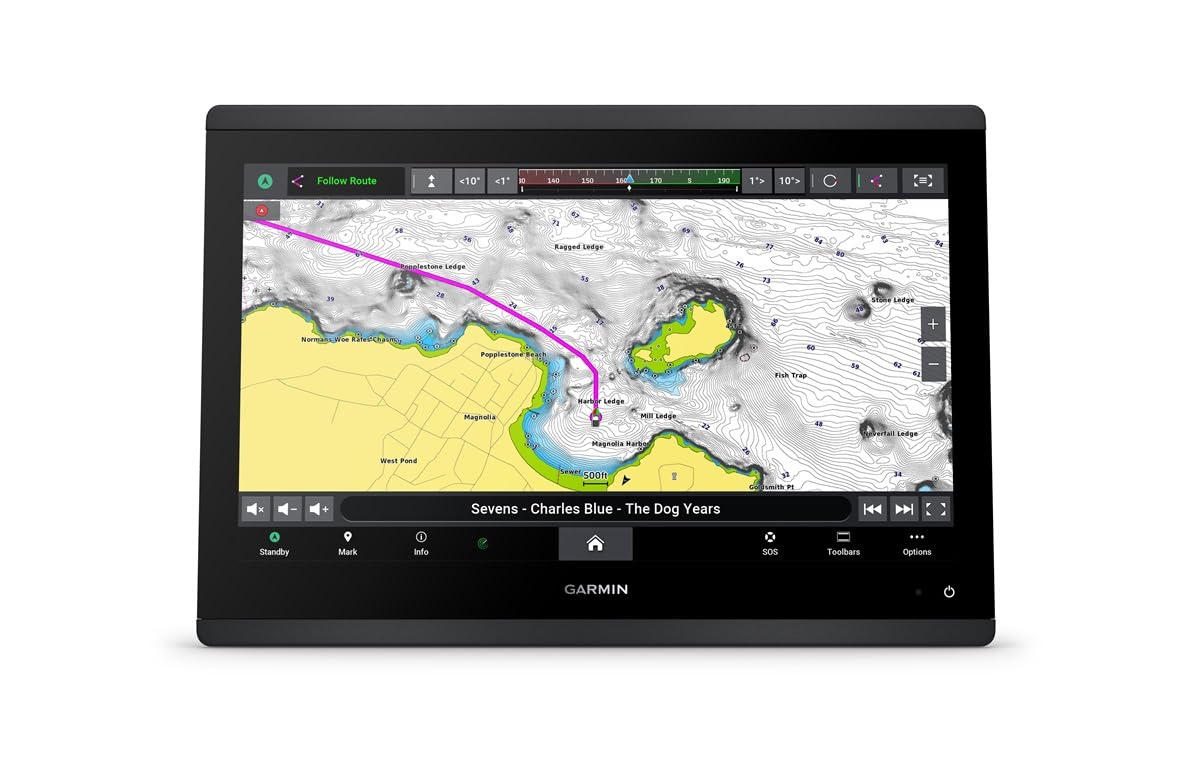
Garmin GPSMAP 1643xsv chartplotter displaying a detailed marine chart with navigation data.
Maintenance
Cleaning the Display
Use a clean, soft, lint-free cloth and a mild glass cleaner to clean the screen. Avoid abrasive cleaners or solvents.
Software Updates
Regularly check for and install software updates via the ActiveCaptain app or by downloading them from the Garmin website to an SD card.
Connection Checks
Periodically inspect all cable connections for corrosion or damage. Ensure all port covers are securely fastened when not in use.
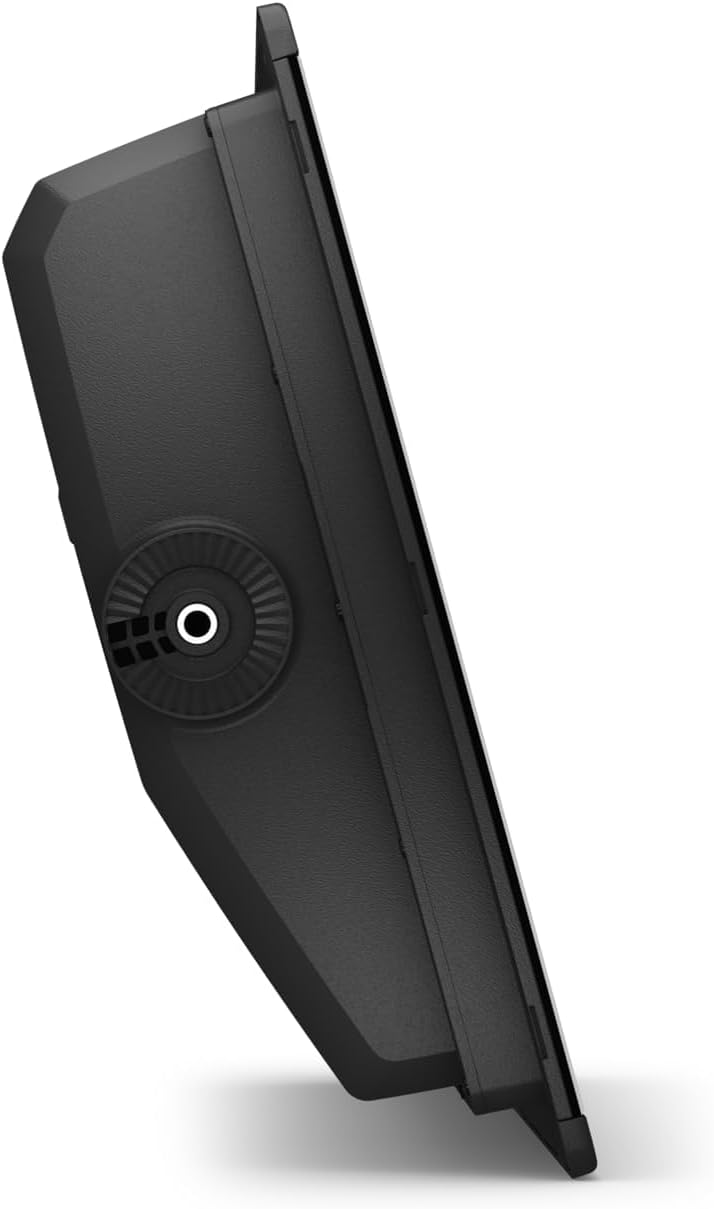
Side profile view of the Garmin GPSMAP 1643xsv chartplotter, highlighting its slim design.
Troubleshooting
Unit Not Powering On
Check power cable connections and ensure the power source is active. Verify fuse integrity.
No Sonar Data
Confirm transducer connection. Check sonar settings (frequency, gain, range). Ensure the transducer is properly submerged.
GPS Signal Loss
Ensure the unit has a clear view of the sky. Check for any obstructions.
Network Communication Issues
Verify all network cables are securely connected. Check network device power.
For further assistance, refer to the full owner's manual available on the Garmin support website.
Specifications
| Feature | Detail |
|---|---|
| Item Weight | 15 pounds |
| Package Dimensions | 12 x 12 x 12 inches |
| Display Size | 16 Inches |
| Voice command | Buttons |
| ASIN | B0CVN7P18R |
| Brand | Garmin |
| Vehicle Service Type | Boat |
| Screen Size | 16 Inches |
| Connectivity Technology | Garmin Marine Network, NMEA 2000, NMEA 0183, J1939 |
| Map Type | Garmin Navionics+ |
| Mounting Type | Panel Mount |
| Operating System | Windows |
| Year | 2021 |
| Touch Screen Type | Capacitive |
| Display Type | IPS display |

Garmin GPSMAP 1643xsv chartplotter displaying a detailed marine chart.
Warranty and Support
For warranty information, product registration, and technical support, please visit the official Garmin support website. Keep your purchase receipt and serial number (located on the unit's packaging and often on the unit itself) readily available for any warranty claims or support inquiries.
Online resources include comprehensive manuals, FAQs, and software downloads.