
1. Safety Information
Always observe basic safety precautions when using this product to reduce the risk of fire, electric shock, and personal injury. Read all instructions before operating this blower.
- Eye Protection: Always wear eye protection that is marked to comply with ANSI Z87.1.
- Hearing Protection: Wear hearing protection during extended use.
- Secure Grip: Maintain a firm grip on the blower handle during operation.
- Clear Area: Keep bystanders, children, and pets at a safe distance (at least 50 feet/15 meters) from the operating area.
- Debris: Be aware of flying debris. Never point the blower nozzle at people or animals.
- Battery Safety: Use only DEWALT 60V MAX batteries and chargers. Do not expose batteries to water or extreme temperatures.
- Inspection: Before each use, inspect the blower for loose parts, damage, or obstructions.
2. Product Overview
The DEWALT DCBL777B 60V Premium Blower is a powerful, cordless tool designed for clearing leaves, debris, and other light materials from various surfaces. Its brushless motor provides efficient performance and extended runtime.

Figure 2.1: Front view of the DEWALT 60V Premium Blower, showcasing its yellow and black design with the long nozzle attached.
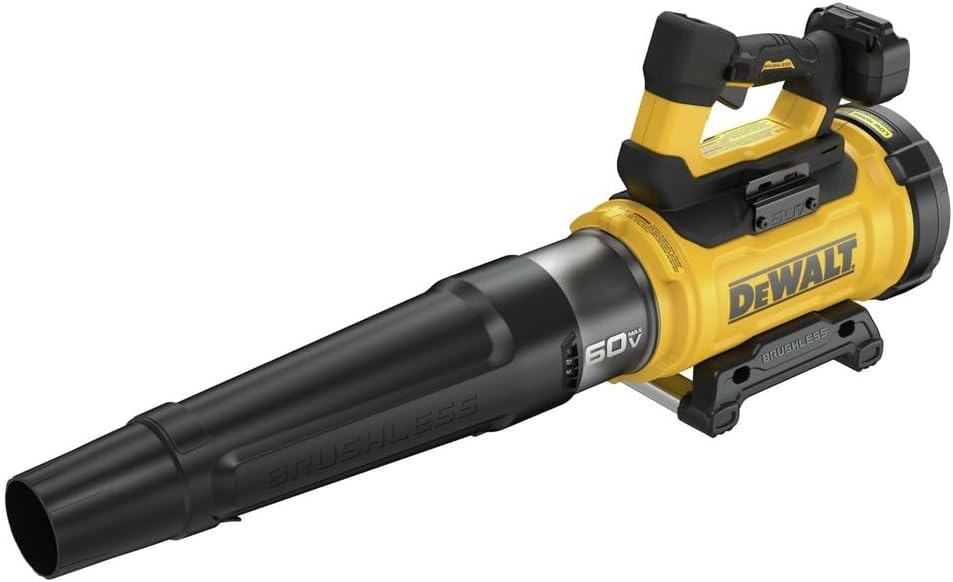
Figure 2.2: Angled view of the blower, highlighting the ergonomic handle and battery compartment.
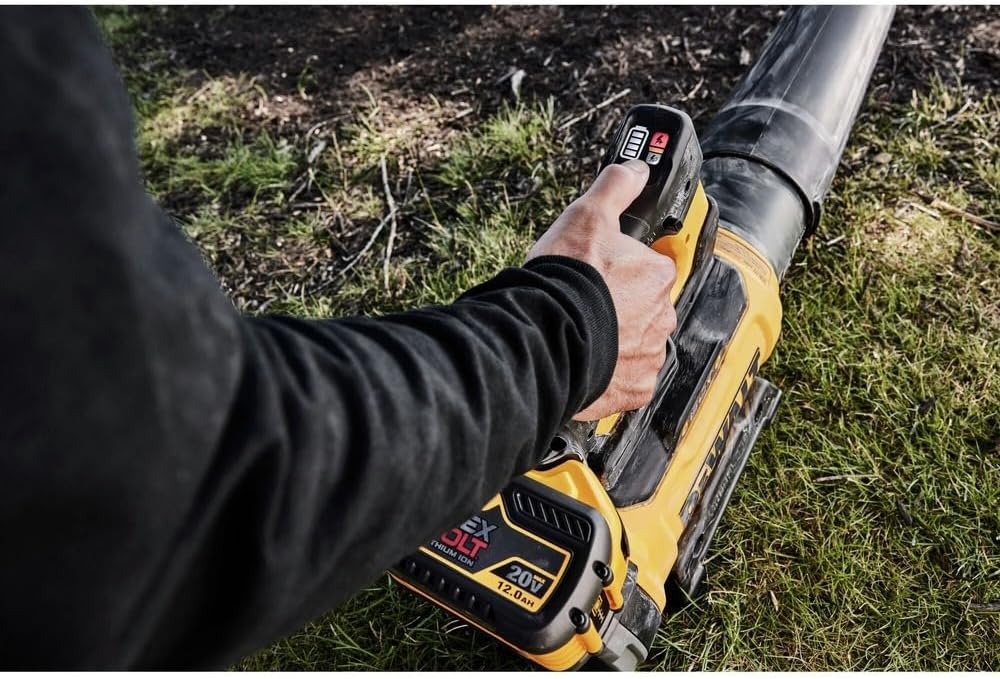
Figure 2.3: Close-up of the blower's control panel, showing the power button, speed selector, and battery indicator lights.
3. Setup
3.1 Attaching the Nozzle
- Align the nozzle with the blower's air outlet.
- Push the nozzle firmly onto the outlet until it clicks into place. Ensure it is securely fastened before operation.
3.2 Installing the Battery
- Ensure the blower is turned off.
- Slide a charged DEWALT 60V MAX battery into the battery port on the blower until it locks securely.
- To remove the battery, press the release button on the battery pack and slide it out.
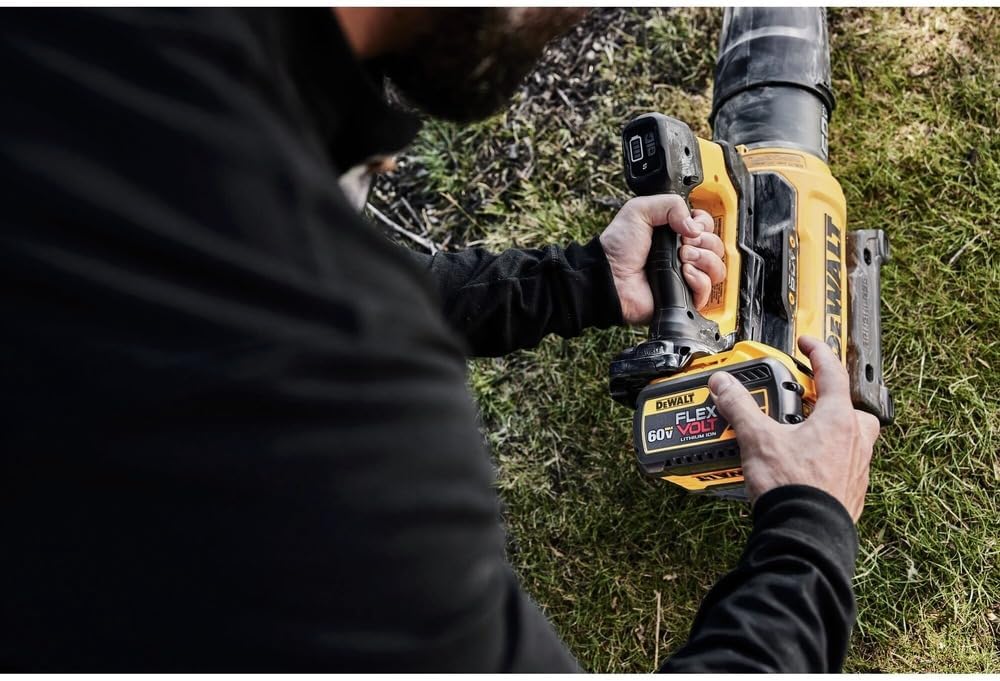
Figure 3.1: A hand demonstrating the proper insertion of a DEWALT 60V MAX battery into the blower's battery compartment.
4. Operating Instructions
4.1 Starting and Stopping the Blower
- With a charged battery installed, press the power button located on the handle to turn the blower on.
- To stop the blower, press the power button again.
4.2 Adjusting Blower Speed
The DEWALT DCBL777B features multiple speed settings, including a Turbo Boost mode, for varying applications.
- Use the speed selector buttons on the control panel (refer to Figure 2.3) to cycle through the available speeds.
- Activate Turbo Boost for maximum clearing power when needed. Be aware that higher speeds consume battery power more rapidly.
4.3 Operating Technique
For optimal performance and safety:
- Hold the blower firmly with both hands if necessary, ensuring a balanced grip.
- Sweep the blower from side to side, moving debris away from you.
- Avoid directing the air stream towards loose gravel or other objects that could be propelled and cause damage or injury.

Figure 4.1: A user demonstrating proper handling and operation of the blower to clear debris from a sidewalk.
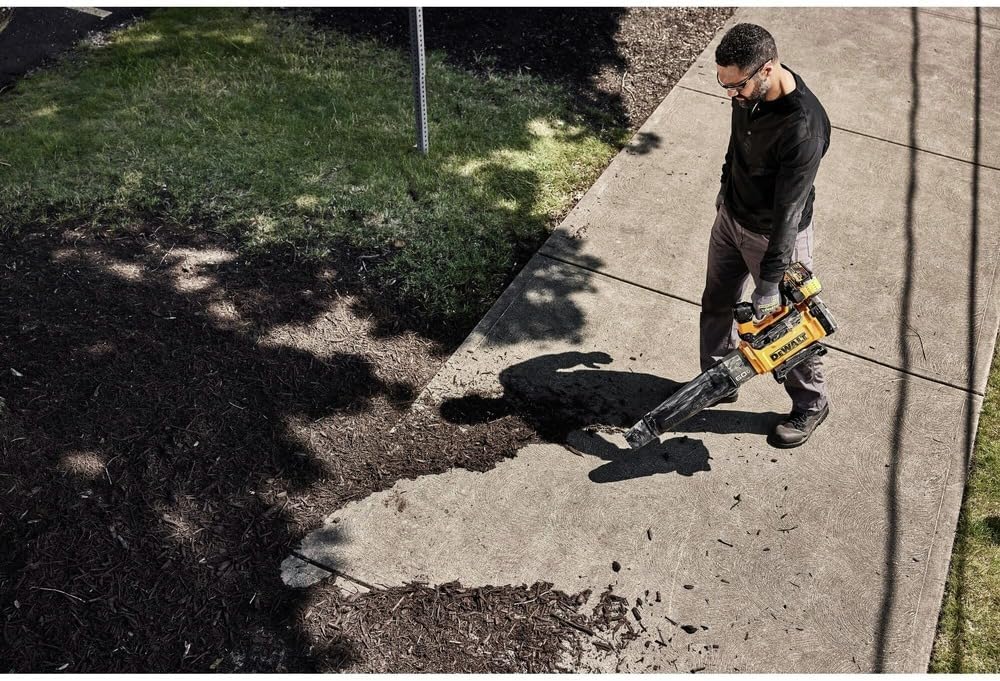
Figure 4.2: An overhead perspective of a user operating the blower, showing the spread of cleared debris.
5. Maintenance
Regular maintenance ensures the longevity and optimal performance of your DEWALT blower.
- Cleaning: After each use, wipe down the exterior of the blower with a clean, damp cloth. Remove any debris from the air intake vents and nozzle. Do not use harsh chemicals or abrasive cleaners.
- Air Intake: Ensure the air intake screen is clear of leaves, dirt, and other obstructions to prevent overheating and maintain airflow.
- Storage: Store the blower in a dry, secure location out of reach of children. Remove the battery before storing for extended periods.
- Battery Care: Store batteries in a cool, dry place. Do not store fully discharged batteries. Charge them periodically if not in use.
6. Troubleshooting
If you encounter issues with your DEWALT 60V Premium Blower, refer to the following common problems and solutions:
| Problem | Possible Cause | Solution |
|---|---|---|
| Blower does not start | Battery not charged or improperly installed; Power button not pressed. | Ensure battery is fully charged and correctly seated. Press the power button firmly. |
| Reduced airflow or power | Low battery charge; Air intake or nozzle obstructed; Blower operating in a lower speed setting. | Charge the battery. Clear any obstructions from the air intake or nozzle. Adjust to a higher speed setting or Turbo Boost mode. |
| Inconsistent battery level reading | Variation between blower and battery indicators. | Rely primarily on the battery's built-in indicator for the most accurate charge level. |
| Blower overheats | Blocked air vents; Prolonged heavy use. | Clear air vents. Allow the blower to cool down before resuming use. |
If the problem persists after attempting these solutions, contact DEWALT customer support.
7. Specifications
- Brand: DEWALT
- Model: DCBL777B
- Power Source: 60V MAX Battery (Battery and charger sold separately unless specified in kit)
- Item Weight: Approximately 10 pounds (without battery)
- Package Dimensions: 23 x 15 x 10 inches
- Special Features: Compact design, lightweight, portable, rechargeable, multiple speed settings including Turbo Boost.
8. Warranty and Support
DEWALT products are engineered to the highest standards and are backed by a comprehensive warranty. For specific warranty details, registration, or to locate an authorized service center, please refer to the warranty card included with your product or visit the official DEWALT website.
For further assistance or technical support, you may visit the DEWALT Store on Amazon or contact DEWALT customer service directly.


