
1. Product Overview
The Claymore 3Face Pro Wing is an accessory light bar designed to enhance the illumination capabilities of Claymore 3Face Pro X or 3Face Pro L products. It provides additional brightness and versatile lighting modes for various outdoor and work environments. This unit does not contain a built-in battery and requires connection to a compatible Claymore 3Face product or power bank for operation.

Image 1: Claymore 3Face Pro Wing Accessory Area Light. This image displays the main unit of the 3Face Pro Wing, a rectangular light bar with LED panels on three sides, indicating its multi-directional illumination capability.
2. What's in the Box
Upon unpacking your Claymore 3Face Pro Wing, please ensure all items are present:
- Main unit x 2
- Hard shell case
- Carabiner x 2
- Hook x 2
- Extension cable
- User manual

Image 2: Contents of the Claymore 3Face Pro Wing box. This image shows two main light units, a hard shell case, two carabiners, two hooks, an extension cable, and a user manual, illustrating all included accessories.
3. Setup and Installation
3.1 Connecting to a Claymore 3Face Pro Unit
The 3Face Pro Wing is designed to seamlessly integrate with Claymore 3Face Pro X or 3Face Pro L models. To connect:
- Locate the side ports on your Claymore 3Face Pro main unit.
- Align the connector of the 3Face Pro Wing with the port and gently push until it clicks into place.
- Repeat for additional Wing units if desired.

Image 3: Connecting Claymore 3Face Pro Wing to a main unit. This diagram illustrates how to attach the left and right Wing units to a central 3Face Pro unit, extending the overall light bar length to 592 mm.
3.2 Alternative Power Options
The 3Face Pro Wing can also be powered directly via a power bank using the provided extension cable, or controlled remotely when connected with a CLAYMORE Multi Controller and power bank.

Image 4: Claymore 3Face Pro Wing power options and features. This graphic highlights key features including up to 9,800 lumens (when connected with 3Face Pro X), 4 light modes, no built-in battery, IP65 waterproof rating, and power options via Bluetooth, power bank direct, or remote control.
3.3 Mounting and Extension
The 3Face Pro Wing offers flexible mounting options:
- Direct Attachment: Connect directly to a 3Face Pro unit for an extended light bar.
- Extension Cable: Use the extension cable to position the light in different areas, such as inside a tent or under a canopy, while the main unit remains elsewhere.
- Carabiner/Hook: Utilize the included carabiners and hooks for hanging the light in various locations.

Image 5: Mounting and extension options for Claymore 3Face Pro Wing. This image displays various ways to use the light, including direct connection to a 3Face Pro, using an extension cable for remote placement, attaching with a carabiner, and connecting to a multi-controller.
4. Operating Instructions
4.1 Light Modes and Brightness
The 3Face Pro Wing offers four dynamic lighting modes and adjustable brightness when connected to a compatible Claymore 3Face Pro unit:
- Cool White (6,500K): Bright, clear light suitable for tasks requiring high visibility.
- Warm White (3,000K): Soft, ambient light for relaxation or creating a cozy atmosphere.
- Natural White (4,500K): A balanced light, ideal for general illumination.
- Breeze (3,000-6,500K): A dynamic mode that cycles between warm and cool tones.

Image 6: Claymore 3Face Pro Wing light modes. This image visually represents the four available light modes: Cool White (6,500K), Warm White (3,000K), Natural White (4,500K), and Breeze (3,000-6,500K).
4.2 App Control
For advanced control and customization, connect your 3Face Pro Wing (when paired with a 3Face Pro X or L) to the dedicated Claymore mobile application. The app allows you to adjust brightness, switch between light modes, and manage other settings remotely.

Image 7: Claymore app assistance for light control. This image shows a smartphone screen displaying the Claymore app interface, demonstrating how users can easily connect and adjust the light's settings.
4.3 Video Demonstrations
Video 1: How to use 3FACE PRO! This video demonstrates the various functions and operational aspects of the Claymore 3Face Pro series, including light mode adjustments, brightness control, and connectivity options.
Video 2: Claymore 3Face Pro Series. This video provides an overview of the Claymore 3Face Pro series, showcasing its design, features, and applications in outdoor settings.
5. Maintenance
5.1 Cleaning
To maintain optimal performance and appearance, clean the light bar with a soft, damp cloth. Avoid using abrasive cleaners or solvents that may damage the surface or electronic components.
5.2 Water Resistance
The Claymore 3Face Pro Wing is rated as waterproof (IP65). While it is designed to withstand water splashes and rain, avoid submerging the unit in water for extended periods.
5.3 Storage
When not in use, store the light bar in its hard shell case in a cool, dry place away from direct sunlight and extreme temperatures. This helps protect the unit and prolong its lifespan.
6. Troubleshooting
If you encounter any issues with your Claymore 3Face Pro Wing, consider the following:
- Light not turning on: Ensure the unit is properly connected to a powered Claymore 3Face Pro unit or a charged power bank. Check all cable connections.
- App connectivity issues: Verify that Bluetooth is enabled on your mobile device and that the Claymore app is up to date. Ensure the 3Face Pro main unit is powered on and within range.
- Dim or inconsistent light: Check the power source. If using a power bank, ensure it has sufficient charge. Adjust brightness settings via the app or main unit controls.
For persistent issues, please refer to the official Claymore support resources.
7. Specifications
| Feature | Specification |
|---|---|
| Model Number | 3Face Pro Wing |
| Light Output (Max) | 2300 Lumens |
| Dimensions | 10"L x 5"W x 5"H (approx. 160.6 mm length) |
| Item Weight | 595 Grams (1.31 pounds) |
| Water Resistance Level | Waterproof (IP65) |
| Light Source Type | Light Emitting Diode (LED) |
| Power Source | Battery Powered (requires external 3Face Pro unit or power bank) |
| Material | Acrylonitrile Butadiene Styrene (ABS) |
| Included Components | Carabiner, Extension Cable, Hard Shell Case, Hook |
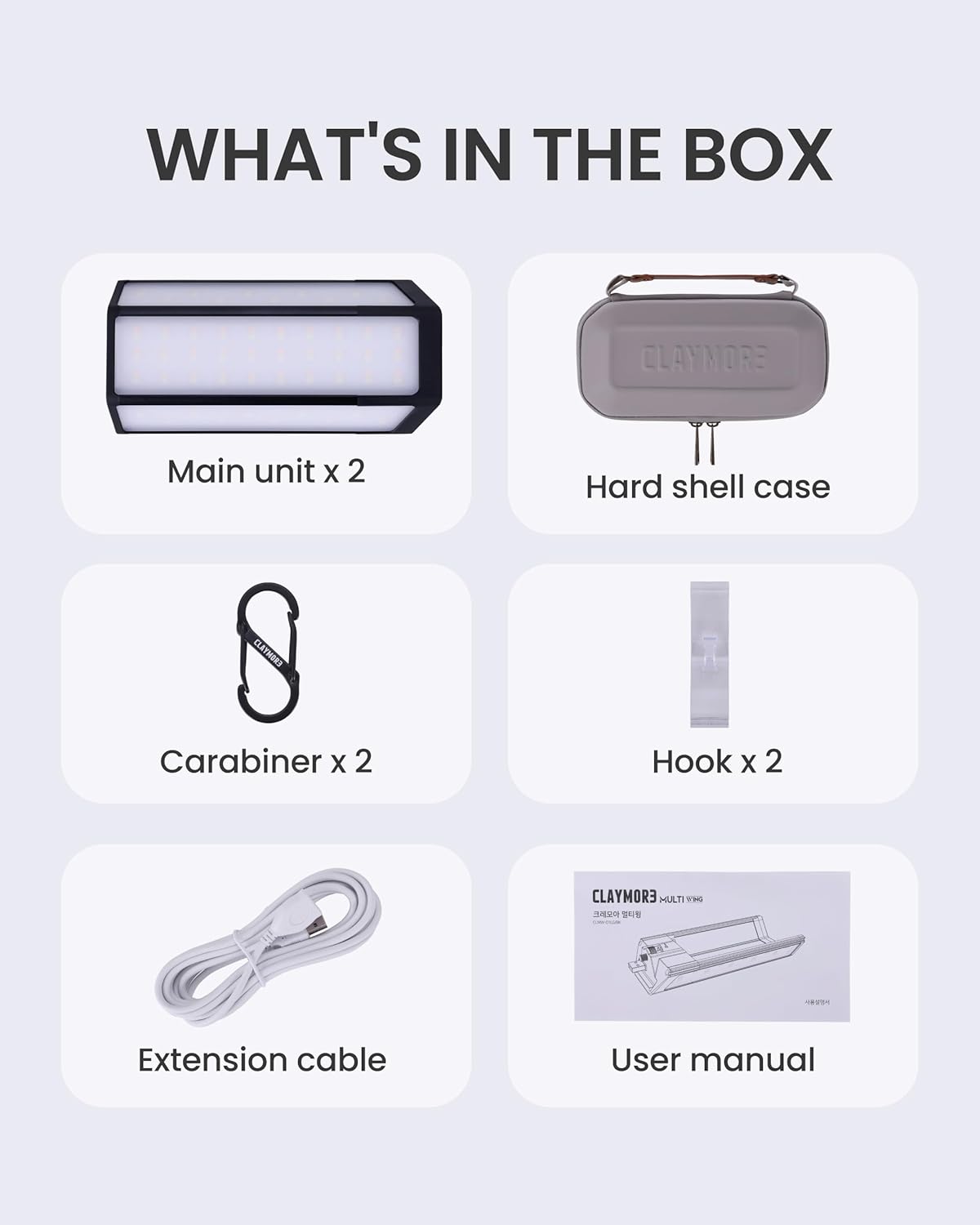
Image 8: Claymore 3Face Pro Wing product dimensions and weight. This image provides a visual representation of the light bar's measurements (160.6 mm length, 33.8 mm height, 75 mm width) and its weight (153.5 g or 5.41 oz).
8. Warranty and Support
8.1 Warranty Information
Warranty details for the Claymore 3Face Pro Wing are typically provided with the product packaging or can be found on the official Claymore website. Please retain your proof of purchase for warranty claims.
8.2 Customer Support
For further assistance, technical support, or inquiries regarding your Claymore 3Face Pro Wing, please visit the official Claymore website or contact their customer service department. Manufacturer: Prism Co., Ltd.