
Uhome UDZ1-150P/P
Uhome 150 Pints Dehumidifier (Model UDZ1-150P/P) Instruction Manual
Model: UDZ1-150P/P
Introduction
This manual provides detailed instructions for the safe and efficient operation, maintenance, and troubleshooting of your Uhome 150 Pints Dehumidifier, model UDZ1-150P/P. Please read this manual thoroughly before using the appliance and retain it for future reference.

Figure 1: Uhome 150 Pints Dehumidifier (Model UDZ1-150P/P)
Important Safety Information
Always follow basic safety precautions when using electrical appliances to reduce the risk of fire, electric shock, and injury.
- Do not operate the dehumidifier near open flames or heat sources.
- Ensure the power cord is not damaged and is properly grounded.
- Do not block air inlets or outlets.
- Keep children away from the appliance.
- Unplug the unit before cleaning or performing any maintenance.
- Do not use the appliance in areas where water may splash onto it.
Setup and Placement
Unpacking and Initial Placement
Remove all packaging materials. Place the dehumidifier on a level surface in the desired location. This unit is suitable for various areas including bathrooms, basements, living rooms, cellars, garages, bedrooms, and laundry rooms, covering up to 7000 Sq. Ft.
Mobility
The dehumidifier is equipped with 360° wheels for easy movement. A handle is also integrated for convenient relocation.

Figure 2: Easy Mobility Features
Drainage Options
Your dehumidifier offers three methods for water drainage:
- Manual Drainage: The collected water accumulates in the internal 7-liter (1.85 Gallon) water tank. When the tank is full, the unit will display "FL" and automatically shut off. Remove the bucket and empty it.
- Continuous Drainage (Gravity Drain): Connect the provided 39.37-inch water hose to the drain outlet. Ensure the hose is positioned downwards to allow water to drain automatically into a floor drain by gravity. The hose should not be bent or obstructed.
- Pump Drainage: For draining water from a lower to a higher level, connect the 78.74-inch long water hose to the pump drain outlet. The built-in pump will automatically discharge the water.
Note: The drain hose may be located inside the water tank upon initial unpacking. A separate water container for manual drainage is not provided.

Figure 3: Drainage Options
Operating Instructions
Control Panel Overview
The control panel provides access to all functions of the dehumidifier. Refer to Figure 4 for button identification.
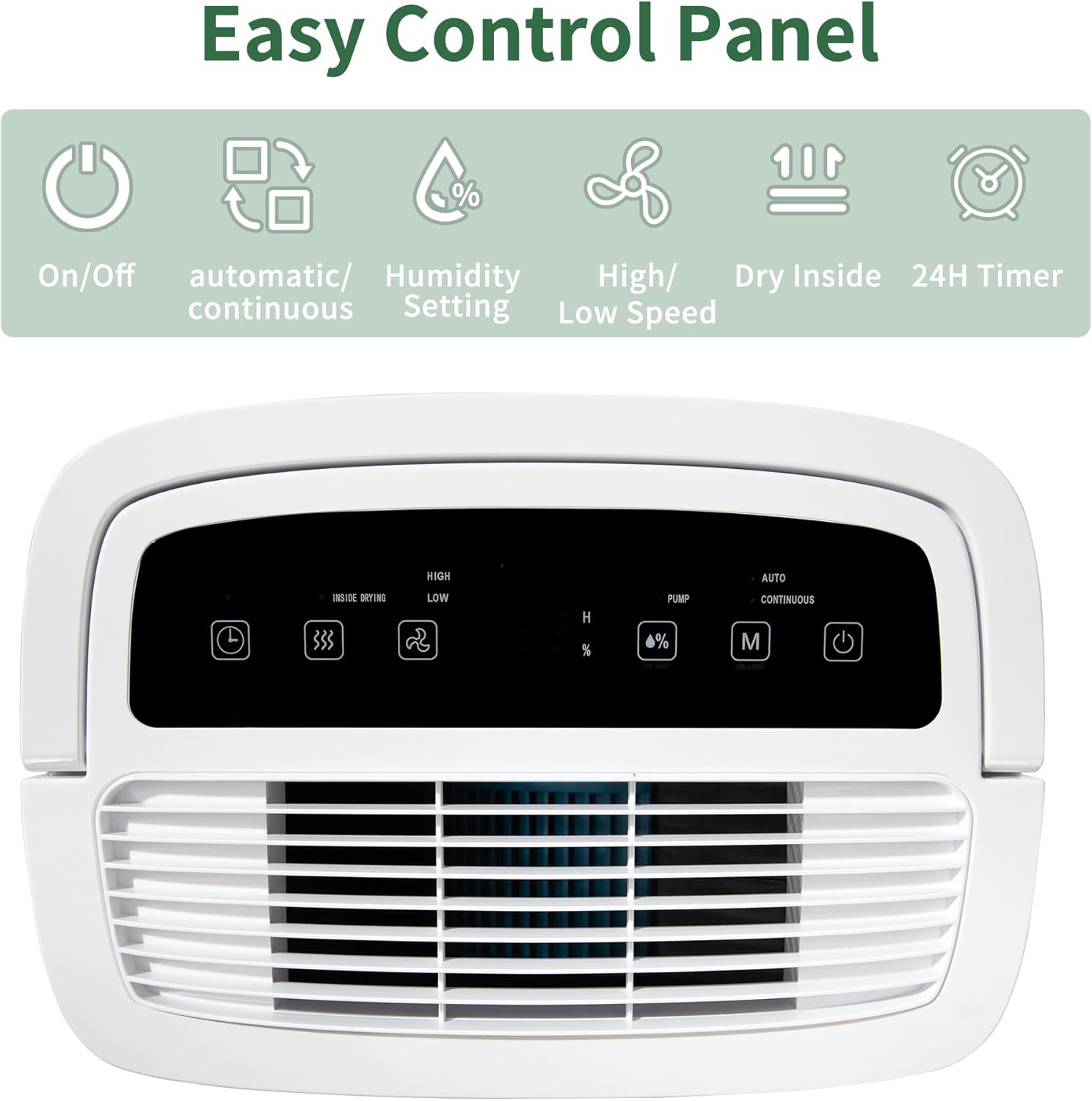
Figure 4: Control Panel
Basic Operation
- Power On/Off: Press the Power button to turn the unit on or off.
- Humidity Setting: Use the Humidity Setting buttons to adjust the desired humidity level from 30% to 80% in 5% increments. The ideal healthy humidity range is typically 45%-55%.
- Fan Speed: Select between High or Low fan speeds using the fan speed button.
- 24-Hour Timer: Set the timer for automatic power on or off within a 24-hour period.
- Child Lock: Press and hold the Mode button for 3 seconds to activate or deactivate the child lock, preventing accidental changes to settings.
Operating Modes
The dehumidifier features two primary operating modes:
- Automatic Mode: In this mode, the unit will operate until the set humidity level is reached, then the compressor will stop. The fan may continue to run.
- Continuous Mode: The unit will continuously dehumidify without stopping, regardless of the ambient humidity level.
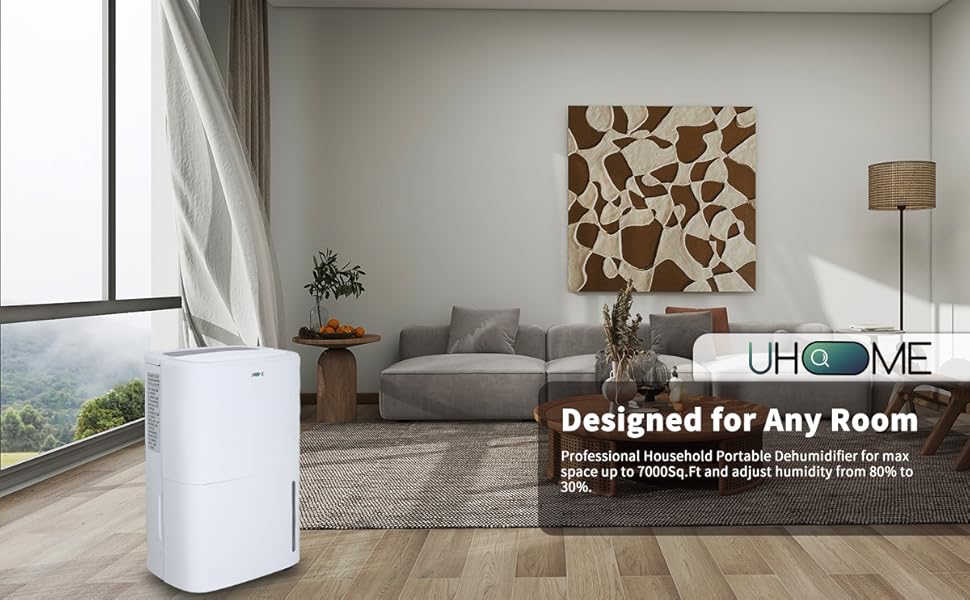
Figure 5: Operating Modes
Smart Functions
- Auto Shut Off: The unit automatically shuts off when the water bucket is full.
- Auto Defrost: If frost builds up on the evaporator coils, the compressor will cycle off and the fan will continue to run until the frost disappears.
- Auto Restart: The unit will automatically restart with the previous settings after a power supply interruption.

Figure 6: Smart Functions
Maintenance
Regular maintenance ensures optimal performance and longevity of your dehumidifier.
Emptying the Water Tank
When the water tank is full, the "FL" indicator will illuminate, and the unit will stop operating. Carefully remove the water tank from the front of the unit and empty the collected water. Reinsert the tank securely until it clicks into place.
Cleaning the Air Filter
The dehumidifier is equipped with an easy-to-clean washable air filter. A clean filter helps maintain the unit's efficiency and air quality.
- Turn off the dehumidifier and unplug it from the power outlet.
- Locate the air filter, typically on the back or side of the unit.
- Remove the filter.
- Wash the filter with warm, soapy water. Rinse thoroughly.
- Allow the filter to air dry completely before reinstalling.
- Reinsert the dry filter and plug the unit back in.

Figure 7: Washable Air Filter
Unit Storage
If storing the unit for an extended period, ensure the water tank is empty and the filter is clean and dry. Store in a cool, dry place.
Troubleshooting Guide
Before contacting customer support, please refer to the following common issues and solutions:
| Problem | Possible Cause | Solution |
|---|---|---|
| Unit does not turn on. | No power, power cord loose, water tank full. | Check power connection. Ensure water tank is empty and correctly seated. |
| "FL" code displayed. | Water tank is full. | Empty the water tank and reinsert it securely. |
| No water collected or low dehumidification. | Humidity level already low, filter clogged, room temperature too low, unit size inadequate for space. | Check ambient humidity. Clean the air filter. Ensure room temperature is above 41°F (5°C). Verify unit capacity matches room size. |
| Continuous drain not working. | Hose bent or obstructed, hose not properly connected, gravity not sufficient. | Ensure the hose is straight and sloped downwards. Check connections. For pump drainage, ensure the correct hose and outlet are used. |
| Unit is noisy. | Unit not on a level surface, internal vibration, fan obstruction. | Place the unit on a firm, level surface. Check for any loose parts or obstructions in the fan area. |
| Humidity sensor inaccurate. | Sensor calibration, environmental factors. | Allow the unit to operate for a period to stabilize. Compare with an external hygrometer. If persistent, contact support. |
| Ice buildup on coils. | Low room temperature, clogged filter, refrigerant issue. | Ensure room temperature is not too low. Clean the air filter. The unit has an auto-defrost function; allow it to cycle. If problem persists, contact support. |
Specifications
| Feature | Detail |
|---|---|
| Brand | Uhome |
| Model Name | UDZ1-150P/P |
| Dehumidification Capacity | 150 Pints/Day (under 95°F, 90%RH condition) |
| Coverage Area | Up to 7000 Sq. Ft |
| Water Tank Capacity | 7 Liters (1.85 Gallons) |
| Product Dimensions (D x W x H) | 10.47"D x 14.88"W x 24.21"H |
| Item Weight | 46 pounds |
| Color | White |
| Material | Metal, Plastic |
| Wattage | 520 watts |
| Number of Speeds | 2 (High/Low) |
| Operation Mode | Continuous, Automatic |
| Special Features | Automatic Defrost, Built-In Pump, Digital Display, 24-hour Timer, Child Lock |
| Air Flow Capacity | 350 Cubic Meters Per Minute |
| Upper Temperature Rating | 95 Degrees Fahrenheit |
| Manufacture Year | 2023 |
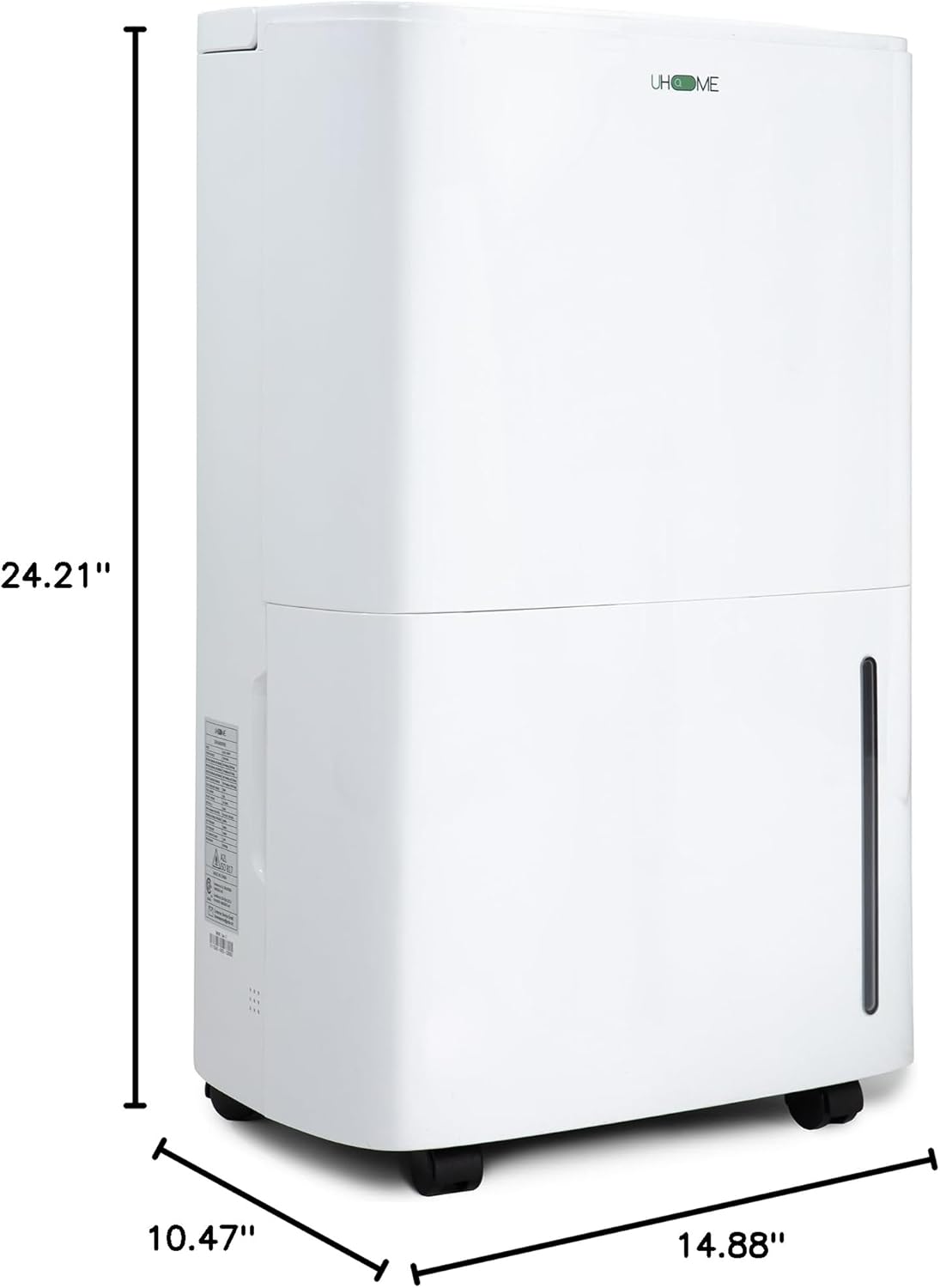
Figure 8: Product Dimensions
Warranty and Support
Product Warranty
Uhome provides a 1-year warranty for this product, covering manufacturing defects and malfunctions under normal use. This warranty includes a replacement or refund service.
Customer Support
Should you encounter any issues or have questions regarding your Uhome dehumidifier, please do not hesitate to contact our customer support team. We aim to respond within 24 hours to assist you with problem resolution.
For support, please refer to the contact information provided with your purchase documentation or visit the official Uhome website.
Related documentsUDZ1-150P/P


Ask a question about this manual
Ask about setup, troubleshooting, compatibility, parts, safety, or missing instructions. Manuals+ will review the question and use this page’s manual context to help answer it.