
Accutime HK3057
Accutime Hello Kitty Wall Clock User Manual
Model: HK3057
Introduction
Thank you for purchasing the Accutime Hello Kitty Wall Clock. This manual provides important information regarding the setup, operation, maintenance, and troubleshooting of your new wall clock. Please read this manual thoroughly before use and retain it for future reference.
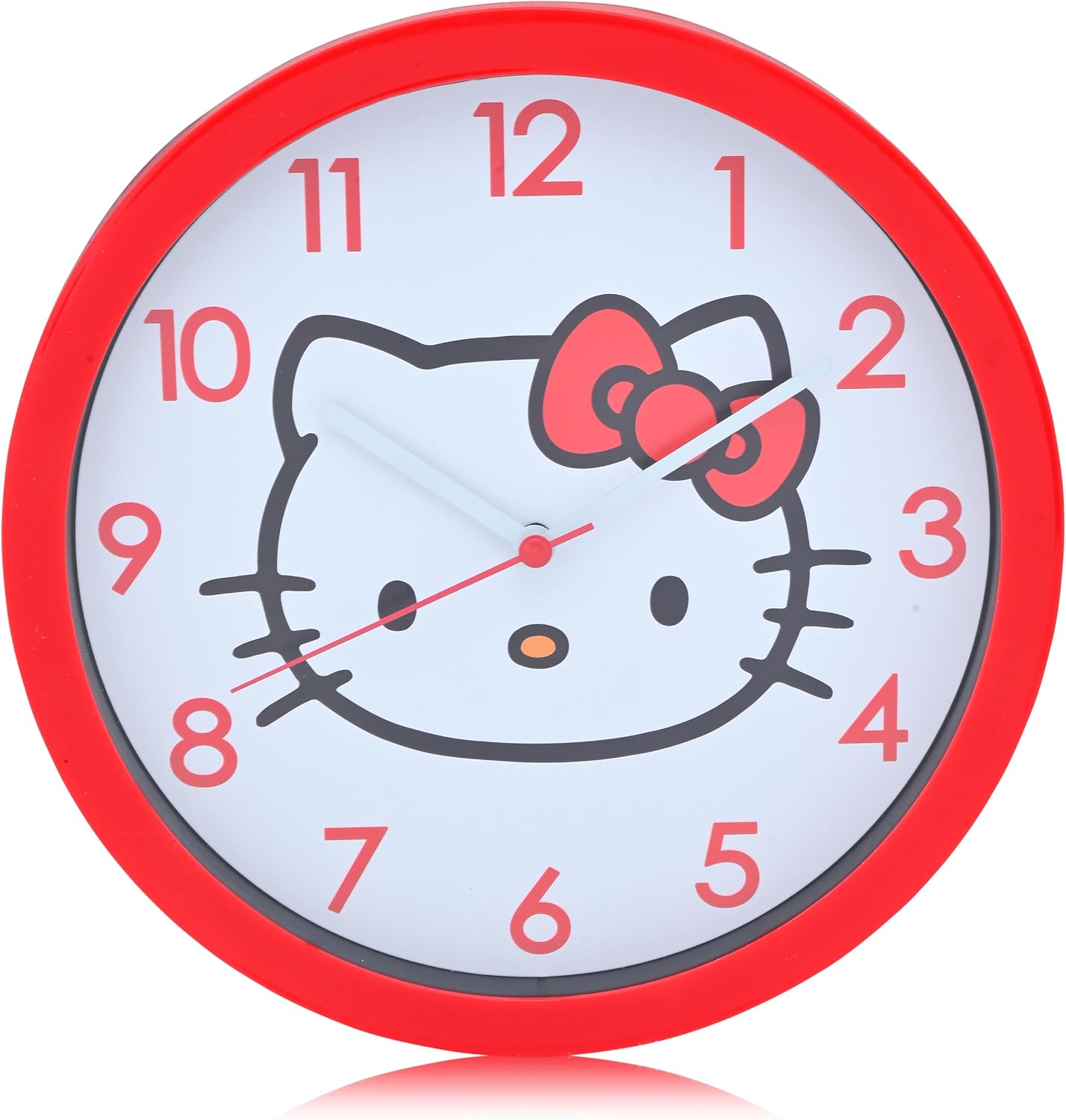
Figure 1: Front view of the Accutime Hello Kitty Wall Clock. This clock features a vibrant red frame and a white clock face adorned with the iconic Hello Kitty character. The numbers are clearly visible in red, and the clock hands are white.
Safety Information
- Keep out of reach of small children to prevent choking hazards from small parts or batteries.
- Do not expose the clock to extreme temperatures, direct sunlight, or high humidity.
- Avoid dropping the clock, as this may damage internal components or the casing.
- Use only the specified battery type (not included) and ensure correct polarity during installation.
- Dispose of used batteries responsibly according to local regulations.
Package Contents
- 1 x Accutime Hello Kitty Wall Clock (Model HK3057)
- This User Manual
Note: Batteries are not included and must be purchased separately.
Setup
1. Battery Installation
- Locate the battery compartment on the back of the clock.
- Open the battery compartment cover.
- Insert one (1) AA battery (not included) into the compartment, ensuring the positive (+) and negative (-) terminals align with the indicators inside.
- Close the battery compartment cover securely.

Figure 2: Rear view of the clock, illustrating the battery compartment and the integrated hanging slot for wall mounting.
2. Mounting the Clock
- Choose a suitable location on a wall for the clock. Ensure the surface is clean and dry.
- Install a nail or screw (not included) into the wall at the desired height, leaving a small portion protruding.
- Align the hanging slot on the back of the clock with the nail or screw.
- Carefully hang the clock, ensuring it is stable and level.

Figure 3: The Hello Kitty Wall Clock displayed on a wall, demonstrating its appearance in a typical room setting.
Operating Instructions
Setting the Time
- Locate the time setting knob on the back of the clock, usually near the battery compartment.
- Gently turn the knob in either direction until the hour and minute hands display the correct time.
- Once the time is set, the second hand will begin to move, indicating the clock is operating.
Maintenance
Cleaning
- To clean the clock, gently wipe the surface with a soft, dry cloth.
- Do not use abrasive cleaners, solvents, or chemical sprays, as these may damage the finish or internal components.
Battery Replacement
- When the clock begins to lose time or stops functioning, it is an indication that the battery needs to be replaced.
- Follow the battery installation steps outlined in the "Setup" section to replace the old battery with a new AA battery.
Troubleshooting
| Problem | Possible Cause | Solution |
|---|---|---|
| Clock not running or stops intermittently. | Dead or low battery; incorrect battery installation. | Replace the battery with a new AA battery, ensuring correct polarity (+/-). |
| Time is inaccurate. | Low battery; hands are obstructed. | Replace the battery. Check if the clock hands are bent or touching each other or the clock face. If so, gently adjust them. |
| Loud ticking sound. | Normal operation for some clock movements. | This is typically normal. If it becomes excessively loud, ensure the clock is securely mounted and not vibrating against the wall. |
Specifications
| Feature | Detail |
|---|---|
| Model Number | HK3057 |
| Brand | Accutime |
| Material | Plastic |
| Color | Red |
| Product Dimensions (L x W x H) | 21.59 x 3.81 x 21.59 cm (approximately 8.5 x 1.5 x 8.5 inches) |
| Item Weight | 408 g (approximately 0.9 lbs) |
| Power Source | 1 x AA Battery (not included) |
| Display Type | Analog |
| Special Features | Cordless |

Figure 4: Dimensional view of the clock, highlighting its approximate 21.59 cm (8.5 inch) square form factor.
Warranty and Support
For warranty information or product support, please refer to the packaging or contact the retailer where the product was purchased. You may also visit the official Accutime website for further assistance.
For general inquiries, please contact customer service at the point of purchase.
Ask a question about this manual
Ask about setup, troubleshooting, compatibility, parts, safety, or missing instructions. Manuals+ will review the question and use this page’s manual context to help answer it.