
Cuifati YKR H 531E
Cuifati YKR H 531E Remote Control User Manual
Model: YKR H 531E
Introduction
Thank you for choosing the Cuifati YKR H 531E Replacement Remote Control. This remote is designed to provide seamless and convenient control for your AUX YKR P 001E and YKR P 002E air conditioning units. It offers a direct replacement for your original remote, ensuring full functionality without complex setup procedures. Made from premium ABS material, it is durable, comfortable to hold, and provides sensitive control within its effective range.

Image: The Cuifati YKR H 531E remote control, highlighting its compatibility as a perfect replacement for AUX YKR P 001E and YKR P 002E air conditioners.
Setup
The Cuifati YKR H 531E remote control is designed for immediate use with compatible AUX air conditioning units. No complex programming or pairing is required.
Battery Installation
- Locate the battery compartment on the back of the remote control.
- Slide open the battery compartment cover.
- Insert two (2) AAA batteries (not included) into the compartment, ensuring the positive (+) and negative (-) terminals align correctly with the indicators inside the compartment.
- Close the battery compartment cover securely.
Once batteries are installed, the remote is ready to operate your air conditioner.

Image: The remote control displaying text "Easy to Use" and "Works well with 2 AAA batteries (not included)", illustrating the simplicity of battery installation and immediate functionality.
Operating Instructions
The remote control features a clear display and intuitively placed buttons for easy operation of your air conditioner's functions.
Button Functions Overview
| Button | Function |
|---|---|
| Power Button (Blue) | Turns the air conditioner ON or OFF. |
| MODE | Cycles through operating modes (e.g., Cool, Heat, Fan, Dry, Auto). |
| ▲ / ▼ (Temperature Up/Down) | Adjusts the desired temperature setting. |
| SPEED | Adjusts the fan speed (e.g., Low, Medium, High, Auto). |
| SWING ↔ | Controls horizontal louver swing. |
| SWING ↑ | Controls vertical louver swing. |
| TURBO | Activates rapid cooling or heating for quick temperature changes. |
| TIMER | Sets the timer for automatic ON/OFF operation. |
| iFeel | Activates the "I Feel" function, which senses the temperature at the remote's location for more precise comfort. |
| HEALTH | Activates health-related functions (e.g., air purification, ionizer, if available on AC unit). |
| iClean | Initiates the self-cleaning function of the air conditioner (if supported by AC unit). |
| Anti-FUNGUS | Activates the anti-fungus function to prevent mold growth in the AC unit (if supported by AC unit). |
| DISPLAY | Toggles the display on the air conditioner unit ON or OFF. |
| iFavor | Recalls a favorite preset operating mode and settings. |
| SLEEP | Activates the sleep mode, which adjusts temperature and fan speed for comfortable sleep. |
Using the Remote
- Point the remote control directly at the infrared receiver on your air conditioning unit.
- Ensure there are no obstructions between the remote and the AC unit.
- The clear display on the remote will show the current settings and operating status of the air conditioner.
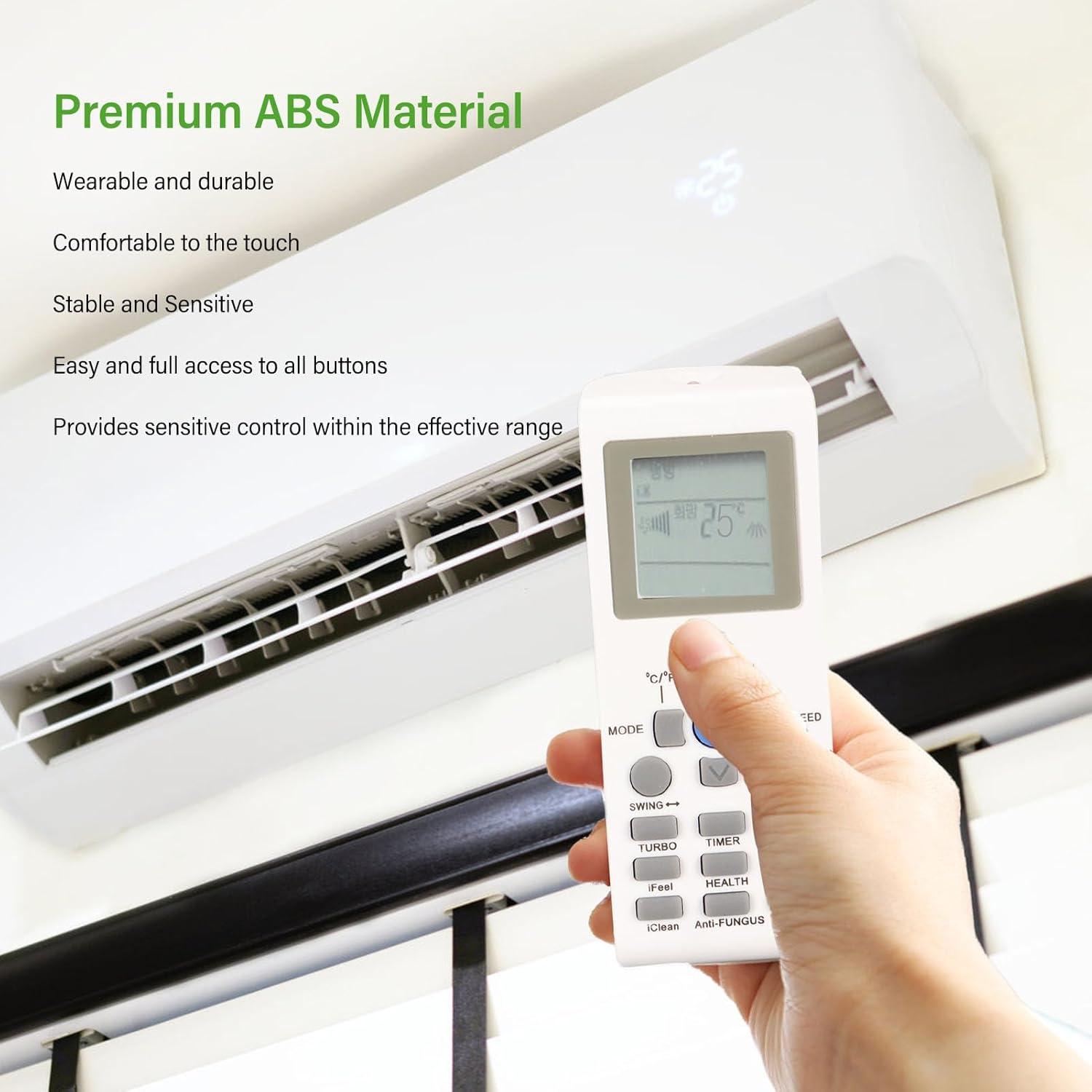
Image: A hand holding the remote control, pointing it towards a wall-mounted air conditioning unit, demonstrating typical usage.

Image: A hand holding the remote control, pointing it towards a ceiling-mounted air conditioning unit, showing its versatility.

Image: A hand holding the remote control in a room with a wall-mounted air conditioning unit, illustrating the remote's clear display and ease of use in a home environment.
Maintenance
Cleaning the Remote
- Wipe the surface of the remote control with a soft, dry cloth.
- Do not use liquid cleaners, abrasive cleaners, or chemical sprays, as these may damage the remote's surface or internal components.
Battery Replacement
- If the remote control's range decreases significantly or the display becomes dim, it is time to replace the batteries.
- Follow the battery installation steps outlined in the "Setup" section.
- Always replace both AAA batteries at the same time with new ones.
- Dispose of used batteries responsibly according to local regulations.
Troubleshooting
| Problem | Possible Cause | Solution |
|---|---|---|
| Remote control not working. | Dead or incorrectly installed batteries. | Replace batteries with new AAA batteries, ensuring correct polarity. |
| Remote control range is poor. | Low batteries; Obstruction between remote and AC unit; Remote not pointed directly at AC unit. | Replace batteries; Remove any obstructions; Point the remote directly at the AC unit's receiver. |
| AC unit does not respond to specific buttons. | Function not supported by your specific AC model; Remote malfunction. | Verify if your AC unit supports the specific function. If other buttons work, the remote might be faulty (unlikely for new remotes). |
Specifications
- Item Type: Air Conditioner Remote Control
- Material: ABS
- Remote Control Model: YKR H 531E
- Compatible AC Models: AUX YKR P 001E, AUX YKR P 002E
- Power Source: 2 x AAA Batteries (not included)
- Connector Type: Infrared
- Special Features: Durable, Clear Display, Sensitive Control
- Dimensions: Approximately 15.3 x 10.7 x 3.1 cm (6.0 x 4.2 x 1.2 inches)
- Weight: Approximately 70 g (2.5 oz)
- Manufacturer Model Number: CUIFATI0phwebmcnx
Warranty and Support
For any questions regarding product warranty, returns, or technical support, please contact the seller or manufacturer directly through the platform where the product was purchased. Please refer to your purchase documentation for specific warranty terms and conditions.
This product is designed for reliable performance and is a direct replacement for the specified AUX air conditioner remote controls. Should you encounter any issues not covered in this manual, please reach out to customer service for assistance.
Ask a question about this manual
Ask about setup, troubleshooting, compatibility, parts, safety, or missing instructions. Manuals+ will review the question and use this page’s manual context to help answer it.