Introduction
The Uniden BCD160DN sets the standard for performance, features, and innovation. This handheld digital scanner offers exclusive features like Band Scope, Rapid System/Channel Number Tagging, Narrow-band Reception, and a complete suite of search features to help you detect elusive signals faster than ever. Uniden Digital Scanners are designed to provide an enhanced scanning experience.
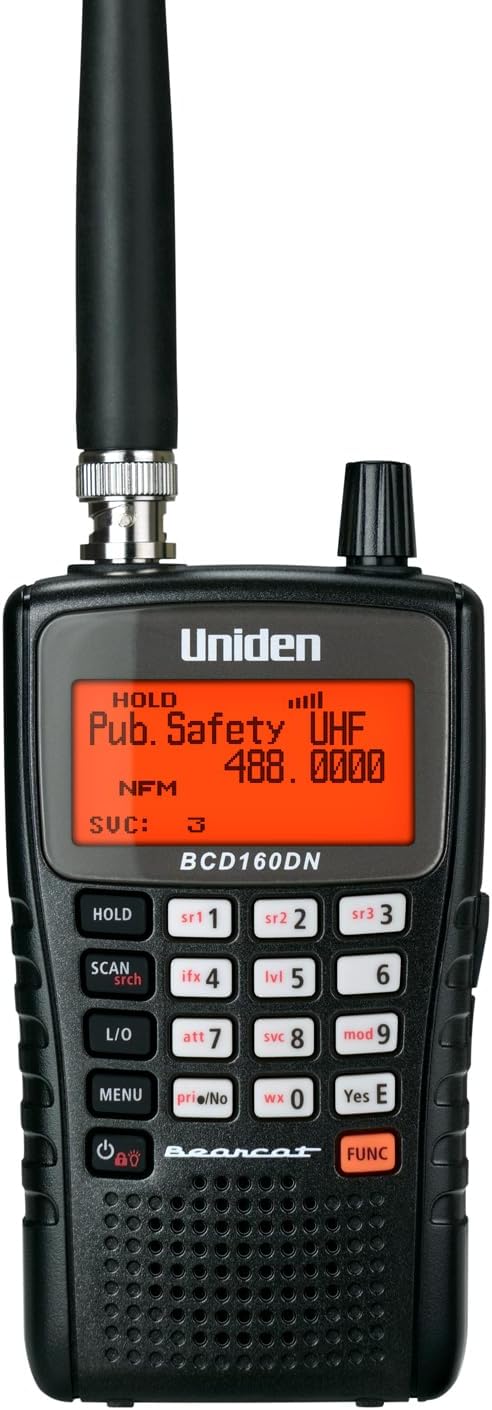
Figure 1: Front view of the Uniden Bearcat BCD160DN Handheld Digital Scanner.
What's in the Box
Upon opening your Uniden BCD160DN package, please verify that all the following components are included:
- AA Rechargeable Batteries (2 included)
- Antenna
- USB Cable
- Hand Strap
- Owner's Manual (this document)
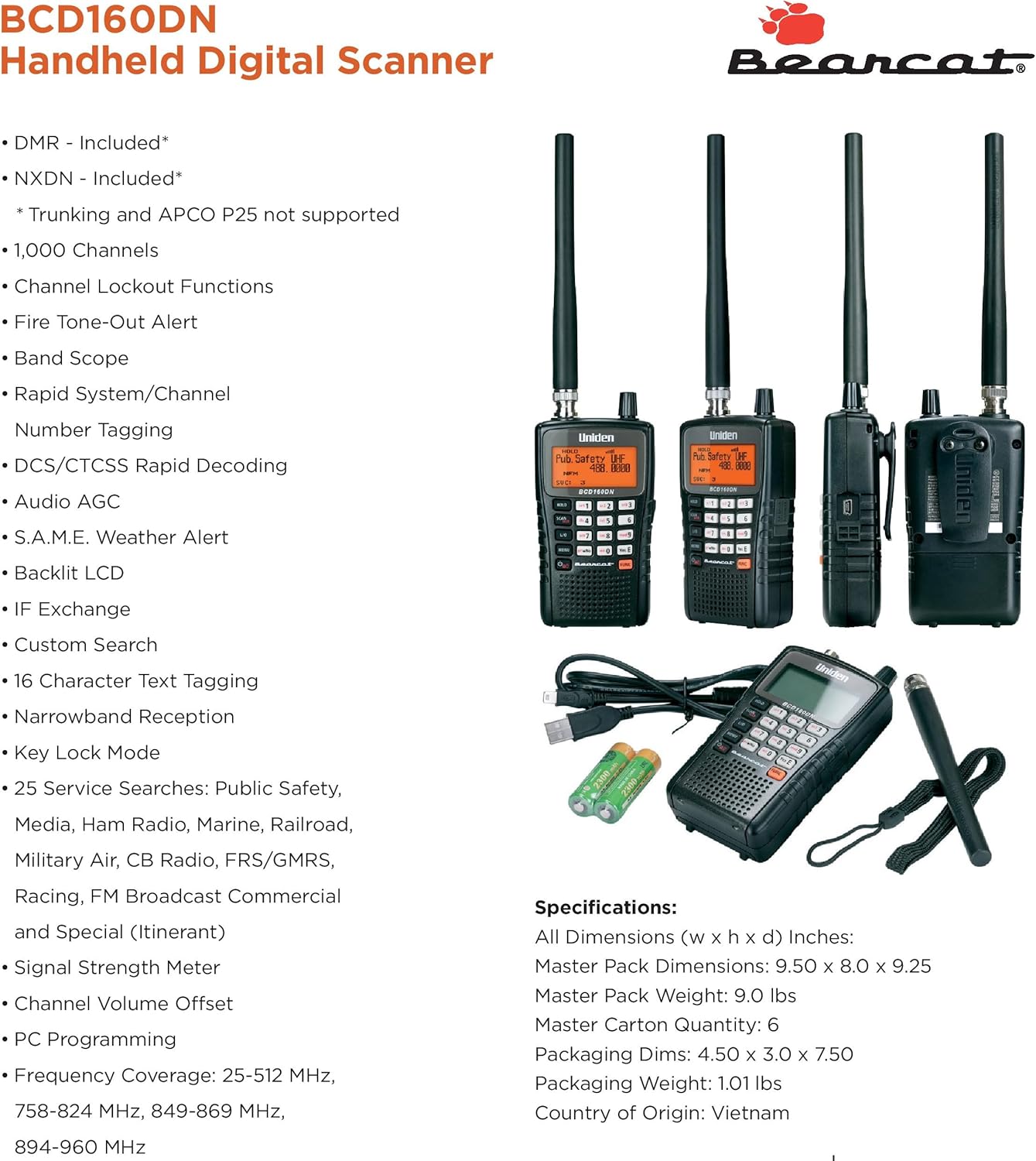
Figure 2: All components included with the Uniden BCD160DN scanner.
Setup
Battery Installation
The Uniden BCD160DN requires two AA batteries for operation. Locate the battery compartment on the rear of the scanner. Open the compartment cover and insert the two AA rechargeable batteries, ensuring correct polarity (+/-) as indicated inside the compartment. Close the cover securely.
Antenna Attachment
Attach the supplied antenna to the BNC connector located on the top of the scanner. Gently screw the antenna onto the connector until it is finger-tight. Do not overtighten.

Figure 3: Top view of the scanner, illustrating the antenna connection point.
Initial Power On
After installing the batteries and antenna, press and hold the power button (usually located on the front panel or side) to turn on the scanner. The LCD display will illuminate, indicating the device is ready for operation.
Operating Your Scanner
Key Features
The BCD160DN is equipped with a range of features to enhance your scanning experience:
- DCS/CTCSS Rapid Decode: Instantly detects and displays sub-audible tones for quick system setting determination.
- DMR & NXDN: Preloaded support for Digital Mobile Radio and Next Generation Digital Narrowband.
- 1,000 Channels: Ample storage for your favorite frequencies.
- Channel Lockout Functions: Skip unwanted channels during scanning.
- Fire Tone-Out Alert: Alerts you to specific fire department dispatches.
- Band Scope: Visualizes activity across a frequency range.
- Rapid System/Channel Number Tagging: Quickly identify and organize channels.
- Audio AGC: Automatic Gain Control for consistent audio levels.
- S.A.M.E. Weather Alert: Specific Area Message Encoding for localized weather alerts.
- Backlit LCD: Improves visibility in low-light conditions.
- IF Exchange: Intermediate Frequency exchange for improved performance.
- Custom Search: Define your own search ranges.
- 16 Character Text Tagging: Assign descriptive names to channels.
- Narrowband Reception: Optimized for narrow-band signals.
- Key Lock Mode: Prevents accidental button presses.
- 25 Service Searches: Pre-programmed search ranges for Public Safety, Media, Ham Radio, Marine, Railroad, Military Air, CB Radio, FRS/GMRS, Racing, FM Broadcast Commercial, and Special (Itinerant).
- Signal Strength Meter: Displays the strength of received signals.
- Channel Volume Offset: Adjust volume for individual channels.
- PC Programming: Manage settings and updates via computer.
- Frequency Coverage: 25-512 MHz, 758-824 MHz, 849-869 MHz, 894-960 MHz.

Figure 4: The front panel of the BCD160DN, showing the display and control buttons.
Basic Scanning
To begin scanning, ensure your favorite lists are programmed. Press the SCAN button to initiate scanning through your programmed channels. Use the HOLD button to pause on a specific frequency or channel. The SRCH (Search) button allows you to activate various search modes, including custom searches or service searches.
Digital Modes (DMR/NXDN)
The BCD160DN comes with DMR and NXDN capabilities preloaded, allowing you to monitor these digital modes without additional upgrades. The scanner automatically detects and decodes these signals when encountered during scanning or searching.
PC Programming
For advanced management of your scanner's profiles, favorite lists, databases, and firmware updates, you can utilize the free Uniden software available for download. Connect the scanner to your PC using the supplied USB cable.
Maintenance
To ensure the longevity and optimal performance of your Uniden BCD160DN, follow these maintenance guidelines:
- Cleaning: Use a soft, dry cloth to clean the exterior of the scanner. Avoid using abrasive cleaners or solvents, which can damage the finish.
- Battery Care: If the scanner will not be used for an extended period, remove the batteries to prevent leakage and potential damage.
- Storage: Store the scanner in a cool, dry place away from direct sunlight and extreme temperatures.
- Antenna: Ensure the antenna connection remains secure but do not overtighten.
Troubleshooting
If you encounter issues with your Uniden BCD160DN, consider the following common troubleshooting steps:
- No Power: Check battery installation and ensure batteries are charged. Try replacing with fresh batteries.
- No Reception: Verify the antenna is securely attached. Ensure you are within range of active transmissions. Check if channels are locked out.
- Poor Audio Quality: Adjust the volume and squelch controls. Ensure the antenna is properly connected.
- Scanner Not Responding: Try turning the unit off and on again. If unresponsive, remove and reinsert batteries for a hard reset.
- PC Connection Issues: Ensure the USB cable is properly connected to both the scanner and the computer. Verify that the correct drivers are installed for PC programming.
For more detailed troubleshooting, please refer to the complete Owner's Manual PDF linked in the Support section.
Technical Specifications

Figure 5: Overview of the BCD160DN's features and specifications.
| Specification | Value |
|---|---|
| Product Dimensions | 4 x 3 x 7 inches |
| Item Weight | 1.19 pounds |
| Item Model Number | BCD160DN |
| Batteries | 2 AA batteries required (included) |
| Connectivity Technology | USB |
| Special Feature | Rechargeable |
| Display Technology | LCD |
| Color | Black |
| Manufacturer | Uniden |
| Date First Available | February 8, 2024 |
| Tuner Technology | DRM |
| Style | Compact |
| Power Source | Battery Powered |
| Radio Bands Supported | 12-Band |
Warranty and Support
Uniden products are designed for reliability and performance. For specific warranty details regarding your BCD160DN scanner, please refer to the warranty information provided with your purchase documentation or contact Uniden customer support.
For comprehensive information, detailed operating procedures, and advanced features, please download the official User Manual PDF:
Download Full User Manual (PDF)
For further assistance, technical support, or service inquiries, please visit the official Uniden website or contact their customer service department.


