
1. Introduction
Thank you for choosing the SAI INDER KALA HY02B05-2BW Programmable Thermostat. This device is designed for precise indoor temperature control, offering programmable scheduling and an anti-freezing function to ensure comfort and energy efficiency. This manual provides detailed instructions for installation, operation, and maintenance.
Package Contents:
- 1 x HY02B05-2BW Smart Thermostat
2. Safety Information
Please read all safety instructions before installing or operating this device. Failure to follow these instructions may result in property damage, personal injury, or death. Always disconnect power before performing any wiring or maintenance. Installation should be performed by a qualified electrician in accordance with local electrical codes.
- Ensure power is OFF before installation or maintenance.
- Do not expose the thermostat to water or excessive humidity.
- Keep out of reach of children.
- Do not attempt to repair or modify the device yourself. Contact qualified personnel for service.
3. Product Overview and Features
The HY02B05-2BW thermostat features a large LCD touch screen with a blue backlight for clear visibility. It offers various functions and settings to optimize your heating system.

Figure 3.1: Front view of the HY02B05-2BW thermostat displaying current room temperature, set temperature, time, and operating mode.
Key Features:
- Large LCD touch screen with blue backlight display.
- Double temperature display mode (current and set temperature).
- Time display (minutes, hours, weeks).
- 6 period programmable temperature setting (5+2, 6+1, or 7-day schedule options).
- Internal and external temperature sensor capabilities.
- Display precision of 0.5°C/°F, inner precision of 0.1°C/°F.
- Room temperature automatic calibration function.
- Manual control and anti-freezing function.
4. Setup and Installation
Proper installation is crucial for the thermostat's optimal performance. Ensure all power is disconnected before proceeding.
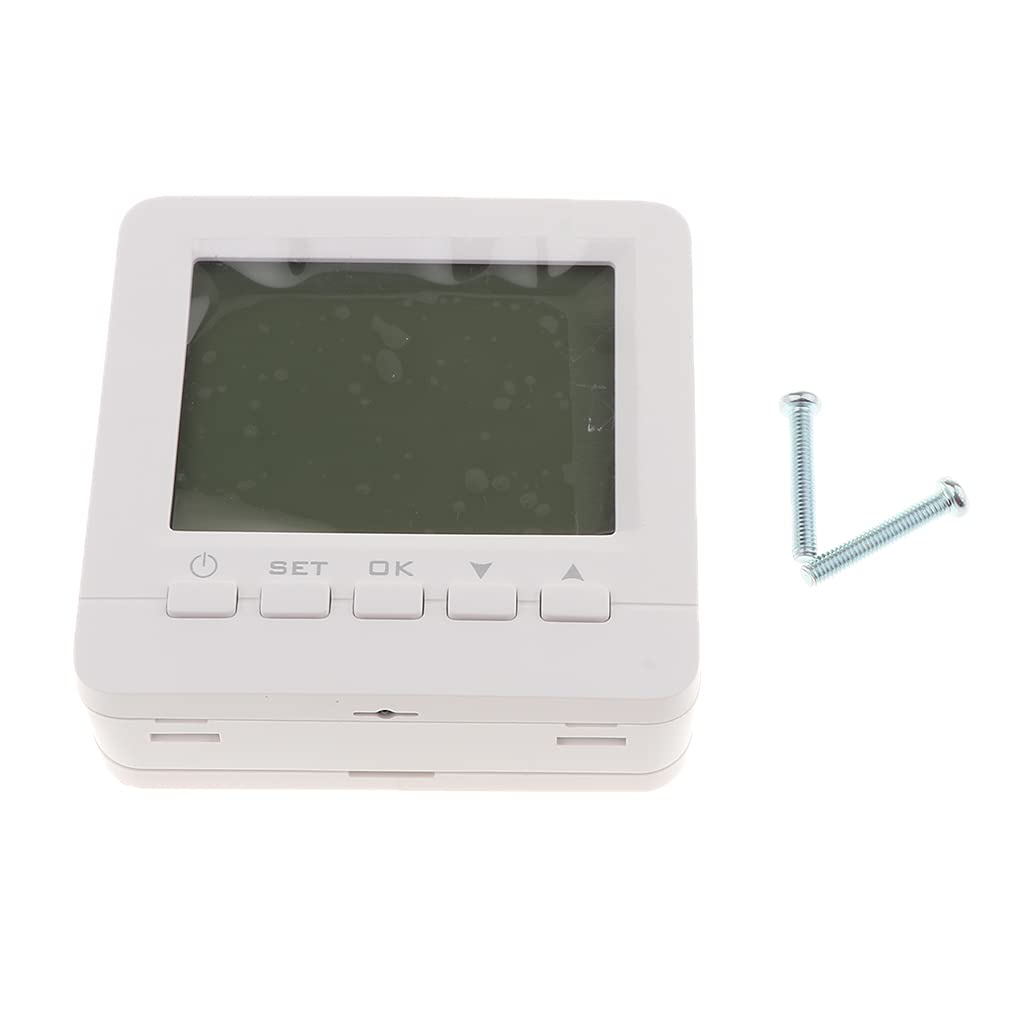
Figure 4.1: The HY02B05-2BW thermostat unit alongside mounting screws, indicating components for installation.
Installation Steps:
- Power Disconnection: Turn off the main power supply to your heating system at the circuit breaker.
- Mounting Location: Choose a central location on an interior wall, away from direct sunlight, drafts, or heat sources that could affect temperature readings.
- Wiring: Follow the wiring diagram provided with your specific heating system and the thermostat. Ensure all connections are secure and correct. Incorrect wiring can damage the thermostat or heating system.
- Mounting the Thermostat: Secure the thermostat base to the wall using the provided screws. Attach the main thermostat unit to the base.
- Power Restoration: Once installation is complete and all connections are verified, restore power to your heating system.
5. Operating Instructions
The HY02B05-2BW thermostat offers both manual control and programmable scheduling options.
5.1 Basic Operation
- Power On/Off: Press the Power button (usually indicated by a circle with a vertical line) to turn the thermostat on or off.
- Manual Temperature Adjustment: In manual mode, use the Up (▲) and Down (▼) buttons to adjust the desired set temperature. The display will show the current room temperature and the newly set temperature.
- Confirm Settings: Press the OK button to confirm any changes.
5.2 Programmable Scheduling
The thermostat supports 5+2, 6+1, and 7-day programmable schedules with 6 periods per day. This allows you to set different temperatures for various times of the day and week.
- Enter Program Mode: Press the SET button repeatedly until you enter the program setting interface.
- Select Day/Period: Use the Up (▲) and Down (▼) buttons to navigate through days (e.g., Monday-Friday, Saturday, Sunday for 5+2 mode) and periods (e.g., Wake, Leave, Return, Sleep).
- Adjust Time/Temperature: For each period, use the Up (▲) and Down (▼) buttons to set the desired start time and temperature.
- Save Settings: Press OK to confirm each setting and move to the next, or press SET to exit program mode once all periods are configured.
5.3 Anti-Freezing Function
This function helps protect your pipes from freezing by automatically activating heating if the temperature drops below a preset minimum (e.g., 5°C). Refer to the on-screen indicators or specific menu options to enable or disable this feature.
5.4 Room Temperature Calibration
The thermostat includes an automatic room temperature calibration function. If you find the displayed temperature inaccurate compared to another reliable thermometer, you may be able to manually adjust the calibration offset in the advanced settings menu. Consult the on-screen menu for this option.
6. Maintenance
The HY02B05-2BW thermostat requires minimal maintenance to ensure long-term performance.
- Cleaning: Wipe the screen and casing with a soft, dry cloth. Do not use abrasive cleaners, solvents, or spray directly onto the unit.
- Battery Replacement: If your model uses batteries, replace them annually or when a low battery indicator appears on the display.
- Firmware Updates: Check the manufacturer's website periodically for any available firmware updates, if applicable to your model.
7. Troubleshooting
If you encounter issues with your thermostat, try the following troubleshooting steps:
- No Display/Power: Check the circuit breaker and ensure the thermostat is properly wired and receiving power. If battery-operated, replace batteries.
- Incorrect Temperature Reading: Ensure the thermostat is not exposed to direct sunlight, drafts, or heat sources. Check for any calibration settings that might be off.
- Heating Not Activating: Verify that the thermostat is in heating mode and the set temperature is above the current room temperature. Check wiring connections.
- Programming Issues: Review the programming steps in Section 5.2 to ensure the schedule is set correctly.
- System Reset: If issues persist, a factory reset might be necessary. Refer to the advanced settings menu for this option (note: this will erase all custom settings).
If you are unable to resolve the issue, contact customer support or a qualified technician.
8. Specifications
| Feature | Description |
|---|---|
| Model Number | HY02B05-2BW (SIKIN53034330) |
| Manufacturer | SAI INDER KALA, SIK |
| Country of Origin | Hong Kong |
| Item Dimensions (LxWxH) | 15 x 10 x 12 Centimeters |
| Net Quantity | 1.00 Count |
| Included Components | 1 Piece Smart Thermostat |
| Generic Name | Programmable Thermostats |
9. Warranty and Support
For warranty information and technical support, please refer to the documentation provided with your purchase or contact SAI INDER KALA customer service directly. Keep your purchase receipt as proof of purchase.
Customer Support: Please visit the official SAI INDER KALA website or contact your retailer for support contact details.