
1. Introduction
Thank you for choosing the Livpure Multicool Mini Desert Air Cooler. This manual provides essential information for the safe and efficient operation, installation, and maintenance of your new air cooler. Please read this manual thoroughly before use and retain it for future reference.
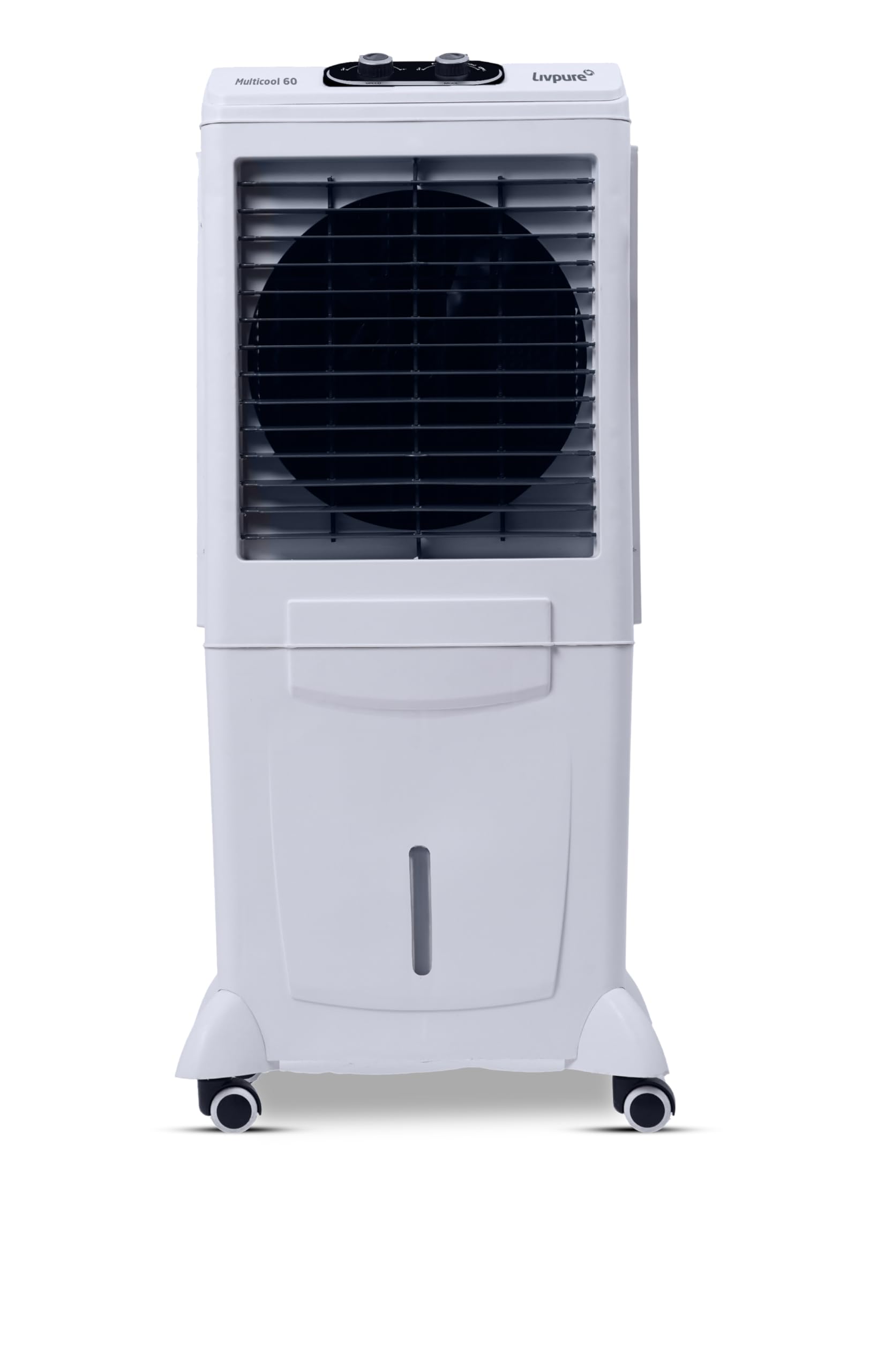
Figure 1: Front view of the Livpure Multicool Mini Desert Air Cooler.
2. Safety Instructions
To reduce the risk of fire, electric shock, or injury, always follow these basic safety precautions:
- Read all instructions before using the appliance.
- Ensure the power supply voltage matches the rating label on the cooler.
- Do not operate the cooler with a damaged cord or plug.
- Do not place the cooler near heat sources or in direct sunlight for extended periods.
- Always unplug the cooler from the power outlet before cleaning, servicing, or moving.
- Do not immerse the cooler, cord, or plug in water or other liquids.
- Keep children and pets away from the cooler during operation.
- Do not insert objects into the cooler's grilles.
- Use the cooler only on a stable, level surface.
- Do not overfill the water tank.
- Exercise caution when moving the cooler, especially when the water tank is full. Ensure wheels are securely attached to prevent tipping.
3. Package Contents
Verify that all items are present in the package:
- Livpure Multicool Mini Desert Air Cooler Unit
- 4 x Multi-directional Wheels
- User Manual (this document)
4. Setup
4.1 Attaching the Wheels
The cooler comes with separate multi-directional wheels for easy mobility. To attach them:
- Carefully tilt the cooler to access the bottom. It is recommended to do this with an empty water tank.
- Insert each wheel stem firmly into the designated slots at the bottom corners of the cooler. Ensure they click into place or are securely fastened.
- Gently place the cooler upright. Verify that all wheels are stable and can rotate freely.
Important: Ensure the wheels are fully and securely inserted. If the cooler is moved with a full water tank and unsecured wheels, there is a risk of the cooler becoming unstable or tipping over, potentially causing injury or damage.

Figure 2: Cooler showing multi-directional wheels for easy movement.
4.2 Filling the Water Tank
The cooler has a 60-liter water tank capacity.
- Locate the water inlet on the cooler.
- Pour clean water into the tank until the water level indicator shows it is full, but do not exceed the "MAX" mark.
- Ensure the water inlet cap is securely closed after filling.

Figure 3: Cooler highlighting the water level indicator and multi-directional wheels.
4.3 Power Connection
Plug the power cord into a standard 230V AC electrical outlet. Ensure the outlet is properly grounded.
5. Operating Instructions
The Livpure Multicool Mini Desert Air Cooler features knob controls for easy operation.
Figure 4: Top view of the cooler showing the speed controller knob.
5.1 Power On/Off
Turn the main power knob to the "ON" position to start the cooler. Turn it to "OFF" to switch off the unit.
5.2 Adjusting Fan Speed
The cooler offers 3 fan speeds. Rotate the fan speed knob to select your desired airflow: Low, Medium, or High.
5.3 Activating Cooling Function
To activate the cooling function, ensure the water tank is filled. Rotate the cooling knob to the "COOL" position. This will activate the water pump, circulating water over the honeycomb pads to provide evaporative cooling.
5.4 Swing Function
Some models may include a swing function to distribute air more widely. If available, activate it using the dedicated swing knob or switch.
6. Maintenance
Regular maintenance ensures optimal performance and longevity of your air cooler. Always unplug the cooler before performing any maintenance.
6.1 Cleaning the Water Tank
Drain and clean the water tank regularly (at least once a week, or more frequently with heavy use) to prevent algae growth and maintain hygiene.
- Unplug the cooler.
- Locate the drain plug at the bottom or back of the cooler.
- Remove the drain plug to empty the water tank completely.
- Clean the inside of the tank with a soft cloth and mild detergent. Rinse thoroughly with clean water.
- Replace the drain plug securely.
6.2 Cleaning Honeycomb Pads
The anti-bacterial honeycomb pads should be cleaned periodically to ensure efficient cooling and air quality.
- Unplug the cooler.
- Carefully remove the back or side panels to access the honeycomb pads.
- Gently rinse the pads under running water to remove dust and mineral deposits. Do not use harsh chemicals.
- Allow the pads to air dry completely before reinserting them.
- Reattach the panels securely.

Figure 5: Cooler highlighting the 3-side honeycomb cooling media.
6.3 Exterior Cleaning
Wipe the exterior of the cooler with a soft, damp cloth. Do not use abrasive cleaners or solvents.
6.4 Storage
If storing the cooler for an extended period:
- Drain and clean the water tank and honeycomb pads thoroughly.
- Ensure all components are completely dry.
- Cover the cooler with a dust cover and store it in a cool, dry place.
7. Troubleshooting
Before contacting customer support, refer to the following troubleshooting guide for common issues:
| Problem | Possible Cause | Solution |
|---|---|---|
| Cooler does not turn on. | No power supply. Power cord not properly plugged in. | Check if the power cord is securely plugged into a working outlet. Check the circuit breaker. |
| No cooling effect. | Water tank is empty. Water pump is not working. Honeycomb pads are clogged. | Fill the water tank. Ensure the cooling function is activated. Clean the honeycomb pads as per maintenance instructions. |
| Reduced airflow. | Air filter/honeycomb pads are dirty. Obstruction in air inlet/outlet. | Clean the honeycomb pads. Ensure nothing is blocking the air grilles. |
| Unpleasant odor. | Stagnant water or dirty pads. | Drain and clean the water tank and honeycomb pads thoroughly. Use fresh water. |
If the problem persists after attempting these solutions, please contact Livpure customer support.
8. Specifications
| Feature | Detail |
|---|---|
| Brand | Livpure |
| Model Name | MULTICOOL-60L |
| Type | Desert Air Cooler |
| Reservoir Capacity | 60 Liters |
| Air Flow Capacity | 3000 CMH |
| Air Throw Distance | Up to 23 ft |
| Wattage | 140 Watts (Approx.) |
| Voltage | 230 Volts (AC) |
| Number of Speeds | 3 |
| Controls Type | Knob |
| Cooling Media | Anti-bacterial Honeycomb Pads |
| Mobility | Multi-directional Wheels, Portable |
| Inverter Compatibility | Yes |
| Item Weight | 12.7 Kilograms |
| Item Dimensions (D x W x H) | 53D x 38.5W x 114.5H Centimeters |
| Material | Plastic |

Figure 6: Dimensions of the Livpure Multicool Mini Desert Air Cooler.
9. Warranty and Support
9.1 Warranty Information
The Livpure Multicool Mini Desert Air Cooler comes with a 1 Year Comprehensive Warranty and a 2 Year Warranty on the Motor from the date of purchase. This warranty covers manufacturing defects under normal use. Please retain your purchase receipt for warranty claims.
For detailed terms and conditions, please refer to the warranty card included with your product or visit the official Livpure website.
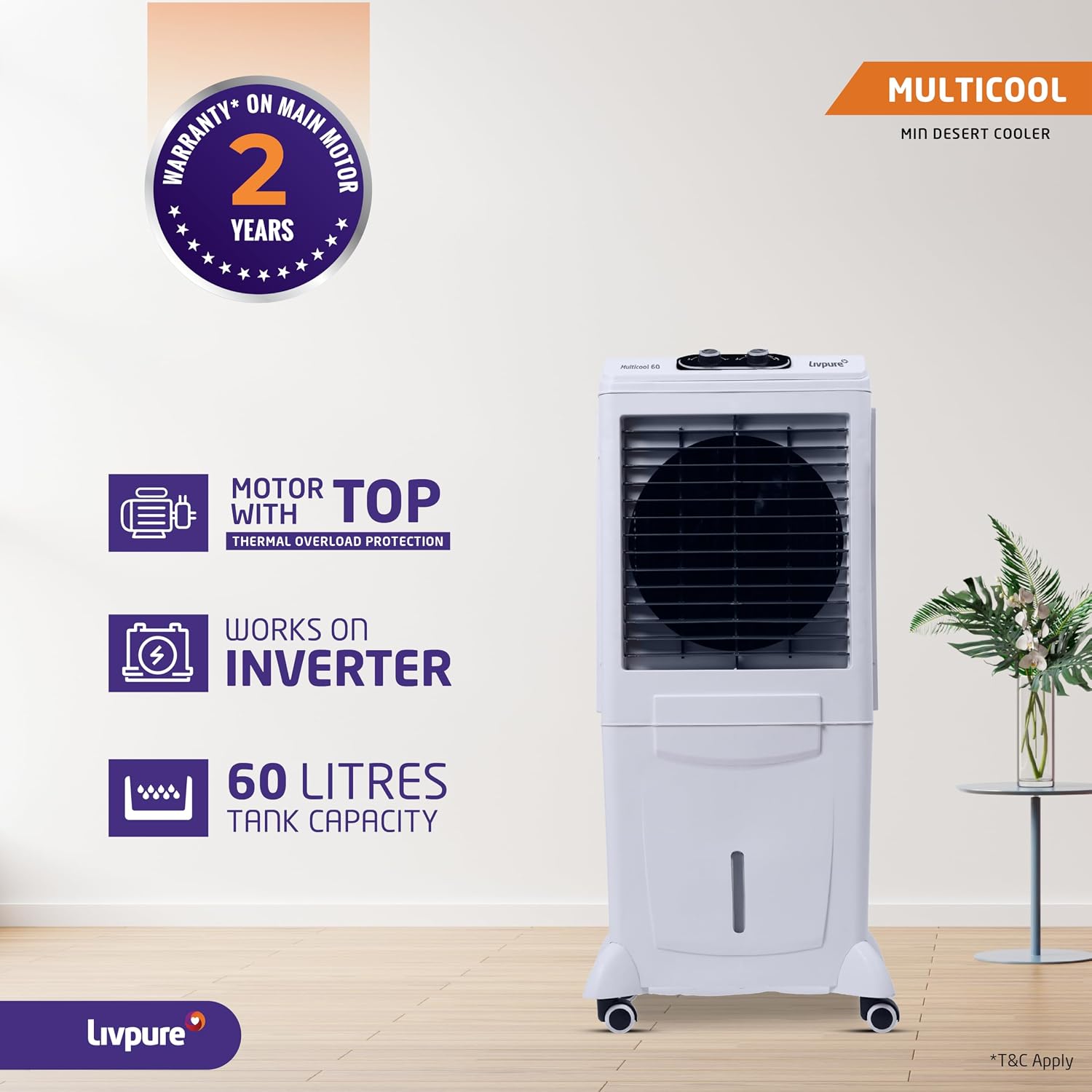
Figure 7: Cooler highlighting the 2-year warranty on the main motor.
9.2 Customer Support
For any queries, service requests, or technical assistance, please contact Livpure customer support:
- Manufacturer: LIVPURE PRIVATE LIMITED
- Contact Information: Refer to the contact details provided in your warranty card or on the official Livpure website.
- Online Support: Visit the official Livpure website for FAQs and online support resources.
