1. Introduction
The BAOFENG UV-17R Plus is an advanced multi-band two-way radio designed for versatile communication. This upgraded model features an expanded frequency range, increased battery capacity with convenient USB-C charging, and enhanced transmission power. This manual provides essential information for the proper setup, operation, and maintenance of your UV-17R Plus radio.

Front view of the BAOFENG UV-17R Plus radio, showcasing its display and keypad.
2. Key Features
- Expanded Frequency Coverage: Receives FM (76-108 MHz), AM (108-136MHz Airband), VHF (136-174MHz, 220-260MHz), and UHF (350-390MHz, 400-520MHz). Transmits on 144-148MHz and 420-450MHz.
- NOAA Weather Band: Includes 10 NOAA Weather Band channels for critical weather alerts.
- Enhanced Battery & Charging: Features a 2500mAh Lithium-Ion battery with direct USB-C charging capability.
- Increased Power Output: Offers 7W VHF transmission power for extended range.
- Voice Scrambler: New function to secure private conversations.
- Frequency Scan & Copy: Allows scanning and copying frequencies, CTCSS, or DCS tones from other radios.
- Dual Bandwidth Options: Selectable 12.5KHz (narrow) and 25KHz (wide) bandwidth settings.
- Comprehensive Channel Management: Supports 999 channels, 104 CDCSS, and 50 CTCSS.
- Vibrant Display: Equipped with a 1.77-inch TFT color display.
- Adjustable Settings: Customizable VOX (Voice Operated Exchange) and squelch levels.
- Simplified DTMF Setup: Direct Tone Multi-Frequency setup for advanced signaling.

Diagram illustrating the expanded frequency coverage of the UV-17R Plus, including FM, AM, VHF, and UHF bands.
3. Package Contents
Verify that all items are present in your package:
- BAOFENG UV-17R Plus Radio Unit
- Antenna
- 2500mAh Lithium-Ion Battery
- USB-C Charging Cable
- Power Adapter
- Belt Clip
- Earpiece

All components included in the package: radio unit, antenna, battery, belt clip, USB-C cable, power adapter, and earpiece.
4. Setup
4.1. Battery Installation
- Align the battery with the back of the radio unit.
- Gently slide the battery into place until it clicks securely.
- Use the provided screw to fasten the battery to the radio for added security.

The back of the radio with the battery removed, showing the battery contacts and screw for secure attachment.
4.2. Antenna Attachment
Screw the antenna clockwise onto the connector at the top of the radio until it is finger-tight. Do not overtighten.
4.3. Charging the Battery
The UV-17R Plus features a convenient USB-C charging port directly on the battery. Connect the USB-C cable to the battery and a compatible USB power source (e.g., power adapter, computer USB port, car charger). The charging indicator light will show the charging status. The radio can also be charged using a traditional charging deck, if available.
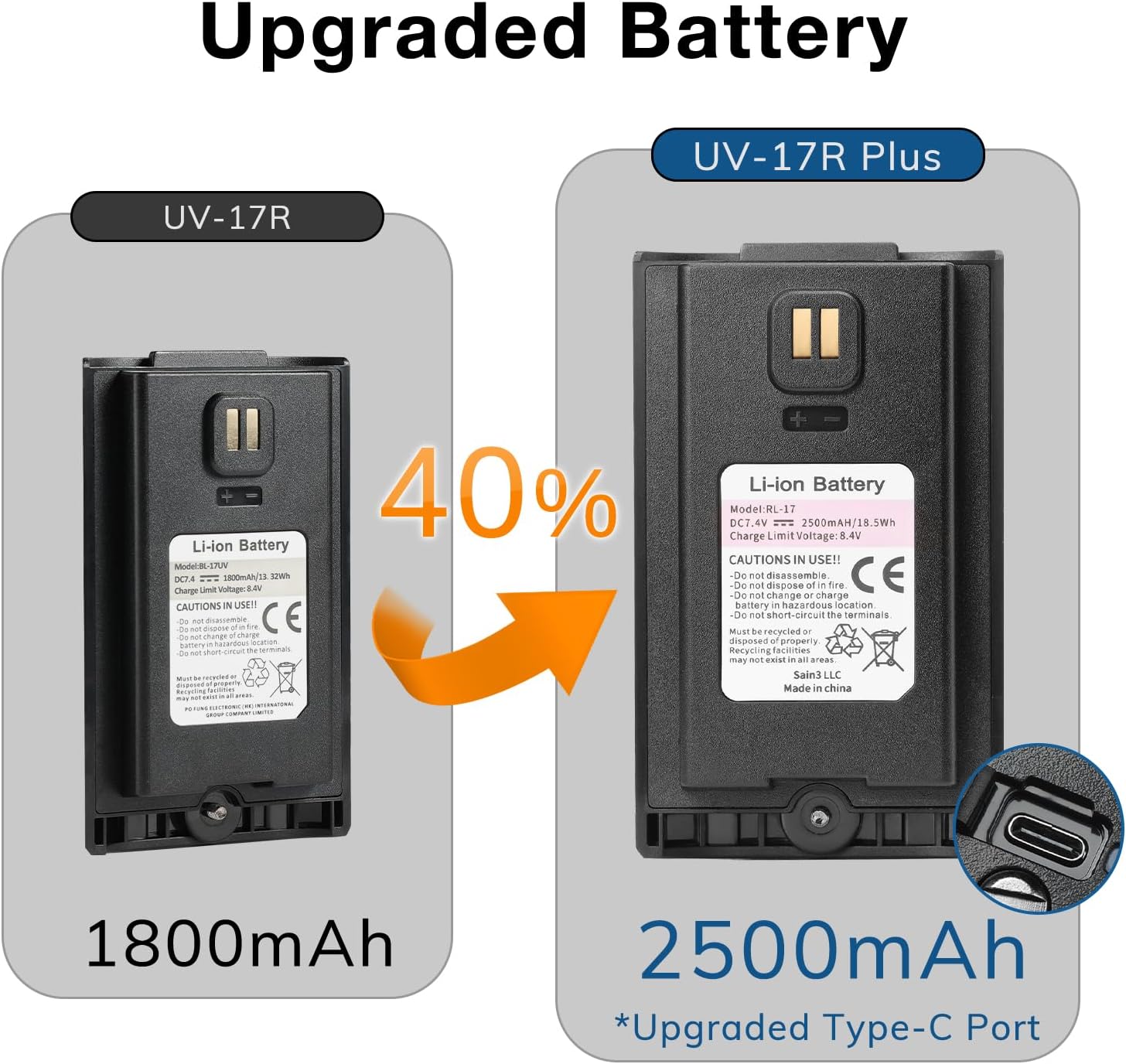
Comparison of the UV-17R and UV-17R Plus batteries, showing the upgraded 2500mAh capacity and USB-C charging port of the Plus model.
5. Operating Instructions
5.1. Power On/Off and Volume Control
To power on the radio, rotate the top knob clockwise. To power off, rotate it counter-clockwise. This knob also controls the volume. Adjust it to a comfortable listening level.
5.2. Frequency and Channel Mode
The radio supports both frequency mode (VFO) and channel mode (MR). You can switch between these modes and select between two active channels on the display. Use the up/down arrow keys to navigate frequencies or channels.
5.3. NOAA Weather Band
Access the 10 NOAA Weather Band channels to receive local weather alerts and forecasts. Refer to the radio's menu for specific instructions on activating and scanning these channels.
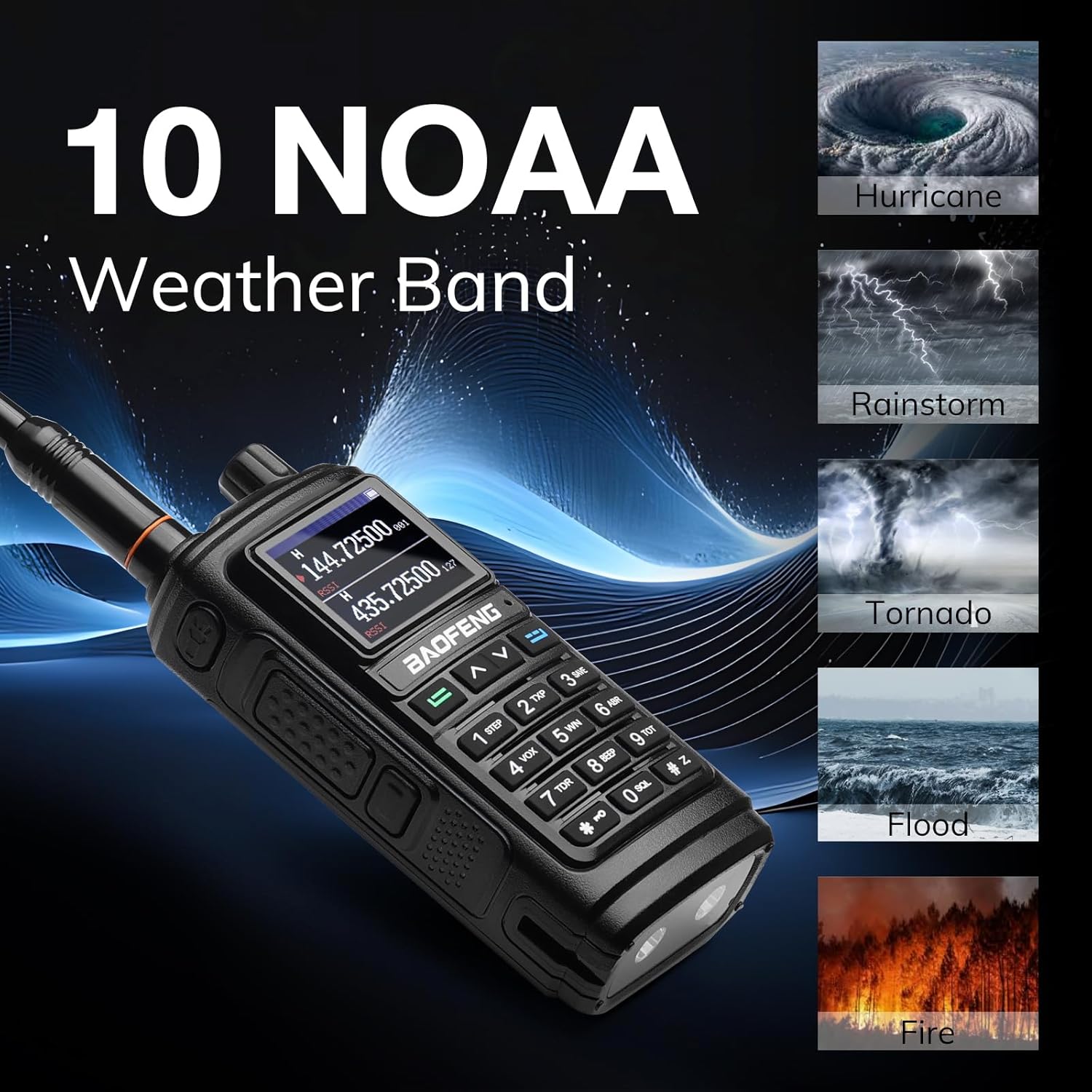
Image highlighting the 10 NOAA Weather Band reception capability, with icons for various weather conditions.
5.4. Voice Scrambler
Activate the voice scrambler function through the radio's menu to encrypt your transmissions, ensuring privacy during sensitive communications.

Illustration depicting the voice scrambler feature, designed to enhance conversation privacy.
5.5. Frequency Scan & Copy
Utilize the scan function to detect active frequencies. The wireless frequency copy feature allows you to quickly transfer frequency settings from another compatible radio to your UV-17R Plus.
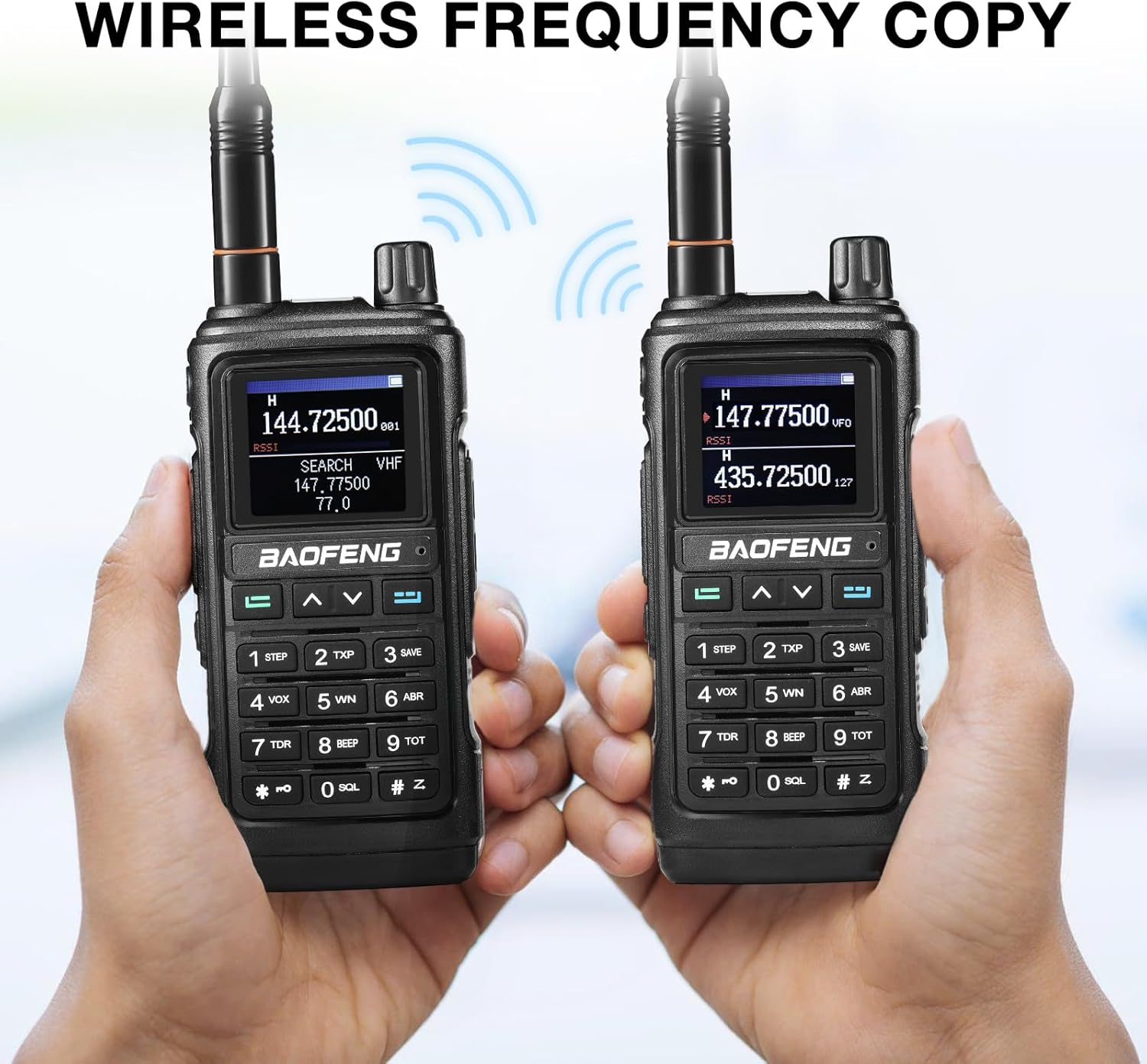
Two radios demonstrating the wireless frequency copy function, allowing easy transfer of settings between devices.
5.6. Wide and Narrow Bandwidth Options
Select between 12.5KHz (narrow band) and 25KHz (wide band) settings to ensure compatibility with various communication systems and optimize signal clarity.
5.7. Flashlight, Strobe, and Siren
The radio includes a built-in flashlight at the bottom. This can be activated for illumination. Some models may also feature strobe and siren functions for emergency signaling. Consult your radio's specific button assignments for these features.
5.8. Programming
While basic operation can be performed directly on the radio, advanced programming of channels and settings often requires external software and a programming cable. A programming cable is typically sold separately. Refer to BAOFENG's official resources for compatible software and programming guides.
6. Maintenance
6.1. Cleaning
Wipe the radio's exterior with a soft, damp cloth. Avoid using harsh chemicals or abrasive cleaners. Ensure all ports are closed when not in use to prevent dust and moisture ingress.
6.2. Battery Care
To prolong battery life, charge the battery fully before first use. Avoid overcharging or completely draining the battery. Store the radio and battery in a cool, dry place when not in use for extended periods.
6.3. Antenna Care
Handle the antenna with care to prevent bending or damage. Ensure it is securely attached during operation and removed when storing the radio in tight spaces.
7. Troubleshooting
- No Power: Ensure the battery is correctly installed and charged. Check the power knob.
- Poor Signal/Reception: Verify the antenna is securely attached. Ensure you are within range of the transmitting station. Environmental factors (e.g., buildings, terrain) can affect signal quality.
- No Audio: Check the volume level. Ensure the earpiece (if used) is properly connected.
- Unable to Transmit: Confirm you are on a valid transmission frequency and have the correct CTCSS/DCS settings. Ensure the battery has sufficient charge.
8. Specifications
| Feature | Detail |
|---|---|
| Item Weight | 1.1 pounds |
| Package Dimensions | 7.95 x 4.65 x 4.21 inches |
| Item Model Number | UV-17R Plus |
| Batteries | 1 Lithium Ion battery required (included) |
| Manufacturer | BAOFENG |
| Brand | BAOFENG |
| Color | Black |
| Number of Channels | 999 |
| Special Features | Digital Display, Dual Band Transmission, Multi-Band Reception, Long Range, Rechargeable, Voice Scrambler |
| Frequency Range (Transmission) | 144-148MHz, 420-450MHz |
| Frequency Range (Reception) | FM 76-108 MHz; AM 108-136MHz; VHF 136-174MHz, 220-260MHz; UHF 350-390MHz, 400-520MHz; 10 NOAA Weather Band |
| Talking Range Maximum | 8 Mile |
| Voltage | 3.7 Volts |
| Water Resistance Level | Not Water Resistant |
| FCC ID | 2AJGM-UV17 |
9. Warranty and Support
The BAOFENG UV-17R Plus comes with an 18-month manufacturer warranty. For technical support, troubleshooting assistance, or warranty claims, please contact BAOFENG customer service or refer to their official website for detailed support resources.


