Introduction
This manual provides essential information for the safe and efficient operation, installation, and maintenance of your Haier 9 Kg Fully Automatic Top Loading Washing Machine, model HWM90-H678ES8. Please read these instructions carefully before using the appliance and retain them for future reference.

Image: Front view of the Haier HWM90-H678ES8 washing machine.
Important Safety Instructions
Always follow basic safety precautions when using electrical appliances to reduce the risk of fire, electric shock, or injury to persons.
- Ensure the washing machine is properly grounded.
- Do not operate the machine if the power cord is damaged.
- Keep children and pets away from the appliance during operation.
- Do not wash items that are soiled with flammable substances.
- Unplug the appliance before cleaning or performing any maintenance.
Setup and Installation
Unpacking
Carefully remove all packaging materials. The package includes:
- 1 Washing Machine
- 1 Bottom Plate
- 1 Water Inlet Hose
Placement
Place the washing machine on a firm, level surface. Ensure there is adequate space around the machine for ventilation and access. Avoid direct sunlight or extreme temperatures.
Leveling
Adjust the leveling feet to ensure the machine is stable and does not wobble. Proper leveling reduces noise and vibration during operation.
Water Connection
Connect the water inlet hose to a cold water tap and to the inlet valve on the back of the washing machine. Ensure all connections are tight to prevent leaks. The machine is designed for Near Zero Pressure (NZP) operation.
Drainage
Position the drain hose correctly into a standpipe or sink, ensuring it is securely fastened to prevent dislodgement during draining.
Power Connection
Plug the power cord into a grounded electrical outlet. Ensure the voltage matches the machine's requirements (220 Volts).

Image: Side view of the washing machine, showing its form factor.
Operating Instructions
Control Panel Overview
The control panel features a digital display and push buttons for selecting wash programs and settings.

Image: Detailed view of the control console with various program options and digital display.
Loading Laundry
Open the top lid and place laundry loosely into the drum. Do not overload the machine. The 9 kg capacity is suitable for large families.
Detergent and Softener Dispensing
Add appropriate amounts of detergent and fabric softener to their designated compartments. Refer to detergent packaging for recommended quantities.
Selecting a Wash Program
Turn on the machine using the Power button. Use the Program button or selection dial to choose from over 15 wash programs:
- Allergen
- Hot
- Warm
- Normal
- Shirt
- Spin
- Delicate
- Quick
- Heavy
- Sports
- Eco
- Silk
- Soak
- Wool
- Baby care
- Synthetic
- Rinse + Spin
- Air dry
The digital display will show the selected program, remaining time, and other settings.
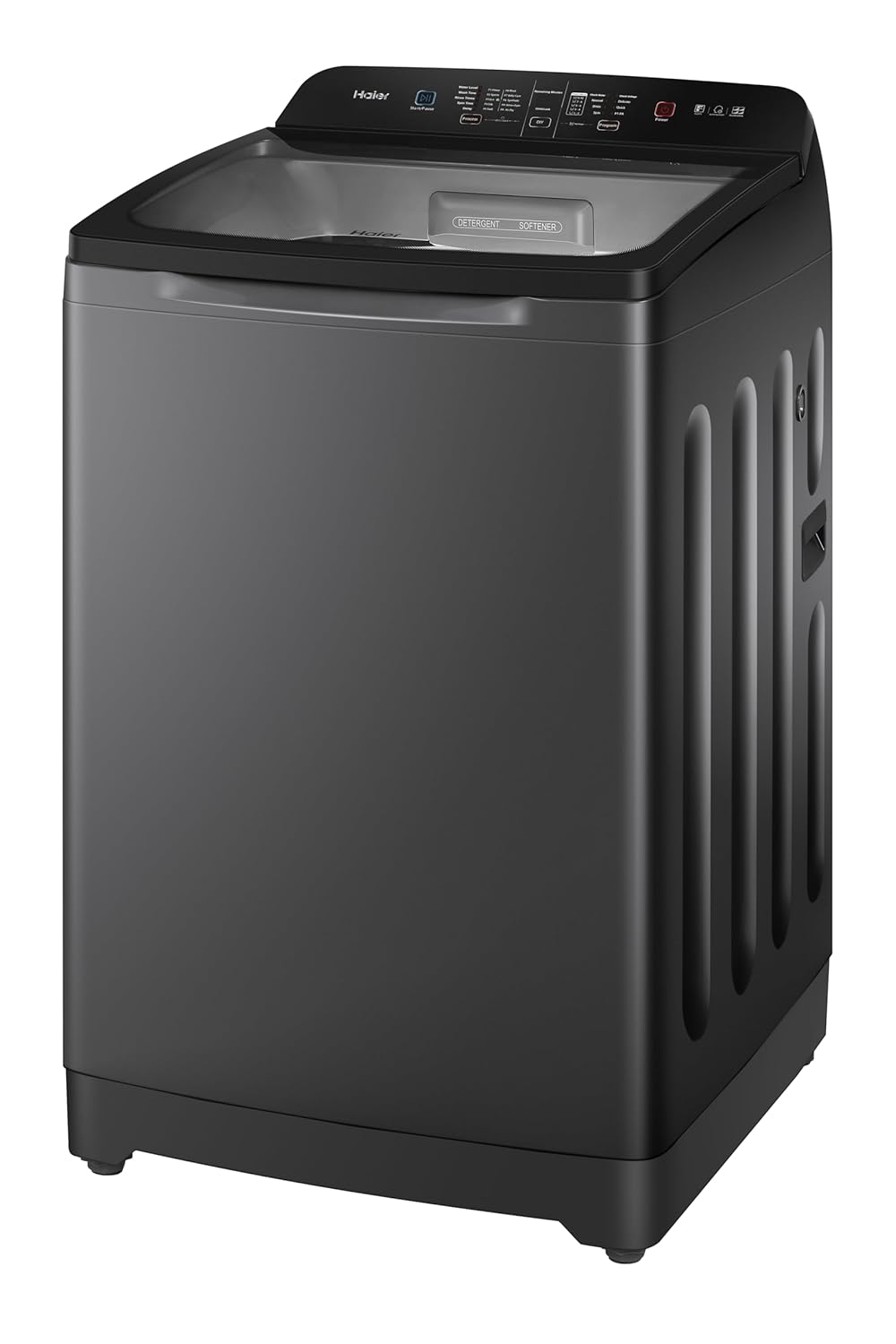
Image: Control panel illustrating the variety of wash programs available.
Special Features
- In-Built Heater: This feature provides hot water washes for enhanced cleaning and germ removal. It offers 3 hot water modes (Allergen Free, Hot, Warm) up to 60°C.
- Oceanus Wave Drum: Designed to generate powerful water waves for deep penetration into fabrics, effectively removing dirt and stains while being abrasion-free.
- Dual Magic Filter: Helps to collect lint and debris, ensuring cleaner clothes and preventing drain clogs.
- Softfall Technology: Ensures the lid closes gently and safely.
- Voltage Protection: Protects the machine from voltage fluctuations.
- Auto Restart: Automatically resumes operation after a power outage.
- Child Lock: Prevents accidental changes to settings during operation.

Image: Visual representation of the in-built heater function for germ-free and stain removal washing.
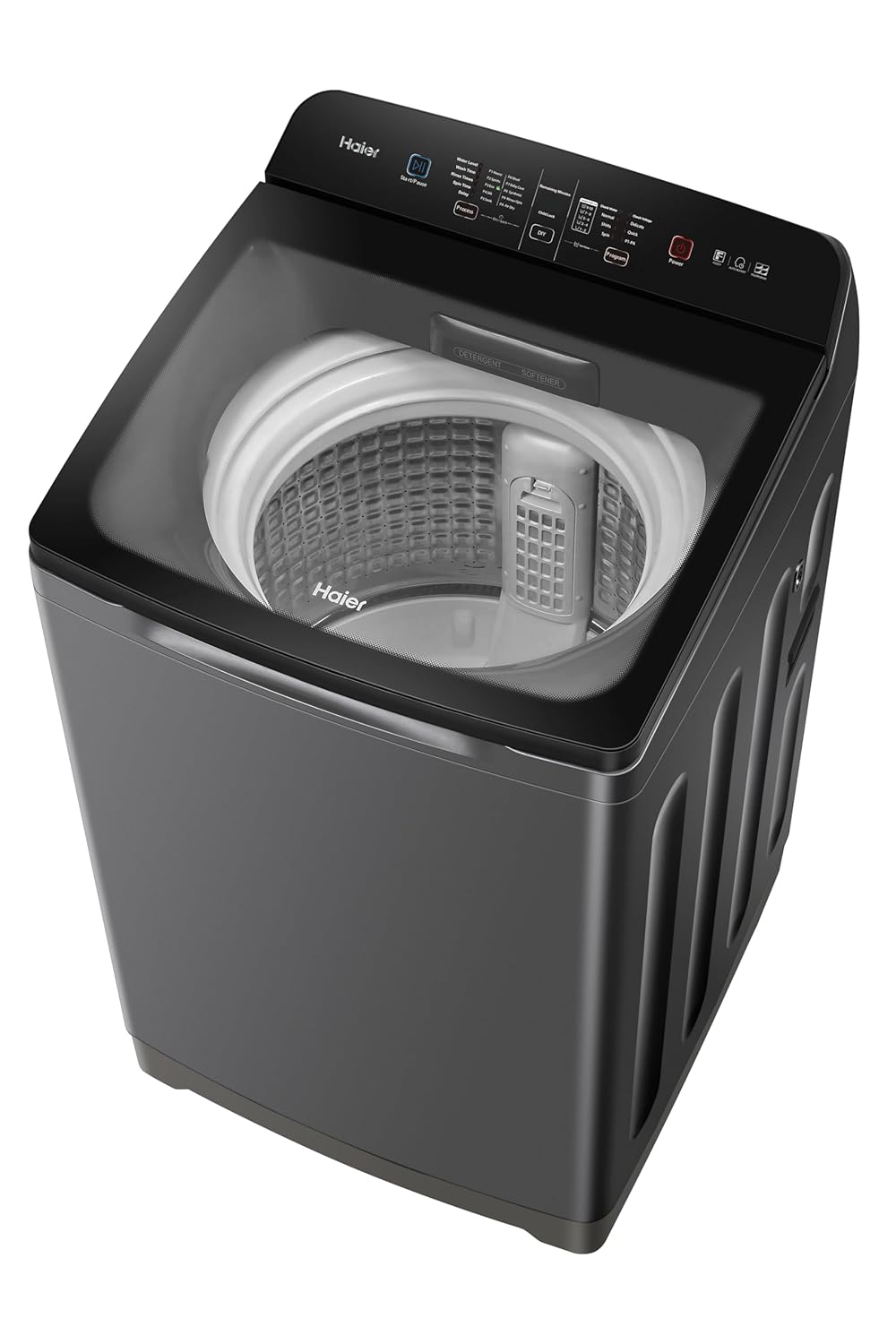
Image: Illustration of the Oceanus Wave Drum technology for effective and gentle washing.
Starting a Wash Cycle
After selecting the program and desired options, press the Start/Pause button to begin the wash cycle.
Maintenance
Regular maintenance ensures optimal performance and extends the lifespan of your washing machine.
Cleaning the Drum
Periodically run a "Tub Dry" or "Drum Clean" cycle (if available) with a washing machine cleaner to remove detergent residue and prevent odors.
Cleaning the Magic Filter
The Dual Magic Filter should be cleaned regularly to maintain efficient lint collection. Remove the filter, rinse it under running water, and reinsert it.
Exterior Cleaning
Wipe the exterior of the machine with a soft, damp cloth. Avoid abrasive cleaners or solvents.
Water Inlet Filter
Check and clean the water inlet filter periodically to prevent blockages caused by sediment in the water supply.
Troubleshooting
Before contacting service, refer to the following common issues and solutions:
| Problem | Possible Cause | Solution |
|---|---|---|
| Machine does not start | Power cord unplugged, lid not closed, power outage, Start/Pause not pressed. | Check power connection, ensure lid is fully closed, check household power, press Start/Pause. |
| No water filling | Water tap closed, water inlet hose kinked, water supply pressure too low, inlet filter clogged. | Open water tap, straighten hose, check water supply, clean inlet filter. |
| Water not draining | Drain hose kinked or blocked, drain pump filter clogged. | Check and clear drain hose, clean drain pump filter (refer to full manual for location). |
| Excessive vibration/noise | Machine not level, transport bolts not removed, uneven load. | Adjust leveling feet, ensure transport bolts are removed (during initial installation), redistribute laundry evenly. |
| In-built heater not activating | Incorrect program selected, heater element malfunction. | Ensure a hot water program (e.g., "Hot", "Allergen") is selected. If issue persists, contact service. |
| Poor wash quality | Overloading, insufficient detergent, incorrect program, clogged filter. | Reduce load size, use correct detergent amount, select appropriate wash program, clean Magic Filter. |
For issues not listed here or if problems persist, please contact Haier customer service.
Specifications
| Feature | Detail |
|---|---|
| Brand | Haier |
| Model | HWM90-H678ES8 |
| Capacity | 9 Kilograms |
| Type | Fully Automatic Top Loading |
| Energy Star Rating | 5 Star |
| Maximum Rotational Speed | 780 RPM |
| Noise Level | 14.4 dB |
| Special Features | Auto Restart, In-Build Heater, Near Zero Pressure (NZP), Rat mesh, Softfalling, Oceanus Wave Drum, Dual Magic Filter, Voltage Protection, Shock Proof, Fuzzy Logic, Quick Wash, Tub Dry, Child Lock, Anti Rat Mesh |
| Control Console | Push Button |
| Number of Wash Programs | 15+ |
| Voltage | 220 Volts |
| Item Weight | 37 kg |
| Dimensions (LxWxH) | 55 x 61 x 99 Centimeters |
| Country of Origin | India |
Warranty Information
The Haier HWM90-H678ES8 washing machine comes with a manufacturer's warranty:
- Product Warranty: 5 years
- Motor Warranty: 12 years
To avail warranty services, please retain your purchase invoice. The warranty card is typically included with the product.
Extended warranty plans may be available from third-party providers. Please refer to their terms and conditions for details.
Customer Support
For any queries, service requests, or technical assistance, please contact Haier customer support.
- Manufacturer: HAIER APPLIANCES INDIA PVT LTD
- Email: info@haierindia.com
- User Manual Access: The full user manual can be accessed from the official Haier brand website.
Haier provides extensive service support with over 800 service centers and 3000+ technicians across various locations.


