Important Safety Information
Health Warning: Keep this product out of the reach of children. This product contains No Nicotine and the following warning only applies when the product is used with nicotine-containing e-liquid: this product contains nicotine which is a highly addictive substance. This tobacco product damages your health and is addictive.
- Do not use if damaged or tampered with.
- Do not expose to extreme temperatures or direct sunlight.
- Do not immerse in water.
- Use only the charging cable provided or a certified equivalent.
- Dispose of the device responsibly according to local regulations.
Product Overview
The VOOPOO ARGUS Pro 2 Vape Pod Kit is an advanced vaping device designed for both direct-to-lung (DTL) and mouth-to-lung (MTL) vaping experiences. It features an integrated design with a robust 3000mAh built-in battery, capable of delivering up to 80W of power. The device incorporates a distinctive top airflow intake system to effectively control e-liquid and condensate leaking, ensuring a clean and enjoyable vape. With its innovative Turbo Mode, the ARGUS Pro 2 provides a significant increase in vapor volume for an enhanced experience. It is compatible with VOOPOO PnP X coils, known for their superior flavor production and vapor density.

Image: The VOOPOO ARGUS Pro 2 Vape Pod Kit in Pearl White, showcasing its sleek design and display screen.
Key Features
- Powerful Performance: Max 80W output with a 3000mAh built-in battery for extended vaping sessions.
- Top Airflow Intake: Designed to minimize e-liquid leakage and condensate, providing a clean vaping experience.
- Turbo Mode: Delivers a 25% increase in vapor volume in one second for an intense burst of flavor and clouds.
- PnP X Coil Compatibility: Utilizes advanced PnP X mesh coils for superior flavor and vapor production, supporting both DTL and MTL vaping.
- Integrated Design: Features a classic leather streamlined body with an anti-slip pad for comfortable handling.
- Compact Dimensions: Measuring 15 x 7 x 2 cm and weighing 80g, it is portable and easy to carry.

Image: Visual representation of the ARGUS Pro 2's Turbo Mode, 80W maximum output, and 3000mAh battery capacity.
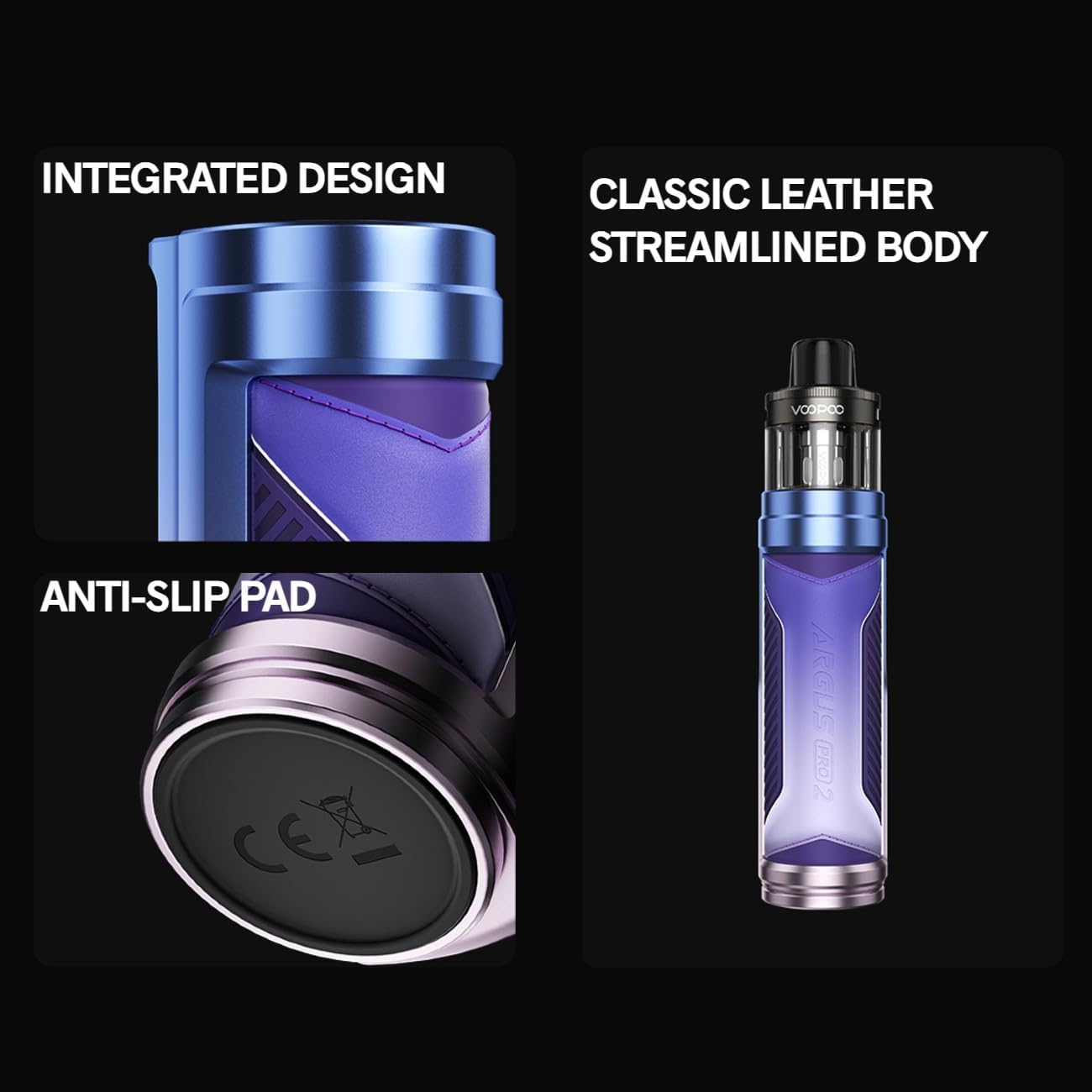
Image: Details of the ARGUS Pro 2's integrated design, classic leather streamlined body, and anti-slip pad.
What's in the Box
- 1 x VOOPOO ARGUS Pro 2 Device (with built-in battery)
- 1 x PnP X Pod (2ml capacity)
- 1 x PnP X 0.15Ω Coil
- 1 x PnP X 0.3Ω Coil
- 1 x USB Type-C Charging Cable
- 1 x User Manual

Image: All components included in the VOOPOO ARGUS Pro 2 Vape Pod Kit packaging.
Setup Guide
1. Initial Charging
Before first use, fully charge your ARGUS Pro 2 device.
- Connect the USB Type-C cable to the charging port on the device.
- Connect the other end of the cable to a suitable USB power adapter (e.g., 5V/2A).
- The display will indicate charging status. Once fully charged, the indicator will change (refer to device display for specifics).
2. Coil Installation
The ARGUS Pro 2 uses VOOPOO PnP X coils.
- Remove the pod from the device.
- Flip the pod upside down.
- Insert the desired PnP X coil firmly into the bottom of the pod until it is securely seated. Ensure the coil's flat sides align with the pod's grooves.
3. Filling the Pod
The PnP X Pod has a 2ml e-liquid capacity.
- Locate the silicone plug on the side of the pod.
- Gently open the silicone plug.
- Insert the nozzle of your e-liquid bottle into the filling port and slowly fill the pod.
- Close the silicone plug firmly to prevent leaks.
- Important: After filling a new coil, let the pod stand for 5-10 minutes to allow the e-liquid to fully saturate the coil. This prevents dry hits and extends coil life.
4. Attaching the Pod
Once the coil is installed and the pod is filled, attach it to the device.
- Align the magnetic contacts on the bottom of the pod with the contacts on the device.
- Gently push the pod into place until it clicks or feels securely seated.
Operating Instructions
1. Power On/Off
- To turn the device On or Off, press the fire button (main button) 5 times rapidly. The screen will display "VOOPOO" or "Power Off".
2. Adjusting Wattage
- Use the "+" and "-" adjustment buttons located below the screen to increase or decrease the wattage.
- The device supports a maximum output of 80W. Always set the wattage within the recommended range for your installed coil (e.g., 0.15Ω PnP-X coil: 50-60W; 0.3Ω PnP-X coil: 30-40W).
3. Turbo Mode
- The ARGUS Pro 2 features a dedicated Turbo Mode for an instant boost in vapor.
- Refer to your device's specific interface for activating Turbo Mode (often indicated on the screen or through a button combination).
- When activated, Turbo Mode provides a 25% increase in vapor volume in the first second of vaping.
4. Airflow Adjustment
- The device features a top airflow intake system.
- Rotate the airflow control ring located at the top of the device (below the mouthpiece) to adjust the airflow to your preference.
- Opening the airflow will result in a looser draw and more vapor, while closing it will provide a tighter draw and potentially more intense flavor.

Image: Diagram illustrating the top airflow intake system of the ARGUS Pro 2, designed to prevent leaks.
5. Vaping
- Once the device is powered on and the pod is filled and attached, press and hold the fire button while inhaling from the mouthpiece.
- Release the fire button when you finish inhaling.
Maintenance
1. Cleaning the Device
- Regularly wipe down the device body with a soft, dry cloth.
- Clean the magnetic contacts on the device and the bottom of the pod with a cotton swab lightly dampened with rubbing alcohol to ensure good connection.
- Remove any e-liquid condensation from the inside of the pod slot.
2. Coil Replacement
Coils are consumable parts and need to be replaced regularly, typically every 1-2 weeks depending on usage and e-liquid.
- Remove the pod from the device.
- Pull out the old coil from the bottom of the pod.
- Insert a new PnP X coil firmly into the pod.
- Refill the pod and allow it to sit for 5-10 minutes before vaping to prime the new coil.
3. Charging Best Practices
- Avoid overcharging the device. Disconnect once fully charged.
- Do not charge overnight unattended.
- Use a reputable USB power adapter.
Troubleshooting
| Problem | Possible Cause | Solution |
|---|---|---|
| Device not turning on/no power | Low battery; Device off; Faulty device | Charge the device; Press fire button 5 times rapidly to turn on; Contact support if issue persists. |
| Device not charging | Faulty cable/adapter; Dirty charging port; Device malfunction | Try a different USB-C cable and adapter; Clean charging port; Contact support. |
| No vapor or weak vapor | Low e-liquid; Coil not properly installed; Coil burnt out; Low battery; Incorrect wattage setting | Refill pod; Reinstall coil; Replace coil; Charge device; Adjust wattage to recommended range. |
| Leaking from pod | Coil not installed correctly; Silicone plug not sealed; Overfilling; Worn-out coil | Ensure coil is firmly seated; Check silicone plug; Do not overfill; Replace coil. |
| Burnt taste | Coil not primed; Coil burnt out; Low e-liquid; Wattage too high | Prime new coil for 5-10 mins; Replace coil; Refill pod; Lower wattage. |
Specifications
| Product Dimensions | 15 x 7 x 2 cm |
| Item Weight | 80 g |
| Manufacturer | VOOPOO (as per product branding) |
| Model Reference | ARGUS001 |
| Tank Volume | 2 Millilitres |
| Max Wattage | 80 watts |
| Battery Capacity | 3000 Milliamp Hours (Built-in) |
| Special Feature | Nicotine Free (when used with 0mg e-liquid) |
| Color | Pearl White |
| Included Components | Device, Pod, 2 Coils, USB-C Cable, User Manual |

Image: Detailed dimensions of the VOOPOO ARGUS Pro 2 device.
Warranty and Support
For warranty information and technical support, please refer to the official VOOPOO website or contact the retailer where you purchased the product. Keep your proof of purchase for warranty claims.
For further assistance, you may visit the manufacturer's official support channels.