
1. Introduction
This manual provides detailed instructions for the installation, operation, and maintenance of your Eseesmart Smart Door Lock Deadbolt with Keypad (Model D01-E). Please read this manual thoroughly before installation and use to ensure proper function and safety.

This image highlights the Eseesmart 5-in-1 Smart Door Lock's primary features, including temporary code access, fingerprint unlocking, real-time activity logs, auto-locking functionality, physical key override, and one-time code generation.
2. Product Overview
The Eseesmart Smart Door Lock offers multiple secure entry methods and smart features for enhanced home security and convenience. It is designed for easy integration into most standard doors.
Key Features:
- 5-in-1 Unlock Methods: Fingerprint, Tuya APP control, Password, Backup Key, and One-time Code.
- Monitor Access: Built-in Access Log via the Smart Lock APP.
- Anti-Peeping Password: Supports virtual code unlocking with random digits.
- One-Time Code: Generate temporary passwords for visitors via APP.
- Safety Features: Low battery alarm and Type-C emergency power supply.
- Easy Installation: Designed for quick setup with minimal tools.
3. Setup and Installation
Door Compatibility:
Ensure your door meets the following specifications for proper installation:
- Backset Scale Range: 2-3/8 inches (60mm) or 2-3/4 inches (70mm).
- Door Thickness: 1-3/8 inches to 2-1/8 inches (35mm-55mm).
- Door Hole Diameter: 2.12 inches (54mm).

This diagram illustrates the required door dimensions for installing the Eseesmart Smart Door Lock, specifying the backset (60mm or 70mm), door thickness (35-55mm), and bore hole diameter (54mm). It also shows compatibility with both right-handed and left-handed doors.

This image provides a visual guide for door compatibility, indicating the required door hole diameter (2.12 inches / 54mm) and door thickness (1.38-2.17 inches / 35-55mm) for installation on most US standard doors.

This image presents the detailed dimensions of the Eseesmart Smart Door Lock's exterior and interior units, along with the deadbolt mechanism, including measurements for length, width, and height in both inches and millimeters, and backset specifications.
Installation Steps:
- Prepare your door according to the compatibility requirements.
- Install the deadbolt latch into the door edge.
- Mount the exterior keypad assembly.
- Install the interior base plate assembly.
- Connect the necessary cables between the exterior and interior units.
- Secure the interior unit cover.
- Insert batteries (not included).
- Test the lock functionality with the backup key and initial setup.
The electronic door lock can be installed in a few minutes using a screwdriver. Refer to the included user manual for detailed step-by-step instructions and diagrams.

This image demonstrates the 'before and after' appearance of a door with the Eseesmart Smart Door Lock installed, illustrating how it replaces existing traditional deadbolts and handles for a modern upgrade.

This diagram illustrates the correct orientation and installation for the smart lock on both left-handed and right-handed doors, ensuring proper alignment and functionality.
4. Operating Instructions
Unlock Methods:
The Eseesmart Smart Door Lock offers five distinct ways to unlock your door:
- Fingerprint: Place your registered fingerprint on the scanner. The lock recognizes up to 50 fingerprints with a 99.9% recognition rate and unlocks in approximately 1 second.
- Tuya APP Control: Use the dedicated Tuya APP on your smartphone for keyless entry.
- Password: Enter your fixed 4-8 digit password on the keypad.
- Backup Key: Use the physical backup keys provided for manual unlocking.
- One-Time Code: Generate temporary codes via the APP for guests or service providers.

This image visually explains the five different methods to unlock the Eseesmart Smart Door Lock: via the mobile application, fingerprint recognition, physical backup key, numeric password entry, and a generated one-time code.

This image shows a user unlocking the Eseesmart Smart Door Lock using the fingerprint scanner, highlighting its capacity for 50 fingerprints, 1-second unlock speed, and 99.9% recognition rate.

This banner emphasizes the upgraded fingerprint technology of the Eseesmart Smart Door Lock, featuring AI-powered self-learning, a capacity for 50 unique fingerprints, a rapid 1-second unlock time, and a high 99.9% recognition rate.
Tuya APP Management:
The Smart Lock APP provides comprehensive control and monitoring features:
- Keyless Entry: Unlock your door directly from the app.
- Share Access: Grant temporary or permanent access to others.
- Auto Lock: Configure the lock to automatically secure after a set period.
- Generate Passcode Remotely: Create and send one-time or timed passcodes from anywhere.
- View History: Access a built-in log to see who comes and goes, including unlock methods and timestamps.
Note: Remote locking/unlocking is not available in the APP for this model.
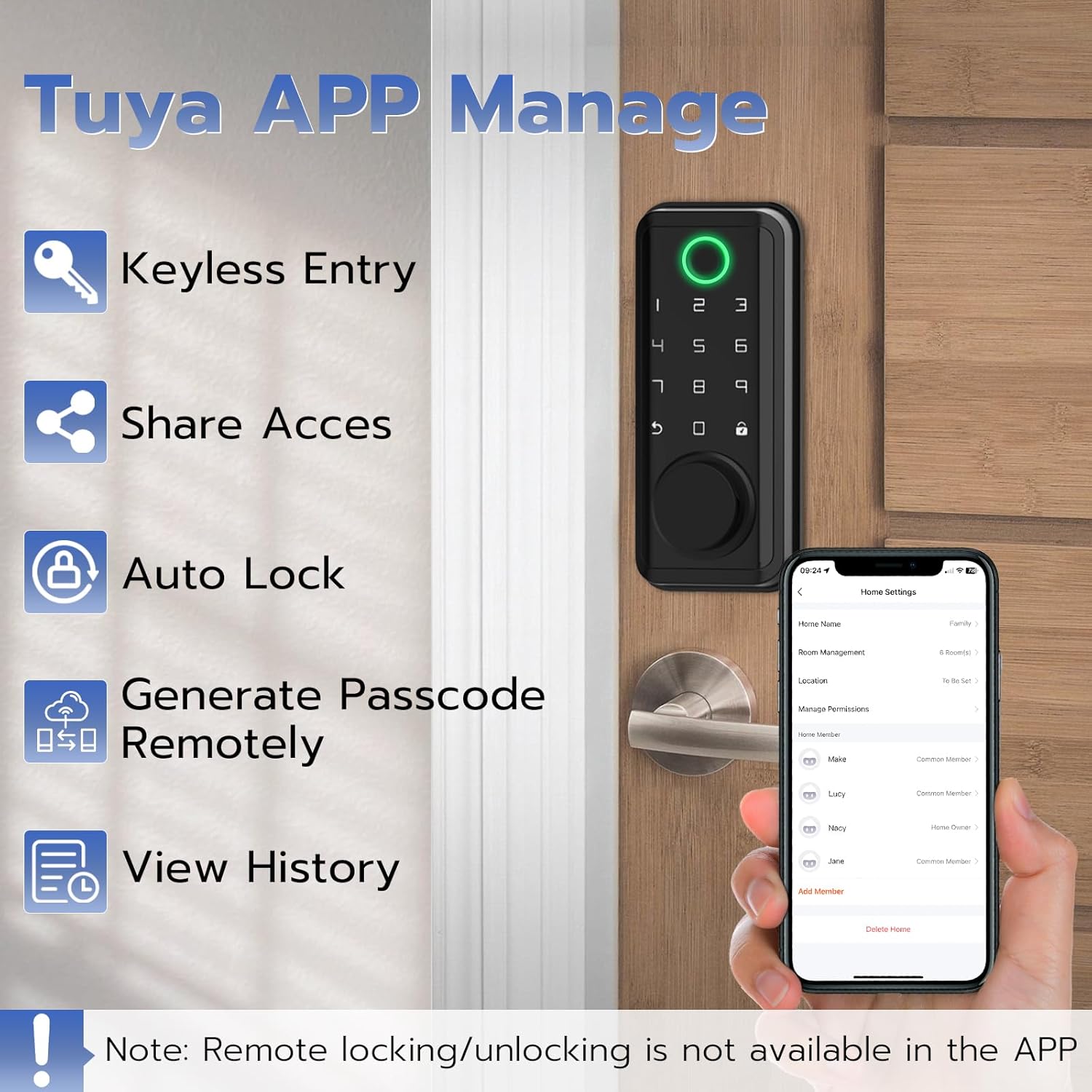
This image displays the Tuya APP interface, illustrating features such as keyless entry, sharing access, auto-lock settings, remote passcode generation, and the ability to view access history for the smart door lock.

This image shows a user reviewing the access log within the smart lock application, which displays a chronological list of unlocking events, including the user's name and the method used for entry.

This image displays the 'Home Settings' screen within the smart lock application, where users can manage home members, assign different permission levels, and view associated accounts.
Anti-Peeping Password:
To enhance security, the keypad deadbolt supports a 16-digit virtual code function. You can enter random digits before or after your actual 4-8 digit fixed password. This prevents others from guessing your code by observing your finger movements.

This image demonstrates the Anti-Peeping Password feature, where a user can input random digits before and after their actual 6-digit PIN code (e.g., '983688') to obscure the real password from onlookers.

This image illustrates the anti-peeking keypad feature, where a user enters a password on the smart lock. Random digits are entered before and after the actual password to prevent unauthorized observation of the code.
One-Time Code:
The APP allows you to generate one-time passwords for visitors. These codes automatically expire after a few minutes, providing secure temporary access without compromising your main password.

This image depicts the process of generating a temporary password using the smart lock application and sharing it with another individual via text message, enabling secure, time-limited access.
Automatic and One-Touch Locking:
The lock features both automatic locking and a one-touch locking mechanism for convenience and security.
- Auto Locking: The lock can be configured to automatically engage the deadbolt after a preset time once the door is closed.
- One Touch Locking: A dedicated button or action on the keypad allows for immediate locking of the door.
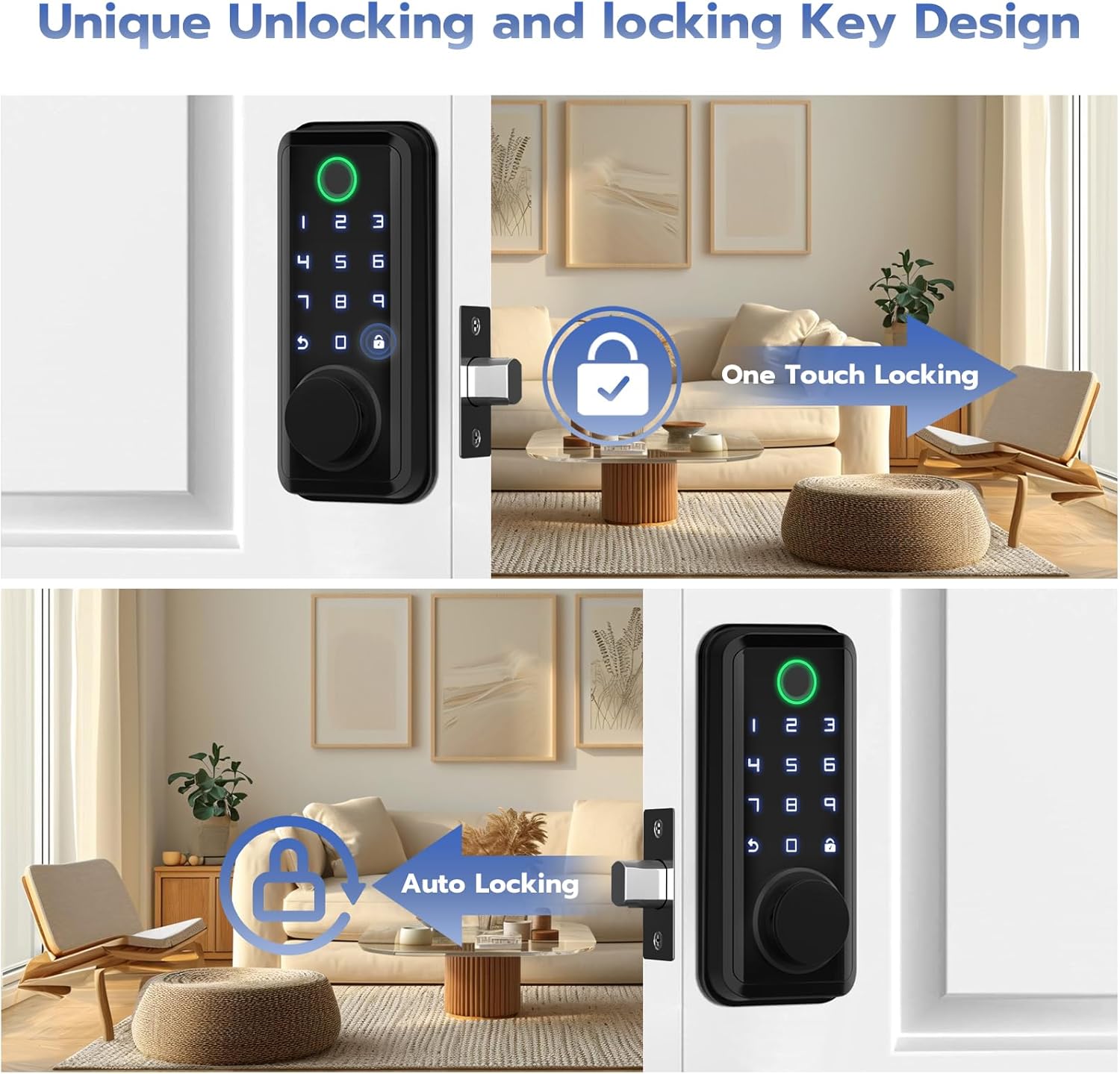
This image demonstrates the 'One Touch Locking' feature, where a single action secures the door, and the 'Auto Locking' feature, which automatically engages the deadbolt after the door closes.

This image highlights the interior components of the smart lock, specifically demonstrating the 'Auto Locking' function, which automatically secures the door, and the 'One Touch Locking' feature for immediate manual locking.
5. Maintenance
Battery Management:
The Eseesmart Smart Door Lock requires 1 Lithium Polymer battery (not included). It features a low battery alarm prompt to notify you when the battery level is critical. In case of complete battery depletion, a Type-C temporary emergency power supply port is available for temporary power to unlock the door.

This image illustrates the low battery warning system of the smart lock, showing a visual alert on the keypad and a corresponding 5% battery level notification within the smartphone application.
Environmental Resistance:
The lock is designed to withstand various environmental conditions, including:
- Waterproof: Resistant to water exposure.
- Temperature Range: Operates effectively between -4°F and +140°F.

This image highlights the durability of the smart lock, demonstrating its waterproof capabilities and resistance to extreme temperatures, ranging from -4°F to +140°F, suitable for various outdoor conditions.
General Care:
To maintain the lock's performance and appearance, regularly wipe the surface with a soft, dry cloth. Avoid using abrasive cleaners or solvents.
6. Troubleshooting
If you encounter issues with your Eseesmart Smart Door Lock, consider the following:
- Lock Not Responding: Check battery levels. Use the Type-C emergency power port or backup key if batteries are depleted.
- Fingerprint Not Recognized: Ensure your finger is clean and dry. Re-register your fingerprint if issues persist.
- Password Entry Issues: Verify the correct password. Utilize the anti-peeping feature correctly.
- APP Connectivity Problems: Ensure Bluetooth and Wi-Fi are enabled on your device. Check the lock's connection status in the app.
- Access Log Discrepancies: Review the access log within the app for details on unlock attempts and methods.
For further assistance, please contact customer support.
7. Specifications
| Feature | Detail |
|---|---|
| Brand | Eseesmart |
| Model Name | D01-E |
| Lock Type | Biometric, Deadbolt, Keypad |
| Special Features | Auto-Lock, Fingerprint, Tuya APP Control, Password, Backup Key, One-time Code Unlock, Unique Unlocking and Locking Key Design |
| Material | Zinc |
| Color | Black |
| Item Dimensions (L x W x H) | 2.7 x 0.6 x 6.17 inches |
| Item Weight | 2.5 Pounds |
| Recommended Uses | Front door, Bedrooms |
| Included Components | Front plate, Base plate assembly, Closed bolt, User manual |
| Controller Type | Android, iOS |
| Control Method | App |
| Connectivity Protocol | Bluetooth, Wi-Fi |
| Batteries Required | Yes (1 Lithium Polymer battery) |
| Batteries Included | No |
| Date First Available | February 6, 2024 |
8. Warranty and Support
Eseesmart provides the following support for your product:
- Product Warranty: 1-year warranty from the date of purchase.
- Customer Support: Lifetime customer support.
- After-Sales Service: 24/8 professional after-sales service.
For warranty claims, technical assistance, or any inquiries, please contact Eseesmart customer service through the official channels provided at the time of purchase.


