
Cuifati CUIFATIcthixr6zb3-11
User Manual
Compatible with Maxpad i11 / i11 Plus Tablet Case
Product Overview
This manual provides essential information for the proper use and care of your Cuifati Tablet Case, designed for the Maxpad i11 and i11 Plus tablets. This full-coverage PU leather case offers robust protection and versatile functionality.

Image: The Cuifati tablet case in its stand configuration, showcasing its ability to prop up a tablet for viewing.
Key Features:
- Premium PU Material: Constructed from high-quality PU leather, ensuring durability, wear resistance, and a comfortable tactile experience.
- Multifunctional Stand Design: Features a built-in stand function, allowing for multiple viewing angles, ideal for hands-free use during work, entertainment, or online classes.
- Full Coverage Protection: Provides comprehensive, multi-directional protection for your tablet, safeguarding it against vibrations, drops, and daily wear.
- Exquisite Craftsmanship: Boasts a simple yet elegant exterior design with precise stitching, offering a delicate feel. The interior is finely crafted to securely hold the device and prevent scratches.
- Accurate Hole Position: Engineered with precise cutouts for all ports, buttons, and cameras, ensuring easy access and operation without removing the case.
Setup and Installation
Follow these steps to properly install your tablet into the Cuifati Tablet Case:
- Prepare Your Tablet: Ensure your Maxpad i11 or i11 Plus tablet is clean and free of dust or debris.
- Align the Tablet: Gently align your tablet with the hard shell interior of the case. Ensure the camera cutout and port openings on the case match those on your tablet.
- Insert the Tablet: Carefully press the tablet into the case, starting with one corner and working your way around. Apply gentle, even pressure until the tablet is fully seated and secured within the protective shell.
- Verify Fit: Once inserted, check that all edges of the tablet are fully enclosed by the case and that all buttons and ports are accessible through their respective cutouts.
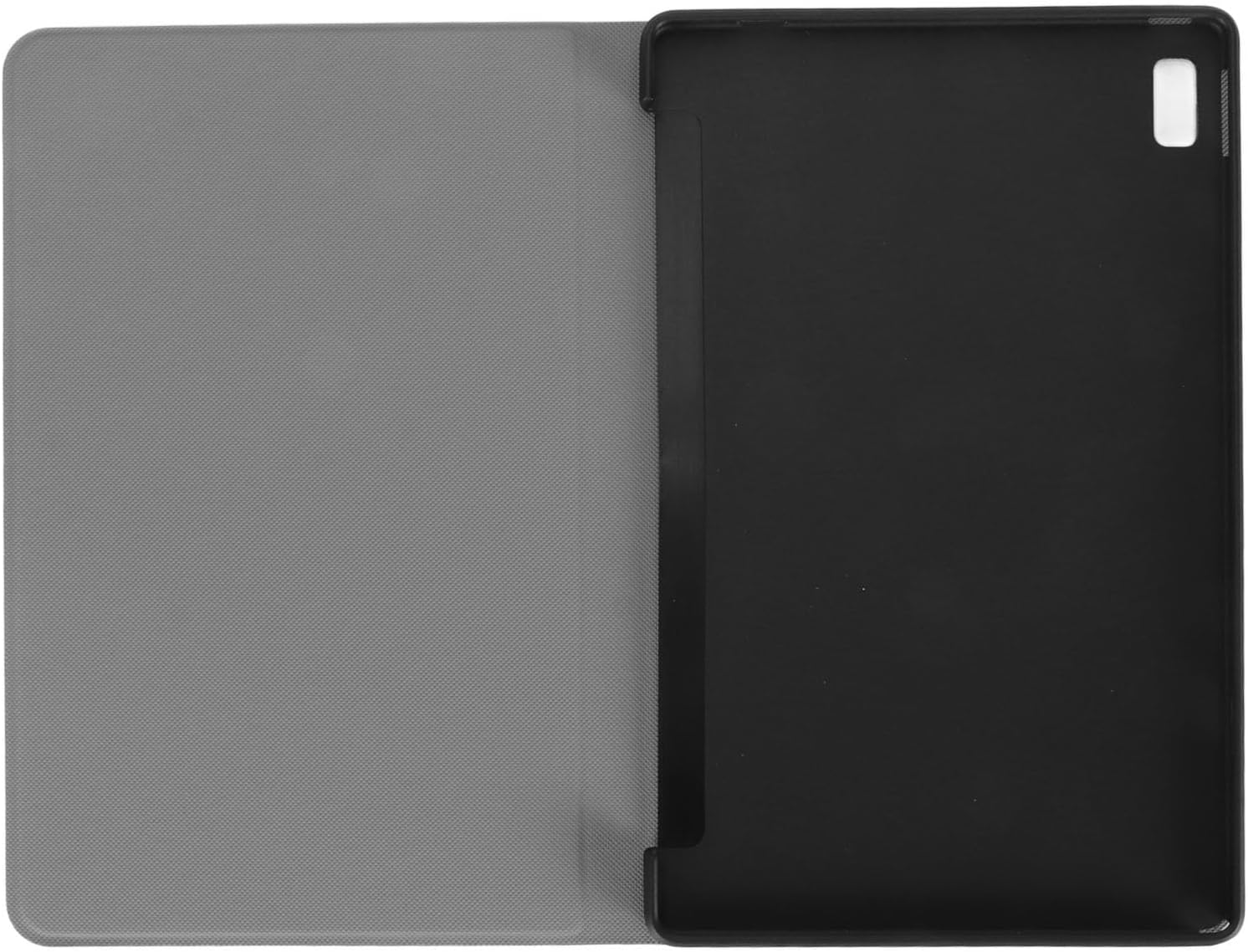
Image: The interior of the tablet case, illustrating the precise molding designed to securely hold the Maxpad i11/i11 Plus tablet.
Operating Instructions
Using the Folding Stand:
The Cuifati Tablet Case features a versatile folding stand for hands-free viewing:
- Open the Cover: Fold the front cover of the case completely open.
- Form the Stand: Bend the front cover backward along the designated creases to form a triangular stand shape. The magnetic closure or integrated grooves will help secure the stand in place.
- Adjust Viewing Angle: Position your tablet in the stand. The design allows for multiple viewing angles, suitable for typing, watching videos, or video calls. Experiment to find the most comfortable angle for your activity.

Image: The tablet case demonstrating its multi-angle stand functionality, with a tablet positioned for optimal viewing.
Auto Sleep/Wake Function:
This case supports the auto sleep/wake feature of your tablet. Simply close the front cover to put your tablet to sleep, and open it to wake it up. This helps conserve battery life.
Maintenance and Care
To ensure the longevity and appearance of your Cuifati Tablet Case, follow these maintenance guidelines:
- Cleaning: Wipe the exterior of the case with a soft, damp cloth. For stubborn stains, a mild soap solution can be used, but avoid harsh chemicals or abrasive cleaners.
- Drying: Allow the case to air dry completely after cleaning. Do not expose it to direct sunlight or high heat, as this may damage the PU leather material.
- Avoid Sharp Objects: Keep the case away from sharp objects that could scratch or puncture the material.
- Storage: When not in use, store the case in a cool, dry place away from direct sunlight.
Troubleshooting
If you encounter any issues with your tablet case, consider the following common solutions:
| Problem | Possible Cause / Solution |
|---|---|
| Tablet does not fit properly. | Ensure you have the correct model (Maxpad i11 / i11 Plus). Re-align the tablet and apply even pressure during installation. |
| Stand function is unstable. | Ensure the folds are creased properly to form a stable triangular shape. Check for any obstructions. |
| Auto sleep/wake not working. | Verify that your tablet's settings have the smart cover function enabled. Ensure the case is fully closed and aligned. |
| Case appears dirty or worn. | Refer to the "Maintenance and Care" section for cleaning instructions. Regular cleaning can prevent buildup. |
Specifications
| Attribute | Detail |
|---|---|
| Item Type | Leather Tablet Cover |
| Material | PU Leather |
| Applicable Models | Maxpad i11 / i11 Plus |
| Color | Black |
| Form Factor | Case |
| Special Features | Adjustable Stand, Auto Sleep/Wake |
| Package Dimensions | 10.24 x 6.69 x 0.39 inches |
| Item Weight | 8.8 ounces |
| Manufacturer | CUIFATI |
| Model Number | CUIFATIcthixr6zb3-11 |
Warranty and Support
Warranty Information:
Cuifati provides a 90-day exchange policy for this product. If you encounter any manufacturing defects or issues within 90 days of purchase, please contact customer support for assistance.

Image: The Cuifati brand logo, representing the manufacturer of this product.
Customer Support:
For further assistance, technical support, or warranty claims, please refer to the contact information provided with your purchase or visit the official Cuifati store on Amazon:
Ask a question about this manual
Ask about setup, troubleshooting, compatibility, parts, safety, or missing instructions. Manuals+ will review the question and use this page’s manual context to help answer it.