
Audeze LCD-3
Audeze LCD-3 Planar Magnetic Over-Ear Headphones
Model: LCD-3 (100-L3-1011-00) | Brand: Audeze
Introduction
The Audeze LCD-3 headphones offer a premium audio experience, meticulously handcrafted with advanced planar magnetic technology. Engineered for accuracy, these headphones provide a luxuriously spacious soundstage with powerful bass, a rich and engaging midrange, and a detailed top-end that draws you into the music. Their natural timbre, especially through the midrange, is designed for an immersive listening experience.
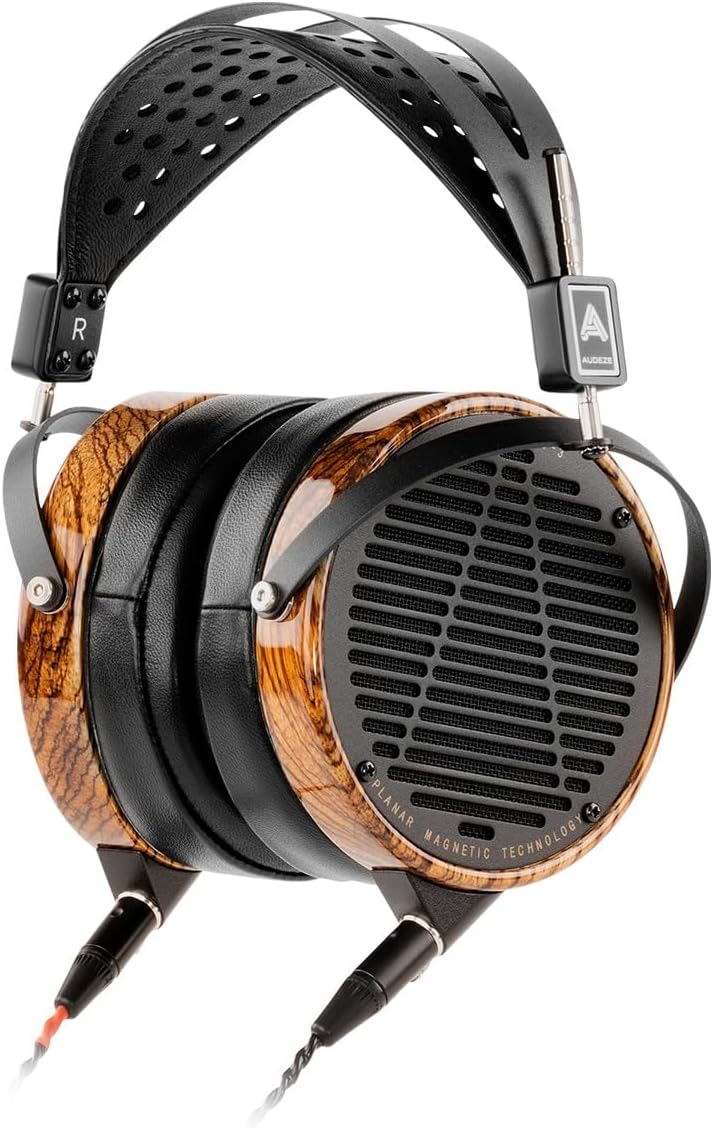
Image: Audeze LCD-3 Planar Magnetic Over-Ear Headphones, showcasing their elegant design with zebrawood earcups and black headband.
Key Features
- Planar Magnetic Technology: Features an ultra-thin diaphragm, four times larger than typical headphones, delivering fast response times, dramatically reduced distortion, higher resolution, and improved imaging.
- Low Distortion: Double-sided magnet arrays provide a uniform driving force across the entire diaphragm, resulting in near-zero distortion.
- Accurate Sound: Patented Fazor Elements guide internal headphone soundwaves to avoid resonance, producing a more accurate waveform.
- Impedance: Unique 110-ohm impedance planar driver pairs well with both tube and solid-state amplifiers.
- Premium Design: Handcrafted with tropical West African Zebrano hardwood (Zebra wood) rings, carefully matched by grain and color, complemented by premium leather earpads and a ventilated suspension headband for comfort.

Image: Audeze LCD-3 headphones displayed on a headphone stand, highlighting their distinctive zebrawood earcups and robust build.
Official Product Overview
Video: An official overview of the Audeze LCD-3 Planar Magnetic Headphones, detailing their features and design. This video provides a visual and auditory demonstration of the product's key aspects.
Setup
1. Unpacking and Initial Inspection
Carefully remove the headphones and all accessories from the carrying case. Inspect all components for any signs of damage. Ensure all cables and connectors are present and in good condition.
2. Connecting the Headphones
The LCD-3 headphones feature wired connectivity. Connect the appropriate audio cable to the headphone's 3.5 mm jacks (one for each earcup, typically marked L/R) and the other end to your audio source (e.g., amplifier, laptop, smartphone). Ensure a secure connection to prevent audio interruptions.
3. Wearing the Headphones
Place the headphones over your ears, ensuring the earpads fully encompass your ears for optimal sound isolation and comfort. Adjust the ventilated suspension headband to fit comfortably on your head. The headband is designed for long-term comfort during extended listening sessions.
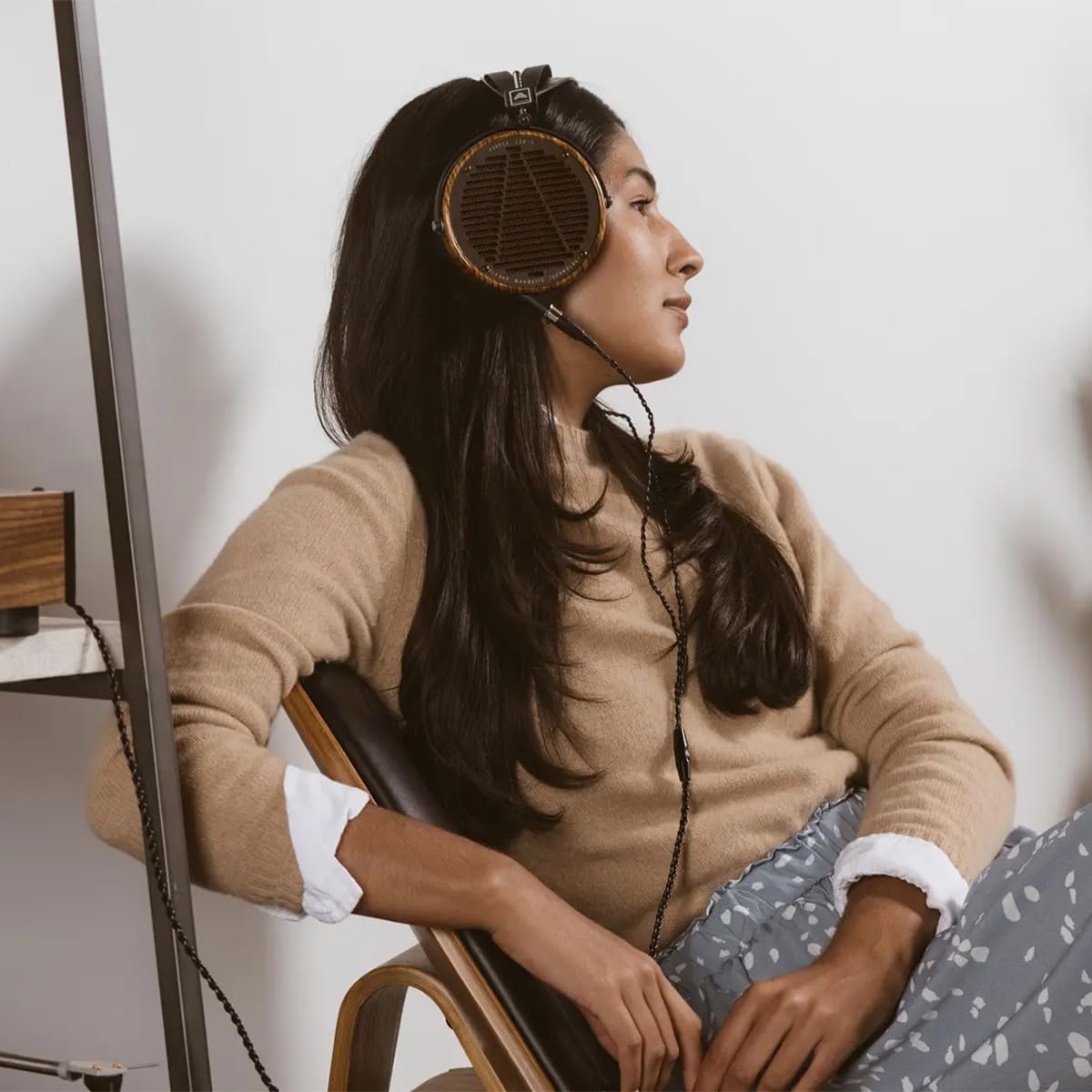
Image: A person wearing the Audeze LCD-3 headphones, demonstrating the comfortable over-ear fit and elegant appearance.
Operating Instructions
Audio Playback
Once connected to your audio source, begin playback from your device. Adjust the volume directly on your audio source to a comfortable listening level. The LCD-3 headphones are designed to deliver high-fidelity audio without the need for additional controls on the headphones themselves, relying on your source for media control.
Cable Management
The headphones feature a retractable cable for convenience. Ensure the cable is fully extended and free from kinks or twists during use. When not in use, carefully retract or coil the cable to prevent damage and tangling.
Maintenance
Cleaning Instructions
- Use a soft, dry, lint-free cloth to gently wipe the zebrawood earcups and metal components.
- For the leather earpads and headband, use a slightly damp cloth with mild soap if necessary, then wipe dry immediately. Avoid excessive moisture.
- Do not use harsh chemicals, abrasive cleaners, or solvents, as these can damage the materials and finish.
Storage
When not in use, store your Audeze LCD-3 headphones in their provided carrying case. This protects them from dust, scratches, and accidental damage. Avoid storing them in extreme temperatures or high humidity.

Image: The Audeze LCD-3 headphones alongside their durable carrying case and included audio cables, illustrating proper storage and transport.
Troubleshooting
- No Sound:
- Ensure the audio cable is securely connected to both the headphones and the audio source.
- Check the volume level on your audio source and ensure it is not muted.
- Test the headphones with a different audio source or cable to rule out source or cable issues.
- Distorted Sound:
- Verify the audio source is playing high-quality audio files.
- Reduce the volume on your audio source if the distortion occurs at high levels.
- Inspect the audio cable for any damage or frayed wires.
- Uncomfortable Fit:
- Adjust the headband to find a comfortable position on your head.
- Ensure the earpads are properly seated around your ears.
Specifications
| Feature | Detail |
|---|---|
| Brand | Audeze |
| Model Name | LCD-3 |
| Item Model Number | 100-L3-1011-00 |
| UPC | 819343015028 |
| Audio Driver Type | Planar Magnetic Driver |
| Impedance | 110 Ohm |
| Frequency Response | 20 Hz - 20,000 Hz (Wide frequency range) |
| Connectivity Technology | Wired |
| Headphones Jack | 3.5 mm Jack |
| Ear Placement | Over Ear |
| Material | Zebrano wood, Leather, Fabric |
| Color | Zebrawood |
| Item Weight | 6.78 pounds |
| Package Dimensions | 13.25 x 11.25 x 10 inches |
| Water Resistance Level | Not Water Resistant |
| Control Type | Media Control (via source) |
| Cable Feature | Retractable |
Warranty and Support
For detailed warranty information, product registration, and technical support, please visit the official Audeze website. It is recommended to retain your proof of purchase for any warranty claims or service requests. Audeze provides comprehensive support to ensure the longevity and performance of your LCD-3 headphones.
You can find more information and contact details on the Audeze Store on Amazon.
Related documentsLCD-3


Ask a question about this manual
Ask about setup, troubleshooting, compatibility, parts, safety, or missing instructions. Manuals+ will review the question and use this page’s manual context to help answer it.