
1. Introduction
Thank you for choosing the MT Helmets Atom 2 SV modular motorcycle helmet. This manual provides essential information for the safe and proper use, maintenance, and care of your helmet. Please read it thoroughly before using your helmet and keep it for future reference.
The Atom 2 SV helmet is designed for sport-touring, combining advanced features with functional design. It is certified under the stringent ECE 22.06 and DOT regulations, ensuring high levels of safety and protection. Key features include a modular (flip-up) design, an integrated retractable sun visor, an efficient ventilation system, and preparation for universal intercom systems.
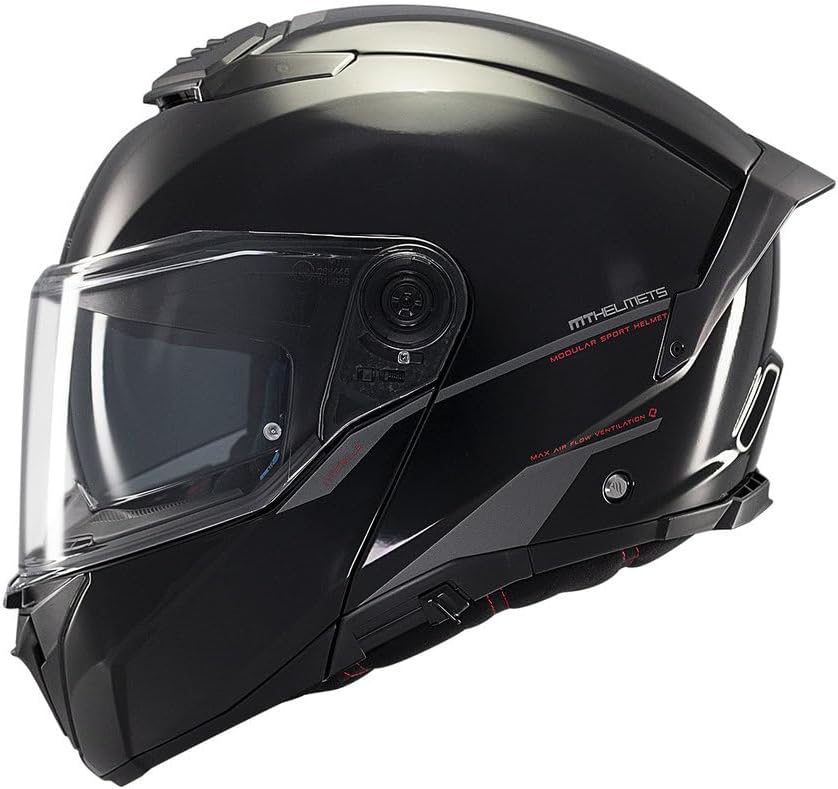
Figure 1.1: Side view of the MT Helmets Atom 2 SV modular helmet.
2. What's in the Box
Upon unpacking your MT Helmets Atom 2 SV helmet, please ensure all the following items are present:
- 1 x MT Atom 2 SV Helmet
- 1 x Protective fabric bag with adjustable closure
- 1 x User Manual (this document)
- MT Helmets decorative stickers
3. Safety Information
Your safety is paramount. Always wear a helmet that fits correctly and is in good condition. This helmet is certified to ECE 22.06 (P/J) and DOT standards, indicating it meets rigorous safety requirements for both open and closed chin bar riding.
3.1 Proper Fit
A helmet must fit snugly to provide maximum protection. It should not move freely on your head when the chin strap is fastened. If the helmet is too loose, it may shift during an impact, reducing its protective capability.
3.2 Chin Strap Fastening
Always fasten the chin strap securely. The MT-MDTC+ micrometric buckle system ensures a reinforced double-tooth closure, preventing accidental opening. Ensure the strap is tight enough so that the helmet cannot be pulled off your head.
3.3 Helmet Integrity
Never modify your helmet in any way. Modifications can compromise its structural integrity and protective features. In the event of an impact, even if there is no visible damage, the helmet's protective capacity may be compromised. It is recommended to replace your helmet after any significant impact.
4. Setup
4.1 Initial Fitting and Adjustment
Before your first ride, ensure the helmet fits correctly. Place the helmet on your head, ensuring it covers your forehead. Fasten the micrometric chin strap (see Section 3.2). The helmet should feel snug around your cheeks and crown, without causing pressure points. Try to move the helmet from side to side and up and down; there should be minimal movement.
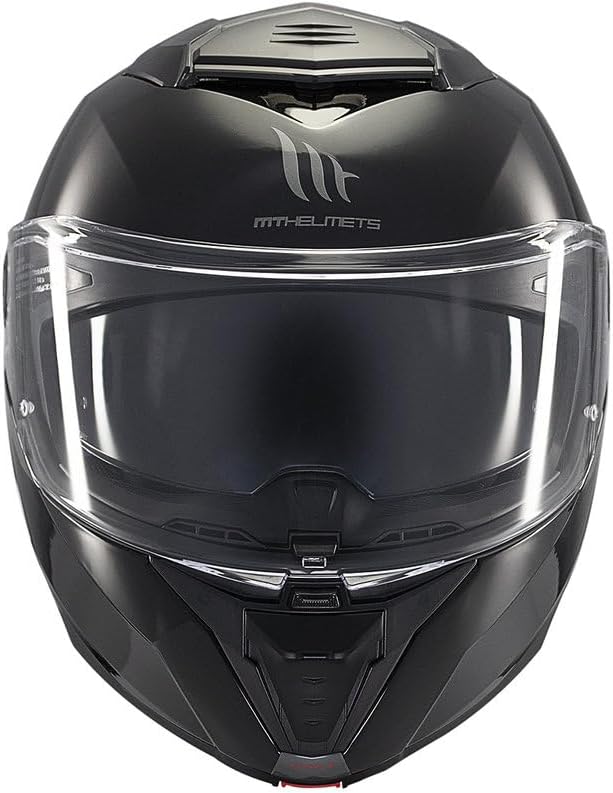
Figure 4.1: Front view of the helmet, showing the main visor and chin bar.
4.2 Intercom System Preparation (MT-NSIC)
The MT Atom 2 SV helmet is designed with an internal structure (MT-NSIC) that includes standardized housing for universal Bluetooth intercom systems. To install an intercom, carefully follow the instructions provided with your specific intercom device. The helmet's design facilitates easy integration without compromising comfort or safety.
5. Operating the Helmet
5.1 Modular Chin Bar Operation
The Atom 2 SV features a flip-up chin bar, allowing you to ride with it open (P/J homologation). To open the chin bar, locate the release mechanism, typically at the front center of the chin bar. Press the button and lift the chin bar upwards until it locks into the open position. To close, pull the chin bar down firmly until it clicks securely into place. The MT-FSOS+ system includes a front lock to prevent accidental opening.

Figure 5.1: Three-quarter front view, highlighting the modular design.
5.2 Integrated Sun Visor (MT-ESP)
The helmet is equipped with an internal retractable sun visor (MT-ESP) for enhanced visibility in varying light conditions. The sun visor is activated with a single hand using a slider mechanism, usually located on the side of the helmet. Slide it down to deploy the sun visor and up to retract it. The full-vision design offers extended visual coverage.
5.3 Ventilation System (MT-AFCS, MT-RADD)
The MT-AFCS internal channeling system and MT-RADD rear spoiler work together to provide active ventilation. The helmet features front and upper air intakes with open/close mechanisms. Adjust these vents to control airflow. The rear spoiler acts as an extractor, reducing heat buildup and improving aerodynamic stability.

Figure 5.2: Top view of the helmet, illustrating the upper ventilation system.
5.4 Main Visor Anti-fog Position (MT-FSOS+)
The MT-V35 optical anti-scratch polycarbonate visor features an automatic anti-fog position as part of the MT-FSOS+ quick-release system. This position allows a small gap for airflow to prevent fogging. Additionally, the visor is compatible with Pinlock DKS512 and FogOff FOG013 inserts for enhanced fog resistance.
6. Maintenance
6.1 Exterior Cleaning
Clean the helmet shell with a soft cloth and mild soap and water. Avoid abrasive cleaners, solvents, or harsh chemicals, as these can damage the helmet's finish and materials. For the main visor, use a soft, damp cloth and clean water. Do not use chemical cleaners on the visor, especially if a Pinlock insert is installed, as this can damage the anti-fog coating.
6.2 Interior Cleaning
The helmet's interior padding is removable, washable, and made from hypoallergenic, antibacterial, quick-drying fabrics. To clean, carefully remove the padding according to the instructions (usually by detaching snaps or Velcro). Hand wash with mild soap and cool water, then air dry completely before reinserting. Do not machine wash or tumble dry.
6.3 Visor Care
Regularly inspect the main visor and sun visor for scratches or damage. Replace them if visibility is impaired. When cleaning, be gentle to preserve the anti-scratch properties. If using a Pinlock insert, follow the Pinlock manufacturer's cleaning instructions.
6.4 Storage
Store your helmet in a dry, cool place, away from direct sunlight and extreme temperatures. Use the provided protective fabric bag to prevent scratches and dust accumulation. Do not store the helmet near chemicals or solvents.
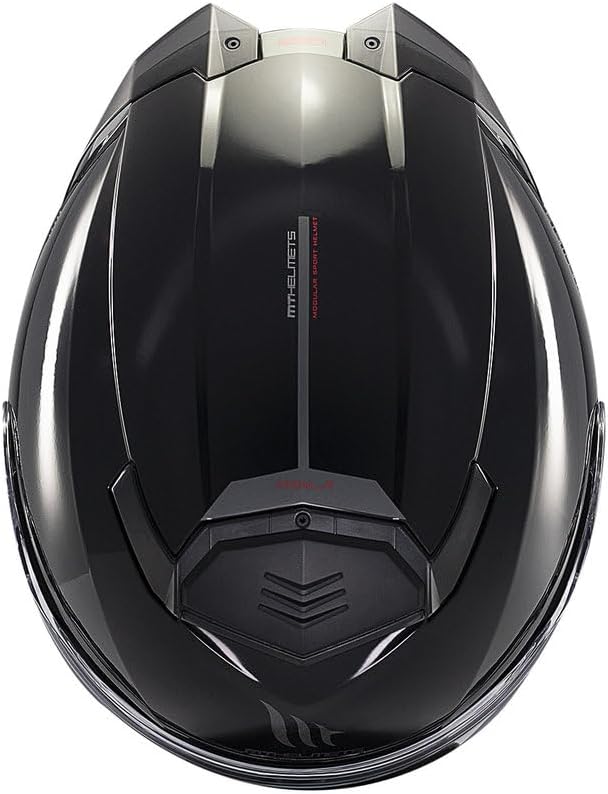
Figure 6.1: Rear view of the helmet, showing the rear spoiler and safety certifications.
7. Troubleshooting
7.1 Visor Fogging
- Solution: Ensure the main visor is in the anti-fog position (slightly open). Check if a Pinlock insert is correctly installed. Increase ventilation by opening the front and upper air intakes.
7.2 Chin Bar Not Locking Securely
- Solution: Ensure the chin bar is pulled down firmly until you hear a distinct click, indicating it is fully engaged with the front locking mechanism. Check for any obstructions.
7.3 Reduced Airflow from Vents
- Solution: Verify that the front and upper air intakes are fully open. Check for any debris or obstructions in the vent openings.
8. Specifications
| Feature | Description |
|---|---|
| Helmet Type | Modular (Flip-Up) |
| Shell Material | HIRP (High Impact Resistant Polymer) |
| Weight | 1650 – 1715 g (approx.) |
| Homologations | ECE 22.06 (P/J) and DOT |
| Main Visor | MT-V35 Optical Anti-scratch Polycarbonate, Pinlock DKS512 & FogOff FOG013 compatible |
| Sun Visor | Integrated Retractable (MT-ESP) with extended visual field |
| Ventilation | MT-AFCS Internal Channeling, Front & Top Air Intakes, MT-RADD Rear Extractor Spoiler |
| Interior | Removable, Washable, Antibacterial, Hypoallergenic fabrics, Multi-density EPS |
| Chin Strap | Reinforced Micrometric (MT-MDTC+) |
| Intercom Ready | MT-NSIC for universal Bluetooth intercoms |
9. Warranty and Support
MT Helmets products are manufactured to high-quality standards and come with a manufacturer's warranty against defects in materials and workmanship. For specific warranty terms and conditions, please refer to the warranty card included with your helmet or visit the official MT Helmets website.
For technical support, spare parts, or any inquiries not covered in this manual, please contact your authorized MT Helmets dealer or the MT Helmets customer service department.


